Table of contents
AdsPower and GoLogin are two of the most widely used anti-detect browsers for people who run many online accounts at once. Both let you create separate browser profiles, each with its own fingerprint, cookies, and proxy, so that one account never looks like it shares a device with another. On paper they solve the same problem. In practice, they make different bets about where profiles live, how teams collaborate, and how much automation you get out of the box.
This comparison walks through how each tool handles profiles, fingerprints, cloud access, team management, automation, and proxy setup. We focus on how they work and who each one fits, and we point to live Proxyaxis cards for plans and pricing rather than quoting figures that change often.
The short version
Choose AdsPower if you want strong built-in automation and a desktop-first workflow for e-commerce and ads teams. Choose GoLogin if you value cloud access to profiles from anywhere and simple sharing. Both need good proxies to be effective, and the proxy choice matters as much as the browser.

AdsPower
Browser

GoLogin
Browser
Editor score
User rating
Starting price
Founded
What an anti-detect browser actually does
Websites identify visitors by much more than cookies. They read a browser fingerprint made of dozens of signals: screen size, fonts, graphics card details, time zone, language, and the way the browser renders canvas and WebGL graphics. When two accounts share the same fingerprint and IP, platforms can link them, even if you log in and out carefully.
An anti-detect browser gives each profile its own consistent set of these signals and its own isolated storage. Pair each profile with its own proxy, and every account appears to come from a different device on a different network. For a deeper look at the mechanics, read how anti-detect browsers work.
AdsPower and GoLogin both follow this model. The differences are in the details: how convincing and consistent the fingerprints are, where profile data is stored, how teams share access, and how easy it is to plug in proxies and automation.
AdsPower at a glance
AdsPower grew up around e-commerce sellers, affiliate marketers, and ad buyers who manage many storefronts and ad accounts. It is a desktop application available on Windows and macOS, and it offers two browser engines: a Chromium-based engine and a Firefox-based engine. Having both lets you match the browser family a platform expects or spread profiles across engines.
Its standout feature is built-in automation. AdsPower includes a visual automation tool, which it calls RPA, that lets you record or assemble repetitive tasks such as logging in, browsing, or posting, then run them across many profiles without writing code. It also offers a local API for developers who prefer Selenium or Puppeteer style scripting.
AdsPower
AdsPower delivers remarkable feature-per-dollar: dual Chromium/Firefox engines, a genuine no-code RPA robot, team roles, a free 5-profile tier, and plans from around $5.40/mo. The trade-offs are a cluttered, learning-curve interface and support that leans to Asian time zones, but for cost-conscious e-commerce and ad teams it's hard to beat.
GoLogin at a glance
GoLogin is built around its own Chromium-based browser, Orbita, and puts more emphasis on cloud access. Profiles are stored in the cloud, so you can open the same profile from different computers, and GoLogin also offers ways to run profiles remotely rather than only on your own machine. That makes it convenient for distributed teams and for people who switch devices often.
GoLogin is also known for a straightforward interface and easy profile sharing. For automation, it exposes an API that works with common tools such as Puppeteer, Playwright, and Selenium, though it does not center its pitch on a no-code automation builder the way AdsPower does.
GoLogin
GoLogin is the best-value anti-detect browser going, pairing a genuinely useful forever-free tier with entry plans that include 100+ profiles for $24/month. It cedes a little ground to Multilogin on granular team permissions and to Octo on outright stealth, and its free bundled proxies are low quality — but as an accessible, cross-platform, cloud-or-desktop workhorse it is hard to fault.
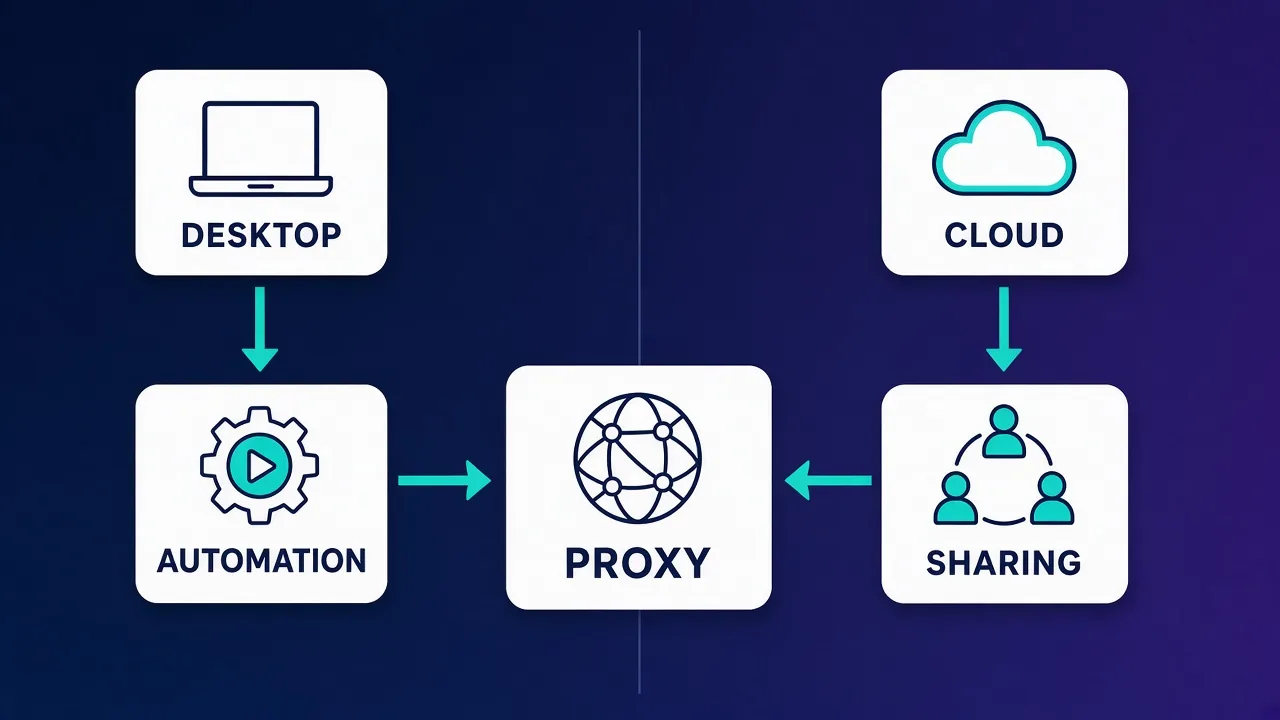
AdsPower vs GoLogin: feature comparison
| Area | AdsPower | GoLogin |
|---|---|---|
| Browser engines | Chromium-based and Firefox-based options | Chromium-based Orbita |
| Where profiles live | Desktop app with account sync | Cloud-stored profiles, openable across devices |
| Remote or cloud running | Primarily runs on your machine | Offers cloud-based ways to run profiles |
| No-code automation | Built-in RPA task builder | Not a core focus |
| Developer API | Local API for scripting | API with Puppeteer, Playwright, Selenium support |
| Team features | Members, groups, and permission controls | Profile sharing and team workspaces |
| Proxy setup | Per-profile proxy with bulk import | Per-profile proxy with bulk import and in-app proxy options |
| Best known for | E-commerce and ads operations at scale | Simple cloud access and sharing |
Feature sets change with each release, so treat this table as a guide to each product's direction and confirm specifics on the live cards and vendor documentation before you commit.
Fingerprint quality and consistency
The most important job of any anti-detect browser is producing fingerprints that are both unique and believable. A fingerprint that is unique but inconsistent, for example a Windows user agent paired with macOS fonts, can be more suspicious than a common one.
Both AdsPower and GoLogin generate fingerprints automatically when you create a profile and let you adjust parameters such as time zone, language, screen resolution, and WebRTC behavior. Both also try to align time zone and language with the proxy's location, which is one of the most common sources of mismatches.
Neither vendor publishes independent detection test results that we can verify, and detection systems change constantly. The practical approach is to test both on your own target platforms using a public fingerprint checker and a small number of low-risk accounts before migrating anything important. Keep the browser updated, because an outdated browser core is itself a signal.
Consistency beats randomness
Do not randomize every fingerprint setting by hand. Let the browser generate a coherent profile, set the time zone and language to match the proxy, and keep each profile stable over time. Platforms trust devices that look the same from one visit to the next.
Cloud profiles and remote access
This is where the two tools differ most. GoLogin stores profiles in the cloud and makes it easy to pick up a profile from a different computer. It also provides options to run profiles without keeping your own machine on, which helps when team members are spread across locations or when you want to avoid a single desktop being the point of failure.
AdsPower syncs profiles to your account, so you can access them from more than one machine, but its workflow is centered on the desktop application. For teams that work from fixed workstations, that is often fine. For people who travel or switch devices constantly, GoLogin's cloud emphasis can be more convenient.
Cloud storage comes with a trade-off. Your cookies and sessions live on the vendor's infrastructure, so you are trusting their security practices. Review each vendor's security documentation and use strong account protection, such as two-factor authentication, either way.
Team features and collaboration
Both tools support teams, but they approach it differently.
AdsPower for structured teams
AdsPower offers member management with groups and permission settings, so you can control which team members can see, open, or edit which profiles. That suits agencies and e-commerce operations where different people handle different stores or ad accounts and access needs to be tightly scoped.
GoLogin for easy sharing
GoLogin makes sharing profiles with teammates simple, and its cloud model means a shared profile is immediately available wherever the teammate works. It suits smaller teams and freelancers who need to hand profiles back and forth without much setup.
In both cases, the safest practice is to give each person only the profiles they need, avoid opening the same profile on two machines at once, and log who changed what. Our guide to the best anti-detect browsers for social media management covers team workflows in more depth.
Automation: RPA vs API
If you run repetitive tasks across many accounts, automation can save hours each day. AdsPower's built-in RPA lets non-developers create automated flows, such as opening a site, waiting, clicking, and typing, then run them across profiles. That is a real advantage for marketing and operations teams without engineering support.
Both tools also provide APIs that let developers launch profiles and control them with standard automation libraries. If you already write Playwright, Puppeteer, or Selenium scripts, either tool can fit into your existing code. Our guides on using proxies with Puppeteer and using proxies with Selenium show how proxy settings work in those libraries.
Whatever you automate, keep it human-paced. Automation that clicks instantly and identically across fifty accounts is easy for platforms to spot, no matter how good the fingerprints are.
Proxy setup and UX
An anti-detect browser without good proxies is like a disguise worn in the same doorway every day. Each profile needs its own IP, and that IP should match the profile's location and stay stable for logged-in accounts. Our explainer on whether you need proxies with anti-detect browsers covers why.
Both AdsPower and GoLogin let you assign a proxy per profile, support common protocols such as HTTP and SOCKS5, and let you import proxies in bulk. Both include a check button to confirm a proxy works and see its location before you launch a profile. GoLogin also offers built-in proxy options inside the app, which is convenient for quick tests, though most serious operations bring their own provider for more control over quality and location.
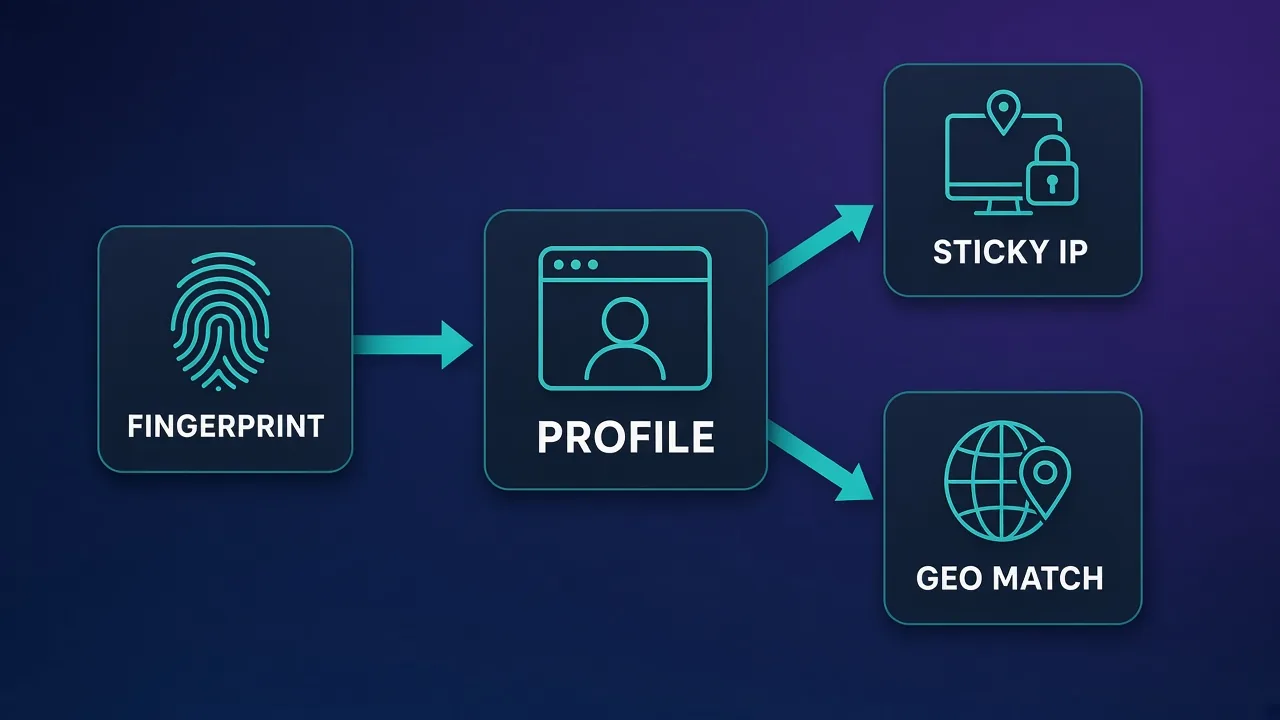
Which proxy types work best
- ISP (static residential) proxies are the usual choice for long-lived logged-in accounts. They keep the same IP for a long time and come from consumer internet provider networks.
- Residential proxies with sticky sessions work well when you need many locations and can keep sessions long enough for each login. See our guide to sticky sessions.
- Mobile proxies suit platforms that are especially strict or mobile-first, at a higher cost.
- Datacenter proxies are usually a poor fit for account work because they are easy to identify.
For a full breakdown, read residential vs ISP vs datacenter proxies. These providers are popular pairings with both browsers:

Decodo
Decodo offers the best price-to-performance ratio in the industry. It delivers roughly 90% of what the enterprise leaders provide — high success rates, a large clean pool, sticky sessions, an unblocker — at a fraction of their cost. The dashboard is the friendliest of any major provider, the 14-day money-back guarantee removes the risk of trying it, and support actually responds. The main gaps are enterprise-grade compliance tooling and the very deepest targeting, neither of which most teams need. For startups, solo developers, and any team that wants professional results without enterprise pricing, Decodo is our top value pick and an easy recommendation.

IPRoyal
IPRoyal is the best pure pay-as-you-go deal in proxies. Non-expiring traffic is a genuinely customer-friendly policy that no major rival matches — buy what you need, use it whenever, lose nothing. The pool is smaller than the premium networks and success rates can soften on the most heavily defended targets, so high-volume enterprise scraping is not its strength. The dashboard is also fairly basic. For intermittent scraping, account work, and sneaker copping on a predictable budget, IPRoyal is an easy recommendation and one of the best value picks for occasional users.
NodeMaven
NodeMaven's quality-filtered pool is a genuinely different pitch in a market obsessed with pool size, and it works: the IPs you get are noticeably cleaner, and holding one for a day makes account workflows far more stable than typical 10–30 minute sticky windows. You pay more per gigabyte than at budget providers, and raw-volume scrapers should look elsewhere — this is a precision tool. For multi-accounting through anti-detect browsers and any workflow where one flagged IP costs you an account, NodeMaven justifies its premium.

SOAX
SOAX is the targeting specialist. City- and ISP-level selection on every plan — not locked behind premium tiers — is genuinely rare, and the continuously cleaned pool keeps success rates high where it matters. It is not the fastest network, the interface could use a refresh, and SOCKS5 coverage is uneven. Those are real but minor gripes against a provider that nails the fundamentals of precision and reliability. For ad verification, localized market research, and social-media work that depends on appearing in an exact location, SOAX is one of the best mid-market options available.
Pricing posture
Both tools use subscription plans priced mainly by the number of profiles and team members, and both have offered free or trial options with limited profiles. Exact prices, limits, and discounts change regularly, so check the live cards above for current plans instead of relying on numbers quoted in older reviews.
When comparing cost, look past the headline price. Count how many profiles you truly need now and in six months, how many team seats you need, and whether you would otherwise pay for a separate automation tool. A plan that seems more expensive can work out cheaper if it replaces another subscription.
Who should choose AdsPower
- E-commerce sellers and ad buyers managing many stores or ad accounts.
- Operations teams that want no-code automation without hiring developers.
- Agencies that need granular permissions for different staff.
- Users who want a choice of Chromium-based and Firefox-based engines.
Who should choose GoLogin
- Freelancers and small teams who switch devices often.
- Distributed teams that want profiles available from anywhere.
- Users who prefer a simple interface and quick profile sharing.
- Developers who plan to drive profiles from their own scripts through the API.
Test before you migrate
Both tools have offered free or trial options. Create a handful of test profiles in each, pair them with the same proxy provider, and run them against your real platforms for a week before moving important accounts.
Alternatives worth considering
If neither tool fits, a few others are worth a look. Multilogin is a long-standing option aimed at larger teams with strong fingerprint focus. Dolphin Anty is popular with affiliate and ads teams. Octo Browser is another option often chosen for fingerprint quality. See our comparisons of Multilogin vs AdsPower, GoLogin vs Multilogin, and Dolphin Anty vs AdsPower.

Multilogin
Multilogin is the original enterprise anti-detect browser and still the benchmark, with the most battle-tested fingerprints, two engines (Chromium Mimic and Firefox Stealthfox), included residential proxy traffic, and best-in-class team controls. The costs are a premium price and a heavyweight app — so it's overkill for solo hobbyists, but the safest choice for serious teams that treat multi-accounting as infrastructure.

Dolphin Anty
Dolphin Anty is one of the most polished choices for affiliate and paid-social teams, pairing a genuinely useful 10-profile free tier with warming automation and bulk proxy tools that were clearly built by people who run ad accounts. Just weigh its Russian origins against your vendor policy, and know that its strengths are wasted if your work isn't media buying.

Octo Browser
Octo is one of the most stealth-focused and stable anti-detect browsers on the market, with real-device fingerprints and an update cadence measured in days rather than weeks. The trade-offs are a higher entry price with no free plan and lighter built-in automation than AdsPower — but if undetectability and a clean, sharable app are your priorities, it's hard to beat.
Common mistakes with either browser
- Sharing one proxy across profiles. This links accounts at the network level, which defeats the purpose.
- Mismatched locations. A profile set to one time zone using an IP from another country is a classic red flag.
- Switching proxies on established accounts. Frequent IP changes on a logged-in account look like account takeover.
- Opening the same profile on two machines. This can corrupt sessions and create conflicting activity.
- Skipping updates. An outdated browser core stands out more over time.
- Ignoring platform rules. Multi-accounting is restricted on many platforms. Read the terms for each platform you use and stay within them.
Bottom line
AdsPower and GoLogin are both capable anti-detect browsers, and the right choice comes down to how you work. AdsPower is the stronger pick for teams that want built-in automation, granular permissions, and a desktop-first workflow. GoLogin is the better fit for people who want cloud profiles, easy sharing, and access from any device. Whichever you choose, give every profile its own stable, location-matched proxy, test on low-risk accounts first, and compare current plans on the live cards above.
Frequently asked questions
Neither is better for everyone. AdsPower suits teams that want built-in no-code automation, granular permissions, and a desktop-first workflow. GoLogin suits people who want cloud-stored profiles they can open from any device and easy sharing.
The biggest difference is workflow. AdsPower centers on a desktop app with a built-in RPA automation builder and two browser engines. GoLogin centers on cloud profiles and remote access built around its Chromium-based Orbita browser.
Both let you add your own proxy to each profile and import proxies in bulk. GoLogin also offers built-in proxy options inside the app for quick tests. Most serious operations bring their own provider for better control over IP quality and location.
ISP or static residential proxies are the usual choice for long-lived logged-in accounts because they keep the same IP. Residential proxies with sticky sessions work when you need many locations. Datacenter proxies are generally a poor fit for account work.
Yes. AdsPower includes a visual RPA tool for building automations without code, plus a local API. GoLogin offers an API that works with Puppeteer, Playwright, and Selenium. Keep any automation human-paced to avoid detection.
Both support teams. AdsPower offers member groups and permission controls for tightly scoped access. GoLogin makes sharing profiles simple, and its cloud model means shared profiles are available wherever teammates work.
Both have offered free or trial options with limited profiles, but plan details change regularly. Check the live Proxyaxis cards or the vendors' pricing pages for current limits before you decide.
Using the software itself is generally legal, but many platforms restrict running multiple accounts in their terms of service. Read the rules for each platform you use, and use anti-detect browsers for legitimate purposes such as managing client or business accounts.