Table of contents
An anti-detect browser looks like an ordinary browser — tabs, bookmarks, an address bar — but underneath, it is a machine for manufacturing believable identities. Where a normal browser tells every website the truth about your device, an anti-detect browser tells each website a different, carefully constructed story: this profile is a Windows laptop in Chicago, that one is a MacBook in Berlin, and nothing links them to each other or to you. This guide explains how that actually works — the fingerprinting problem these tools were built to solve, the substitution engine at their core, what they can and cannot hide, and how to judge whether one belongs in your toolkit.
The Problem: Your Browser Betrays You
Websites stopped relying on cookies to recognize visitors years ago. Modern identification reads the device itself, and a standard browser volunteers an astonishing amount of material. Every page you visit can collect:
- Declared identity — your user agent, language list, and platform, announced in headers and JavaScript properties.
- Hardware traits — screen resolution, color depth, CPU core count, device memory, touch support.
- Rendering behavior — how your exact GPU, drivers, and fonts draw a hidden test image (canvas fingerprinting) or a 3D scene (WebGL fingerprinting), which varies measurably between machines.
- Environment — time zone, installed fonts, audio-stack quirks, media codecs.
- Network signals — your IP address, and lower still, the shape of your TLS handshake.
Individually these are mundane. Combined, they form a browser fingerprint distinctive enough to recognize one device among millions — and it survives clearing cookies, private browsing, and switching IPs, because it is derived from what your machine is, not what it stores. For anyone managing multiple accounts, the consequence is brutal: log into five accounts from one machine and the platform sees five names attached to one unmistakable device. The accounts are linked no matter how carefully you separated the logins.
The Core Idea: Substitute, Don't Block
The intuitive response to fingerprinting is to block it — refuse the canvas read, disable WebGL, strip the headers. Anti-detect browsers rejected that approach for a simple reason: refusing the test is itself an answer. Almost no real users browse with canvas blocked, so a blocked canvas puts you in a tiny, deeply suspicious minority. Privacy tools that make you invisible also make you conspicuous.
The second intuitive response — randomize everything — fails for a subtler reason. Fingerprint attributes are correlated in the real world: a machine that claims to be a MacBook should have macOS fonts, an Apple GPU string, Safari-plausible codecs, and rendering output consistent with all of it. Random values produce combinations that cannot exist on real hardware, and impossible combinations are the single easiest thing for a detector to flag.
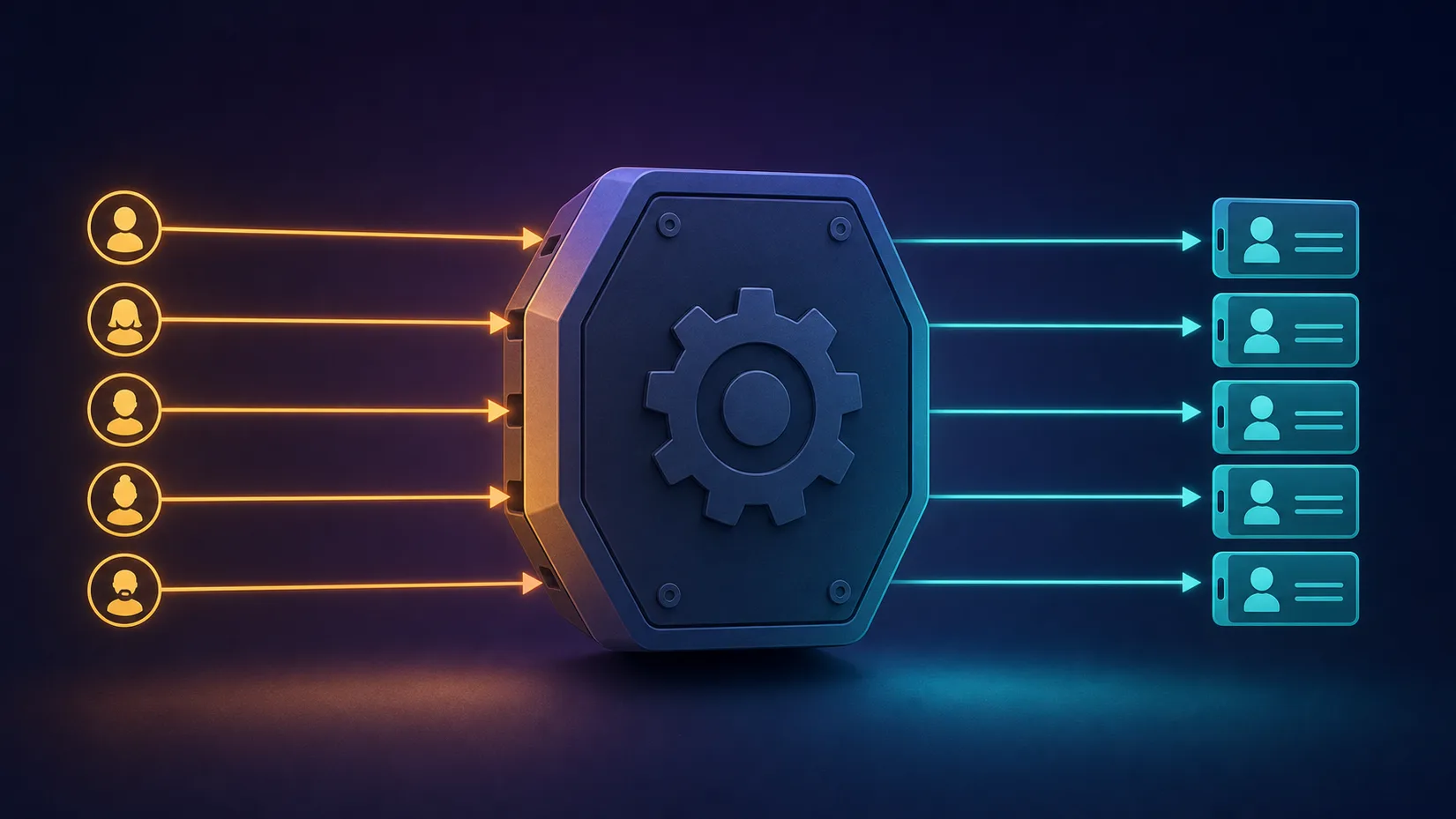
So anti-detect browsers do something else entirely: substitution. Each profile is assigned a complete, internally consistent fingerprint modeled on real devices — every value plausible on its own, every value consistent with the others. The browser then answers every fingerprinting probe in character. You are not hiding in the dark; you are hiding in the crowd, wearing a face that belongs to nobody but could belong to anybody.
The counterintuitive rule
In fingerprint evasion, looking normal beats looking private. A browser that answers every probe with boring, coherent, real-world values attracts far less scrutiny than one that blocks, noises, or randomizes. Blending in is the entire game.
Inside the Engine: How the Masking Actually Works
The quality difference between anti-detect browsers lives here, and it comes down to where in the software stack the substitution happens.
Surface level: JavaScript injection
The naive approach — used by cheap tools and browser extensions — injects a script into each page that overrides JavaScript APIs: replace navigator.userAgent, wrap the canvas read function, patch the WebGL renderer string. It works against casual collection, but the patches themselves are detectable: overridden functions can be caught by inspecting their toString() output, checking prototype integrity, or probing in an iframe the script didn't reach. Detectors specifically test for these tampering artifacts.
Deep level: modified browser builds
Serious anti-detect browsers ship their own builds of Chromium (and occasionally Firefox), with the substitution implemented inside the browser's source code. When the fingerprint is changed at the engine level, there is no JavaScript patch to discover — the browser genuinely reports the profile's values through every API, in every frame, in every worker thread, because those values are what the engine itself believes. GoLogin's Orbita, Multilogin's Mimic and Stealthfox, and the engines behind Dolphin Anty and AdsPower all take this approach, differing in how deep and how complete their coverage is.
The hard part: behavior, not just values
Reporting a fake GPU string is trivial; rendering like that GPU is not. The best engines don't just change what the browser says — they manage what it does: canvas output consistent with the claimed hardware family, WebGL parameters that match the claimed renderer, audio processing consistent with the claimed platform. This is the genuinely difficult engineering that separates premium tools from cheap ones, and it is where weak products get their users caught — a profile that claims Apple silicon but renders like a Windows NVIDIA machine is a walking contradiction.
The Signals an Anti-Detect Browser Manages
A modern anti-detect browser coordinates a substitution across every channel a website can read. The main ones:
| Signal | What websites read from it | How the browser handles it |
|---|---|---|
| User agent & Client Hints | Declared browser, version, OS | Set per profile, kept current with real browser releases |
| Canvas | Pixel-level rendering signature of GPU/drivers/fonts | Substituted output consistent with the claimed hardware |
| WebGL | GPU vendor/renderer strings plus 3D render output | Matched pair: plausible strings with consistent render behavior |
| Fonts | Installed font list, characteristic of OS and software | Font set matching the claimed operating system |
| AudioContext | Audio-processing signature of the sound stack | Stable per-profile output consistent with the platform |
| Time zone, locale, geolocation | Where and in what language the user lives | Derived automatically from the profile's proxy location |
| WebRTC | Local and public IPs leaked via STUN | Masked or aligned with the proxy IP per profile |
| Hardware traits | CPU cores, memory, screen, touch | Assigned realistic values from real-device distributions |
| Cookies & storage | Session state and tracking history | Fully isolated per profile, persisted between sessions |
Two of these deserve special respect. WebRTC leaks expose your real IP around the proxy through the browser's real-time communication machinery — a mistake that instantly undoes everything else. And time zone/locale alignment matters because it is checked constantly: a Tokyo IP with a Berlin clock is a contradiction any anti-fraud script can spot in one line of code.
Browser Profiles: One Machine, Many Identities
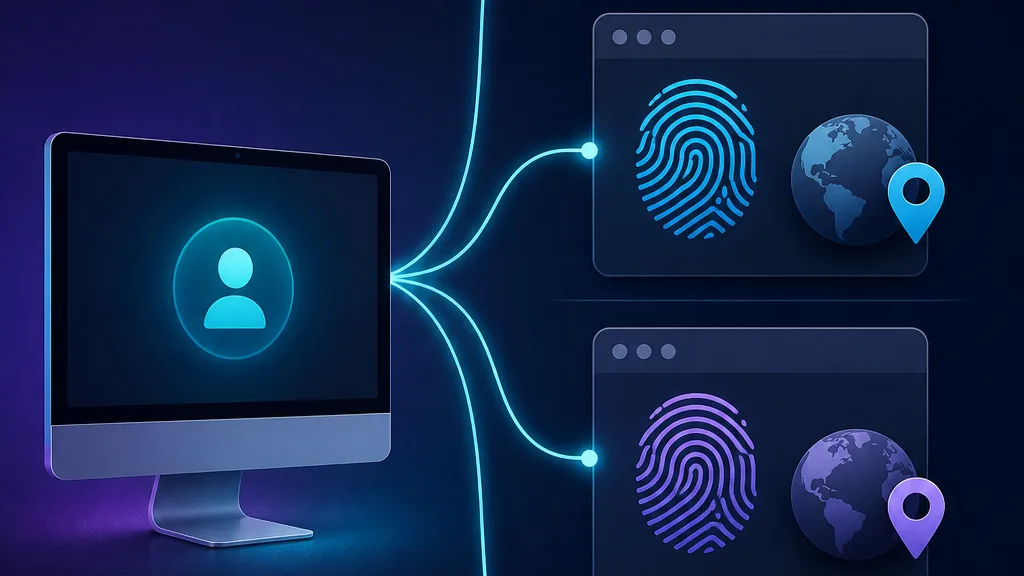
The unit of everything in an anti-detect browser is the browser profile — a self-contained identity bundling a fingerprint configuration, its own cookies and local storage, its login sessions, and its assigned proxy. Launch two profiles side by side and websites see two strangers on two machines in two cities.
This is more than what Chrome's built-in profiles do. Chrome separates data — bookmarks, cookies, history — but every Chrome profile presents the same device fingerprint, so the linkage survives. Anti-detect profiles separate the device itself.
Modern platforms store profiles in the cloud, which quietly enables the workflows agencies run on: a manager in one country creates a profile, warms it up, logs into a client account — and a team member on another continent opens that exact identity the next morning, same fingerprint, same cookies, same IP. The website sees one consistent user, not a suspicious handoff. Team plans add role-based controls over who can open, edit, or share which profiles, and automation APIs let scripts drive profiles through Puppeteer, Playwright, or Selenium — which is how anti-detect browsers ended up at the center of serious scraping operations as well as account management.
The Proxy Layer: Completing the Disguise
An anti-detect browser masks the device but does nothing about the network: without proxies, all your beautifully separated profiles connect from one IP address, and the shared address links them anyway. The standard discipline is one account, one profile, one IP — a stable pairing, not a rotating one, because platforms notice an account whose "home" changes daily.
IP quality matters as much as fingerprint quality. Residential and mobile IPs carry the trust of the real customers who share their ranges, while flagged datacenter ranges attract exactly the scrutiny the browser was bought to avoid. The browser and proxy also cooperate: good tools read the proxy's location and automatically set the profile's time zone, language, and geolocation to match, closing the consistency gaps that manual configuration leaves open.
Where most failures actually happen
When accounts get flagged despite an anti-detect browser, the cause is usually the network layer, not the fingerprint: a reused proxy linking profiles, a cheap IP with a bad reputation, or a WebRTC leak exposing the real address. Audit the IP story first — it fails more often than the engine does.
What They Can't Hide
Honest expectations matter, because anti-detect browsers are routinely oversold. The fingerprint is one detection layer among several, and the others see straight through a perfect disguise:
- Behavior. Platforms model how users act — typing rhythm, mouse movement, navigation patterns, session timing. Ten accounts with perfect distinct fingerprints that all behave identically, work identical hours, and touch identical pages cluster themselves. Automation makes this worse: scripted profiles carry scripted rhythm.
- Account-level data. Shared payment cards, recovery emails, phone numbers, shipping addresses, or even writing style link accounts through the platform's own records — no fingerprint needed.
- Fresh-profile syndrome. A newborn profile with zero cookies and no history that immediately performs high-value actions looks exactly like what it is. This is why operators invest in profile warming before putting identities to work.
- The arms race itself. Detection vendors buy these tools and study their tells; browser vendors patch and ship new engine builds. A tool that stops updating starts failing within months — one reason subscription pricing is universal, and one more reason "100% undetectable" claims should end a sales conversation.
Anti-Detect vs Incognito vs VPN
These three get conflated constantly, and they solve different problems:
| Incognito mode | VPN | Anti-detect browser | |
|---|---|---|---|
| Cookies & history | Discarded after the session | Unchanged | Isolated and persisted per profile |
| IP address | Unchanged | Replaced (one IP for everything) | Per-profile proxy, different IP per identity |
| Device fingerprint | Unchanged | Unchanged | Substituted per profile |
| Multiple simultaneous identities | No | No | Yes — the core feature |
| Solves | Local privacy on a shared computer | Network privacy and geo-shifting | Account separation and fingerprint control |
Incognito protects you from people who use your computer; a VPN protects your traffic from your network; an anti-detect browser protects your identities from the websites themselves. They are complements, not competitors — a serious multi-account setup uses fingerprint isolation and per-profile proxies as a matter of course.
The Major Players
The market has consolidated around a handful of serious engines, each with a distinct positioning. Live pricing and ratings are on the cards — the one-line versions:
Multilogin — the enterprise benchmark
The oldest serious player, with uniquely deep engine work and the only mainstream Firefox-based engine (Stealthfox) alongside its Chromium-based Mimic.

Multilogin
Multilogin is the original enterprise anti-detect browser and still the benchmark, with the most battle-tested fingerprints, two engines (Chromium Mimic and Firefox Stealthfox), included residential proxy traffic, and best-in-class team controls. The costs are a premium price and a heavyweight app — so it's overkill for solo hobbyists, but the safest choice for serious teams that treat multi-accounting as infrastructure.
GoLogin — the accessible challenger
Covers the core fingerprinting surface at a fraction of enterprise pricing, with cloud profiles, a web version, and an Android app. Our GoLogin vs Multilogin comparison covers the head-to-head in depth.

GoLogin
GoLogin is the best-value anti-detect browser going, pairing a genuinely useful forever-free tier with entry plans that include 100+ profiles for $24/month. It cedes a little ground to Multilogin on granular team permissions and to Octo on outright stealth, and its free bundled proxies are low quality — but as an accessible, cross-platform, cloud-or-desktop workhorse it is hard to fault.
Dolphin Anty — built for traffic teams
Popular with ad-arbitrage and affiliate teams for its workflow tooling around bulk profile operations.

Dolphin Anty
Dolphin Anty is one of the most polished choices for affiliate and paid-social teams, pairing a genuinely useful 10-profile free tier with warming automation and bulk proxy tools that were clearly built by people who run ad accounts. Just weigh its Russian origins against your vendor policy, and know that its strengths are wasted if your work isn't media buying.
AdsPower — bulk operations on a budget
Aggressive pricing and RPA-style automation make it a favorite for high-volume e-commerce account work; see our Dolphin Anty vs AdsPower comparison.

AdsPower
AdsPower delivers remarkable feature-per-dollar: dual Chromium/Firefox engines, a genuine no-code RPA robot, team roles, a free 5-profile tier, and plans from around $5.40/mo. The trade-offs are a cluttered, learning-curve interface and support that leans to Asian time zones, but for cost-conscious e-commerce and ad teams it's hard to beat.
The full field, scored against the criteria in our testing methodology, lives in our anti-detect browser directory.
Legitimate Uses — and the Rules
The technology is legal in most jurisdictions, and much of its use is mundane business: agencies managing client social and ad accounts with authorization, e-commerce brands operating regional storefronts, ad-verification and brand-protection teams checking what campaigns actually display in each market, QA engineers testing geo-specific behavior, and researchers auditing platforms. Journalists and investigators use fingerprint isolation for source protection.
The rules that matter are contractual rather than criminal: most platforms' terms of service restrict multi-accounting, and enforcement means account closures — often with balances frozen. Fraud, ban evasion ordered by a court, and deceptive manipulation are illegal regardless of the tool. The honest framing: an anti-detect browser is a capability, and the legality of any given use depends on what you do with it and where. Know the terms of the platforms you operate on, and price in the enforcement risk.
The Bottom Line
An anti-detect browser works by substituting, at the engine level, the dozens of device signals websites use to fingerprint you — giving each browser profile a complete, coherent, real-looking identity with its own cookies, storage, and proxy. The good ones succeed because they make you ordinary, not invisible; the bad ones fail because their disguises contradict themselves under inspection.
If you're evaluating one: start with a small pilot. Create two or three profiles, pair each with a clean geo-matched residential IP, run them through independent fingerprint checkers, then operate them gently for a week before scaling anything. The browser is one layer of a three-layer discipline — coherent fingerprints, quality IPs, and believable behavior — and every account you keep alive depends on all three holding at once.
Quick-start checklist
One account per profile, one clean residential IP per profile, time zone and language derived from the proxy, WebRTC masked, profile warmed before real use, and no shared payment or recovery details across identities. That checklist prevents the large majority of first-month failures.
Frequently asked questions
An anti-detect browser is a modified browser that gives every browser profile its own complete device fingerprint — canvas, WebGL, fonts, time zone, hardware traits — plus isolated cookies and its own proxy. Websites perceive each profile as a different person on a different device, which is why these tools are the standard for managing multiple accounts.
The software itself is legal in most jurisdictions and has many legitimate uses: authorized agency account management, ad verification, QA testing, brand protection, and privacy research. However, multi-accounting usually violates platform terms of service, and enforcement means account closures. Fraud or deceptive manipulation is illegal regardless of the tool used.
A VPN changes your IP address but leaves your device fingerprint untouched, so all your accounts still share one recognizable device. An anti-detect browser substitutes the fingerprint itself, per profile, and pairs each profile with its own proxy. The VPN hides where you connect from; the anti-detect browser changes what you connect with.
Sometimes. Cheap tools that patch JavaScript APIs leave detectable tampering artifacts, and even good engine-level tools can be caught through fingerprint inconsistencies, poor-quality IPs, or bot-like behavior. Detection is an ongoing arms race — quality vendors ship engine updates continuously, and no tool is honestly '100% undetectable'.
Yes, absolutely. The browser masks device signals but does nothing about your IP — without per-profile proxies, every profile connects from the same address and websites link the accounts anyway. The standard setup is one account, one profile, one clean residential or mobile IP, kept stable over time.
It depends on scale and stakes. Multilogin leads on engine depth and enterprise team controls, GoLogin is the best value for individuals and small teams, and Dolphin Anty and AdsPower target high-volume traffic and e-commerce teams with bulk tooling. Our browser directory ranks the full field with live pricing and ratings.
Be cautious. Fingerprint masking requires continuous engine maintenance that free products rarely sustain, so their disguises fall behind detection quickly. Worse, an unmaintained or dishonest tool sees every login you type. Reputable vendors' free tiers are fine for testing; unknown free tools are a real security risk.
Yes — automation is a first-class feature of the major platforms. Their APIs launch a profile and expose a DevTools endpoint that Puppeteer, Playwright, or Selenium connects to, so your scripts drive a fingerprint-protected browser instead of detectable stock headless Chromium. Remember that automated behavior itself can still look robotic to behavioral detection.