Table of contents
GoLogin and Multilogin are the two names that come up in almost every conversation about antidetect browsers, and for good reason: they represent two distinct philosophies of the same craft. Multilogin is the veteran enterprise tool that helped define the category, while GoLogin is the accessible challenger that brought multi-account management to freelancers and small teams at a fraction of the price. Both let you run dozens or hundreds of isolated browser profiles, each with its own fingerprint, cookies, and proxy — but they differ meaningfully in fingerprinting approach, pricing structure, automation tooling, and who they are actually built for. This comparison walks through all of it so you can pick the right tool the first time.

GoLogin
Browser

Multilogin
Browser
Editor score
User rating
Starting price
Founded
What an Antidetect Browser Actually Does
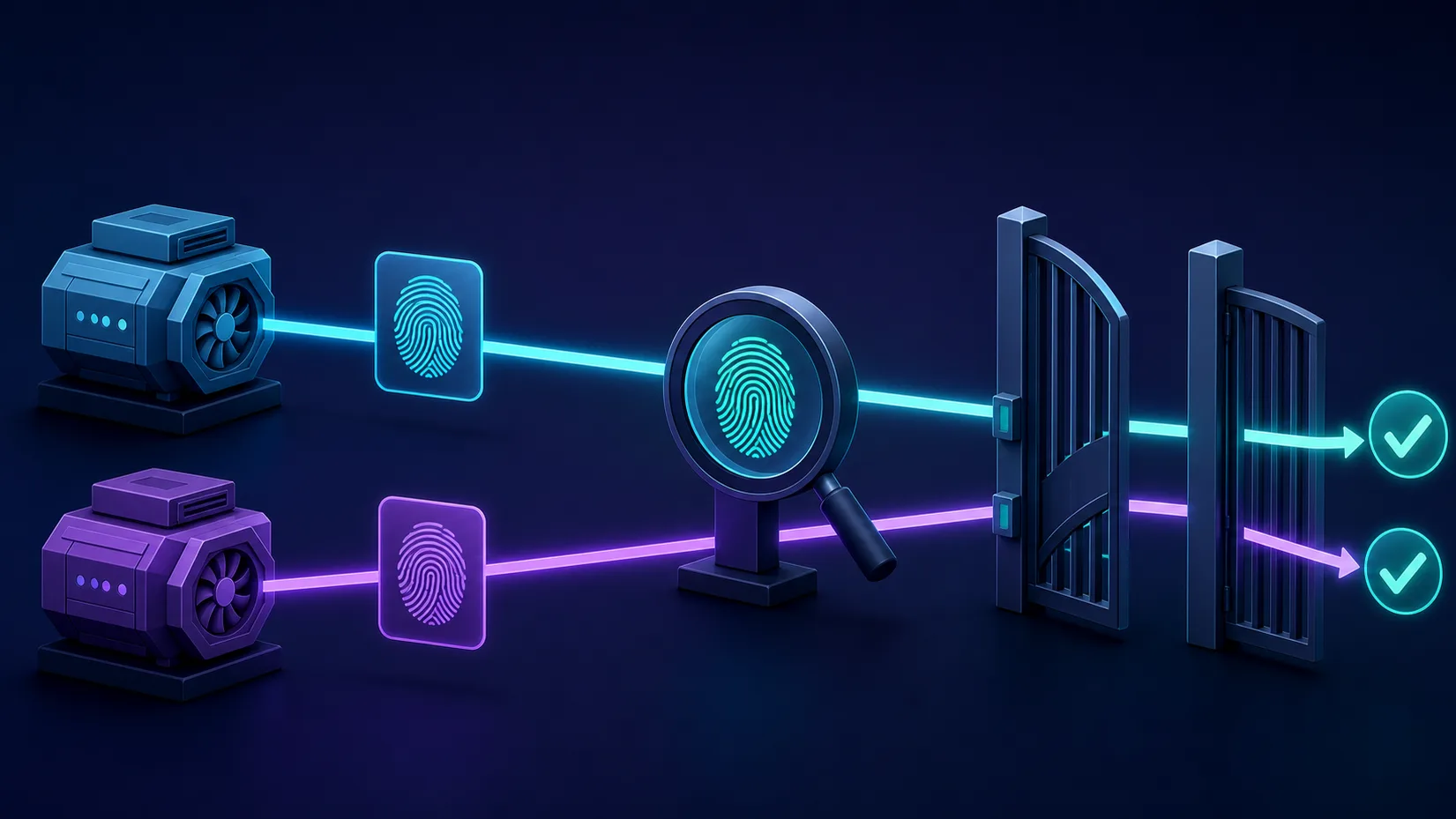
Before comparing the two, it helps to understand the mechanism they share. Websites do not identify you by cookies alone. They read dozens of signals from your browser — canvas and WebGL rendering output, installed fonts, audio-processing quirks, screen resolution, time zone, language, hardware concurrency, and more — and combine them into a browser fingerprint. That fingerprint is stable enough to recognize you across sessions even after you clear cookies, and consistent enough that two accounts opened from the same machine look obviously linked.
An antidetect browser breaks that linkage by giving every profile its own coherent fingerprint. The important word is coherent: simply randomizing values is counterproductive, because a browser that reports an impossible combination (say, Windows fonts with a macOS user agent, or a GPU string that doesn't match the rendering output) stands out more than a normal one. Good antidetect browsers therefore substitute real, internally consistent fingerprint configurations drawn from actual devices, so each profile blends into the crowd instead of standing out from it. Pair each profile with its own proxy and you get what websites perceive as entirely separate users on separate devices in separate locations.
This is also why the browser is only half of the setup — the other half is the quality of the IPs behind it. If you're new to that side, our guide on how rotating proxies work and our breakdown of why mobile proxies are more expensive cover the mechanics.
GoLogin at a Glance
GoLogin launched in 2019 and positioned itself as the antidetect browser for everyone — not just enterprises. It is built around Orbita, its own Chromium-based browser, and emphasizes low friction: quick profile creation, cloud-synced profiles you can open from any machine, a web-based version that runs profiles in the cloud without a local install, and an Android app for managing accounts on the go. It undercuts most of the established competition on price while covering the core fingerprinting surface — canvas, WebGL, fonts, audio, time zone, geolocation, WebRTC — and it ships REST API access and support for Puppeteer, Playwright, and Selenium automation on most paid tiers.
GoLogin
GoLogin is the best-value anti-detect browser going, pairing a genuinely useful forever-free tier with entry plans that include 100+ profiles for $24/month. It cedes a little ground to Multilogin on granular team permissions and to Octo on outright stealth, and its free bundled proxies are low quality — but as an accessible, cross-platform, cloud-or-desktop workhorse it is hard to fault.
Multilogin at a Glance
Multilogin is one of the oldest names in the space — the Estonian company has been building antidetect technology since the mid-2010s, and for years it was the default choice for professional multi-account operations. Its defining technical asset is that it maintains two separate browser engines: Mimic, based on Chromium, and Stealthfox, based on Firefox. Its current platform, Multilogin X, moved to an API-first architecture with a web app and a lightweight local agent, cloud-stored profiles, granular team roles, and automation hooks designed for running headless fleets. Multilogin's reputation was built on fingerprint quality and enterprise reliability, and its pricing reflects that positioning — it has historically been one of the more expensive tools in the category, aimed at teams for whom a banned account costs far more than a subscription.
Multilogin
Multilogin is the original enterprise anti-detect browser and still the benchmark, with the most battle-tested fingerprints, two engines (Chromium Mimic and Firefox Stealthfox), included residential proxy traffic, and best-in-class team controls. The costs are a premium price and a heavyweight app — so it's overkill for solo hobbyists, but the safest choice for serious teams that treat multi-accounting as infrastructure.
Fingerprint Engines: Orbita vs Mimic and Stealthfox
The fingerprinting engine is the heart of any antidetect browser, and this is where the two products differ most in philosophy.
How each vendor approaches masking
GoLogin's Orbita modifies a single Chromium base. Its fingerprints are generated from a database of real device configurations, and the tool exposes many of the knobs directly — you can inspect and tweak individual parameters per profile if you want to. This transparency is convenient, but it also means an inexperienced user can hand-edit a profile into an inconsistent state that is easier to flag.
Multilogin's approach is more opinionated. Mimic and Stealthfox apply fingerprint substitution at a deeper level of the browser codebase, and the platform deliberately discourages manual fingerprint editing: you tell it the OS and hardware class you want, and it assembles a configuration it knows to be internally consistent. The availability of a Firefox-based engine (Stealthfox) is a genuine differentiator — some platforms scrutinize the dominant Chromium population more heavily, and being able to present as a real Firefox build is an option almost no competitor offers.
What this means in practice
Both tools pass the common fingerprint checkers for typical use. The practical difference shows up at the margins: on aggressively defended platforms, Multilogin's deeper engine work and dual-engine option give it an edge, which is a large part of what its price buys. For mainstream use cases — marketplace seller accounts, social media management, affiliate operations, ad account management — GoLogin's fingerprints are solid, and the difference is rarely the deciding factor. Be skeptical of anyone claiming either tool is "100% undetectable"; detection is an arms race, and both vendors ship engine updates continuously precisely because the target keeps moving.
Feature-by-Feature Comparison
Here is how the two platforms line up on the dimensions that matter day to day:
| Dimension | GoLogin | Multilogin |
|---|---|---|
| Browser engines | Orbita (Chromium-based) | Mimic (Chromium-based) + Stealthfox (Firefox-based) |
| Fingerprint control | Generated from real-device data; individual parameters editable | Opinionated, consistency-enforced; manual editing discouraged |
| Cloud profiles | Yes, synced across devices; browser-only web version available | Yes, cloud-first in Multilogin X |
| Mobile access | Android app | Web app (no dedicated mobile app) |
| Automation | REST API; Puppeteer, Playwright, Selenium | API-first platform; Puppeteer, Playwright, Selenium; CookieRobot for warming profiles |
| Team features | Profile sharing, member seats on higher tiers | Granular roles and permissions, built for larger teams |
| Free option | Free trial and a limited free tier | Trial availability has varied; historically no permanent free tier |
| Positioning | Affordable, accessible, solo-to-small-team | Premium, enterprise-grade, team-oriented |
Prices and ratings are live
The provider cards in this article pull current pricing, editor scores, and any active coupons directly from our database, so they stay accurate even as plans change — trust the cards over any numbers you see quoted in older reviews.
Pricing and Value for Money
Pricing is where the philosophical gap becomes concrete. GoLogin is one of the most affordable serious antidetect browsers: its entry plans cost a fraction of Multilogin's, annual billing discounts are generous, and there is a functional free tier for trying the workflow before committing. For a freelancer running a handful of marketplace or social accounts, GoLogin's entry tier typically covers everything needed.
Multilogin sits firmly in the premium bracket. Multilogin X softened this somewhat by introducing lower-priced entry plans with small profile counts, but like-for-like — same number of profiles, same team size — you should expect to pay noticeably more than for GoLogin. The honest framing: you are paying for the deeper fingerprinting engineering, the second browser engine, and enterprise-grade team controls. If your operation doesn't need those, the premium buys you little; if a single banned ad account costs you four figures, the premium is cheap insurance.
Watch the profile-count tiers on both platforms — that is the real pricing axis. Estimate how many concurrent identities you'll need in six months, not just today, and compare plans at that tier rather than at the teaser tier.
Automation and API Support
Both platforms support the standard automation stack, and both work the same basic way: the antidetect app launches a profile and exposes a DevTools endpoint that Puppeteer, Playwright, or Selenium connects to — so your scripts drive a fingerprint-protected browser instead of a stock headless Chromium that scrapes and bot-detection systems flag instantly.
// The shared pattern: launch a profile via the vendor's API,
// then attach Puppeteer to the returned DevTools websocket.
const puppeteer = require('puppeteer-core');

const wsEndpoint = await startProfile(profileId); // vendor SDK / REST call
const browser = await puppeteer.connect({ browserWSEndpoint: wsEndpoint });

const page = await browser.newPage();
await page.goto('https://example.com');
// ... your automation ...
await browser.close();
The differences are in maturity and intent. Multilogin X is API-first by design — the API is the product's backbone rather than an add-on, headless operation of profile fleets is a supported first-class workflow, and CookieRobot automates the tedious work of warming new profiles with organic browsing history. GoLogin's API and SDKs cover profile creation, fingerprint generation, proxy assignment, and launching, and are entirely adequate for typical automation, but very large-scale orchestration is more clearly Multilogin's home turf. If automation at scale is your primary use case, also see our roundup of the best antidetect browsers for web scraping.
Team Collaboration and Scaling
Solo operators can skip this section; for agencies it may be the deciding one. Both tools support sharing profiles with team members so a VA in one country can open the exact same browser identity a manager created in another — same fingerprint, same cookies, no cross-contamination. The gap is in governance. Multilogin offers genuinely granular roles and permissions, letting an agency limit which folders of profiles each employee can see, launch, or edit — controls that matter once you have ten people touching client accounts. GoLogin covers the essentials (sharing, seats, folder organization) and does it at a much lower per-seat cost, but its permission model is simpler. A useful rule: below roughly five collaborators, GoLogin's model is enough; above that, Multilogin's controls start earning their premium.
Performance and Platform Support
Locally, both run their profiles as full browser instances, so RAM is the practical ceiling on how many profiles you can run at once on one machine — expect each open profile to consume what a separate Chrome window would. Both mitigate this with cloud options: GoLogin's web version runs the browser remotely so weak hardware isn't a bottleneck, and Multilogin X's architecture keeps profile state in the cloud with a light local agent doing the launching. Desktop apps for Windows and macOS are solid on both sides, with Linux support available for automation-oriented setups. GoLogin's Android app is a small but real convenience for checking accounts from a phone; Multilogin has no equivalent.
The browser can't save a bad proxy
Most "detection" failures blamed on antidetect browsers are actually IP failures — flagged datacenter ranges, proxy location contradicting the profile's time zone and language, or an IP shared with someone who burned it. Match each profile to a clean residential or mobile IP in a matching region, and keep the pairing stable. Our guide to what makes a proxy provider trustworthy explains what to look for.
Which One Should You Choose?
Choose GoLogin if…
- You are a freelancer, solo operator, or small team managing accounts on marketplaces, social platforms, or affiliate networks and budget matters.
- You want the shortest path from signup to working profiles, with a free tier to validate the workflow first.
- You value conveniences like the web version and Android app for managing accounts away from your main machine.
- Your platforms are mainstream rather than the most aggressively defended targets.
Choose Multilogin if…
- You run a professional or agency-scale operation where account bans have real financial consequences.
- You need the Firefox-based Stealthfox engine as an alternative population to hide in, or the extra headroom of Multilogin's deeper fingerprint engineering on hard targets.
- You manage a larger team and need real role-based access control over who can touch which profiles.
- Automation is central to your operation and you want an API-first platform with profile-warming tooling built in.
If neither profile quite fits you, the category is bigger than these two — our comparison of Dolphin Anty vs AdsPower covers two popular alternatives, and our antidetect browser directory ranks the full field using the criteria in our testing methodology.
Common Mistakes to Avoid
Whichever tool you pick, the same handful of operator errors cause most account losses:
- Reusing one proxy across many profiles. The fingerprints may differ, but the shared IP links the accounts anyway. One profile, one IP.
- Hand-editing fingerprints without understanding them. Especially in GoLogin, where the knobs are exposed — an "improved" profile with contradictory parameters is more detectable than a generated one. Trust the generator unless you have a specific, tested reason not to.
- Geo mismatches. A profile with a German time zone and language running through a US proxy is a textbook red flag. Keep IP location, time zone, language, and geolocation aligned — both tools can derive these from the proxy automatically; let them.
- Using fresh profiles at full intensity. Accounts created and immediately worked hard look like bots because they are behaving like bots. Warm profiles up with normal browsing (Multilogin's CookieRobot automates this) before putting them to work.
- Ignoring the terms of the platforms you operate on. Antidetect browsers are legal tools with legitimate uses — privacy, testing, brand protection, authorized account management — but individual websites' terms of service still apply to what you do with them. Know the rules and the risks of the platforms you work on.
Tip: verify before you scale
Before building out dozens of profiles, create two or three and run them through independent fingerprint checkers, then operate them gently for a week. Whichever tool you're evaluating, a small live pilot tells you more than any feature table — and both platforms let you start cheap enough to make that pilot nearly free.
Final Verdict
There is no single winner here — the two tools win different games. GoLogin is the better value for most individual users and small teams: it covers the fingerprinting essentials well, is dramatically cheaper at like-for-like profile counts, and its free tier, web version, and mobile app make it the easiest recommendation for anyone getting started or running a lean operation. Multilogin remains the professional's choice: the dual-engine architecture, deeper fingerprint engineering, granular team governance, and API-first automation justify its premium precisely in the situations where failure is expensive — agency work, high-value ad and e-commerce accounts, and hard-target platforms.
Decide based on stakes, not specs. If a banned account costs you an afternoon, start with GoLogin and upgrade only if you hit its ceiling. If a banned account costs you a client, Multilogin's premium is the cheapest line item in your budget.
Frequently asked questions
Multilogin has deeper fingerprint engineering, a second Firefox-based engine (Stealthfox), and stronger team permission controls, which makes it better for agency-scale and high-stakes operations. GoLogin covers the core fingerprinting surface well at a much lower price, so for most individual users and small teams it is the better value. Neither is universally better — the right choice depends on your scale and how costly a banned account would be.
Yes, substantially. GoLogin is one of the most affordable serious antidetect browsers and also offers a limited free tier, while Multilogin has always been positioned as a premium product. At a like-for-like number of profiles and team seats, expect Multilogin to cost noticeably more — check the live pricing cards in the article for current plans, since both vendors change tiers over time.
The software itself is legal in most jurisdictions and has legitimate uses, including privacy protection, ad verification, web testing, brand protection, and managing client accounts with authorization. However, individual websites' terms of service still govern what you do with them, and violating those terms can get accounts suspended. Legality of the tool and compliance with a specific platform's rules are separate questions.
GoLogin offers a free trial of its paid features and has historically maintained a limited free tier with a small number of profiles, which is enough to test the workflow before paying. Multilogin has traditionally not offered a permanent free tier, though trial availability has varied over time. If trying before buying matters to you, GoLogin has the lower barrier to entry.
Yes, both support all three. Each platform launches a browser profile and exposes a DevTools endpoint your automation framework connects to, so scripts run inside a fingerprint-protected browser rather than a detectable stock headless Chromium. Multilogin X is API-first and better suited to orchestrating large headless fleets, while GoLogin's REST API and SDKs are entirely adequate for typical automation workloads.
Yes — the browser only masks device fingerprints, not your IP address. Without a separate proxy per profile, all your accounts share one IP and websites can link them regardless of how good the fingerprints are. Use one clean residential or mobile IP per profile, keep the pairing stable, and make sure the IP's location matches the profile's time zone and language.
Mimic is Multilogin's Chromium-based browser and Stealthfox is its Firefox-based one; both apply fingerprint substitution deep in the browser codebase. Stealthfox matters because almost every competitor is Chromium-only, so presenting as a genuine Firefox build gives you an alternative browser population to blend into. On platforms that scrutinize Chromium traffic heavily, that option can be a real advantage.
Most failures are operational rather than fingerprint-related: reusing one proxy across profiles, using flagged datacenter IPs, geo mismatches between the IP and the profile's time zone or language, or working brand-new accounts too hard too fast. Behavioral detection also matters — a perfect fingerprint doing bot-like actions still gets flagged. Clean IPs, consistent geo settings, and gradual profile warm-up prevent the majority of bans.