Table of contents
Mobile proxies are the most premium tier of the proxy world — and the most expensive by a wide margin. A gigabyte of mobile proxy traffic can cost several times what the same gigabyte costs on a residential network, and many times what it costs on datacenter. For newcomers, that price gap is baffling: an IP is an IP, so why does a mobile one cost so much more? The answer comes down to real hardware, recurring carrier fees, genuine scarcity, and the simple fact that mobile IPs are the hardest addresses on the internet to block. This guide explains exactly what mobile proxies are, how they work under the hood, the different types you can buy, why they command such a premium, and — just as importantly — when paying that premium is worth it and when it is money wasted.
What is a mobile proxy?
A mobile proxy routes your internet traffic through a real mobile device connected to a cellular network. Instead of a server IP (datacenter) or a home-broadband IP (residential), your requests exit the internet carrying a carrier-assigned 4G or 5G IP address — the same kind of address your phone uses when it is off Wi-Fi and on mobile data. To any website you visit, you are indistinguishable from an ordinary person scrolling on their phone during their commute.
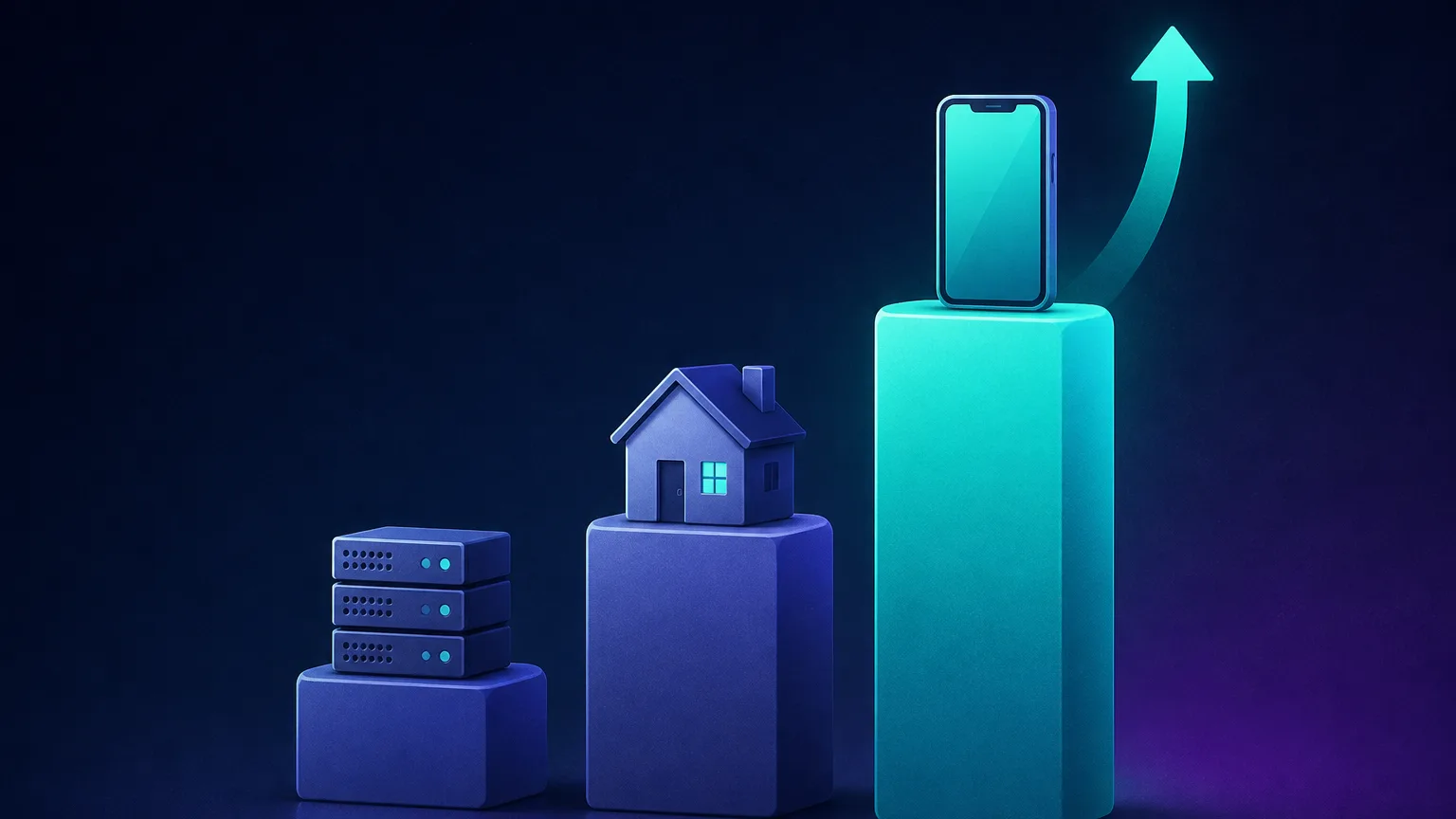
That single fact — a genuine mobile-carrier IP — is the entire reason mobile proxies exist, and the reason they cost what they do. Proxies generally come in three flavours: datacenter (fast, cheap, easily detected), residential (real home IPs, trusted, mid-priced), and mobile (real cellular IPs, the most trusted, the most expensive). Mobile sits at the top of that trust ladder, and price climbs in lockstep with trust.
How mobile proxies work
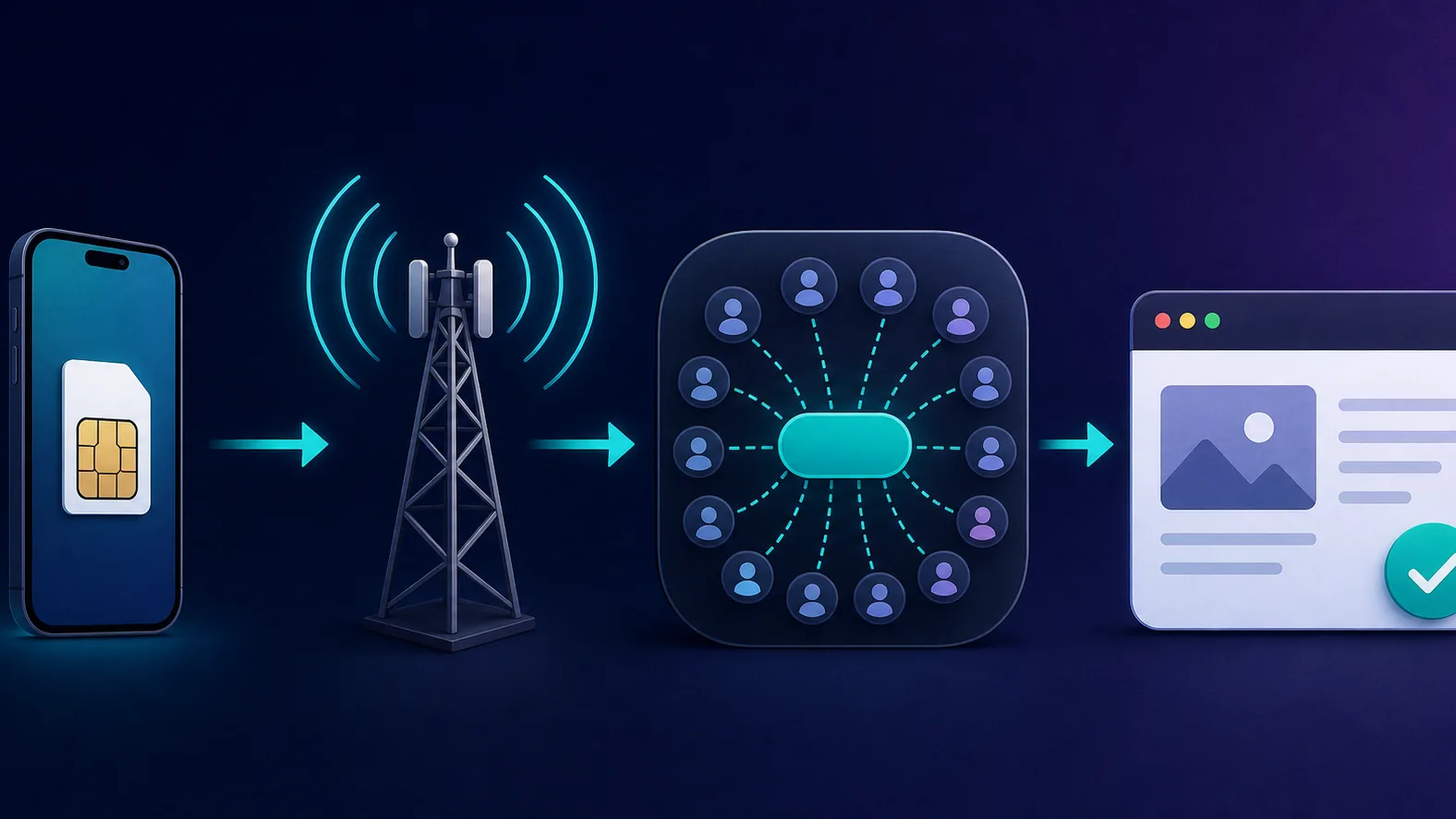
Behind every mobile proxy is real hardware: a phone, a USB modem, or a dedicated proxy device with an active SIM card, connected to a mobile carrier. When you send a request through it, the device passes your traffic onto the carrier's network, the carrier assigns it a mobile IP, and the request reaches the target site from that address. You connect to a single gateway endpoint (with a username and password, or an allow-listed IP), and the provider handles everything behind it.
The crucial detail — the thing that makes mobile proxies special — is CGNAT (Carrier-Grade Network Address Translation). The pool of available IPv4 addresses ran out years ago, so to keep serving millions of phones, mobile carriers put thousands of real subscribers behind each public IP at the same time. When you use a mobile proxy, your traffic is mixed into that huge crowd of genuine mobile users all sharing the same address.
The different types of mobile proxies
"Mobile proxy" is an umbrella term. The version you buy makes a real difference to performance, safety and price:
- Dedicated vs shared. A dedicated (private) mobile proxy gives you exclusive use of a device and its IP — nobody else's activity can get your IP flagged. A shared proxy splits one device among several customers, which is cheaper but riskier, because another user's behaviour shapes the IP's reputation. For valuable accounts, dedicated is worth every penny.
- 4G vs 5G. 5G devices offer more speed and bandwidth headroom; 4G is plentiful, cheaper and perfectly adequate for most account work. Speed is rarely the bottleneck for proxy use cases — trust is.
- Rotating vs sticky. Rotating proxies hand you a fresh IP frequently (per request or on a timer); sticky proxies hold one IP for a set window so a multi-step session stays on a single identity. Most providers offer both modes on the same plan.
- By carrier and location. Better providers let you target a specific country, region, or even a particular mobile carrier (Verizon, Vodafone, Jio, and so on) — essential when a target localises content or when you need to match an account's expected home network.
Why mobile IPs are the most trusted
That CGNAT crowd is a superpower. Because so many real people share each mobile IP, a website cannot block it without blocking legitimate customers too. Banning a single mobile IP risks locking out hundreds of innocent users sitting on the same address — a support nightmare and a business risk no platform wants. So anti-abuse systems treat mobile IPs with kid gloves: they tolerate behaviour from a mobile address that would instantly get a datacenter or residential IP flagged.
The result is the highest trust score of any proxy type. Mobile IPs glide past the anti-bot systems, CAPTCHAs, and account-verification checks that trip up cheaper proxies. They also carry a strong, organic history — these are addresses that have been browsing, messaging and shopping like real humans for months. That accumulated trust is the actual product you are buying, and it is exactly why the price is higher.
How mobile IP rotation works
One of the quiet advantages of mobile proxies is that IP rotation is built into how cellular networks already behave. Carriers naturally reassign addresses as devices drop and re-establish their connection, so a mobile IP changes far more often and far more believably than a static one. Providers expose this in two ways:
- On-demand rotation — an API call or dashboard button (sometimes nicknamed an "airplane-mode" cycle, because it mimics toggling the radio off and on) forces the device to grab a brand-new carrier IP in seconds.
- Timed rotation — the IP refreshes automatically every few minutes, handy for spreading high-volume requests across many addresses.
For anything stateful — logging in, filling a cart, running a multi-page session — you do the opposite and request a sticky session, which pins one IP for the duration so the activity reads as a single continuous user rather than a suspicious teleporting one.
Why mobile proxies are more expensive
The premium isn't arbitrary. Several real, recurring costs stack up — costs that simply don't exist for datacenter proxies:
- Physical hardware. Mobile proxies need real devices, modems and SIM cards — often whole "farms" of them — which cost money to buy, house, power, cool and maintain. Datacenter proxies are just software on shared servers; a mobile pool is a warehouse of humming hardware.
- Ongoing carrier costs. Every SIM needs an active data plan, and carriers charge for that data every single month, forever. Unlike a one-off server cost, this is a perpetual operating expense baked into every gigabyte you buy.
- Scarcity. There are far fewer mobile IPs available to resell than residential or datacenter ones, and demand from social-media and sneaker markets is intense. Limited supply plus high demand is a textbook recipe for premium pricing.
- Bandwidth limits. Mobile data is slower and more capped than wired connections, so the usable throughput per device is a precious, finite resource — and it gets priced accordingly.
- Maintenance and reliability. Devices reboot, SIMs get throttled, and farms need constant babysitting to keep IPs live and clean. That operational overhead is part of what you pay for.
- The highest success rate. Ultimately you pay for results. When a mobile proxy unblocks a target that nothing else can touch, that reliability is worth a premium to the businesses that depend on it.
Mobile vs residential vs datacenter
The three proxy types are not competitors so much as tools for different jobs. Here is how they stack up:
| Type | Trust | Speed | Cost | Best for |
|---|---|---|---|---|
| Datacenter | Low — easily fingerprinted | Very fast | Cheapest | Easy targets, high-volume scraping |
| Residential | High — real home IPs | Moderate | Mid-range | Most SEO, e-commerce and data jobs |
| Mobile | Highest — shared carrier IPs | Variable | Most expensive | Social accounts, the hardest anti-bot targets |
Read that table as a ladder: climb it only as far as your target forces you to. If a datacenter proxy clears the job, there is no prize for spending more.
When mobile proxies are worth the price
Mobile proxies earn their premium on the jobs nothing else can do reliably:
- Social media account management. Running multiple Instagram, TikTok or Telegram accounts is the flagship use case — these platforms are ruthless about linking and banning accounts, and a clean mobile IP per account is the safest footprint you can give them.
- Ad verification. Checking how mobile ad campaigns actually render and target real cellular users, which you can't see from a server IP.
- Sneaker, ticket and limited-drop buying. High-demand checkout systems aggressively block anything that smells automated; mobile IPs are the gold standard for getting through.
- The toughest anti-bot targets. Sites protected by the most aggressive defences will flag datacenter and even residential traffic but wave mobile through.
- Mobile-specific testing. QA, localisation and UX checks that must originate from a genuine carrier connection in a specific country.
The rule of thumb
If your task involves logging into or creating accounts on a major platform, or a target that blocks everything else, mobile proxies usually pay for themselves in saved bans and higher success rates. The cost of a banned account almost always dwarfs the cost of a clean IP.
When you don't need mobile proxies
Just as important is knowing when mobile is overkill. Paying mobile prices for a job a cheaper proxy handles is simply burning budget. Reach for residential or datacenter instead when you are:
- Scraping public data at scale — search results, product catalogues, listings — where rotating residential proxies already deliver excellent success rates.
- Monitoring prices or tracking SEO rankings, which residential handles comfortably and far more cheaply per gigabyte.
- Hitting easy, low-defence targets, where fast, cheap datacenter proxies win on cost and speed.
Don't overpay when you don't need to
For most scraping, SEO and price-monitoring work, residential proxies provide more than enough trust at a fraction of the cost. Treat mobile as a specialist tool, not a default — match the proxy to the difficulty of the target.
How to choose a mobile proxy provider
Once you've decided mobile is the right tool, the provider matters enormously — quality varies wildly. Look for:
- Ethical, transparent sourcing. The provider should explain how it obtains its mobile IPs and devices, with the consent of the people involved. (See our guide on what makes a proxy provider trustworthy.)
- Dedicated vs shared options — and clarity on how many users share an IP if it's a shared plan.
- Carrier and location targeting at the granularity your job needs.
- Rotation control — both on-demand/timed rotation and proper sticky sessions, ideally via an API.
- A sensible pricing model for your usage — per-GB for light/occasional work, per-dedicated-device for steady account management.
- Responsive support and a trial or refund, so you can test real performance before committing budget.
This is the same evidence-based lens our review methodology applies to every provider in the proxy directory.
Common mistakes to avoid
- Paying mobile prices for easy targets. The most expensive mistake is reflex: don't default to mobile when residential clears the job.
- Overloading one IP with too many accounts. Even a trusted mobile IP looks suspicious if dozens of accounts log in from it. Spread accounts across IPs and use one sticky session per account.
- Rotating mid-session. Never let the IP change in the middle of a login or checkout — pin it with a sticky session.
- Choosing on pool size alone. A huge advertised pool means nothing if the IPs are shared, throttled or dirty. Test success rates on your targets.
- Ignoring sourcing. Suspiciously cheap or "free" mobile proxies are a red flag — running a mobile network is genuinely expensive, and cut-rate offers often come from compromised devices.
The bottom line
Mobile proxies cost more because they're backed by real hardware, perpetual carrier fees, and a scarce supply of the most trusted IPs on the internet — addresses that platforms simply won't block because doing so would hurt their own users. That makes them unbeatable for social media accounts, sneaker drops and the hardest anti-bot targets, and genuine overkill for everything else. The smart move isn't to always buy the most premium proxy or always the cheapest — it's to match the proxy to the job: deploy mobile where its trust is essential, and lean on residential or datacenter proxies everywhere else. Do that, and you'll get the success rates you need without paying mobile prices for jobs that never required them.
Frequently asked questions
A mobile proxy routes your traffic through a real device connected to a cellular network, so your requests exit with a carrier-assigned 4G or 5G IP address. To any website, you look like an ordinary person browsing on mobile data, which is the most trusted kind of connection on the internet.
They are backed by real hardware (phones, modems and SIM cards), every SIM carries an ongoing monthly carrier data plan, and the supply of mobile IPs available to resell is far smaller than residential. Add the highest success rate of any proxy type and you get a genuine premium product with real recurring costs, not an arbitrary markup.
Carrier-Grade NAT is how mobile networks share a single public IPv4 address among thousands of real subscribers at once. Because so many legitimate users sit behind each mobile IP, a website cannot block that address without also blocking its own real customers, so platforms rarely ban mobile IPs. That reluctance is exactly why mobile traffic sails through anti-bot checks.
They are more trusted and far harder to block, but they are also slower, have less bandwidth, and cost several times more. For most scraping, SEO and price-monitoring tasks, residential proxies provide more than enough trust at a fraction of the price. Mobile is only worth it when a target genuinely demands the highest trust, such as social media accounts or aggressive anti-bot sites.
A dedicated (private) mobile proxy gives you exclusive use of a device and its IP, so no one else's activity can get your IP flagged. A shared mobile proxy splits one device among several customers, which is cheaper but riskier because another user's behaviour affects the IP's reputation. For managing valuable accounts, dedicated is strongly preferred.
Mobile IPs rotate in two ways. Carriers naturally reassign addresses as devices reconnect, and good providers let you trigger a fresh IP on demand or on a timer (sometimes called an airplane-mode rotation). For multi-step tasks like logging in, you instead hold one IP with a sticky session so the activity looks like a single continuous user.
Use them for managing multiple social media accounts (Instagram, TikTok, Telegram), ad verification on real cellular connections, sneaker and ticket buying, mobile app QA and localisation testing, and any target with aggressive anti-bot defences that block datacenter and even residential IPs. For ordinary bulk scraping, cheaper proxies are the better value.
Using a mobile proxy is legal in most jurisdictions, and the activity it carries is what matters legally, not the proxy itself. The bigger safety question is sourcing: a trustworthy provider obtains its mobile IPs with the device owner's consent and discloses how. Avoid suspiciously cheap or free mobile proxies, which are often built from compromised devices, and always respect each target site's terms of service.
Mobile proxies are typically billed per gigabyte of traffic or per dedicated device per month, and they sit well above residential pricing because of the hardware, SIM data and scarcity behind them. Dedicated device plans suit account management, while per-GB plans suit lighter, occasional use. Always start with a small plan and test on your own targets before scaling spend.