Table of contents
Every proxy request leaves through an exit IP. With a rotating setup, that IP can change on every request. With a sticky session, the provider keeps you on the same exit IP for a period of time, so a website sees one consistent visitor instead of a crowd. That single difference decides whether a login survives, whether a checkout completes, and whether a scraper looks natural or suspicious.
This guide explains what sticky sessions are, how providers implement them, how session duration (often called TTL, or time to live) works, and when you actually need them. We compare social logins with search-results scraping, walk through configuration patterns, and cover the failure modes that catch teams out. Provider details link to live Proxyaxis cards rather than quoted specs, because session limits and pricing change.
The short version
Use sticky sessions when a website needs to see the same visitor across several requests, such as logins, carts, and multi-step forms. Use rotation when each request stands alone, such as fetching public pages at scale.
What is a sticky session?
A sticky session is a proxy connection mode where the provider pins your traffic to one exit IP for a set duration or until you ask for a new one. You still connect to the same gateway address, but you include a session identifier, usually in the proxy username. As long as you reuse that identifier, the gateway routes you through the same exit IP, assuming it is still available.
The opposite is a rotating session, where the gateway assigns a fresh exit IP per request or per connection. Rotation spreads load across many IPs, which is great for volume and terrible for anything that relies on continuity.
Think of it as the difference between one customer walking through a store and a stream of different customers who each pick up a single item. Both patterns are normal on their own. Problems start when a website expects one and sees the other.
Why websites care about IP continuity
Websites track sessions in several layers at once. Cookies and tokens identify your browser, but most security systems also record the IP address a session started from. When the IP changes mid-session, that is a risk signal. Some sites shrug it off, because real mobile users switch networks all the time. Others force a re-login, trigger a verification step, or flag the account.
The more sensitive the action, the more continuity matters. Browsing a public product page from a new IP is unremarkable. Logging in from one country, then posting from another a minute later, is the kind of pattern fraud systems are designed to catch. Our guide on how websites detect bots covers these signals in more depth.
How providers implement stickiness
Most residential and mobile providers run a gateway, or super-proxy, in front of a large pool of exit nodes. Stickiness is a routing rule on that gateway. The common implementations are:
- Session ID in the username. You append a parameter such as a session token to your proxy username. The same token maps to the same exit until it expires. This is the most common pattern.
- Dedicated sticky ports. Some providers assign specific ports that hold an IP for a fixed duration, while other ports rotate.
- Dashboard-generated endpoints. You choose sticky mode and a duration in the provider's dashboard, and it generates proxy strings for you.
- Static or ISP IPs. Static residential and ISP proxies are sticky by nature. The IP is assigned to you and does not rotate unless you replace it.
Here is an illustrative example of the username pattern. The exact syntax varies by provider, so always copy the format from your provider's documentation.
# Rotating: no session token, new exit per request
user-customer123-country-us:password@gate.example-proxy.com:7000

# Sticky: same session token, same exit until it expires
user-customer123-country-us-session-a1b2c3:password@gate.example-proxy.com:7000
Changing the session token, for example from a1b2c3 to d4e5f6, gives you a new sticky IP. That is how you scale sticky sessions: one token per account, browser profile, or task.
Session duration and TTL explained
Sticky sessions on rotating residential networks are not permanent. Each one has a lifetime, often called TTL. Providers typically let you choose a duration within a supported range, and once that time passes, the next request gets a new IP.
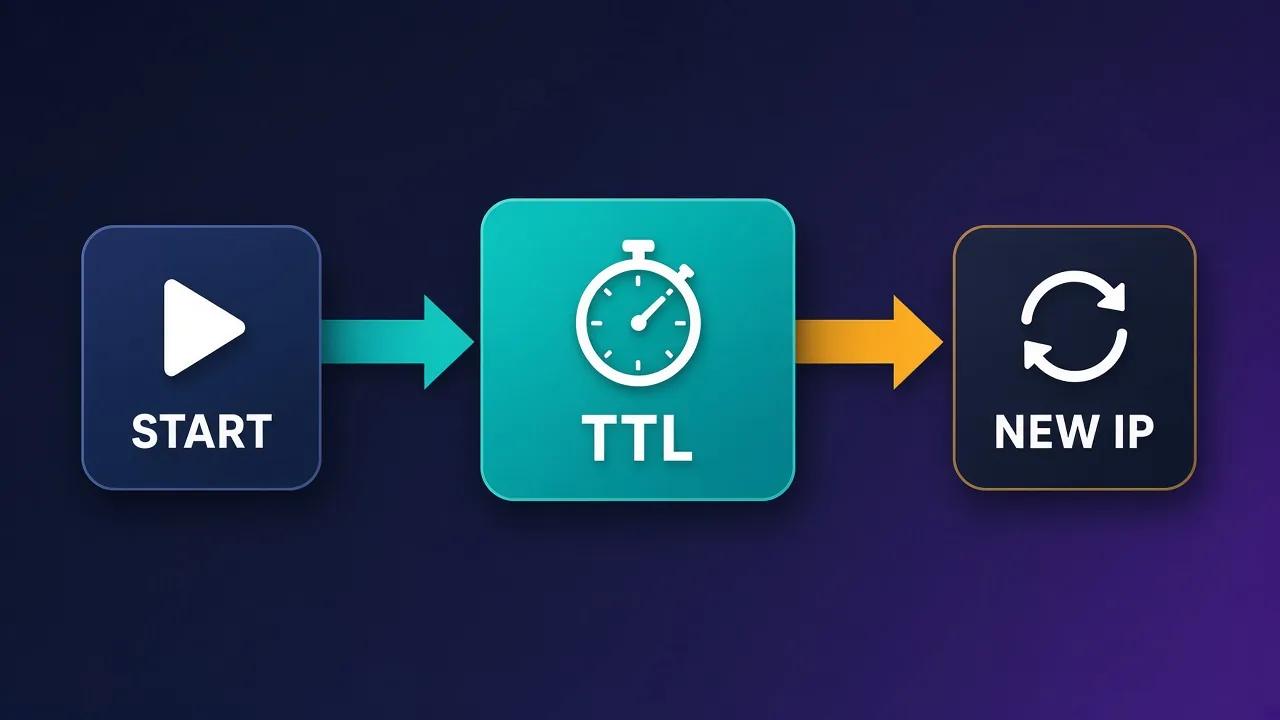
Three things can end a sticky session early:
- The TTL expires. This is the planned end. Design your tasks to finish inside the window.
- The exit node goes offline. Residential IPs come from real devices and connections. If that device disconnects, the gateway has to move you to another IP, even if your TTL has time left.
- The provider rebalances. Some gateways reassign sessions under load or after errors.
Because of the second point, no rotating residential provider can guarantee that a sticky session lasts its full TTL. If you need an IP that stays the same for days or weeks, you want static residential or ISP proxies instead. Our comparison of residential vs ISP vs datacenter proxies explains when each makes sense.
Never assume a session survived
Before a sensitive action like posting or paying, check your current exit IP against the one the session started with. If it changed, pause and decide whether to continue, re-verify, or retry later.
Sticky vs rotating: a side-by-side comparison
| Factor | Sticky session | Rotating session |
|---|---|---|
| IP behavior | Same exit IP for a set duration | New exit IP per request or connection |
| Best for | Logins, carts, forms, account management | Public page scraping, search results, price checks |
| Detection risk | Low for session continuity, but one IP carries all your activity | Low per IP, but mid-session IP changes break logins |
| Rate limits | All requests count against one IP | Load spreads across many IPs |
| Failure mode | Session ends early when the exit node drops | Sessions and cookies break when the IP changes |
| Scaling | One session token per account or task | More concurrency on the same credentials |
When you need sticky sessions
Social media logins and account management
This is the classic case. Platforms like Instagram, TikTok, Facebook, and LinkedIn tie sessions to IPs and watch for sudden jumps. If you manage several accounts, each one should have its own sticky session or, better, its own static ISP IP, and that pairing should stay stable over time. See our guides on proxies for TikTok automation and proxies for Instagram automation for platform-specific advice.
E-commerce carts and checkout flows
Adding to a cart, applying a coupon, and checking out are separate requests tied to one session. If the IP changes halfway, many stores reset the cart or trigger extra verification.
Multi-step forms and authenticated scraping
Any workflow that logs in first and then fetches pages behind the login needs continuity. The same applies to paginated results that depend on a server-side session.
Localized testing and ad verification
When you check how a page or ad looks from a specific city, holding one IP for the full check keeps results consistent and makes it easier to reproduce what you saw.
When rotation is the better choice
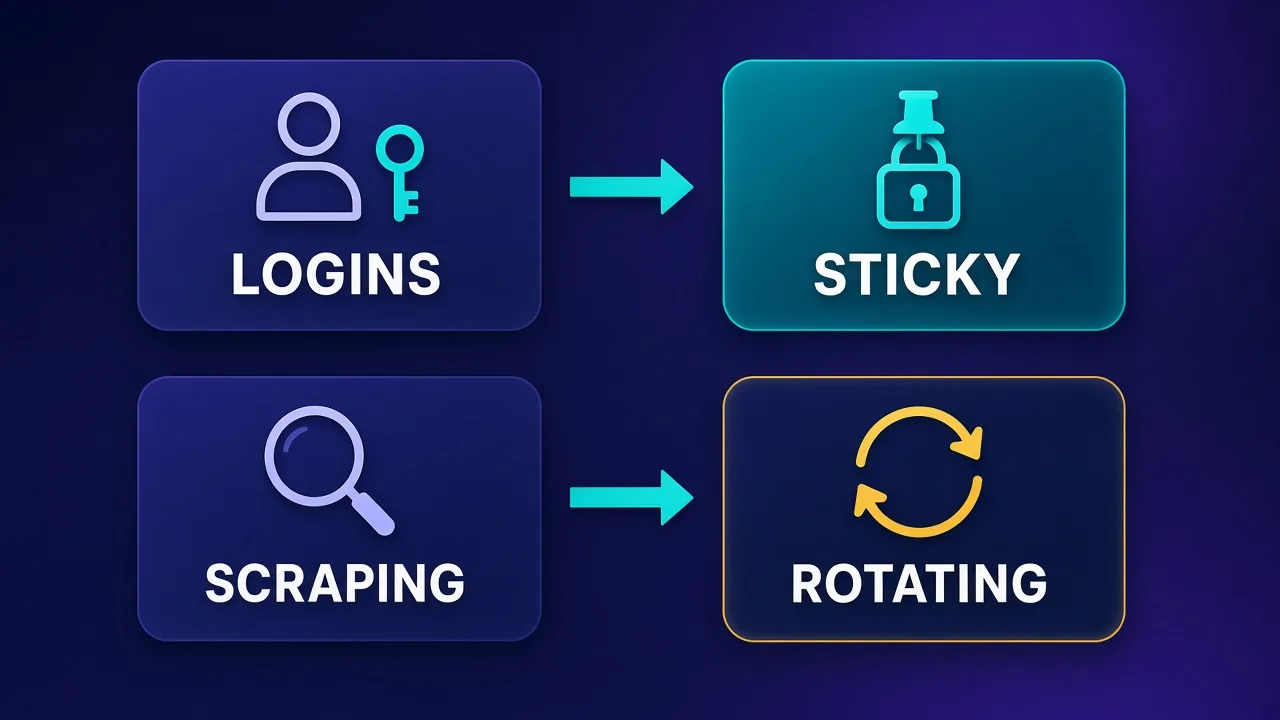
Search-results scraping is the clearest example. Each query is independent, and sending thousands of them from one IP will hit rate limits quickly. Rotating spreads those requests across many exits so no single IP stands out. The same logic applies to price monitoring across many product pages, crawling public directories, and collecting reviews.
Rotation is also the safer default when you are not sure. If a request does not depend on a previous one, there is little reason to pin it. For practical rotation code, see how to rotate proxies in Python.
The hybrid pattern
Many real workloads mix both. A scraper might use a short sticky session to load a search page and its next few pages of results, then rotate to a new session for the next query. That keeps each "visit" coherent while still spreading load. Treat each logical visit as one sticky session, and rotate between visits.
How to configure sticky sessions well
- Match TTL to the task. Choose a duration that comfortably covers the longest workflow, plus some margin. Very long TTLs on rotating residential pools raise the chance the exit node drops mid-session.
- Use one session token per identity. Never share a sticky session between two accounts. Store the token alongside the account or browser profile it belongs to.
- Keep geo consistent. If an account usually logs in from one city, keep its session targeted to that city or at least that country. A sticky IP in the wrong place is still a red flag.
- Verify the exit IP. Log the IP at the start of a session and check it before sensitive actions.
- Pace your requests. One IP sending a burst of requests looks automated. Add realistic delays, especially on social platforms.
- Plan for session loss. Decide in advance what your code does when the IP changes: retry, re-authenticate, or stop and alert.
Pair sticky sessions with matching fingerprints
A stable IP helps only if the rest of the session is stable too. In anti-detect browsers, bind each profile to one proxy and keep timezone, language, and location aligned with the IP's geography.
Common pitfalls
- Assuming sticky means permanent. Rotating residential sticky sessions end. If you need days of stability, use static ISP or static residential IPs.
- Reusing the same token everywhere. Several accounts on one IP links them together in the eyes of the platform.
- Overloading one sticky IP. Sending too many requests through a single exit triggers rate limits faster than rotation would.
- Mismatched geography. A sticky IP in one country with browser settings from another undermines the point of stickiness.
- Ignoring connection reuse. Some HTTP clients keep connections alive and reuse them. Make sure your client actually sends the session parameter you expect on each new connection.
- No logging. Without recording which session token and IP were used, debugging blocks becomes guesswork. Our post on why proxies get blocked covers the most common causes.
Sticky residential vs static ISP proxies
Sticky residential sessions and static ISP proxies solve similar problems in different ways. A sticky residential session borrows an IP from a large rotating pool for a limited window. A static ISP proxy is an IP hosted in a data center but registered to a consumer internet provider, assigned to you for as long as you pay for it.
| Need | Sticky residential session | Static ISP proxy |
|---|---|---|
| Short tasks, many identities | Good fit, cheap to spin up new sessions | Works, but you pay per IP |
| Long-lived accounts | Risky, IP will change eventually | Good fit, same IP for weeks or months |
| Speed and uptime | Depends on the residential device | Usually faster and steadier |
| Billing | Typically by bandwidth | Typically per IP |
Providers with sticky session support
Most major residential providers support sticky sessions, but they differ in syntax, supported durations, geo targeting depth, and how reliably sessions hold on your targets. Check each provider's documentation for current session limits and test on your own workflows. These are good places to start, with live details on each card.
Decodo
A popular mid-market choice with both rotating and sticky residential options and a straightforward dashboard for generating session endpoints.

Decodo
Decodo offers the best price-to-performance ratio in the industry. It delivers roughly 90% of what the enterprise leaders provide — high success rates, a large clean pool, sticky sessions, an unblocker — at a fraction of their cost. The dashboard is the friendliest of any major provider, the 14-day money-back guarantee removes the risk of trying it, and support actually responds. The main gaps are enterprise-grade compliance tooling and the very deepest targeting, neither of which most teams need. For startups, solo developers, and any team that wants professional results without enterprise pricing, Decodo is our top value pick and an easy recommendation.
Oxylabs
An enterprise provider with session control on its residential and ISP products, suited to teams that need scale and formal support.

Oxylabs
Oxylabs is the enterprise provider that gets the fundamentals right. The network is huge and well-maintained, the scraper APIs are genuinely best-in-class, and the documentation and SDKs make integration faster than almost any competitor. What sets it apart from Bright Data is service: dedicated account managers, responsive support, and cleaner tooling mean less time fighting the platform and more time shipping. The cost is higher entry pricing, and the deepest discounts favor high-volume commitments. For serious commercial data operations that can justify the spend, Oxylabs is a top-two choice and frequently the one teams stay with long-term.
Bright Data
Offers fine-grained session and targeting controls across several proxy types, which suits complex setups that mix sticky and rotating traffic.
Bright Data
Bright Data remains the most complete data-collection platform money can buy. No competitor matches its combination of network scale, targeting granularity, and compliance tooling — and for enterprise teams whose revenue depends on reliable data, that completeness justifies the premium. The trade-offs are real: it is one of the priciest providers per gigabyte, the interface overwhelms newcomers, and KYC verification adds friction before you can route a single request. Smaller projects will get better value from Decodo or IPRoyal. But if you need city-level residential targeting at scale, a managed unblocker for the hardest targets, and audit-ready compliance, Bright Data is the default — and our highest-rated proxy provider overall.
SOAX
Often chosen for flexible rotation settings and detailed geo targeting, useful when sticky sessions must match a specific city.

SOAX
SOAX is the targeting specialist. City- and ISP-level selection on every plan — not locked behind premium tiers — is genuinely rare, and the continuously cleaned pool keeps success rates high where it matters. It is not the fastest network, the interface could use a refresh, and SOCKS5 coverage is uneven. Those are real but minor gripes against a provider that nails the fundamentals of precision and reliability. For ad verification, localized market research, and social-media work that depends on appearing in an exact location, SOAX is one of the best mid-market options available.
IPRoyal
An approachable option for smaller teams that want to test sticky residential sessions or static IPs without a large commitment.

IPRoyal
IPRoyal is the best pure pay-as-you-go deal in proxies. Non-expiring traffic is a genuinely customer-friendly policy that no major rival matches — buy what you need, use it whenever, lose nothing. The pool is smaller than the premium networks and success rates can soften on the most heavily defended targets, so high-volume enterprise scraping is not its strength. The dashboard is also fairly basic. For intermittent scraping, account work, and sneaker copping on a predictable budget, IPRoyal is an easy recommendation and one of the best value picks for occasional users.
Decodo
Proxy
Oxylabs
Proxy
Editor score
User rating
Starting price
Founded
Conclusion
Sticky sessions keep you on the same exit IP so websites see one consistent visitor. You need them whenever requests depend on each other: logins, carts, forms, and account management. You usually do not need them for independent requests like search-results scraping, where rotation spreads load and avoids rate limits. Pick a TTL that fits your task, use one session token per identity, keep geography consistent, and always plan for the session ending early. When you need an IP that stays put for weeks, move from sticky residential sessions to static ISP proxies.
Frequently asked questions
A sticky session keeps your traffic on the same exit IP for a set period instead of changing it on every request. You usually enable it by adding a session token to your proxy username. As long as you reuse that token, the gateway routes you through the same IP.
It depends on the provider and the duration you choose within their supported range. Check your provider's documentation for current limits. On rotating residential pools, a session can also end early if the underlying device goes offline.
Sticky sessions keep the same IP for a while, which suits logins, carts, and account management. Rotating sessions assign a new IP per request or connection, which spreads load and suits large-scale scraping of public pages.
Yes, in most cases. Social platforms link sessions to IPs and watch for sudden changes. Give each account its own sticky session or static ISP IP, keep its location consistent, and avoid sharing IPs between accounts.
For independent requests like search results or product pages, rotation usually works better because it avoids rate limits on a single IP. Use short sticky sessions when a scrape needs continuity, such as logging in or paging through server-side results.
Residential IPs come from real devices and connections. If that device disconnects or the gateway rebalances traffic, you are moved to a new IP even if time remains. Build your code to detect IP changes and handle them gracefully.
For long-lived accounts, often yes, because a static ISP IP stays assigned to you for weeks or months. Sticky residential sessions are cheaper and more flexible for short tasks that need many different identities.
Change the session token in your proxy username, or start a new session from your provider's dashboard. Each unique token maps to a different sticky IP, which is how you scale to many accounts or tasks.