Table of contents
Oxylabs is a staple on enterprise proxy and data-collection shortlists — and its pricing only makes sense once you separate product lines. Residential bandwidth, ISP/static allocations, and Web Scraper API (or similar scraping API) usage are different economic units. Teams that compare a vague “$/GB” across those lines usually pick the wrong contract. This guide explains how Oxylabs-style pricing is structured in 2026, which levers move the bill, and how to read a quote — without inventing list prices. For live packaging, use the provider card and product page below.
For platform fit versus a major peer, see Bright Data vs Oxylabs. If you are reconsidering vendors entirely, read Oxylabs Alternatives. For network-type fundamentals before you talk meters, see Residential vs ISP vs Datacenter Proxies.

Oxylabs
Oxylabs is the enterprise provider that gets the fundamentals right. The network is huge and well-maintained, the scraper APIs are genuinely best-in-class, and the documentation and SDKs make integration faster than almost any competitor. What sets it apart from Bright Data is service: dedicated account managers, responsive support, and cleaner tooling mean less time fighting the platform and more time shipping. The cost is higher entry pricing, and the deepest discounts favor high-volume commitments. For serious commercial data operations that can justify the spend, Oxylabs is a top-two choice and frequently the one teams stay with long-term.
How Oxylabs organizes products (and why that drives price)
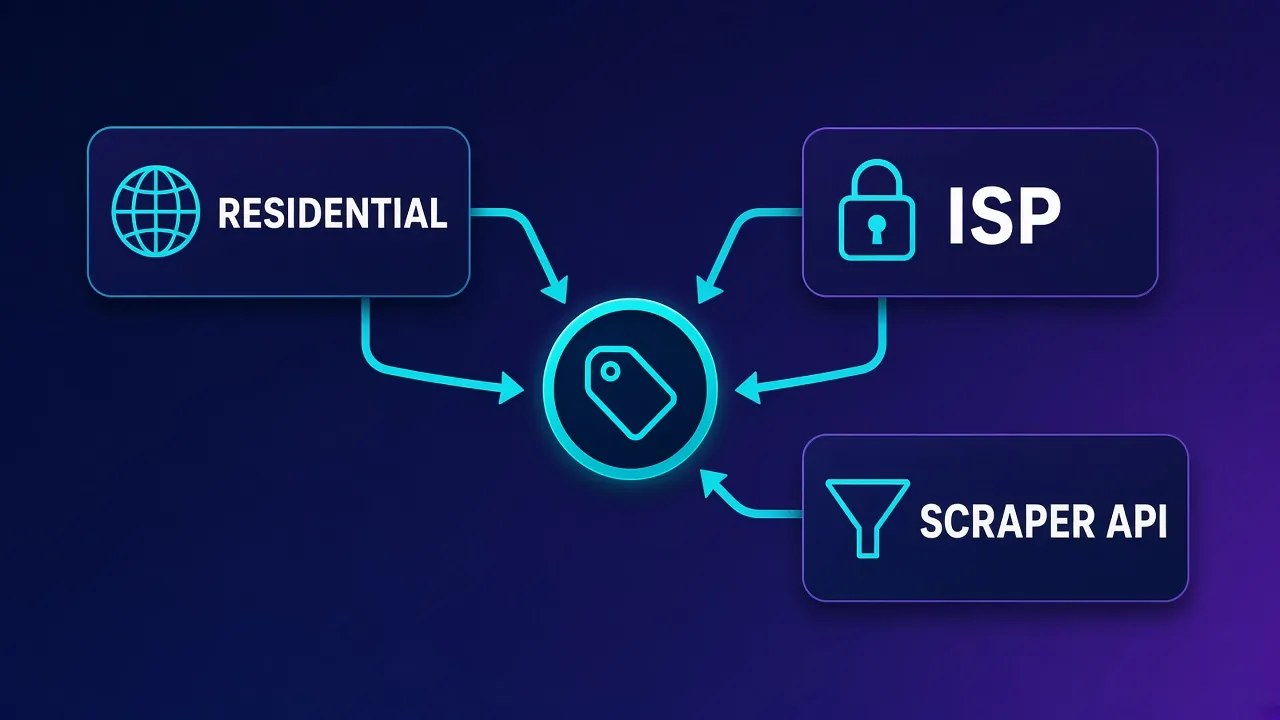
Oxylabs is not one SKU. Pricing conversations usually span several lines that should never share a single spreadsheet cell:
- Residential proxy network — typically consumed as bandwidth (GB) with targeting and session controls.
- ISP / static residential — often closer to allocated IP or port/time economics than pure GB.
- Datacenter proxies — lower trust, lower cost; useful for tolerant targets and tests.
- Web Scraper API / scraping APIs — managed request products that absorb challenges and parsing complexity, usually billed per request or per successful result.
- Dedicated solutions and add-ons — higher concurrency, premium geos, compliance features, and support tiers that change effective rates.
Two companies can both “use Oxylabs” and hold unrelated invoices: one burns residential GB on e-commerce monitors; the other pays for sticky ISP seats plus a scraper API for hardened pages. Name the product before you negotiate.
Do not compare $/GB to per-request API pricing
Residential GB, ISP IP-time, and scraper API requests are different meters. A cheaper-looking GB rate can lose to a request API (or the reverse) depending on page weight, retries, JS rendering, and success rate. Compare cost per successful business outcome.
Billing units you will actually negotiate
Memorize the meter types so quotes stop looking interchangeable:
| Billing unit | Common Oxylabs-context line | What drives cost | Cost-control tip |
|---|---|---|---|
| Bandwidth (GB) | Residential (and sometimes mobile) networks | Bytes transferred, including retries and heavy assets | Strip junk assets; cache; prefer lean responses |
| IP + time / ports | ISP / static residential; some datacenter plans | How many IPs and how long you hold them | Right-size to active seats; release idle IPs |
| Per request / success | Web Scraper API and related scraping APIs | Billable responses, sometimes by complexity or render mode | Cut duplicate jobs; tune targeting; cap retries |
| Commit floors | Enterprise agreements across lines | Minimum monthly/annual spend | Pilot before annual; align commit to measured usage |
| Add-on multipliers | Premium geo, concurrency, support | Extras beyond base meter | List every multiplier in the quote worksheet |
Exact meters, included allowances, and overage rules change over time and by contract. Treat the table as a map of what kind of number you are buying — then confirm the current meter on Oxylabs’ site, in your quote, or via the live Oxylabs product page.
Residential billing: when GB pricing hurts
Residential traffic is usually among the more expensive network products because supply is scarcer and more trusted by target sites. Teams overpay on Oxylabs-style residential when they:
- Download full pages with images, fonts, and third-party trackers instead of fetching only needed payloads.
- Use residential exits for jobs that datacenter or ISP would pass.
- Rotate on every request during multi-step flows that needed sticky sessions — causing repeats and account friction.
- Run low-success scrapers that refetch the same failing URL thousands of times.
If the workload is account-sensitive but not bandwidth-heavy (social seats, ad accounts, creator tools), sticky ISP often beats residential GB economics. If you only need anonymous high-volume fetches on tolerant targets, datacenter is usually the cheaper experiment. Oxylabs offers multiple network types — pick deliberately.
Retries are a silent multiplier
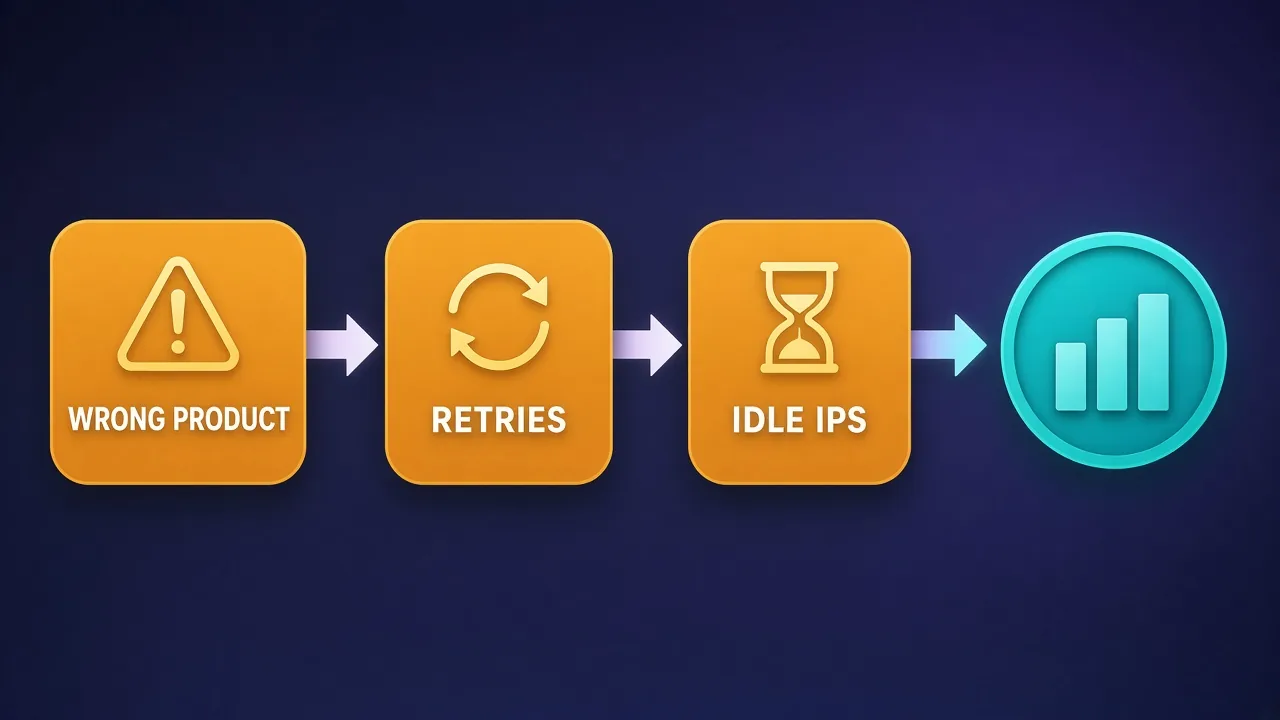
On bandwidth plans, every retried download burns GB again. On per-request APIs, aggressive retry loops can dominate the invoice. Cap retries, classify errors, and do not blindly retry hard blocks.
ISP / static residential economics
ISP (static residential) products are often priced around allocated IPs, ports, or time rather than pure GB. That flips the optimization problem:
- Under-utilization wastes money — paying for hundreds of IPs while dozens of workers run is leakage.
- Over-sharing burns trust — stuffing unrelated accounts through one IP creates platform risk that no discount fixes.
- Lease length matters — short tests may not need month-long holds; account warm-ups might.
Model cost as dollars per active concurrent identity, not dollars per marketed IP count. Align pool size with real browser or bot concurrency. For social-shaped sticky work, also see Best Proxies for Reddit Automation and Best Proxies for Discord.
Web Scraper API and managed scraping pricing logic
Managed scraping APIs trade higher per-unit prices for lower engineering time: anti-bot handling, rendering, and retries move into the vendor’s stack. You overpay on these when:
- The target is easy enough that a raw proxy plus your HTTP client would suffice.
- You send duplicate jobs without caching or deduplication.
- You enable premium rendering on pages that are static JSON underneath.
- You lack success-rate monitoring, so systematically failing tasks keep billing.
You underpay relative to engineering cost when the API’s success rate frees a team that would otherwise maintain parsers and challenge solvers. Price the API against fully loaded engineer hours, not against raw residential GB alone.
Commitments, overages, and quote hygiene
Enterprise Oxylabs pricing rarely ends at a headline rate. Inspect:
- Minimum commit — monthly or annual floors that make small experiments expensive.
- Prepay vs invoice — unused balance and rollover policies matter.
- Overage rates — what happens past included GB or request bundles.
- Concurrency caps — soft limits that force a higher tier.
- Geo and ASN premiums — some locations cost more than the base meter.
- Success vs attempt billing — whether failed or challenged requests count on API lines.
- Support and SLA tiers — higher touch support may be bundled or additive.
Ask sales to spell each item in the quote. Two quotes with the same headline rate can diverge widely once overage and geo multipliers apply.
Build a unit-economics sheet before you sign
Columns that matter: product line, billing unit, expected successful outcomes per day, bytes or requests per outcome, concurrency, geo mix, retry rate, and monthly ceiling. Fill it with your numbers, then ask vendors to price that sheet — not a generic package name.
Who overpays — and who gets a fair deal
| Profile | Common mistake | Better framing |
|---|---|---|
| Early-stage scraper | Large residential commit before product-market fit | Smaller prepaid + measure success per GB first |
| Selenium / account desk | Residential rotating on login flows | Sticky ISP sized to active profiles |
| Data team | Scraper API for simple GETs | Datacenter or self-managed proxy where the site allows |
| Enterprise ops | Ignoring geo multipliers and overage tiers | Quote every target country; set budget alarms |
| Platform consolidators | Forcing every job onto one Oxylabs line | Split crawl vs account vs API workloads |
Fair deals share traits: clear product mapping, a commit that matches measured usage, spend alarms, and a quarterly review of whether each job still belongs on the same line.
How to read an Oxylabs quote in practice
- Name the product — residential vs ISP vs datacenter vs Web Scraper API.
- Name the meter — GB, IP-time, request/success, or hybrid.
- List inclusions — soft caps, geos, concurrency, support.
- List multipliers — premium locations, rendering, residential vs datacenter.
- List overage — rate and whether overage is automatic.
- List exit terms — unused prepaid balance, rollover, early termination.
- Compare alternatives on the same sheet — not on marketing pages alone.
When you compare Oxylabs with Bright Data, Decodo, SOAX, or NetNut, force every quote onto that same sheet. Headline rates without meters are not comparable.
Oxylabs
Proxy
Bright Data
Proxy
Editor score
User rating
Starting price
Founded
Alternatives to price on the same worksheet
Depending on volume and support needs, teams often price Oxylabs alongside other published providers. Use live cards for current positioning — do not rely on memorized list prices.
Bright Data
Frequent enterprise peer with overlapping proxy and scraping API lines. Compare meters and commit floors side by side. Deep dive: Bright Data Pricing Explained.
Bright Data
Bright Data remains the most complete data-collection platform money can buy. No competitor matches its combination of network scale, targeting granularity, and compliance tooling — and for enterprise teams whose revenue depends on reliable data, that completeness justifies the premium. The trade-offs are real: it is one of the priciest providers per gigabyte, the interface overwhelms newcomers, and KYC verification adds friction before you can route a single request. Smaller projects will get better value from Decodo or IPRoyal. But if you need city-level residential targeting at scale, a managed unblocker for the hardest targets, and audit-ready compliance, Bright Data is the default — and our highest-rated proxy provider overall.
Decodo
Often evaluated when you want strong residential/ISP performance without the heaviest enterprise sales motion.

Decodo
Decodo offers the best price-to-performance ratio in the industry. It delivers roughly 90% of what the enterprise leaders provide — high success rates, a large clean pool, sticky sessions, an unblocker — at a fraction of their cost. The dashboard is the friendliest of any major provider, the 14-day money-back guarantee removes the risk of trying it, and support actually responds. The main gaps are enterprise-grade compliance tooling and the very deepest targeting, neither of which most teams need. For startups, solo developers, and any team that wants professional results without enterprise pricing, Decodo is our top value pick and an easy recommendation.
SOAX
Flexible targeting and session controls; useful as a second quote for sticky account workloads.

SOAX
SOAX is the targeting specialist. City- and ISP-level selection on every plan — not locked behind premium tiers — is genuinely rare, and the continuously cleaned pool keeps success rates high where it matters. It is not the fastest network, the interface could use a refresh, and SOCKS5 coverage is uneven. Those are real but minor gripes against a provider that nails the fundamentals of precision and reliability. For ad verification, localized market research, and social-media work that depends on appearing in an exact location, SOAX is one of the best mid-market options available.
NetNut
Another enterprise-leaning network to put on the same unit-economics sheet for bandwidth and ISP-style needs.

NetNut
NetNut's direct-ISP architecture is more than marketing — it genuinely delivers steadier, faster sessions than peer-to-peer networks, because it does not depend on consumer devices staying online. That makes it a standout for uptime-critical workloads like brand protection and ad verification, where a dropped session means lost data. The trade-offs are business-oriented pricing, higher minimum commitments, and a dashboard that takes some learning. If session stability is your priority and you operate at business scale, NetNut is one of the most reliable residential networks available and well worth the 7-day trial.
Proxyaxis also tracks lighter plans such as Webshare and IPRoyal for teams validating demand before enterprise commits.
Workload recipes and cost drivers (qualitative)
Without inventing dollar list prices, you can still rank which Oxylabs-style lines tend to dominate cost:
- SERP and open-web crawl — Often datacenter or a scraper API. Drivers: request volume, JS rendering, retry rate.
- E-commerce price monitoring — Mix of datacenter for easy pages and residential/API for hardened PDPs. Drivers: page weight and challenge frequency.
- Social / ad account operations — Sticky ISP or residential sessions. Drivers: concurrent identities and session length, not raw GB.
- AI agent browsing — Can burn residential GB and API units quickly if agents wander. Cap tools and prefer structured APIs when sites offer them.
Write each recipe as: target difficulty × sessions × bytes or requests per success × retry factor. That expression usually predicts whether an Oxylabs residential commit, an ISP pool, or a scraper API bundle is the rational first buy.
Governance after kickoff
Signing is not the finish line. Install lightweight governance:
- Weekly usage export — GB, requests, or IP-hours by product; alert on spikes.
- Success-rate dashboard — pair spend with outcomes so a silent blocker does not look like healthy traffic.
- Zone hygiene — separate prod vs experiment so a bad test cannot drain production.
- Quarterly product fit review — ask whether each job still belongs on its current line.
- Credential rotation — treat zone passwords like cloud keys; leaked credentials become unbounded spend.
Teams that treat proxy spend like cloud spend — tagged, alerted, reviewed — rarely get surprised by Oxylabs invoices.
Practical checklist before you buy
- Define success: verified page, logged-in session, structured record — not “requests sent.”
- Measure a pilot week on the smallest tier you can.
- Separate account-sticky traffic from anonymous crawl traffic.
- Turn on spend alerts the same day credentials arrive.
- Revisit product fit monthly; scrapers change faster than annual contracts.
- Keep credentials in a secret manager.
- Re-price peers on the same unit-economics sheet every quarter.
Residential vs ISP vs Web Scraper API — decision frame
Use this qualitative frame before you ask Oxylabs (or any peer) for a number:
- Choose residential GB when targets demand consumer ASN trust and your client can stay lean on bytes.
- Choose ISP / static when identities must look continuous for hours or days and concurrency is known.
- Choose Web Scraper API when engineering time to defeat challenges exceeds the API premium — and you can measure success rate.
- Split the account when you have all three jobs; consolidating everything onto residential GB is a classic overspend pattern.
Revisit the frame quarterly. A scraper that needed residential last year may pass on datacenter after the target softened — or the reverse.
Internal linking between pricing and fit
Pricing without product fit still fails. Pair this guide with fit content: the head-to-head comparison, the alternatives roundup, and network-type basics so stakeholders stop arguing about dollars before they agree on meters.
Conclusion
Oxylabs pricing is understandable once you stop treating it as one number. Identify the product line — residential, ISP, or Web Scraper API — lock the billing unit, and price successful outcomes rather than vanity GB or IP counts. Teams that overpay usually mismatched the product, ignored retries, or signed a commit ahead of measured usage. Use the live Oxylabs card for current packaging, put Bright Data and other peers on the same worksheet, and let unit economics — not brand gravity — pick the contract.
Next reads: Bright Data vs Oxylabs for product fit, Oxylabs Alternatives when you need a wider shortlist, and Bright Data Pricing Explained for a parallel meter framework.
Frequently asked questions
Oxylabs sells multiple product lines with different meters. Residential networks are commonly bandwidth-based, ISP/static plans often look like IP or time allocations, and Web Scraper API-style products are typically request- or success-based. Always confirm the current meter on a live quote or the Oxylabs product page.
It depends on the product. Proxy network traffic is often discussed in GB terms, while managed scraping APIs are usually closer to per-request or per-success billing. Comparing those units directly without a cost-per-outcome sheet leads to bad decisions.
Residential supply is scarcer and generally more trusted by target sites, so it sits higher on the price stack. Teams also overspend when they use residential for jobs that datacenter or ISP would pass, or when retries burn extra GB.
Choose sticky ISP when you need long-lived identities for account-sensitive work and want cost driven by allocated IPs rather than heavy page downloads. Residential GB can be a poor fit for long Selenium sessions that transfer lots of assets.
Deduplicate jobs, avoid premium rendering on static pages, monitor success rate, and cap retries. Price the API against engineer time saved, not against raw residential GB alone.
Product name, billing unit, inclusions, geo or concurrency multipliers, overage rules, commit floor, and exit terms for unused prepaid balance. Put peer quotes from Bright Data, Decodo, SOAX, or NetNut on the same sheet.
Use the live Oxylabs provider card and product page on Proxyaxis, and confirm details in a vendor quote. List prices change; do not rely on memorized screenshots from old blog posts.
Both are enterprise platforms with proxy and scraping API lines, but meters, commits, and packaging differ. Compare cost per successful outcome on an identical worksheet rather than headline marketing rates. See Bright Data vs Oxylabs for product fit context.