Table of contents
Discord is not a typical “open web” scraping target. It is a real-time social platform with aggressive account-risk signals, device fingerprinting, and IP reputation checks that punish noisy residential rotation and cheap datacenter ranges. If you manage community ops, moderation tooling, multi-account research, or legitimate growth workflows that touch Discord’s network path, the proxy choice is less about raw bandwidth and more about session stability, ISP/residential quality, and one-identity-per-IP hygiene.
This guide is a practical 2026 roundup of what actually matters for Discord-related proxy setups: sticky sessions, ISP versus residential trade-offs, when SOCKS5 helps, how anti-detect browsers fit, and which published providers on Proxyaxis are worth evaluating. We do not invent list prices or success-rate percentages—live provider cards stay authoritative for commercials.
Compliance first
Proxies do not rewrite Discord’s Terms of Service. Automating spam, ban evasion, credential stuffing, or unauthorized scraping can get accounts terminated and may violate Discord’s rules and applicable law. Use this guide for legitimate multi-account, research, QA, and privacy-aware workflows—and keep human review in the loop.
Why Discord is hard on proxies
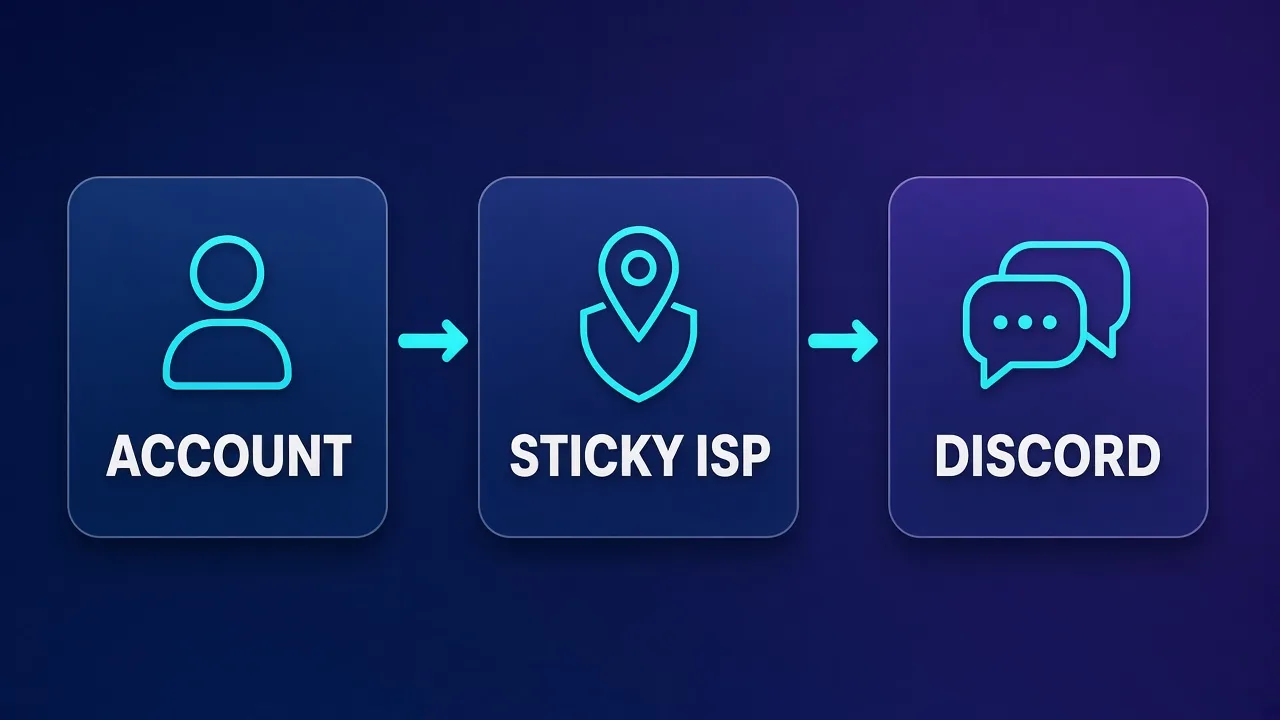
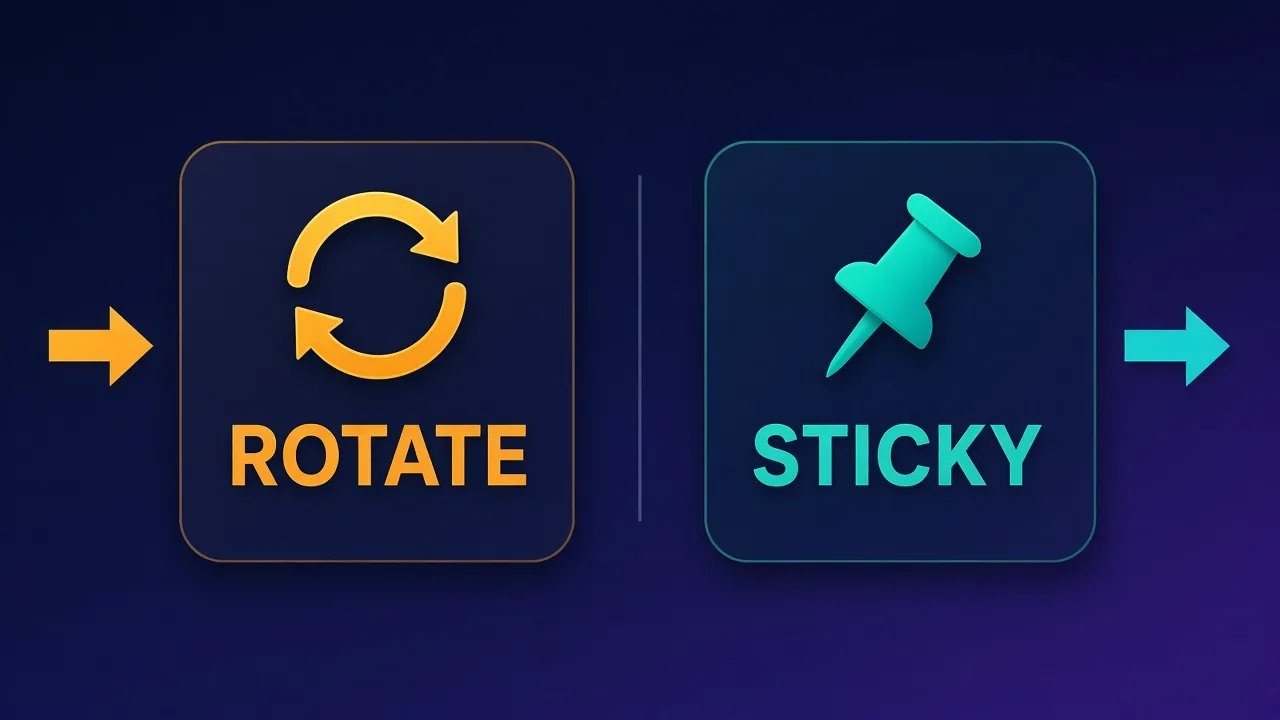
Discord’s client and API stack care about more than “does the TCP connection succeed.” Risk systems look at IP type (datacenter vs residential ASN), how often that IP appears across unrelated accounts, sudden geo jumps, TLS/client fingerprints, and behavioral pacing. A rotating residential pool that changes exit IP every request looks like a different person each time—disastrous for a logged-in account. Conversely, a sticky ISP exit that stays put for hours behaves like a home or office line, which is what Discord’s model expects for normal use.
Three failure modes show up again and again:
- Shared datacenter ranges already marked as high risk → captchas, phone locks, or instant flags.
- Over-rotation on sticky-needed sessions → session invalidation and “new login” friction.
- Geo/ASN mismatch with the account’s history → trust decay even when the proxy “works.”
If you have already compared proxy classes in general, our deeper primer on residential vs ISP vs datacenter proxies maps cleanly onto Discord: prefer ISP/static residential for accounts; keep mobile/residential rotation for light public research only when you are not holding a long-lived login.
What “best” means for Discord in 2026
For Discord, “best” is not the largest pool or the lowest cost-per-GB. Rank providers against these criteria:
- Sticky session control — minutes-to-hours TTL, predictable session IDs, no silent IP flips mid-login.
- ISP / static residential inventory — carrier ASNs that look like consumer broadband, not cloud hosting.
- Clean IP reputation — low prior abuse density; ability to replace a burned IP without rewriting your whole stack.
- Protocol fit — HTTP(S) for many browser stacks; SOCKS5 when your client or anti-detect browser prefers it.
- Geo coverage where your accounts live — city/state targeting when available; country-level is often enough.
- Ops tooling — dashboards, sub-users, usage alerts, and support that understands sticky social use cases.
Bandwidth-heavy scrapers optimize differently. Discord account work is usually low bandwidth, high trust. Paying for premium sticky ISP ports often beats “cheap GB” residential that rotates underneath you.
ISP vs residential vs datacenter for Discord
Here is the decision frame we recommend in 2026:
| Proxy type | Discord fit | Best for | Watch-outs |
|---|---|---|---|
| ISP / static residential | Strong default for logged-in accounts | Community ops, multi-profile browsers, long sessions | Higher per-IP cost; inventory can be limited in some cities |
| Rotating residential | Situational | Short public lookups, light research without persistent login | IP changes break session trust; shared pools vary in quality |
| Mobile | Niche | Hard targets where carrier IPs help; rare for Discord chat ops | Costly; overkill for most Discord workflows |
| Datacenter | Usually poor for accounts | Internal tooling that never hits Discord login risk | High flag rates on consumer social platforms |
Rule of thumb
One Discord identity → one sticky ISP (or high-quality static residential) exit → one anti-detect or isolated browser profile. Never share that exit across unrelated accounts.
Residential rotating pools still matter when you are sampling public invite pages or doing non-authenticated checks—but the moment you authenticate, stickiness becomes non-negotiable. For a Telegram-adjacent static-proxy pattern that transfers well, see best static proxies for Telegram; Discord’s risk model is different, but the sticky-IP discipline is the same.
Sticky sessions: the feature Discord setups actually need
Sticky sessions bind your traffic to the same exit IP for a configured window (or until you release the session ID). Providers implement this with session strings in the username, sticky ports, or dashboard “dedicated” assignments. For Discord you typically want:
- Long TTL options — think hours, not 60-second rotates, for active community workdays.
- Deterministic binding — the same session key should return the same IP until expiry.
- Graceful replacement — when an IP burns, spin a new sticky key rather than hoping the pool heals itself.
Anti-patterns: rotating every request “for stealth,” stacking a VPN on top of a proxy (DNS/WebRTC leaks), or putting ten Discord accounts behind one sticky IP. Discord correlates more than IP alone, but IP reuse across unrelated personas is still a fast path to linked bans.
How Discord traffic typically uses a proxy
Most operators do not point a bare Discord desktop binary at a proxy and call it done. Common stacks:
- Anti-detect browser + HTTP/SOCKS proxy — each profile gets its own sticky exit and fingerprint.
- Browser automation (Playwright/Selenium) + authenticated proxy — for QA or controlled workflows; see our Selenium guide at how to use proxies with Selenium for auth and Chrome options patterns.
- OS-level or app-level proxy — less common; leakage risk is higher if Discord’s updater or voice paths bypass the proxy.
Voice/video (UDP/WebRTC) is a special case. Many HTTP-only proxies will not carry Discord voice the way you expect. If voice must traverse the same identity path, confirm SOCKS5/UDP support with the provider and test with WebRTC leak checks. For text/community ops, HTTPS sticky proxying through a browser profile is usually enough.
Setup checklist that prevents most Discord proxy failures
- Create or warm the account on the same geo you will keep.
- Assign one sticky ISP IP per account/profile.
- Match timezone, language, and locale to that geo in the browser profile.
- Disable WebRTC leaks; verify DNS exits through the proxy path.
- Warm slowly—joins, reads, light reactions—before any high-velocity actions.
- Monitor for phone verification prompts; treat them as reputation signals, not nuisances to bypass blindly.
- Replace burned IPs deliberately; do not “share the good one” across more accounts.
Operational habit
Document IP ↔ account ↔ profile mappings in a simple spreadsheet or secrets manager. When something flags, you need to know which exit was attached—guessing burns more inventory.
Provider picks for Discord-oriented setups
Below are qualitative fits for Discord sticky/ISP-heavy work. Each card is live data from Proxyaxis—check current plans, ratings, and proxy types there rather than relying on remembered prices.
Bright Data — enterprise depth when you need inventory breadth
Bright Data suits teams that already run multi-product proxy stacks and want ISP plus residential under one vendor with strong targeting controls. For Discord, prioritize static/ISP products and long sticky sessions over rotating residential scrapers. Overkill for a single community manager; sensible for agencies with many profiles.
Bright Data
Bright Data remains the most complete data-collection platform money can buy. No competitor matches its combination of network scale, targeting granularity, and compliance tooling — and for enterprise teams whose revenue depends on reliable data, that completeness justifies the premium. The trade-offs are real: it is one of the priciest providers per gigabyte, the interface overwhelms newcomers, and KYC verification adds friction before you can route a single request. Smaller projects will get better value from Decodo or IPRoyal. But if you need city-level residential targeting at scale, a managed unblocker for the hardest targets, and audit-ready compliance, Bright Data is the default — and our highest-rated proxy provider overall.
Oxylabs — polished ISP/residential for serious ops
Oxylabs is a frequent shortlist for operators who want predictable sticky behavior and mature dashboards. Discord use cases map to their ISP/static and residential sticky modes more than to scraping APIs. Expect enterprise-leaning packaging—evaluate whether you need that surface area.

Oxylabs
Oxylabs is the enterprise provider that gets the fundamentals right. The network is huge and well-maintained, the scraper APIs are genuinely best-in-class, and the documentation and SDKs make integration faster than almost any competitor. What sets it apart from Bright Data is service: dedicated account managers, responsive support, and cleaner tooling mean less time fighting the platform and more time shipping. The cost is higher entry pricing, and the deepest discounts favor high-volume commitments. For serious commercial data operations that can justify the spend, Oxylabs is a top-two choice and frequently the one teams stay with long-term.
Decodo — mid-market balance for sticky social work
Decodo (formerly in many buyers’ minds as a Smartproxy-era alternative path) is often evaluated when you want residential/ISP flexibility without going full enterprise. Useful when Discord is one of several social channels in the same proxy budget.

Decodo
Decodo offers the best price-to-performance ratio in the industry. It delivers roughly 90% of what the enterprise leaders provide — high success rates, a large clean pool, sticky sessions, an unblocker — at a fraction of their cost. The dashboard is the friendliest of any major provider, the 14-day money-back guarantee removes the risk of trying it, and support actually responds. The main gaps are enterprise-grade compliance tooling and the very deepest targeting, neither of which most teams need. For startups, solo developers, and any team that wants professional results without enterprise pricing, Decodo is our top value pick and an easy recommendation.
SOAX — flexible targeting for geo-sensitive accounts
SOAX tends to appeal when city-level or fine geo control matters for account consistency. Pair sticky sessions with careful geo matching; avoid treating the pool like a rotating scraper while logged in.

SOAX
SOAX is the targeting specialist. City- and ISP-level selection on every plan — not locked behind premium tiers — is genuinely rare, and the continuously cleaned pool keeps success rates high where it matters. It is not the fastest network, the interface could use a refresh, and SOCKS5 coverage is uneven. Those are real but minor gripes against a provider that nails the fundamentals of precision and reliability. For ad verification, localized market research, and social-media work that depends on appearing in an exact location, SOAX is one of the best mid-market options available.
NetNut — ISP-forward option for stable exits
NetNut is frequently considered for ISP-oriented stability. If your Discord stack is “few accounts, high uptime,” ISP-style products are the right aisle—confirm sticky semantics and replacement SLAs before you migrate profiles.

NetNut
NetNut's direct-ISP architecture is more than marketing — it genuinely delivers steadier, faster sessions than peer-to-peer networks, because it does not depend on consumer devices staying online. That makes it a standout for uptime-critical workloads like brand protection and ad verification, where a dropped session means lost data. The trade-offs are business-oriented pricing, higher minimum commitments, and a dashboard that takes some learning. If session stability is your priority and you operate at business scale, NetNut is one of the most reliable residential networks available and well worth the 7-day trial.
IPRoyal — approachable entry for smaller Discord ops
IPRoyal often lands on shortlists for smaller teams testing sticky residential/ISP before committing to enterprise contracts. Validate session stickiness with a real Discord login soak test, not just an IP-check website.

IPRoyal
IPRoyal is the best pure pay-as-you-go deal in proxies. Non-expiring traffic is a genuinely customer-friendly policy that no major rival matches — buy what you need, use it whenever, lose nothing. The pool is smaller than the premium networks and success rates can soften on the most heavily defended targets, so high-volume enterprise scraping is not its strength. The dashboard is also fairly basic. For intermittent scraping, account work, and sneaker copping on a predictable budget, IPRoyal is an easy recommendation and one of the best value picks for occasional users.
Proxy-Seller — static-heavy catalogs worth a look
When you specifically want static/ISP inventory for account isolation, Proxy-Seller is a practical catalog to compare. Focus on dedicated assignments and reputation of the subnet—not just the country label.

Proxy-Seller
Proxy-Seller is excellent value if you want fixed, dedicated IPs instead of metered bandwidth. Per-IP pricing from $1.30 with unlimited bandwidth, flexible rental terms, and unusually cheap IPv6 make it a smart choice for account management and SEO. It is not the place for large rotating-residential workloads — the per-IP model does not scale to mass scraping that needs thousands of fresh addresses. The dashboard is also plain and functional rather than polished. But for stable, dedicated identities at a low cost, backed by 24/7 support, Proxy-Seller is one of the better dedicated-proxy specialists around.
Webshare — budget datacenter/residential mix (use carefully)
Webshare can be fine for non-account tooling and experiments. For Discord logins, treat datacenter plans as high risk and only evaluate residential/sticky options with the same one-account-one-IP discipline.

Webshare
Webshare is the developer's self-service favorite. Instant activation, a free tier that is actually free, and the cheapest fast datacenter proxies in the market make it the easiest provider to just start using. The custom plan builder — pick your IP count, bandwidth, and threads — is a genuinely good model that lets you avoid paying for capacity you do not need. The residential pool is newer and less battle-tested than specialists, and support is thin on the lower tiers. For datacenter proxies, API-driven workflows, and anyone who wants to try before paying, Webshare is one of the best-value options around.
Side-by-side: how to compare without fake scores
Use live comparison cards for commercials and ratings, then score Discord fit yourself on stickiness, ISP availability, and support quality.
Bright Data
Proxy
Oxylabs
Proxy
Editor score
User rating
Starting price
Founded
Decodo
Proxy
SOAX
Proxy
Editor score
User rating
Starting price
Founded
NetNut
Proxy
IPRoyal
Proxy
Editor score
User rating
Starting price
Founded
| Your situation | Lean toward | Why |
|---|---|---|
| 5–20 Discord profiles, daily community work | ISP sticky + anti-detect | Stability beats pool size |
| Agency with many geos | Bright Data / Oxylabs / SOAX-class targeting | Geo inventory and controls |
| Budget test of 1–2 accounts | IPRoyal / carefully chosen static | Learn the workflow before enterprise spend |
| Only public invite page checks | Rotating residential (short sessions) | No long-lived login to protect |
Anti-detect browsers and Discord
Proxies hide network identity; browsers leak device identity. For multi-account Discord work, pair each sticky IP with an isolated profile (Multilogin, AdsPower, GoLogin, or similar). Checklist:
- Unique canvas/WebGL/audio fingerprint per profile (as your tool provides).
- Proxy set inside the profile, not only at the OS level.
- No cross-profile cookie or storage leaks.
- Same proxy geo as profile locale.
A perfect ISP IP behind a shared Chrome user-data directory still correlates accounts. Treat proxy + fingerprint + behavior as one system.
Costs and trade-offs (without invented prices)
Discord proxy spend is usually driven by number of concurrent sticky IPs, not terabytes transferred. That flips the usual scraping cost model. Questions to ask every vendor:
- How is stickiness billed—per GB, per IP-day, or seat?
- What happens when an IP is abused by a previous tenant?
- Can you hold the same IP across reconnects for a full workday?
- Are SOCKS5 and HTTP both available on that product line?
Live cards on Proxyaxis remain the source of truth for plan shapes. Compare qualitatively here; confirm numbers there before you buy.
Pitfalls that get Discord accounts flagged
- Rotating residential under an authenticated session.
- One sticky IP shared by many unrelated accounts.
- Datacenter exits “just for testing” that become permanent.
- Geo hops (US morning, EU afternoon) on the same account.
- Automation that ignores rate limits, mention spam, or mass DMs.
- Ignoring phone/email verification prompts until the account is locked.
- VPN + proxy chains that leak DNS or WebRTC.
Do not use proxies to evade enforcement
If Discord locks an account for ToS violations, swapping IPs to continue the same abuse pattern is not a “proxy strategy”—it is ban evasion. Fix the behavior or stop.
Who this guide is (and is not) for
For: community teams, agencies managing client servers with distinct staff identities, QA engineers validating Discord integrations, researchers who need stable network identity, and privacy-conscious users separating work and personal contexts.
Not for: spam networks, raid tooling, credential stuffing, or anyone hoping a proxy alone will “unban” an account. Proxies are infrastructure; trust is earned by consistent identity and policy-compliant behavior.
Testing a Discord proxy before you scale
Before migrating a whole roster of profiles, run a controlled soak:
- Buy or allocate one sticky ISP exit in your target geo.
- Attach it to a fresh or low-value profile in your anti-detect browser.
- Verify the exit IP and ASN on an IP-check page through that profile.
- Log into Discord, idle in a server, send a few normal messages over several hours.
- Disconnect and reconnect with the same sticky session key—confirm the IP did not change.
- Only then clone the pattern across more accounts with unique exits.
If the IP flips mid-session, treat that product line as unfit for Discord logins even if it markets “sticky” for scraping. Scraping stickiness (60–120 seconds) and account stickiness (workday-length) are different products wearing the same word.
Conclusion
The best proxies for Discord in 2026 are the ones that preserve a boring, consistent network identity: sticky ISP or high-quality static residential, one exit per account, geo-aligned, preferably SOCKS5/HTTP as your client requires. Enterprise vendors like Bright Data and Oxylabs win on inventory and controls; Decodo, SOAX, NetNut, IPRoyal, and Proxy-Seller cover mid-market and static-heavy needs; Webshare is mainly for careful, non-login experiments. Start with stickiness and hygiene, validate with soak tests, and keep commercials anchored to live Proxyaxis provider cards.
Next reads: best proxies for LinkedIn automation for another sticky-social pattern, and residential vs ISP vs datacenter if you still need the type fundamentals.
Frequently asked questions
For logged-in Discord accounts, sticky ISP or high-quality static residential proxies are usually best. They keep one consistent exit IP that looks like consumer broadband. Rotating residential and datacenter exits often trigger trust friction on authenticated sessions.
Yes for any workflow that stays logged in. Sticky sessions bind traffic to the same IP for a set time so Discord does not see constant identity changes. Short rotating sessions are only reasonable for non-authenticated public checks.
You can connect, but datacenter ranges are commonly treated as higher risk on consumer social platforms. For account work, prefer ISP or static residential. Reserve datacenter proxies for internal tooling that never touches Discord logins.
Many browser and anti-detect stacks work fine with authenticated HTTP(S) proxies. Choose SOCKS5 when your client prefers it or when you need broader protocol support. Confirm UDP/WebRTC behavior separately if Discord voice must take the same path.
Best practice is one account (or one tightly related staff identity) per sticky IP. Sharing one exit across unrelated personas increases correlation risk if Discord links those accounts. Scale by adding clean exits, not by packing more accounts onto one IP.
No. A new IP does not erase enforcement history and using proxies to continue banned behavior can violate Discord’s rules. Fix the underlying policy issue or stop the activity. Proxies only change network identity for legitimate, compliant use.
Usually no. Chaining VPN and proxy often creates DNS or WebRTC leaks and inconsistent routing. Pick one well-configured sticky proxy inside an isolated browser profile, then verify leaks with standard WebRTC and DNS checks.
Evaluate sticky ISP or static residential lines from publishers such as Bright Data, Oxylabs, Decodo, SOAX, NetNut, IPRoyal, and Proxy-Seller. Compare live plans on Proxyaxis and soak-test stickiness with a real Discord login before scaling.