Table of contents
YouTube is one of the most heavily used platforms on the internet, and that makes it one of the most carefully defended. Whether you manage a handful of client channels, check how videos and ads appear in other countries, or collect public data for research, the IP address you connect from shapes what YouTube shows you and how much it trusts your session. Pick the wrong kind of proxy and you get sign-in challenges, CAPTCHAs, throttled requests or, worst of all, channels that end up linked together.
This guide explains which proxy types actually hold up for legitimate YouTube work, how to match the proxy to the job, and which providers in our directory are strong fits. We keep prices out of the prose because they change often; the live provider cards below pull current details from our listings. We also draw a clear line around what proxies should not be used for on YouTube, because some tactics put accounts at risk no matter how good the IPs are.
Why YouTube work needs the right proxies
YouTube sits inside Google's account and abuse-detection systems. When you sign in, upload, comment or even just browse, the platform weighs a set of signals to decide whether the session looks like a normal person. The IP address feeds several of those signals at once:
- IP type. Addresses registered to hosting providers and cloud platforms look very different from consumer broadband or mobile carrier addresses. Datacenter ranges are far more likely to meet extra verification.
- IP reputation. An address that has recently sent automated traffic to Google services can carry that history with it, which is why cheap shared pools often run into challenges immediately.
- Location consistency. A channel that signs in from one city in the morning and another continent an hour later looks like a compromised account.
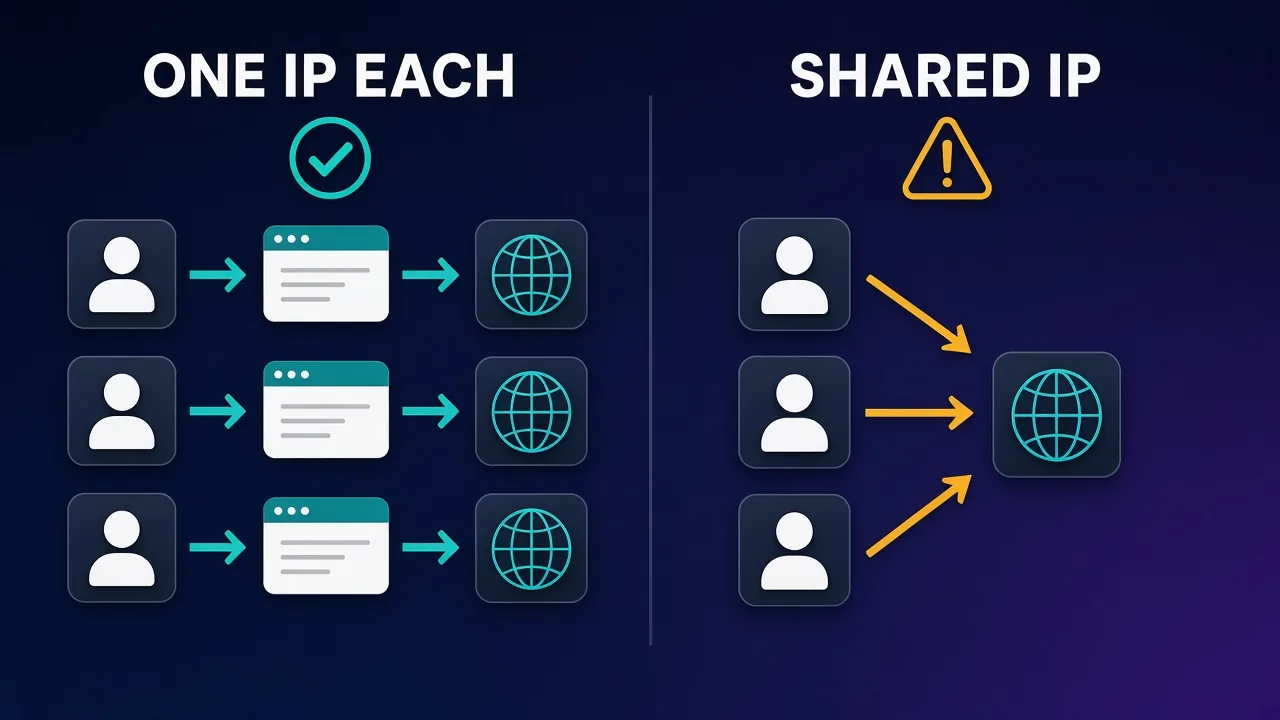
- Shared addresses. Several accounts signing in from the same IP is one of the simplest ways for a platform to connect them.
None of this means YouTube blocks proxies outright. Millions of real users share carrier-grade NAT addresses and corporate gateways every day. It means the proxy has to look and behave like a normal connection for the task you are doing.
Legitimate YouTube use cases for proxies
Most people looking for YouTube proxies fall into one of three groups. Each has different needs, so it is worth being honest about which one describes you.
Managing several channels
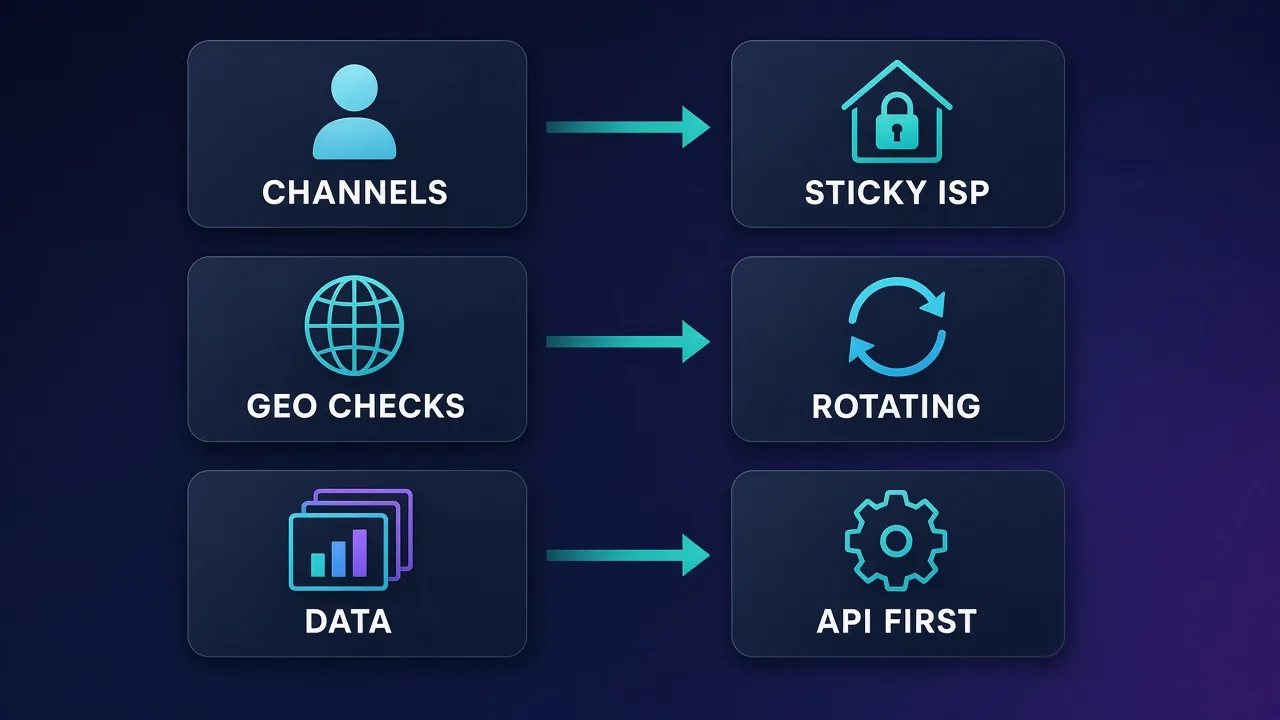
Agencies, networks and creators with more than one brand often operate several channels. Google allows multiple channels and Brand Accounts, but the operational reality is that teams sign in from different machines and locations, and a sudden change in network signals can trigger security checks. A stable, dedicated IP per channel or per client keeps sessions predictable and reduces the chance that a problem on one account spills over to another.
Checking content and ads by location
What a viewer sees on YouTube depends on where they are. Search results, trending lists, recommended videos, ad inventory and even whether a video is available at all can vary by country. Marketers verifying ad placements, rights holders checking regional blocks and SEO teams tracking how videos rank in different markets all need to see YouTube as a local viewer would. That is a geo-targeting job, and our guide to geo-targeting in proxies covers how country, region and city selection works in practice.
Collecting public data
Researchers and analytics teams collect metadata such as titles, view counts, upload dates and channel statistics. Here the first stop should be the official YouTube Data API, which returns structured data under published quotas and terms. Proxies only become relevant when you have a legitimate need that the API does not cover, and even then you should read YouTube's Terms of Service carefully, because they restrict automated access. If you are new to the mechanics, our explainer on how web scraping works is a good primer.
What proxies should not be used for
Using proxies to inflate views, likes, subscribers or comments violates YouTube's fake engagement policies. YouTube can remove the engagement, strike or terminate the channel, and no proxy type reliably hides coordinated fake activity. This guide covers operational, testing and research use only.
Which proxy types work for YouTube
There are four main proxy types, and they behave very differently on a platform as sensitive as YouTube. Our deeper comparison of residential, ISP and datacenter proxies goes into the networking details; here is how each one fares for YouTube specifically.
Residential proxies
Residential proxies route traffic through IP addresses assigned by consumer internet providers to real households. To YouTube they look like ordinary viewers, which makes them the default choice for geo checks and for most browsing-style tasks. They come in two flavours: rotating, where you get a new IP on each request or every few minutes, and sticky, where you hold the same IP for a session. Rotating suits location checks across many queries; sticky suits anything involving a signed-in account. See our guide to residential proxies for how these pools are sourced.
ISP (static residential) proxies
ISP proxies are addresses registered to consumer internet providers but hosted on servers, so they combine a residential-looking ASN with datacenter-grade stability. You keep the same IP for weeks or months. For channel management that is exactly what you want: each channel signs in from one consistent, residential-looking address, the way a creator working from home would.
Mobile proxies
Mobile proxies use addresses from 4G and 5G carriers. Because carriers share each public IP among many subscribers through carrier-grade NAT, platforms are cautious about blocking them, so mobile IPs tend to carry high trust. They are the premium option for sensitive account work, especially when your team manages channels from phones or uses the YouTube Studio mobile app. They cost more per gigabyte, and the IP can change when the carrier reassigns it. Our roundup of the best mobile proxies compares carriers and rotation options.
Datacenter proxies
Datacenter proxies are fast and cheap, but their ranges are easy to identify as hosting traffic. For signed-in YouTube work they are a poor fit, and they often meet CAPTCHAs or verification prompts even for anonymous browsing. They can still be useful for low-risk tasks such as fetching publicly cached thumbnails or testing your own tooling.
| Proxy type | Trust on YouTube | IP stability | Best YouTube use | Main drawback |
|---|---|---|---|---|
| Rotating residential | High | Changes often | Geo checks, ranking tracking | Not suited to signed-in accounts |
| Sticky residential | High | Minutes to hours | Short account sessions | Session can drop if the device goes offline |
| ISP (static residential) | High | Weeks to months | Long-term channel management | Fewer locations than rotating pools |
| Mobile | Very high | Varies by carrier | Sensitive accounts, mobile workflows | Highest cost per GB |
| Datacenter | Low | Static | Testing your own tools | Frequent challenges and blocks |
The best proxy providers for YouTube
The providers below are listed in our directory and offer the IP types that matter for YouTube. We checked each one's product range against our own listings. Use the cards for current pricing, ratings and trial details.
Decodo: best all-round value
Decodo, formerly Smartproxy, offers residential, mobile, ISP and datacenter proxies, so you can cover every YouTube task from one dashboard. Its residential network supports both rotating and sticky sessions with country and, on most plans, city targeting, which works well for regional content checks. The 14-day money-back guarantee listed on its profile makes it low risk to test against your own workflow, and sub-users help agencies separate client work.

Decodo
Decodo offers the best price-to-performance ratio in the industry. It delivers roughly 90% of what the enterprise leaders provide — high success rates, a large clean pool, sticky sessions, an unblocker — at a fraction of their cost. The dashboard is the friendliest of any major provider, the 14-day money-back guarantee removes the risk of trying it, and support actually responds. The main gaps are enterprise-grade compliance tooling and the very deepest targeting, neither of which most teams need. For startups, solo developers, and any team that wants professional results without enterprise pricing, Decodo is our top value pick and an easy recommendation.
SOAX: best for precise geo-targeting
If your main job is seeing YouTube as a viewer in a specific place, SOAX stands out. Country, region, city and ISP-level targeting are available on every plan rather than locked to premium tiers, and its pool spans residential, mobile, ISP and datacenter types. That makes it a strong choice for ad verification and regional ranking checks, where being in the right city matters more than raw speed.

SOAX
SOAX is the targeting specialist. City- and ISP-level selection on every plan — not locked behind premium tiers — is genuinely rare, and the continuously cleaned pool keeps success rates high where it matters. It is not the fastest network, the interface could use a refresh, and SOCKS5 coverage is uneven. Those are real but minor gripes against a provider that nails the fundamentals of precision and reliability. For ad verification, localized market research, and social-media work that depends on appearing in an exact location, SOAX is one of the best mid-market options available.
IPRoyal: best for occasional and budget use
IPRoyal's signature policy is residential traffic that never expires, which suits teams that only need YouTube geo checks now and then. It also sells static residential (ISP) and mobile proxies, so a small agency can give each channel a dedicated ISP address without a large commitment. Sticky and rotating sessions plus country and city targeting cover the basics, though its dashboard analytics are simpler than premium rivals.

IPRoyal
IPRoyal is the best pure pay-as-you-go deal in proxies. Non-expiring traffic is a genuinely customer-friendly policy that no major rival matches — buy what you need, use it whenever, lose nothing. The pool is smaller than the premium networks and success rates can soften on the most heavily defended targets, so high-volume enterprise scraping is not its strength. The dashboard is also fairly basic. For intermittent scraping, account work, and sneaker copping on a predictable budget, IPRoyal is an easy recommendation and one of the best value picks for occasional users.
NodeMaven: best for clean, long sticky sessions
NodeMaven filters its residential IPs in real time and only serves addresses that pass reputation checks, then lets you hold them in sticky sessions that can last 24 hours or more. For signed-in channel work through an antidetect browser, that combination of clean IPs and long sessions reduces the chance of mid-session IP changes that trigger security prompts. It is a precision tool priced per gigabyte at a premium, not a bulk bandwidth play.

NodeMaven
NodeMaven's quality-filtered pool is a genuinely different pitch in a market obsessed with pool size, and it works: the IPs you get are noticeably cleaner, and holding one for a day makes account workflows far more stable than typical 10–30 minute sticky windows. You pay more per gigabyte than at budget providers, and raw-volume scrapers should look elsewhere — this is a precision tool. For multi-accounting through anti-detect browsers and any workflow where one flagged IP costs you an account, NodeMaven justifies its premium.
How to set up proxies for multiple YouTube channels
A proxy alone does not separate accounts. Browsers leak plenty of other identifiers, from cookies to canvas fingerprints. A reliable setup combines a dedicated IP with an isolated browser environment for each channel.
- Assign one IP per channel. Use an ISP proxy or a long sticky residential session, and never share it across channels.
- Pick a location that matches the channel. If a channel's owner and audience are in Germany, a German IP is consistent; a random rotating location is not.
- Create an isolated browser profile. An antidetect browser or separate browser profiles keep cookies, storage and fingerprints apart. Our guide on proxies for multi-account management covers the pairing in depth.
- Bind the proxy to the profile. Enter the proxy in the profile settings so that channel always connects through its own IP.
- Test before signing in. Check the visible IP, its location and for DNS or WebRTC leaks. Our walkthrough on how to test a proxy shows the exact checks.
- Warm up gradually. Sign in, browse normally and avoid bulk actions in the first sessions on a new IP.
Keep security features on
Two-step verification and recovery details still matter when you use proxies. A consistent IP reduces unnecessary prompts, but it does not replace proper account security, and team members should use their own access rather than shared passwords where YouTube's channel permissions allow it.
Using proxies for regional checks and ranking research
Geo checks are the most forgiving YouTube use case because you usually do not need to be signed in. A signed-out session through a rotating residential IP in the target country shows you roughly what a new local viewer sees.
- Use country and city targeting. Trending and search results can differ between cities in large markets, so use city targeting when your provider supports it.
- Clear state between checks. Cookies and watch history personalise results. Use a fresh profile or private window per location.
- Match language settings. Set the browser language to the market you are checking, or YouTube may adjust results to your interface language.
- Pace your queries. Bursts of rapid searches from one IP look automated and invite CAPTCHAs. Our guide to proxies for Google Search scraping covers pacing patterns that apply here too.
Collecting YouTube data responsibly
For data work, start with the YouTube Data API. It gives you structured access to video, channel and playlist metadata, it is the route YouTube supports, and it removes most of the reliability problems that come with parsing pages. Quotas apply, so plan your requests and cache results.
If you still need something the API does not provide, keep these principles in mind:
- Read YouTube's Terms of Service and robots rules, and get legal advice if the project is commercial or large scale.
- Collect only public data, avoid personal data you do not need, and respect privacy laws in the regions involved.
- Keep request rates modest and back off on errors instead of rotating IPs faster to push through blocks.
- Prefer managed unblocker tools from reputable providers over home-built evasion if you have a sanctioned need.
It also pays to work with a provider that sources IPs ethically and enforces an acceptable-use policy; our checklist on what makes a proxy provider trustworthy covers what to look for.
Common mistakes that get YouTube accounts flagged
- Using free or public proxies. These are often already abused, slow and sometimes unsafe, because whoever runs them can see unencrypted traffic.
- Rotating IPs on a signed-in account. A new address every few minutes looks like account takeover, not privacy.
- Sharing one IP across many channels. This is the fastest way to have channels linked.
- Mismatched signals. A US IP with a browser set to another timezone and language looks inconsistent.
- Datacenter IPs for account work. They save money up front and cost more in challenges and lost sessions.
- Chasing fake engagement. Bought views and bot subscribers break YouTube's policies regardless of IP quality.
Quick rule of thumb
Signed-in work needs a stable IP that stays with one channel. Signed-out checks need the right location. Data collection needs the official API first.
How much should you budget?
YouTube's cost driver is video. Streaming or previewing videos through a proxy uses a lot of bandwidth, and most residential and mobile plans are billed per gigabyte. A few practical ways to keep costs in check:
- Consider ISP proxies for channel management, since many providers sell them per address rather than per gigabyte, which suits steady dashboard and upload work.
- Avoid playing videos through metered residential bandwidth unless you need to verify playback or ads.
- Block heavy media in automated geo checks when you only need page metadata.
- Start on a small plan or trial, measure real usage for a week, then size up.
Check the cards above for each provider's current entry price and trial terms, since these change more often than the products themselves.
Who needs YouTube proxies, and who does not
You probably need them if you manage several channels for different clients, verify ads or content availability in other countries, or run research that the official API cannot support. You probably do not need them if you run one channel from one place, since a normal home connection is already the most trusted IP you have. A VPN can also be enough for occasional personal checks of regional availability; our proxy vs VPN comparison explains when each makes sense.
Final thoughts
The best proxy for YouTube is the one that matches your task. Channel managers should use one stable ISP or long sticky residential IP per channel, paired with an isolated browser profile. Geo checkers should use rotating residential IPs with accurate city targeting. Data teams should use the YouTube Data API first and treat proxies as a last resort inside YouTube's rules. Among the providers in our directory, Decodo is the best all-rounder, SOAX leads on location precision, IPRoyal suits occasional users, and NodeMaven is the pick when clean, long-lived sessions matter most.
Frequently asked questions
It depends on the task. For signed-in channel management, a static ISP proxy or a long sticky residential session gives each channel a stable, residential-looking IP. For checking content by location, rotating residential proxies with city targeting work best.
You can, but they are a poor fit for account work. Datacenter ranges are easy to identify as hosting traffic, so they tend to trigger CAPTCHAs and verification prompts. They are fine for testing your own tools or other low-risk tasks.
If you manage several channels for different clients or brands, yes. Giving each channel its own consistent IP and its own browser profile reduces the chance that the accounts get linked or that a problem on one spills over to another.
A good proxy used consistently should not cause problems on its own. Bans usually come from policy violations, such as fake engagement, or from risky patterns like rotating IPs on a signed-in account or sharing one IP across many channels.
No legitimate method does that. Using proxies to inflate views, likes or subscribers breaks YouTube's fake engagement policies and can lead to removed engagement, strikes or channel termination.
Use a rotating residential proxy set to the target country or city, open a fresh browser profile without your watch history, and set the browser language to match the market. Signed-out checks show what a new local viewer would see.
Start with the official YouTube Data API, which provides structured video, channel and playlist data under published quotas. Only consider other methods for needs the API does not cover, and read YouTube's Terms of Service first, since they restrict automated access.
Mobile proxies carry high trust because carriers share each IP among many subscribers, which makes them useful for sensitive accounts and mobile workflows. They cost more per gigabyte, so most teams reserve them for accounts where stability matters most.