Table of contents
A residential proxy routes your traffic through an IP address that a consumer internet service provider assigned to a real home or small-office connection. To the destination website, the request looks like it came from a household broadband line — not from a cloud server in a data center.
That difference in exit identity is why residential proxies show up in web scraping, ad verification, price monitoring, and geo testing stacks. Sites score IP reputation partly by ASN (the network that announces the address). Consumer cable and fiber ASNs usually look more like everyday users than hosting ranges. Residential products sell access to those consumer-looking exits, typically through a gateway you authenticate against, with rotation or sticky sessions and geo targeting layered on top.
This guide explains what a residential proxy is, how the request path works, where the IPs come from (peer and SDK opt-in networks), how rotating differs from sticky, how residential compares to datacenter, ISP, and mobile, and when the premium per-GB cost is worth it. We stay mechanism-based: no fabricated success rates, no invented quotes. Prices below are starting points that change — always check the provider before you buy.
In one sentence
A residential proxy is a backconnect gateway that exits through ISP-assigned home (or small-office) IPs so destinations see consumer network reputation instead of hosting ASN reputation.
What is a residential proxy?
At the protocol level, a residential proxy is still a proxy: your client connects to a provider endpoint, authenticates, and the provider forwards the request so the destination sees a different source IP. The residential label is about that exit IP’s origin and reputation class, not about whether you use HTTP or SOCKS5.
Three traits usually define the product:
- Exit on consumer ISP ranges. The public IP belongs to (or is announced as) a residential broadband network — cable, fiber, or DSL — rather than AWS, GCP, or a dedicated hosting ASN.
- Pool-based access. You rarely lease one fixed home IP forever. You get credentials to a large shared pool and pick rotation, sticky duration, and geo filters.
- Traffic-based billing. Most residential plans charge per gigabyte of transferred data. Idle time is cheap; heavy page loads and media are expensive.
Vendors sometimes blur names. “Residential” can mean a rotating peer pool, while “ISP,” “static residential,” or “dedicated residential” often means a longer-lived IP on ISP-looking ranges. When in doubt, ask: Is this a shared rotating pool or a dedicated port? Which ASN class does it sit on? How long can a sticky session last? For a side-by-side of those product classes, see our guide on residential vs ISP vs datacenter proxies.
Residential proxies are not anonymous in the absolute sense. Providers still see your account activity, and destinations still see headers, TLS fingerprints, cookies, and behavior. The proxy changes the network identity layer — one important signal among many.
How residential proxies work
Almost all modern residential products are backconnect (also called gateway) proxies. You do not SSH into a random laptop. You connect to a stable hostname and port the provider gives you. Behind that gateway, their infrastructure picks an exit peer from the pool according to your rules.
A typical request path looks like this:
- Your tool (scraper, browser, anti-detect profile, or HTTP client) opens a connection to the provider gateway with username/password or an API token.
- The gateway authenticates you, applies plan limits, and selects an exit IP that matches your targeting (country, sometimes city or ASN) and session mode (rotate or sticky).
- The peer / exit — a consented device or partner path on a home ISP — forwards the request to the destination.
- The website responds to that home IP. The response travels back through the same tunnel to your client.
From your side, the integration often looks like any other HTTP or SOCKS5 proxy string. Session control is usually encoded in the username (for example a sticky session ID and a TTL) or in API parameters. Geo targeting works the same way: you request country-us or a city code, and the gateway only picks peers that advertise that location.
Latency is higher than pure datacenter on average because the path may include a real last-mile link. Throughput varies with the peer’s uplink and how busy that device is. Good providers continuously health-check peers and drop dead or abusive exits from the pool.
Important: the gateway IP you connect to is not the IP the website sees. The website sees the residential exit. That split is why marketing talks about “millions of IPs” while you only configure one endpoint.
Where residential IPs come from
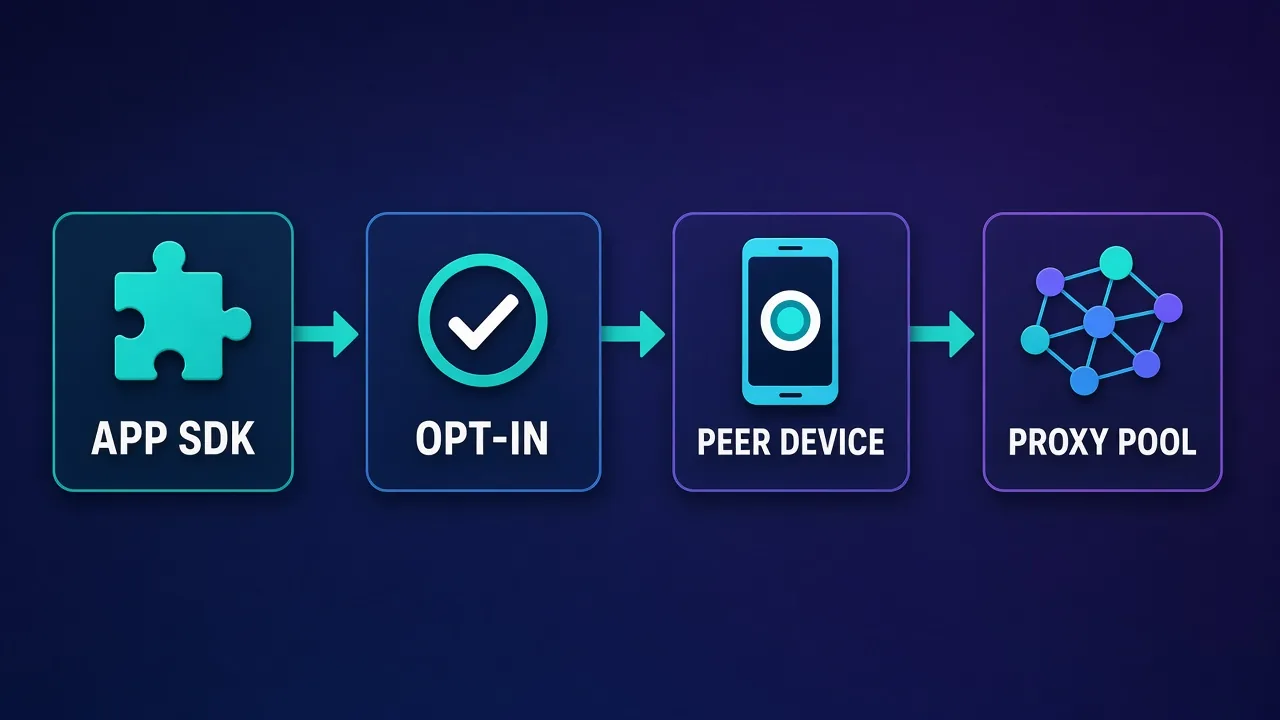
Residential inventory does not magically appear. Providers assemble pools of consumer IP addresses through partnerships and software that runs on devices whose owners opted in — often called peer-to-peer (P2P) or SDK sourcing.
Common sourcing patterns include:
- App SDK / bandwidth-sharing programs. A mobile or desktop app (or an SDK inside another app) asks the user to share unused bandwidth in exchange for a feature, reward, or free tier. When the user consents, a small amount of proxy traffic may exit through that device’s ISP-assigned IP.
- Partner networks. Some providers buy or lease access to peer networks operated by partners who already run consented sharing programs.
- Continuous pool hygiene. Peers come and go as devices go offline. Providers probe latency, block rates, and abuse signals, and they refresh the pool so buyers are not stuck on dead exits.
Ethical providers emphasize informed consent, clear disclosures in the host app, and the ability for users to opt out. They also run KYC and acceptable-use policies on the buyer side so the pool is not openly sold for fraud or abuse. If a vendor will not explain sourcing at a high level, treat that as a risk signal for both compliance and pool quality.
Technically, what you buy is not “someone’s Wi-Fi password.” You buy mediated access through the provider’s gateway to exits that currently advertise as residential. The peer device typically runs agent software that tunnels only approved traffic under the provider’s rules. You should still assume the destination can fingerprint clients beyond IP — browsers, TLS stacks, and request patterns matter.
Because peers are real devices, geo accuracy is usually strong at the country level and more variable at city level. City targeting depends on how well the provider maps peers to locations and how dense the local inventory is. Sparse cities may fall back to nearby regions or fail to fill sticky sessions.
Rotating vs sticky sessions
Session mode is the second decision after “residential or not.” It controls how long you keep the same exit IP.
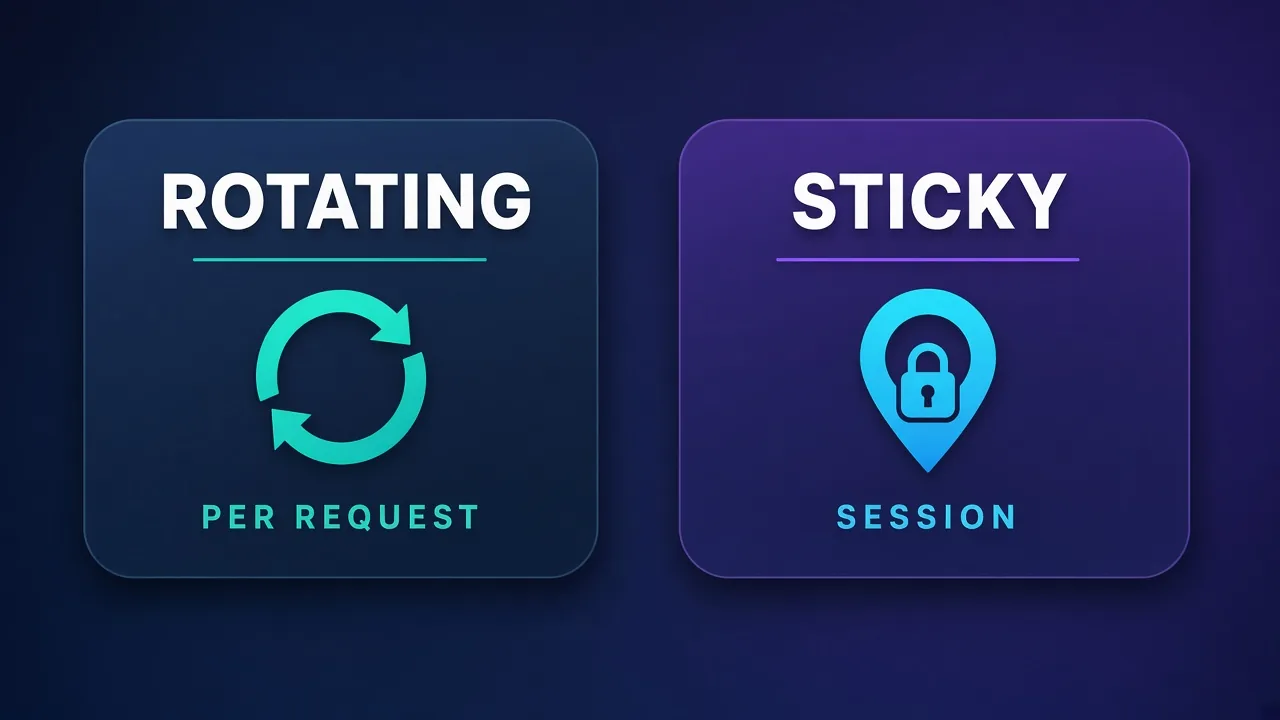
Rotating (per request or short-lived)
With rotating residential, each request — or each very short window — can exit from a different home IP. The gateway picks a new peer that still matches your geo rules. Rotation is ideal when you need many identities for public pages: SERP checks, price crawls, open product listings, or ad creatives viewed from many locations.
Benefits: lower chance that one IP’s reputation ruins a whole job; natural distribution across ASNs; good fit for high concurrency on soft targets. Trade-offs: cookies and login state break when the IP changes; some sites flag rapid IP churn on the same account; debugging is harder because every failure may be a different exit.
Sticky sessions
Sticky (sometimes called session) residential keeps you on the same exit IP for a defined TTL — often minutes to tens of minutes, sometimes longer depending on the plan and whether that peer stays online. You pass a session ID to the gateway so retries and multi-step flows reuse the same peer.
Sticky is useful when a flow needs continuity: multi-page checkouts, soft logins, wizard UIs, or anything that ties a cookie jar to a network identity for a short time. It is not the same as a dedicated ISP port that lasts for weeks. If a peer drops offline mid-session, the provider may assign a replacement or the session may fail — read the vendor’s sticky semantics carefully.
For a deeper treatment of sticky TTLs, session IDs, and when sticky still is not enough for long-lived accounts, read sticky sessions explained.
- Choose rotating for bulk public collection where each page view can stand alone.
- Choose sticky for short multi-step flows that must look like one household for a while.
- Choose ISP / static residential when you need the same exit for days or weeks (covered in the comparison below).
Residential vs datacenter vs ISP vs mobile
Proxy “type” is about exit sourcing and trust optics. Protocol (HTTP vs SOCKS5) is a separate choice. Use this table as a decision map, not as a promise that every site will treat every IP the same way.
| Type | Exit source | Typical session | Trust optics | Usual billing | Best fit |
|---|---|---|---|---|---|
| Residential | Consumer ISP peers / SDK pools | Rotate or short sticky | Looks like home broadband | Per GB | Public scraping, geo tests, ad checks |
| Datacenter | Hosting / cloud ASNs | Dedicated or rotating hosting IPs | Often flagged as hosting | Per IP or cheap bandwidth | Soft targets, APIs, speed-first jobs |
| ISP / static residential | ISP-looking ranges, often dedicated | Long-lived sticky / dedicated | Stable office/home-like ASN | Per IP / month | Logged-in seats, multi-account stability |
| Mobile | Carrier / cellular networks | Rotate or sticky on carrier IPs | Looks like phone traffic | Per GB (often highest) | App-centric or carrier-sensitive targets |
Residential wins when the destination cares about consumer ASN reputation and you can live with per-GB pricing. Datacenter wins when the site barely fingerprints hosting and you need raw speed. ISP wins when identity continuity matters more than pool size. Mobile is a specialist layer when the product expects cellular networks.
Teams often over-buy residential for jobs that datacenter would finish cheaper, or under-buy sticky/ISP for logged-in work that rotating residential cannot hold. Match the type to block risk and session length first; optimize price second.
Why websites trust residential IPs
“Trust” here means statistical reputation, not a legal endorsement. Risk engines combine many signals. IP and ASN are early, cheap filters.
Reasons residential exits often score better on network checks:
- ASN class. Consumer ISPs are less likely to appear on hosting blocklists that catch cloud ranges.
- Subnet diversity. Large residential pools spread traffic across many neighborhoods and ASNs, which reduces the “one data center subnet hammering us” pattern.
- Geo consistency. A US cable IP requesting a US localized page looks more coherent than a distant hosting PoP claiming the same locale — though headers and language still need to match.
- Lower default hostility. Some sites rate-limit or CAPTCHA hosting ASNs aggressively while treating residential more leniently — until behavior looks abusive.
Residential is not a free pass. Destinations also look at TLS fingerprints, browser automation marks, cookie velocity, payment risk, device graphs, and prior abuse on that exact IP. A dirty peer can already be listed. A clean peer can still get challenged if you request too fast or reuse the same fingerprint across many accounts.
Think of residential as buying a better starting reputation on the network layer. Your tooling, pacing, and compliance still decide whether that reputation lasts.
Reputation is not immunity
Residential IPs reduce hosting-ASN friction. They do not erase bad fingerprints, aggressive concurrency, or ToS-violating use. If a target blocks you, inspect behavior and fingerprinting before you only buy more GB.
Ethics, consent, and legality
Residential proxies sit at the intersection of networking, privacy, and acceptable use. Treat three layers separately.
Peer consent (supply side)
Ethical sourcing means the person whose connection may carry proxy traffic opted in with understandable disclosure — not buried malware, not silent infection. Prefer providers that describe SDK/peer programs, allow opt-out, and publish acceptable-use rules. Pool quality and compliance risk both improve when consent is real.
Buyer KYC and acceptable use (demand side)
Serious providers verify business buyers, restrict categories (credential stuffing, spam, certain financial fraud), and can suspend abusive accounts. That friction is a feature if you care about long-term pool health. Expect to explain your use case for larger plans.
Legality depends on what you do
Owning or using a proxy is not inherently illegal in most jurisdictions. Scraping public pages, verifying ads, or testing your own geo content is a different legal and contractual profile than bypassing authenticated paywalls, attacking accounts, or committing fraud. Website terms of service, computer-misuse laws, privacy rules, and sector regulations (finance, health, children) can all apply. This article is not legal advice — if your use case is sensitive, talk to counsel and read the target’s terms.
Practical ethics checklist before you send traffic:
- Is the data you collect public and within the target’s terms (or do you have permission)?
- Are you respecting rate limits and robots rules where they apply to your job?
- Would you be comfortable explaining the peer-sourcing model and your purpose to a compliance reviewer?
- Have you disabled collection of personal data you do not need?
Using residential proxies to hide fraud does not become ethical because the IP looks like a home. The exit type does not sanitize intent.
When to use a residential proxy (and when not to)
Residential shines when destinations are sensitive to hosting ASNs but still allow automated or semi-automated access to public or lightly gated content if you look like ordinary users.
Common fits:
- Price and assortment monitoring across e-commerce sites that throttle data-center ranges.
- SERP and SEO checks where search results vary by location and hosting IPs get unusual SERPs or blocks.
- Ad verification and brand safety — seeing creatives as a user in a given city or country would.
- Localized QA — confirming currency, language, shipping options, and content gates by geo.
- Public data collection at moderate volume where retry cost is high if you burn hosting IPs quickly.
Weaker fits (consider another type first):
- Long-lived logged-in social or messaging seats that need the same IP for days — ISP / static residential is usually a better match than rotating residential.
- High-volume API polling on tolerant endpoints — datacenter is often faster and cheaper.
- Internal tools and soft corporate sites that never fingerprint ASN — do not pay residential premiums.
- Anything that violates law or clear ToS — change the project, not the proxy type.
If you are budget-sensitive and still need residential, compare mid-market plans carefully. Our roundup of best cheap residential proxies focuses on value without pretending that “cheapest GB” equals “best for every target.”
What residential proxies cost
Residential traffic is usually sold per GB. You pay for bytes transferred through the tunnel — HTML, JSON, images, video, WebSockets, retries, and overhead all count. Efficient scrapers that skip heavy assets burn less budget than headless browsers that load full pages.
Ballpark starting prices (they change; treat as orientation only):
- Mid-market residential: often starts around roughly $1.50–$2.50 per GB on entry tiers, with lower effective rates on larger commitments.
- Enterprise-oriented residential: can start higher — for example Bright Data residential is commonly cited starting around $4.20/GB on published entry points, with custom enterprise quotes below list as volume grows. See Bright Data pricing explained for how that vendor structures plans.
- Trials and day passes: some vendors offer small trials (for example a low-cost SOAX trial) so you can test real targets before committing.
Cost drivers beyond the sticker price:
- Render weight. Full browser pages cost more than stripped HTTP fetches.
- Retries. Blocks and timeouts double-spend GB if you do not cache and back off intelligently.
- Sticky inefficiency. Holding a peer you barely use still burns traffic when you do use it; idle sticky usually does not bill until bytes flow, but failed session churn wastes engineering time.
- Geo premiums. Some cities or countries are thinner and may sit on higher-priced inventory.
Budget tip: measure GB per successful record on a pilot, then extrapolate. A plan that looks cheap per GB but fails often can cost more per usable row than a pricier, cleaner pool.
Residential providers worth a look
Below are three published providers with solid residential coverage. Each section is a short qualitative fit note; live cards keep ratings and commercial details fresh. We are not claiming a universal ranking — test on your targets.
Decodo
Decodo (formerly Smartproxy) is a strong default when you want a large residential pool, flexible rotating or sticky sessions, and approachable entry pricing. Public materials cite 115M+ residential IPs across 195+ locations, plans starting around $1.50/GB, country targeting (city on most plans), and a 14-day money-back guarantee. Good fit for teams that want mid-market residential without jumping straight to enterprise complexity. Plan math and tier details are unpacked in Decodo pricing explained.

Decodo
Decodo offers the best price-to-performance ratio in the industry. It delivers roughly 90% of what the enterprise leaders provide — high success rates, a large clean pool, sticky sessions, an unblocker — at a fraction of their cost. The dashboard is the friendliest of any major provider, the 14-day money-back guarantee removes the risk of trying it, and support actually responds. The main gaps are enterprise-grade compliance tooling and the very deepest targeting, neither of which most teams need. For startups, solo developers, and any team that wants professional results without enterprise pricing, Decodo is our top value pick and an easy recommendation.
IPRoyal
IPRoyal tends to appeal when pay-as-you-go simplicity and traffic that does not expire matter more than the absolute largest marketed pool. Materials cite 32M+ residential IPs in 195 countries, residential from around $1.57/GB on pay-as-you-go, HTTP and SOCKS5, and purchased residential traffic that never expires. Useful for bursty workloads and teams that dislike “use it or lose it” monthly allowances.

IPRoyal
IPRoyal is the best pure pay-as-you-go deal in proxies. Non-expiring traffic is a genuinely customer-friendly policy that no major rival matches — buy what you need, use it whenever, lose nothing. The pool is smaller than the premium networks and success rates can soften on the most heavily defended targets, so high-volume enterprise scraping is not its strength. The dashboard is also fairly basic. For intermittent scraping, account work, and sneaker copping on a predictable budget, IPRoyal is an easy recommendation and one of the best value picks for occasional users.
SOAX
SOAX is a fit when you care about fine geo and ISP-level targeting on every plan and want one vendor that also covers mobile, ISP, and datacenter. Materials cite 191M+ IPs across types in 195 countries, residential from around $2.20/GB, country/region/city/ISP targeting, a continuously cleaned pool, and a $1.99 trial. Slightly higher starting GB price than the cheapest mid-market options, offset by targeting depth for localization-heavy jobs.

SOAX
SOAX is the targeting specialist. City- and ISP-level selection on every plan — not locked behind premium tiers — is genuinely rare, and the continuously cleaned pool keeps success rates high where it matters. It is not the fastest network, the interface could use a refresh, and SOCKS5 coverage is uneven. Those are real but minor gripes against a provider that nails the fundamentals of precision and reliability. For ad verification, localized market research, and social-media work that depends on appearing in an exact location, SOAX is one of the best mid-market options available.
Test before you commit
Run the same scraper fingerprint and concurrency against each shortlisted pool on your real targets. Pool quality is target-specific. A cheap GB rate with high retry waste loses to a cleaner pool every time.
How to choose the right residential plan
Use this checklist before you put a card on file:
- Confirm you need residential. If the target never blocks hosting ASNs, try datacenter first.
- Pick session mode. Rotating for independent public pages; sticky for short multi-step flows; ISP for long-lived identities.
- Map geo needs. Country-only is easier to fill than niche cities. Validate city success rates in a trial.
- Estimate GB honestly. Include images, retries, and staging traffic. Add a buffer.
- Check protocols. HTTP(S) covers most scrapers; SOCKS5 helps some browsers and non-HTTP tools.
- Read AUP and KYC. Make sure your use case is allowed and you can pass verification.
- Pilot with production-like fingerprints. Match TLS, headers, and pacing to what you will run later.
- Instrument outcomes. Track success rate, CAPTCHA rate, and GB per successful record — not vanity uptime.
Also decide who owns proxy hygiene inside your team: credential storage, IP allowlists, per-environment sub-users, and spend alerts. Residential bills can spike quietly when a buggy crawler loops on a heavy page.
If sticky residential still drops mid-login or mid-checkout, escalate to ISP / static residential rather than endlessly lengthening sticky TTL on a peer pool that was never meant to be a dedicated line.
Bottom line
A residential proxy is a gateway into ISP-assigned home IPs — usually assembled from consented peers and SDKs — so destinations see consumer network reputation instead of hosting ASN reputation. You connect to one backconnect endpoint; the provider selects exits with rotation or sticky sessions and optional geo targeting. You typically pay per GB.
Use residential when public or lightly gated targets punish hosting ranges and you can justify traffic pricing. Prefer rotating for bulk independent requests, sticky for short continuous flows, and ISP products when you need days-long identity stability. Stay on the right side of consent, KYC, and the law: the exit type does not make abusive use acceptable.
Start with a clear session and geo requirement, pilot two or three pools on real targets, and optimize for successful records per dollar — not for the lowest advertised GB rate alone. When you need the wider type decision spelled out again, return to residential vs ISP vs datacenter; when sticky behavior is the blocker, dig into sticky sessions.
Frequently asked questions
A residential proxy routes your traffic through an IP address that a consumer ISP assigned to a real home or small-office connection. Destinations see a household-looking network identity instead of a cloud hosting IP. You usually connect to one provider gateway that selects exits from a large shared pool.
Providers assemble pools from consented peer devices and partner networks, often via apps or SDKs that share unused bandwidth after opt-in. Traffic still goes through the provider’s gateway under their rules. Ethical vendors emphasize clear consent, opt-out, and buyer acceptable-use policies.
Rotating residential can change the exit IP on every request or very short window, which suits bulk public page collection. Sticky residential keeps the same exit for a defined session TTL so multi-step flows look like one household for a while. Long-lived account work often needs ISP or static residential instead of short sticky peers.
Using a proxy is not inherently illegal in most places, but legality depends on what you do with it. Public monitoring and geo testing differ from fraud, account takeover, or violating site terms and privacy laws. Read the target’s terms, follow provider acceptable use, and get legal advice for sensitive use cases.
Residential inventory is scarcer, sourced from peer networks, and usually billed per gigabyte of traffic. Datacenter IPs in hosting ASNs are cheaper to provision at scale. You pay more for consumer ASN reputation and geo diversity, not for raw speed.
Choose residential when targets punish hosting ASNs and you need many consumer-looking exits for public or lightly gated work. Prefer datacenter for soft, speed-first jobs. Prefer ISP or static residential when you need the same exit for days for logged-in seats.
No. They change the network IP the destination sees, but providers still see your account activity and sites still see headers, TLS fingerprints, cookies, and behavior. Residential improves one reputation signal; it does not make traffic anonymous or undetectable.
Prices vary by vendor and volume. Mid-market residential often starts around roughly $1.50–$2.50 per GB, while enterprise-oriented options can start higher (for example Bright Data residential around $4.20/GB on published entry points). Always confirm current pricing and measure cost per successful record on your targets.