Table of contents
Mobile proxies are the heavy artillery of the proxy world. Instead of routing your traffic through a data centre or a home broadband line, they send it out through a real 4G or 5G carrier connection, so the website on the other end sees the same kind of IP address that millions of ordinary phone users share every day. That makes them the hardest proxy type for platforms to block, and the most expensive to buy.
This guide explains when a mobile proxy is genuinely worth it, how the different selling models work, and which providers in our directory are the strongest fits for specific jobs. We only include providers whose mobile products we've checked against our own listings, and we keep prices out of the prose because mobile pricing changes often; the live cards below pull current details from our directory.
What makes a mobile proxy different
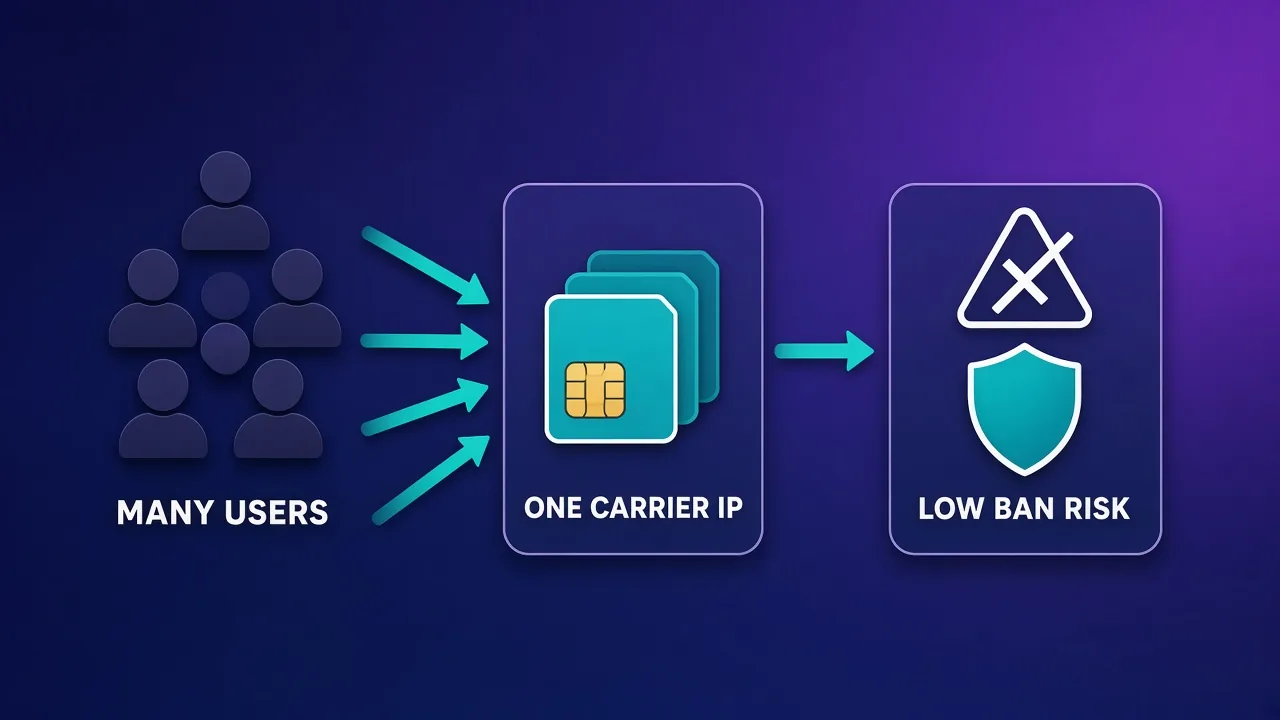
A mobile proxy is a proxy whose exit IP belongs to a mobile network operator. The traffic leaves through a SIM-backed modem or a real handset connected to a cellular network, and the IP address it uses is drawn from the carrier's mobile address ranges. To a target site, the request looks like it came from someone browsing on their phone.
The reason that matters comes down to how carriers hand out addresses. Mobile operators don't have enough public IPv4 addresses to give every phone its own, so they use carrier-grade NAT (CGNAT): large numbers of subscribers share a single public IP, and the carrier reassigns those addresses frequently as devices move between towers and reconnect. If a platform bans a mobile IP outright, it risks locking out many real, paying users at the same time. Most large platforms know this, so they tend to treat mobile IPs with more tolerance than datacenter or even residential addresses.
If you want the full mechanics, including how rotation works on a modem, our mobile proxies explainer goes deeper. For a side-by-side of the other proxy types, see residential vs ISP vs datacenter proxies.
When you actually need mobile proxies
Mobile proxies are not the default choice for most proxy work. They cost more per gigabyte or per port than residential or datacenter options, and for many tasks the extra trust buys you nothing. They earn their price in a few specific situations:
- Social media account management. Instagram, TikTok and similar apps are built mobile-first, and their risk systems expect mobile traffic. Running accounts from carrier IPs keeps the network layer consistent with how real users connect.
- App-only or mobile-first platforms. Some services behave differently, or only fully work, when traffic comes from a mobile network.
- Ad verification on mobile. Checking what mobile users in a given city or on a given carrier actually see requires an exit on that carrier's network.
- Targets that aggressively block residential pools. When even clean residential IPs keep getting challenged, mobile IPs are often the next step up.
- High-value accounts. If losing an account costs real money, the premium for a cleaner, harder-to-ban identity is easier to justify.
For bulk scraping of lightly protected sites, price monitoring at scale or anything bandwidth-heavy, mobile proxies are usually overkill. A good residential or datacenter pool will do the job for a fraction of the cost.
Rule of thumb
Reach for mobile proxies when the platform itself is mobile-first or when cheaper IP types are failing. If residential IPs already work reliably for your target, mobile mostly adds cost.
Shared pools vs dedicated modems
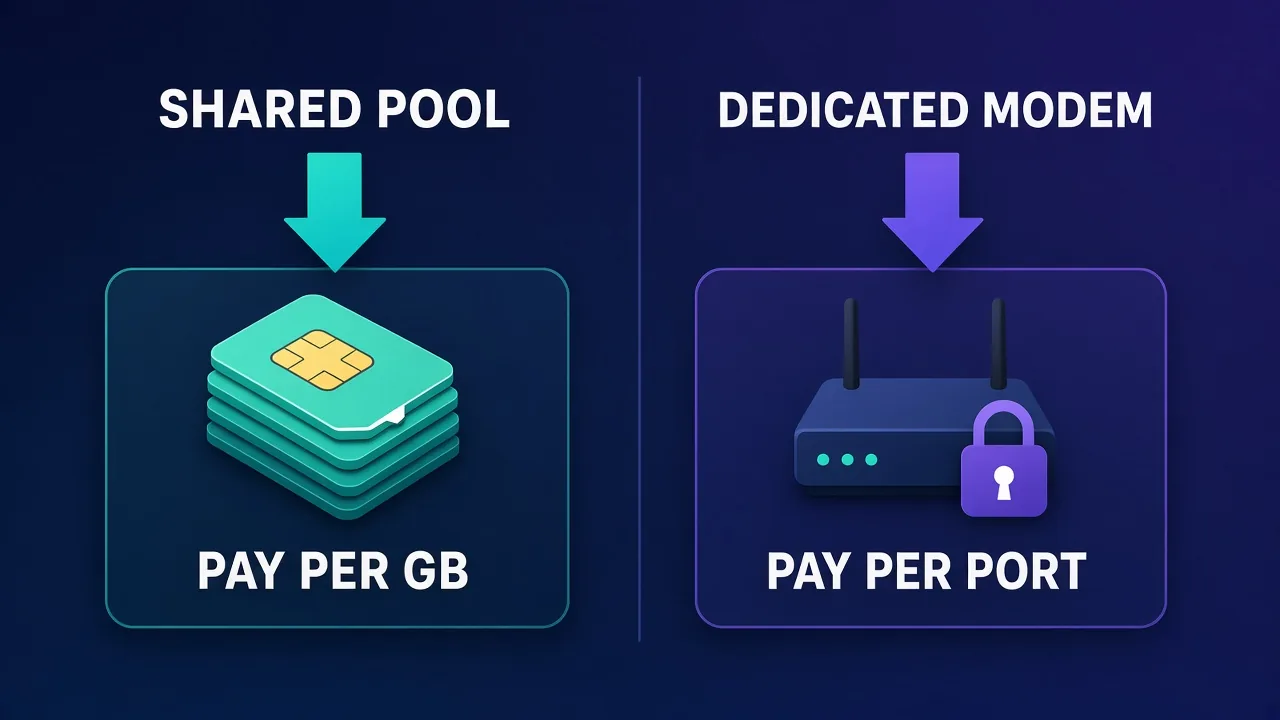
Mobile proxies are sold in two fundamentally different ways, and choosing the right model matters more than choosing the right brand.
Shared rotating pools
Here you buy access to a large pool of mobile IPs, usually billed by the gigabyte. Each request, or each sticky session, gets an IP from the pool, and other customers draw from the same pool. This model is flexible and scales well across many countries, but you have less control over the history of any single IP, and per-gigabyte billing gets expensive if you move a lot of data.
Dedicated modems or ports
Here a specific modem, SIM or port is reserved for you for a set period, often with unmetered or generous data. You decide when to rotate the IP, usually through an API call or a dashboard button. Because nobody else is using that device, nobody else can burn its reputation. The trade-off is coverage: dedicated hardware lives in specific locations, so you get a limited list of cities or countries rather than a global pool.
| Factor | Shared pool | Dedicated modem |
|---|---|---|
| Typical billing | Per GB of traffic | Per port or device, per period |
| Geo coverage | Broad, often many countries | Limited to where the hardware sits |
| IP reputation control | Shared with other customers | Yours alone |
| Rotation | Per request or timed sticky sessions | On demand via API or dashboard |
| Best for | Mixed tasks, many geos, moderate volume | Long-lived social accounts, high-value identities |
How we chose these providers
We limited this list to providers with published, reviewed listings on Proxyaxis whose product line includes mobile proxies, and we checked each one against our own directory data rather than marketing claims. We weighed five things: how the mobile product is sold (shared pool or dedicated hardware), geographic coverage and targeting depth, session control and rotation, protocol support, and how well the pricing model fits common mobile use cases. We left out providers that only resell mobile access with no clear product of their own, and providers whose listings aren't yet published.
Best mobile proxies by use case
SOAX: best for precise geo and carrier targeting
SOAX runs one of the larger mixed pools in our directory, covering residential, mobile, ISP and datacenter IPs across 195 countries. What sets it apart for mobile work is targeting: country, region, city and ISP-level selection are available on every plan rather than locked to premium tiers, which matters when you need to appear on a specific network in a specific place. The pool is cleaned continuously to remove flagged addresses, and you can choose rotating or sticky sessions.
The trade-offs are modest. Our listing notes that speeds sit slightly behind the premium leaders and SOCKS5 isn't available on every product, so check the mobile product specifically if your tooling needs it. SOAX also offers a low-cost trial, which is useful for proving a target works before you commit.

SOAX
SOAX is the targeting specialist. City- and ISP-level selection on every plan — not locked behind premium tiers — is genuinely rare, and the continuously cleaned pool keeps success rates high where it matters. It is not the fastest network, the interface could use a refresh, and SOCKS5 coverage is uneven. Those are real but minor gripes against a provider that nails the fundamentals of precision and reliability. For ad verification, localized market research, and social-media work that depends on appearing in an exact location, SOAX is one of the best mid-market options available.
The Social Proxy: best dedicated 4G/5G modems for social accounts
The Social Proxy is the most purpose-built option here. Rather than a shared pool, it rents you dedicated 4G/5G modems on real SIM hardware in named cities, such as New York, London, Vienna and Tel Aviv. Data on each modem is unlimited, you rotate the IP on demand through an API, and both HTTP(S) and SOCKS5 are supported. Because the modem is yours alone, no other customer can poison its reputation.
That design is also its limit. The city list is finite, and per-modem pricing suits a set of valuable identities rather than broad-geo scraping. If your Instagram or TikTok operation loses real money every time an account is restricted, this is the model worth paying for; if you need dozens of countries, look elsewhere.
The Social Proxy
For high-value social accounts, a dedicated modem is the gold standard, and The Social Proxy executes it properly: real SIM hardware in named cities, unlimited data, API rotation, and an identity no other customer can poison. The economics only work when the accounts justify ~$90/month per identity cluster, and the finite city list constrains geo-sensitive plans. If your Instagram or TikTok operation loses real money when an account dies, this is what the premium buys.
ProxyEmpire: best for flexible, rollover-friendly mobile traffic
ProxyEmpire offers a mobile network alongside residential and static residential (ISP) proxies, with its network spanning 170+ countries. Two things stand out. First, unused traffic rolls over into the next billing cycle instead of expiring, which suits teams whose usage varies month to month. Second, targeting reaches country, region, city and ISP level, with both rotating and sticky sessions and SOCKS5 support.
It isn't the largest network, and our listing describes speeds as good rather than class-leading. For individuals and small-to-mid teams who want mobile IPs with deep targeting and a forgiving billing model, it's a strong value pick. A free trial is listed, so you can test before buying.

ProxyEmpire
ProxyEmpire wins on flexibility. Rollover data is a genuinely rare, customer-friendly policy — unused traffic carries forward instead of evaporating at month end — and the targeting reaches city and ISP level on a network that covers 170+ countries. The pool is smaller than the market leaders and speeds are solid rather than spectacular, so very high-volume operations may want a bigger network. SOCKS5 support and sticky sessions round out a capable feature set. For individuals and mid-sized teams who want fair, flexible, ethically sourced proxies, ProxyEmpire is a strong value pick.
Proxy-Seller: best for fixed mobile IPs on flexible rental terms
Proxy-Seller built its business on dedicated, per-IP proxies rather than metered pools, and its mobile product follows the same philosophy. Alongside IPv4, IPv6 and ISP proxies, it offers dedicated mobile proxies across a list of 50+ countries, with rental periods that range from a week to a full year. HTTP and SOCKS5 are supported, and support is available around the clock.
The per-IP model is predictable and easy to budget, which suits account management where you want a consistent identity for weeks at a time. It's less suited to large rotating workloads that need thousands of fresh addresses, and the dashboard is functional rather than polished.

Proxy-Seller
Proxy-Seller is excellent value if you want fixed, dedicated IPs instead of metered bandwidth. Per-IP pricing from $1.30 with unlimited bandwidth, flexible rental terms, and unusually cheap IPv6 make it a smart choice for account management and SEO. It is not the place for large rotating-residential workloads — the per-IP model does not scale to mass scraping that needs thousands of fresh addresses. The dashboard is also plain and functional rather than polished. But for stable, dedicated identities at a low cost, backed by 24/7 support, Proxy-Seller is one of the better dedicated-proxy specialists around.
IPRoyal: best budget-friendly entry point
IPRoyal is best known for its budget-friendly residential traffic, but its product range also includes mobile proxies alongside datacenter, ISP and sneaker options. SOCKS5 is supported across the range, sticky and rotating sessions are available, and the provider's general approach favours simple, subscription-light pricing that works for individuals and small teams.
Our listing flags a smaller pool than the premium networks and success rates that can soften on the hardest targets, so it isn't the pick for an enterprise-scale mobile operation. If you're testing whether mobile IPs solve your problem at all, or running a handful of accounts on a tight budget, it's a sensible place to start.

IPRoyal
IPRoyal is the best pure pay-as-you-go deal in proxies. Non-expiring traffic is a genuinely customer-friendly policy that no major rival matches — buy what you need, use it whenever, lose nothing. The pool is smaller than the premium networks and success rates can soften on the most heavily defended targets, so high-volume enterprise scraping is not its strength. The dashboard is also fairly basic. For intermittent scraping, account work, and sneaker copping on a predictable budget, IPRoyal is an easy recommendation and one of the best value picks for occasional users.
Mobile proxy providers at a glance
| Provider | Mobile model | Standout strength | Main limitation |
|---|---|---|---|
| SOAX | Pool with sticky or rotating sessions | City and ISP targeting on every plan | Speeds slightly behind premium leaders |
| The Social Proxy | Dedicated 4G/5G modems | Hardware and identity reserved for you | Finite list of cities |
| ProxyEmpire | Mobile network with sticky or rotating sessions | Rollover traffic and deep targeting | Smaller network than market leaders |
| Proxy-Seller | Dedicated per-IP mobile proxies | Rental terms from a week to a year | Not built for mass rotation |
| IPRoyal | Mobile alongside a broad budget range | Low-commitment entry point | Softer results on the hardest targets |
How to choose the right mobile proxy
Work through these questions in order. Each one narrows the field faster than comparing feature lists.
- Is the platform mobile-first? If yes, mobile proxies are likely worth it. If not, test residential first.
- How many identities do you run, and for how long? A small number of long-lived, high-value accounts points to dedicated modems or per-IP rentals. Many short sessions across many countries points to a shared pool.
- Which locations matter? If you need a specific city or carrier, confirm the provider actually covers it before buying. Dedicated-hardware providers publish a fixed list; pool providers usually let you target by country, city or ISP.
- How much data will you move? Per-GB billing punishes media-heavy work such as video uploads. Unmetered or generous per-port plans are often cheaper for heavy usage on a few identities.
- What does your tooling need? Check protocol support (HTTP vs SOCKS5), authentication method and whether rotation can be triggered by API.
Test before you scale
Mobile IP quality varies by carrier, city and time of day. Buy the smallest plan or trial available, run your real workflow on it for a few days, and only then commit to volume.
Setting up mobile proxies the right way
Good mobile IPs can still get accounts flagged if the rest of the setup is inconsistent. A few practices make a big difference:
- Use sticky sessions for logged-in work. Rotating the IP mid-session is one of the fastest ways to trigger a security check. Hold one IP for the length of a session, and rotate between sessions. Our guide to sticky sessions covers how to configure this.
- Match the fingerprint to the network. If the IP says "mobile carrier" but the browser fingerprint says "desktop Windows", some platforms notice. Pair mobile IPs with a mobile-like profile in your antidetect browser or automation tool.
- Keep location consistent. An account that logs in from one city on Monday and another country on Tuesday looks suspicious. Pin each account to one region.
- One account cluster per IP. Even with CGNAT tolerance, packing many accounts onto the same device creates a link between them. Spread them out.
- Rotate on purpose, not by default. On dedicated modems, rotate when an IP starts getting challenged or between distinct tasks, not every few minutes.
Common mistakes with mobile proxies
We see the same handful of problems come up again and again:
- Using mobile proxies for bulk scraping. You pay a premium for trust you don't need, and per-GB bills climb fast.
- Assuming "mobile" means "unbannable". Platforms still ban accounts based on behaviour, device fingerprints and content. A clean IP only removes one signal.
- Ignoring speed and latency. Cellular connections are typically slower and more variable than datacenter links. Build in timeouts and retries.
- Not checking what the provider means by "mobile". Read the product page and our listing carefully: some products are real SIM-backed modems, others are pools, and the difference changes how much control you have.
- Skipping a test of the exact target. A provider that works well for one platform may underperform on another. Test with your real workflow.
Quick wins
Most mobile proxy problems are solved by three changes: sticky sessions for logged-in work, one stable region per account, and a fingerprint that matches a mobile device.
Costs and trade-offs to expect
Mobile proxies sit at the top of the price range for a reason: real SIM cards, data plans and modem hardware cost money, and carriers limit how much traffic each device can push. Expect to pay noticeably more than for residential traffic, and much more than for datacenter IPs. The two billing models also behave differently as you scale. Per-GB pools stay cheap for light, spread-out usage but grow expensive with heavy data, while per-port dedicated plans have a higher entry price but become more economical when one identity uses a lot of data. Check the live cards above for each provider's current starting price, and compare against your expected traffic rather than the headline number.
Who mobile proxies are (and aren't) for
Good fit: social media managers and agencies running accounts on mobile-first apps, marketers verifying mobile ads by city or carrier, growth teams working with platforms that block residential ranges, and anyone protecting a small number of valuable accounts.
Poor fit: large-scale scrapers of lightly protected sites, bandwidth-heavy downloads, SEO rank tracking that works fine on residential IPs, and anyone whose budget can't absorb a higher cost per identity. If you're running Instagram or TikTok specifically, our guides to the best proxies for Instagram automation and the best proxies for TikTok automation go into platform-specific setup.
The bottom line
Mobile proxies are the right tool when the platform is mobile-first or when cheaper IP types keep failing, and the wrong tool for almost everything else. Pick your selling model first: a shared pool such as SOAX, ProxyEmpire or IPRoyal for flexibility and coverage, or dedicated hardware such as The Social Proxy or Proxy-Seller's per-IP mobile proxies for long-lived, high-value identities. Then test on your real workflow, use sticky sessions, keep each account's location stable, and scale only once the results hold up.
Frequently asked questions
A mobile proxy routes your traffic through a 4G or 5G carrier connection, so the target site sees an IP address owned by a mobile network operator. Because carriers share each public IP among many real subscribers, these addresses tend to be treated with more tolerance than datacenter or residential IPs.
Not always. Mobile proxies carry more trust on mobile-first platforms and on targets that block residential ranges, but they cost more and are usually slower. For most scraping and monitoring jobs, residential proxies offer a better balance of cost and success rate.
Mobile carriers use carrier-grade NAT, which puts many subscribers behind one public IP and reassigns addresses frequently. Blocking a mobile IP risks blocking many genuine users, so platforms are generally more cautious about banning them outright.
A shared pool gives you IPs drawn from a large network used by many customers, usually billed per gigabyte. A dedicated modem reserves specific SIM hardware for you, usually billed per port or device, so you control rotation and nobody else affects the IP's reputation.
They are one of the strongest options for these apps because the platforms are mobile-first and expect carrier traffic. Pair them with sticky sessions, one stable location per account and a mobile-like browser fingerprint for the best results.
Use sticky sessions for anything that involves logging in, because changing IP mid-session is a common trigger for security checks. Rotating sessions are better for collecting public data where each request is independent.
Mobile proxies are usually slower and more variable than datacenter connections because they run over cellular networks. Build in sensible timeouts and retries, and test speed on your real target before scaling up.
Mobile proxies are typically the most expensive proxy type, priced either per gigabyte on shared pools or per port or modem on dedicated plans. Prices change often, so check each provider's current starting price and compare it against your expected traffic rather than the headline number.