Table of contents
Picking proxies for web scraping is less about finding the single "best" provider and more about matching the network to the sites you scrape. A product catalogue with no bot protection, a search engine results page and a heavily defended marketplace call for very different tools. Some jobs run happily on cheap datacenter IPs; others only work through large residential pools or a managed unblocker that handles CAPTCHAs, retries and JavaScript rendering for you.
This guide sorts the options by target difficulty, explains the difference between buying raw proxy bandwidth and paying for a scraping API, and profiles six providers from our directory that cover the full range: Bright Data, Oxylabs, Decodo, NetNut, Zyte and ScraperAPI. If you are new to the topic, start with our explainer on what web scraping is and how it works, then come back here to choose your network.
Quick picks
Best overall for enterprise scraping: Bright Data. Best developer experience at enterprise scale: Oxylabs. Best value residential pool: Decodo. Best for long, stable sessions: NetNut. Best managed API for developers: Zyte. Easiest "just give me the page" API: ScraperAPI.
Why Scrapers Need Proxies at All
Every request your scraper sends carries an IP address, and websites use that address as one of their first signals. Send a few thousand requests from one IP in an hour and most sites will rate-limit you, serve CAPTCHAs, or block you outright. Proxies spread those requests across many addresses so no single IP looks abusive, and they let you appear from specific countries or cities when the content you need is geo-dependent, such as local prices, search results or availability.
IP reputation is only part of the picture, though. Modern anti-bot systems also look at TLS and HTTP fingerprints, header order, JavaScript execution, cookies and behaviour. Our guide on how websites detect bots covers those layers in detail. The practical takeaway is simple: the harder the target, the more of that work you either need to do yourself or pay someone else to handle.
Match the Proxy Type to the Target
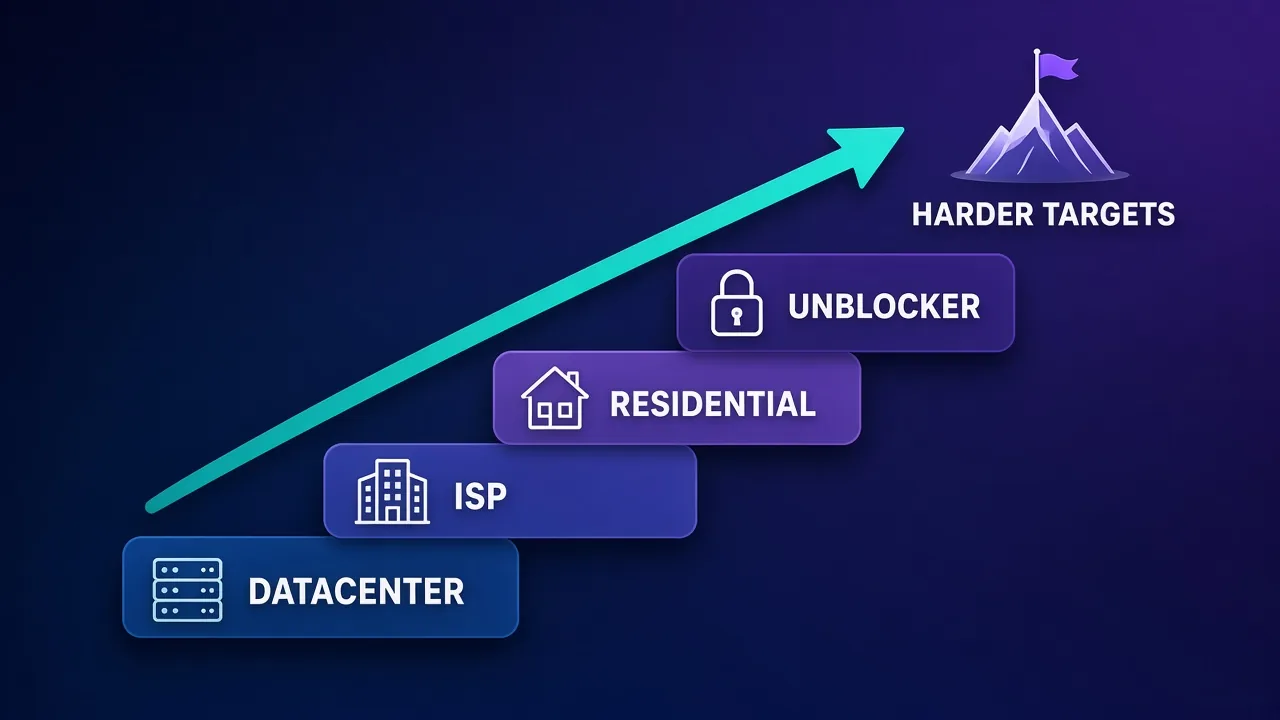
The most useful way to think about scraping proxies is as a ladder. Start at the cheapest rung that works for your target and only climb when success rates force you to.
| Proxy type | How it works | Best for | Main trade-off |
|---|---|---|---|
| Datacenter | IPs hosted in cloud or server facilities | Unprotected sites, APIs, high-volume low-risk crawling | Easy to identify by ASN, so blocked quickly on defended sites |
| ISP (static residential) | Datacenter-hosted IPs registered to consumer ISPs | Fast, stable sessions on moderately protected sites | Smaller pools and higher cost per IP than datacenter |
| Rotating residential | Traffic routed through real household connections | Defended e-commerce, search, travel and social targets | Billed per GB, so heavy pages get expensive |
| Managed unblocker or scraping API | Provider handles IP choice, retries, CAPTCHAs and rendering | The hardest targets, or teams that want no proxy operations | Less control and higher cost per request at volume |
For a deeper look at the first three categories, read residential vs ISP vs datacenter proxies.
Raw Proxy Pools vs Scraping APIs
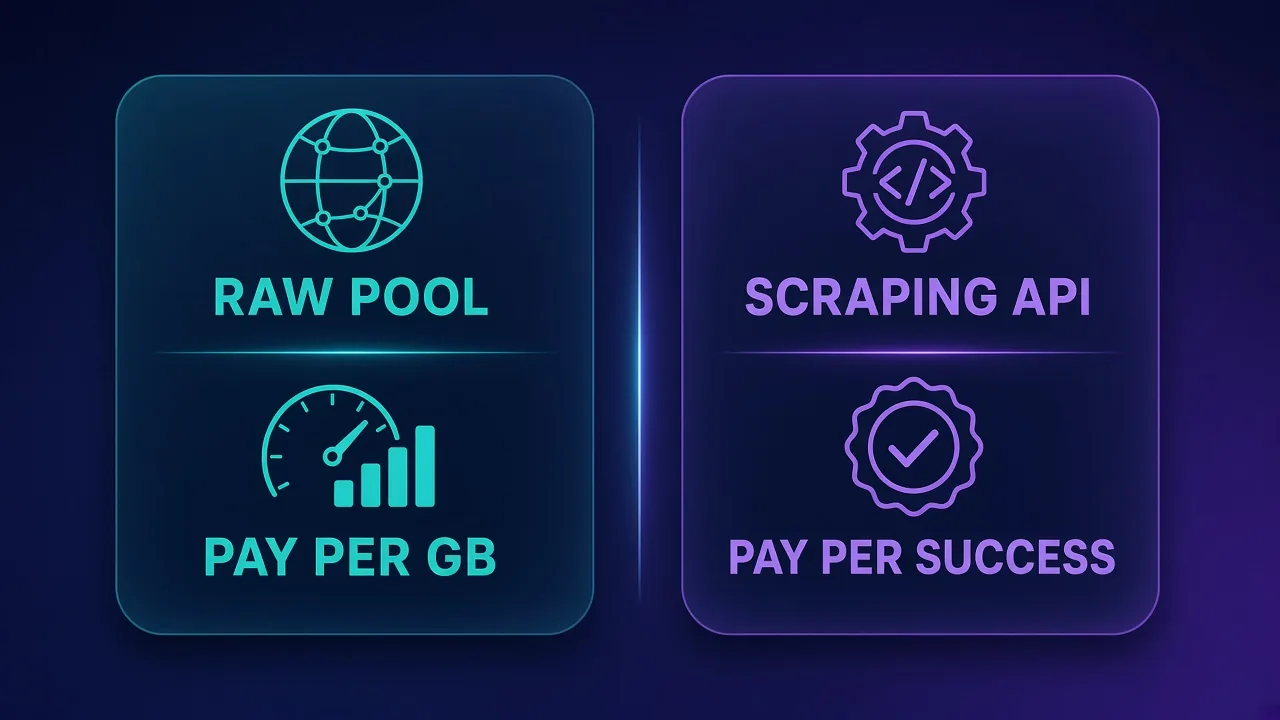
The biggest decision is not which provider to pick but which kind of product to buy. There are two broad models.
Raw proxy pools (pay per GB or per IP)
You get access to a pool of IPs through a gateway, and your own scraper does everything else: choosing sessions, rotating, retrying, solving or avoiding CAPTCHAs, rendering JavaScript and parsing. Residential bandwidth is usually billed per gigabyte, so you pay for every byte whether the request succeeds or fails. This model gives you the most control and the lowest cost at scale if your team has the engineering skill to keep success rates high.
Scraping APIs and unblockers (pay per successful request)
You send a URL and get back the page, often rendered, with the provider handling IP selection, ban detection, retries and fingerprints behind the scenes. Most of these products bill per successful request, which makes costs predictable and means failed attempts are the provider's problem. The trade-off is less flexibility and a higher effective cost on very large volumes.
A practical rule of thumb
If your team spends more time fixing blocks than using the data, move up to a managed API. If you are paying for millions of easy requests through an API, move down to a raw pool. Many mature teams run both: raw proxies for easy targets and an unblocker for the hard ones.
The Best Proxies for Web Scraping
The six providers below are all published in our directory with full reviews. Starting prices come from our database and change frequently, so check the live cards for current figures.
1. Bright Data: best overall for enterprise scraping
Bright Data is the most complete data-collection platform in our directory and our highest-rated proxy provider overall (4.7 out of 5). Its residential pool is listed at 150M+ IPs across 195 countries, with targeting down to city, ZIP code, carrier and ASN level. Beyond raw proxies, it offers a Web Scraper API and ready-made datasets, so teams can mix self-managed scraping with managed collection. Residential pricing starts from $4.20/GB in our data.
The trade-offs are real. It is one of the pricier providers per gigabyte, the dashboard has a steep learning curve, and strict KYC checks can slow onboarding. For enterprise teams whose revenue depends on reliable data at scale, that completeness is usually worth it.
Bright Data
Bright Data remains the most complete data-collection platform money can buy. No competitor matches its combination of network scale, targeting granularity, and compliance tooling — and for enterprise teams whose revenue depends on reliable data, that completeness justifies the premium. The trade-offs are real: it is one of the priciest providers per gigabyte, the interface overwhelms newcomers, and KYC verification adds friction before you can route a single request. Smaller projects will get better value from Decodo or IPRoyal. But if you need city-level residential targeting at scale, a managed unblocker for the hardest targets, and audit-ready compliance, Bright Data is the default — and our highest-rated proxy provider overall.
2. Oxylabs: best developer experience at enterprise scale
Oxylabs combines a pool listed at 175M+ ethically sourced IPs with what we consider best-in-class scraper APIs, including an AI-powered Web Scraper API. Its documentation and SDKs make integration faster than with most competitors, and dedicated account managers mean less time fighting the platform. Pricing starts from $4.00/GB in our data, with pay-as-you-go available.
Entry pricing is higher than mid-market rivals, and some advanced features are reserved for enterprise plans. For serious commercial data operations, it is a top-two choice that teams often stick with long-term. If you are torn between the two leaders, see our full Bright Data vs Oxylabs comparison.

Oxylabs
Oxylabs is the enterprise provider that gets the fundamentals right. The network is huge and well-maintained, the scraper APIs are genuinely best-in-class, and the documentation and SDKs make integration faster than almost any competitor. What sets it apart from Bright Data is service: dedicated account managers, responsive support, and cleaner tooling mean less time fighting the platform and more time shipping. The cost is higher entry pricing, and the deepest discounts favor high-volume commitments. For serious commercial data operations that can justify the spend, Oxylabs is a top-two choice and frequently the one teams stay with long-term.
3. Decodo: best value residential pool
Decodo offers what we rate as the best price-to-performance ratio in the industry. Its pool is listed at 125M+ IPs across 195+ locations, with sticky sessions and an unblocker available, and residential pricing starts from $1.50/GB in our data. The dashboard is the friendliest of any major provider, support is responsive around the clock, and a 14-day money-back guarantee lowers the risk of trying it.
The gaps are enterprise-grade compliance tooling and the very deepest targeting, since city-level targeting is limited on some plans. For startups, solo developers and growing scraping teams, Decodo delivers most of what the leaders offer at a fraction of the cost.

Decodo
Decodo offers the best price-to-performance ratio in the industry. It delivers roughly 90% of what the enterprise leaders provide — high success rates, a large clean pool, sticky sessions, an unblocker — at a fraction of their cost. The dashboard is the friendliest of any major provider, the 14-day money-back guarantee removes the risk of trying it, and support actually responds. The main gaps are enterprise-grade compliance tooling and the very deepest targeting, neither of which most teams need. For startups, solo developers, and any team that wants professional results without enterprise pricing, Decodo is our top value pick and an easy recommendation.
4. NetNut: best for long, stable sessions
NetNut takes a different architectural approach. Instead of relying mainly on peer-to-peer consumer devices, it sources residential IPs through direct ISP connectivity, which tends to produce steadier, faster sessions because it does not depend on someone's phone or laptop staying online. Its pool is listed at 85M+ IPs, including static residential, and pricing starts from $1.59/GB in our data. Businesses can try it with a 7-day free trial.
That stability makes NetNut a strong pick for scraping jobs that need long sessions, such as multi-step flows, paginated crawls behind logins, or ad verification. The trade-offs are higher minimum commitments, limited pay-as-you-go options and a dashboard that takes some learning.

NetNut
NetNut's direct-ISP architecture is more than marketing — it genuinely delivers steadier, faster sessions than peer-to-peer networks, because it does not depend on consumer devices staying online. That makes it a standout for uptime-critical workloads like brand protection and ad verification, where a dropped session means lost data. The trade-offs are business-oriented pricing, higher minimum commitments, and a dashboard that takes some learning. If session stability is your priority and you operate at business scale, NetNut is one of the most reliable residential networks available and well worth the 7-day trial.
5. Zyte: best managed scraping API for developers
Zyte, formerly known for Crawlera and the team behind the Scrapy framework, is a scraping-as-a-service platform rather than a general-purpose proxy. Zyte API bills per successful request, starting from $0.10 per 1,000 requests in our data, and handles ban detection, automatic IP escalation and headless rendering with browser actions. Integration with Scrapy and Python is first class.
Because it is not a general proxy, Zyte is the wrong tool for account management or browser-based workflows, and costs can rise on very hard sites at high volume. For developer teams whose product is the data rather than the infrastructure, it effectively removes the proxy-operations workload.

Zyte
Zyte API is the most complete scraping-as-a-service offering from the most credible engineering lineage in the space (they wrote Scrapy). Automatic ban handling, escalation, and rendering behind a success-priced API genuinely deletes the proxy-ops workload. It is not a general-purpose proxy — account management and browser-based workflows need conventional providers — and heavy scraping teams with anti-bot expertise can beat its per-request economics. For developer teams whose product is the data, not the infrastructure, it is the benchmark.
6. ScraperAPI: easiest way to just get the page
ScraperAPI is built for the "I just want the data" use case. You send a URL and it handles proxies, rotation, retries, CAPTCHAs and JavaScript rendering, returning the page. It bills only for successful requests, offers a free tier of 1,000 credits, and includes structured endpoints for Google and Amazon that save real parsing work. Paid plans start from $49/month in our data.
The trade-off is control: there is no direct IP control or SOCKS5 access, and buying bandwidth directly can be cheaper at very high volumes. For developers who value time over fine-grained control, it is one of the simplest ways to scrape at scale.

ScraperAPI
ScraperAPI nails the "I just want the data" use case. You send a URL, it handles proxies, anti-bot, CAPTCHAs, and rendering, and you get the page back — no infrastructure to maintain. Billing per successful request is genuinely fair, the free tier is generous, and the structured endpoints for Google and Amazon save real work. The trade-off is flexibility: you give up direct IP control, and at very high volumes buying bandwidth directly can be cheaper. For developers who value time over fine-grained control, ScraperAPI is one of the easiest and most reliable ways to scrape at scale.
Side-by-Side Comparison
| Provider | Model | Listed pool | Starting price (our data) | Best for |
|---|---|---|---|---|
| Bright Data | Proxies plus scraper API and datasets | 150M+ | $4.20/GB | Enterprise scale and deep targeting |
| Oxylabs | Proxies plus scraper APIs | 175M+ | $4.00/GB | Enterprise teams that value support and SDKs |
| Decodo | Proxies plus unblocker | 125M+ | $1.50/GB | Value and ease of use |
| NetNut | ISP-direct residential proxies | 85M+ | $1.59/GB | Long, stable sessions |
| Zyte | Managed scraping API | Managed pool | $0.10 per 1K requests | Developer teams using Scrapy or Python |
| ScraperAPI | Managed scraping API | 40M+ | $49/mo | Simple URL-in, page-out scraping |
Bright Data
Proxy
Oxylabs
Proxy
Editor score
User rating
Starting price
Founded
How to Choose: A Step-by-Step Approach
- List your targets and rate their difficulty. Note which ones block datacenter IPs, which serve CAPTCHAs, and which need JavaScript rendering.
- Estimate your volume and page weight. Per-GB pricing punishes heavy pages full of images and scripts; per-request pricing punishes enormous volumes of light pages.
- Decide how much infrastructure you want to own. If you have engineers who enjoy tuning scrapers, raw pools give you control and lower unit costs. If not, a managed API buys back time.
- Check targeting needs. If you need city, ZIP, carrier or ASN targeting, confirm the plan you are buying actually includes it.
- Run a paid pilot on your real targets. Measure success rate, response time and effective cost per successful page, not per gigabyte.
- Plan for a mix. Route easy targets through cheaper proxies and reserve the expensive unblocker for the sites that need it.
Common Scraping Mistakes That Burn Proxies
- Using residential IPs on easy targets. Paying per GB to scrape a site that accepts datacenter traffic wastes budget.
- Hammering one domain. Even with rotation, an aggressive request rate against one site creates patterns. Add pacing and respect reasonable limits.
- Default headers and libraries. A generic HTTP client user agent or an unusual header order is a giveaway regardless of IP quality.
- Ignoring session needs. Multi-step flows such as carts, pagination behind logins or search refinement need sticky sessions, not a new IP on every request.
- Retrying blindly. Instantly retrying blocked requests on fresh IPs burns bandwidth. Back off, change approach, or route that target to an unblocker.
If your success rates drop suddenly, our guide on why proxies get blocked walks through diagnosis step by step, and rotating proxies in Python shows how to build rotation and backoff into your own code.
Scrape responsibly
Proxies do not change what you are allowed to collect. Respect sites' terms and robots directives where they apply, avoid personal data unless you have a lawful basis, and keep request rates reasonable so you do not degrade the sites you depend on.
When a Data Extraction API Beats Proxies Entirely
For some projects the best proxy is no proxy at all. If you only need structured data from a handful of well-known sources, such as search results, product listings or reviews, a structured endpoint or a ready-made dataset can be cheaper and faster than building and maintaining a scraper. Bright Data's datasets and ScraperAPI's Google and Amazon endpoints are examples of that approach. Our roundup of the best data extraction APIs covers more options.
Who Each Option Is (and Is Not) For
Raw residential pools (Bright Data, Oxylabs, Decodo, NetNut) suit teams with scraping engineers, large volumes and a need for control over sessions, geography and cost. They are not ideal for small teams that cannot afford to spend time on blocks and retries.
Managed APIs (Zyte, ScraperAPI) suit developers who want reliable pages with minimal operations work and predictable per-request costs. They are not suited to account management, browser automation of logged-in sessions, or workloads that need direct IP control.
Final Thoughts
The best proxies for web scraping are the ones that get you clean data at the lowest cost per successful page for your specific targets. For most teams that means starting with an honest assessment of target difficulty, piloting one raw pool and one managed API, and measuring real success rates. Bright Data and Oxylabs lead on scale and tooling, Decodo wins on value, NetNut on session stability, and Zyte and ScraperAPI on removing the operational burden. Pick the rung of the ladder your targets require, and climb only when the data tells you to.
Frequently asked questions
It depends on the target. Datacenter proxies work well for unprotected sites and APIs, ISP proxies suit moderately protected sites that need stable sessions, and rotating residential proxies or managed unblockers are best for heavily defended targets such as major e-commerce and search sites.
Residential proxies are harder to detect because the traffic comes from real household connections, so they succeed more often on defended sites. They cost more and are usually billed per GB, so datacenter proxies remain the better value for easy targets.
A proxy pool gives you IP addresses and leaves rotation, retries, CAPTCHAs and rendering to your own code, usually billed per GB. A scraping API takes a URL and returns the page, handling those problems for you, and is usually billed per successful request.
There is no fixed number. With rotating residential gateways you access a large shared pool rather than buying individual IPs, so the real constraints are bandwidth and request rate. For static IPs, size the pool so that no single IP sends more requests to a site than a normal user plausibly would.
Yes, but both are heavily defended, so success usually requires residential proxies with good fingerprint handling or a managed API. ScraperAPI, for example, offers structured endpoints for Google and Amazon that return parsed data.
Scraping publicly available data is generally lawful in many places, but legality depends on what you collect, how you use it and local law. Avoid personal data without a lawful basis, respect terms where they apply, and seek legal advice for sensitive projects.
Common causes include using datacenter IPs on defended sites, sending requests too fast, generic HTTP headers or TLS fingerprints, and rotating IPs mid-session when the site expects continuity. Fixing pacing and headers often helps as much as switching providers.
Use the cheapest proxy type that works for each target, route only hard targets through residential proxies or unblockers, and measure cost per successful page rather than cost per GB. Mixing a raw pool for easy sites with a managed API for hard ones is often the most economical setup.