Table of contents
Sneaker drops reward bots that can check out in milliseconds — and punish the same bots when their IPs look farmed, shared, or already burned on that retailer. The proxy layer is usually the difference between a clean session and a soft ban before you even hit payment. This guide covers which proxy types actually fit sneaker bots, how subnet diversity and sticky sessions interact with retailer ban patterns, and four providers worth shortlisting for drop speed, ISP stability, or account work.
We focus on mechanisms, not marketing claims. Prices and inventory figures below come from verified product data and change often — treat them as starting points and confirm on the provider before you buy. For adjacent bot stacks, see our guides on best proxies for Shopify bots, best ISP proxies, and why proxies get blocked.
Quick take
For high-volume drops, prioritize low-latency datacenter or ISP / static residential IPs with subnet diversity. Keep residential for account creation, warming, and anti-detect workflows — not as your primary checkout pool.
Why Sneaker Bots Need Different Proxies
A sneaker bot is a specialized checkout client. It monitors product pages, queues ATC (add-to-cart) attempts, fills shipping and payment forms, and submits as fast as the site allows. Retailers fight that with queue systems, device fingerprinting, payment risk scoring, and IP reputation. Your proxy is the network identity every one of those systems sees first.
Unlike general scrapers that can rotate through millions of residential exits and accept some failures, sneaker drops are time-boxed. A few hundred milliseconds of extra latency can mean a sold-out size. At the same time, submitting twenty checkouts from the same /24 subnet often looks like a coordinated farm. You need both speed and diversity — and those two goals pull in opposite directions on cheap shared datacenter pools.
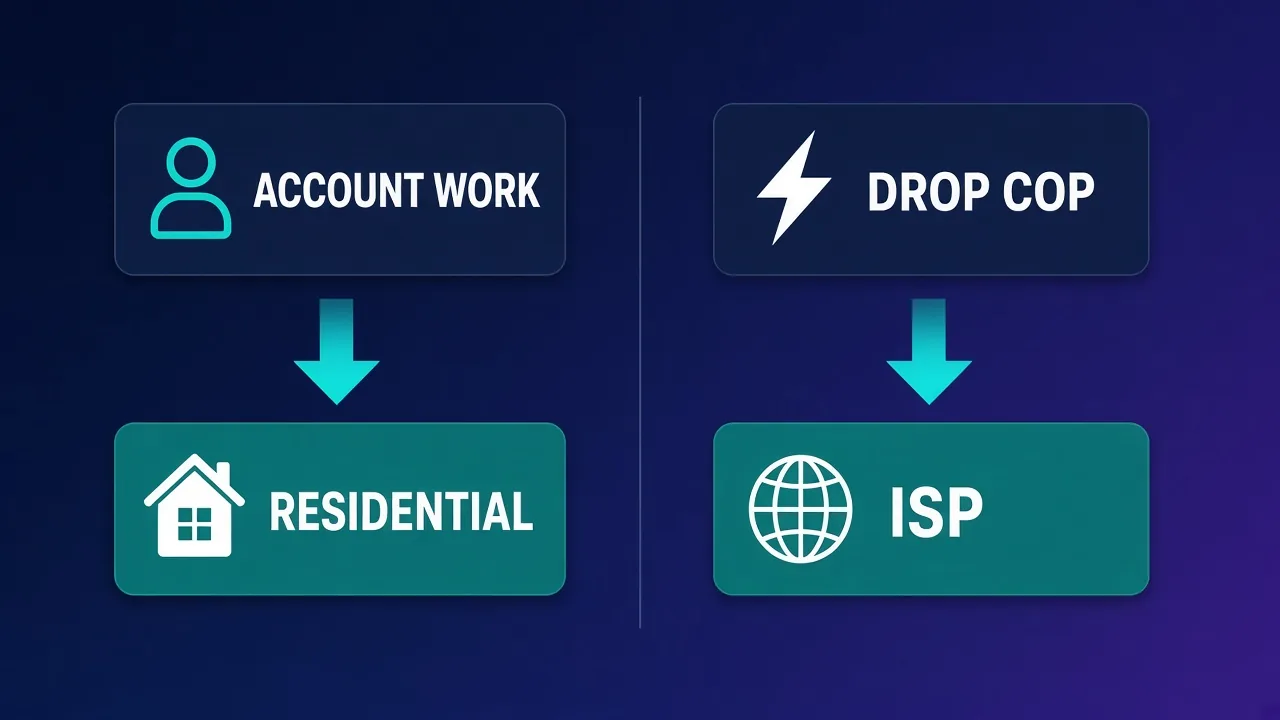
That is why serious runners usually split proxy roles: a fast dedicated pool for the drop window, and a separate residential or ISP pool for account creation, login, and profile warming. Mixing those roles on one burned subnet is a common way to lose both the drop and the account.
ISP vs Datacenter vs Residential for Drops
Three proxy types dominate sneaker discussions. They are not interchangeable.
Datacenter proxies
Datacenter (DC) IPs live in hosting ASNs. They are the fastest and cheapest per IP, with instant provisioning and often unlimited bandwidth on dedicated plans. Latency to major retail CDNs is typically excellent. The downside is reputation: many retailers score hosting ranges more aggressively, and popular DC subnets get recycled across the sneaker community. Platform-tuned or screened DC packages (IPs tested against specific bot targets) reduce that risk compared with raw commodity DC.
ISP / static residential proxies
ISP proxies (also sold as static residential) announce under consumer or business ISP ASNs but terminate on server infrastructure. You get household-looking network reputation with server-grade speed and a sticky IP that does not rotate mid-session. For logged-in accounts and repeated checkouts from the same profile, ISP is often the sweet spot. Not every provider offers a true ISP product — verify the type before you buy.
Residential proxies
Residential exits come from peer or partner consumer devices and are usually billed per GB. They excel when you need many unique consumer-looking IPs for account work, soft anti-bot pages, or anti-detect browser profiles. They are a poor primary choice for classic high-volume drops: per-GB cost climbs fast under bot traffic, sticky sessions are shorter than dedicated ISP, and peer latency is less predictable than a DC or ISP rack.
Rule of thumb
Use ISP or screened datacenter for the drop itself. Use residential (or mobile, when you truly need it) for creating and warming accounts in an anti-detect browser. Do not burn your checkout pool on signup spam.
Subnet Diversity and Retailer Ban Patterns
Retailers rarely ban a single IP in isolation. They cluster risk by ASN, /24 or /16 subnet, ASN + device fingerprint, and payment method. If fifty bots share consecutive IPs in the same hosting block, one noisy neighbor can soft-ban the whole slice for that site.
What good diversity looks like in practice:
- Spread across subnets — prefer providers that can assign IPs from many /24s, not a single contiguous block.
- One IP per concurrent task — do not multiplex ten bots through one exit during a drop.
- Isolate by retailer — keep Nike/SNKRS, Adidas, Shopify specialty shops, and Footsites on separate pools when budgets allow.
- Retire burned ranges — when a subnet starts returning captchas or hard blocks, stop feeding it new accounts.
Ban patterns also differ by site. Some Shopify stores lean on Cloudflare and rate limits; others fingerprint TLS and browser automation more aggressively. Datacenter may sail through one target and fail another. That is why platform-screened DC packages and ISP lines exist — they are attempts to pre-filter inventory against known hard targets. Screened does not mean unblockable; it means someone tested the range recently.
Sticky vs Rotating Sessions for Bot Workflows
Session mode should match the step of the funnel.
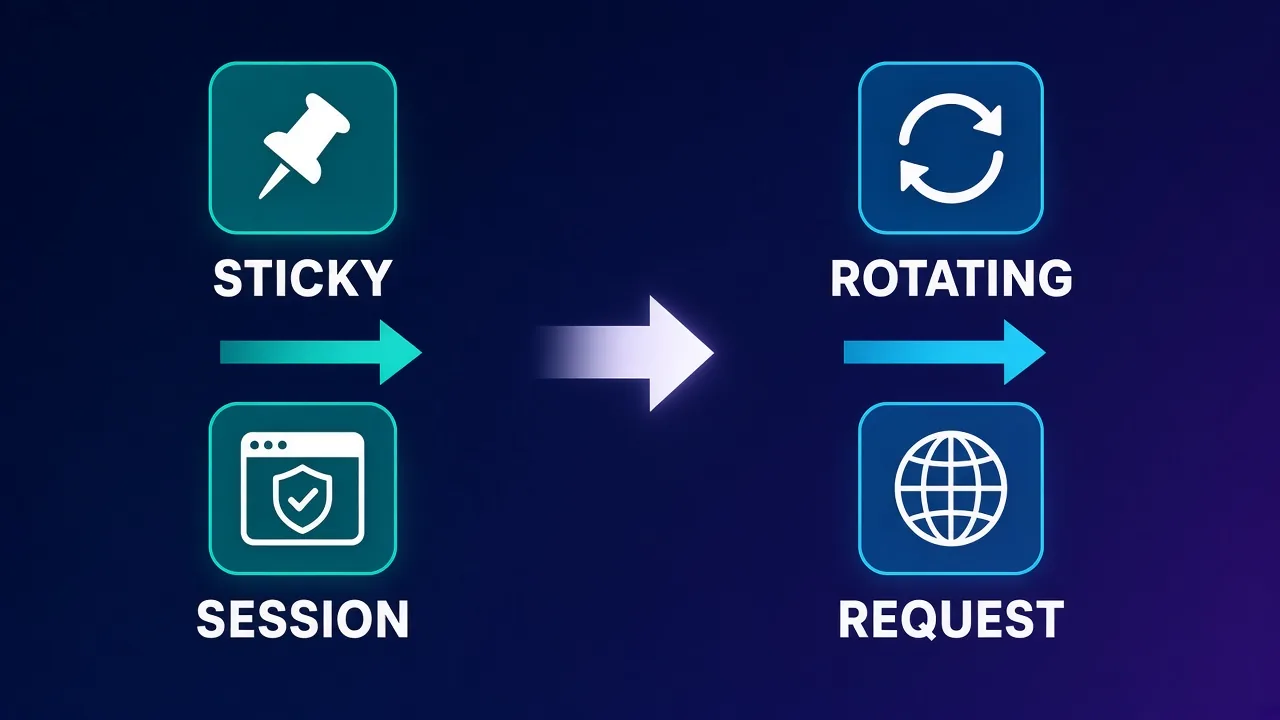
- Sticky — same exit IP for a defined TTL (minutes to hours, or a dedicated static assignment). Use sticky for login, cart, checkout, and any multi-step flow where the site expects one household. ISP products are sticky by design; residential sticky is usually a temporary bind to one peer.
- Rotating — new exit per request or short window. Useful for product monitoring, stock checks, and lightweight scraping where consistency does not matter. Rotating mid-checkout is a classic fail: cookies and risk scores suddenly come from a new ASN.
Most sneaker bots expose proxy slots as host:port:user:pass lists. Map sticky dedicated IPs to checkout tasks and keep a rotating residential list (if you use one) only for monitor tasks that never share cookies with the checkout browser.
What to Look for in Sneaker Proxies
Before you compare brands, decide which product traits matter for your stack:
- Latency to the target CDN — test from the region your bot host runs in; marketing "99.9% uptime" does not replace a ping and a dry-run ATC.
- Dedicated vs shared — shared cheap DC is fine for monitors; checkout wants dedicated or lightly shared IPs.
- Protocol support — many bots expect HTTP(S); some need SOCKS5. Confirm before you buy a DC-only package that lacks SOCKS5.
- Authentication — user/pass vs IP allowlist; bots and VPS hosts often prefer user/pass for flexibility.
- Instant activation and replacements — drops do not wait for next-business-day tickets.
- Bot/dashboard integrations — ticket or retail bot paste formats save setup time under pressure.
- Honest product labeling — if you need ISP, buy ISP. Do not assume "residential" includes static ISP.
Sneaker Proxy Comparison Table
Verified highlights for the four providers in this roundup. Cards below keep live prices and ratings current.
| Provider | Best for | Key types | Notable traits | Watch-outs |
|---|---|---|---|---|
| HighProxies | Platform-tuned DC drops | Datacenter only | Unlimited BW, 99.9% uptime, from $1.40/IP, 70K+ IPs, instant | No SOCKS5, no residential/ISP |
| Ping Proxies | Cheap dedicated DC + API | Datacenter, residential | From ~$0.30–$1/IP DC, API-first, sub-users, 10M+ IPs | No ISP product, no unblocker; residential mid-market |
| IPRoyal | ISP + sneaker-specific lines | DC, ISP, residential, mobile | ISP from $2.4/IP, dedicated sneaker proxies, SOCKS5, non-expiring traffic | Wider catalog means you must pick the right SKU |
| NodeMaven | Account / anti-detect work | Residential only | Quality-filtered pool, 24h+ sticky, from $3.99/GB, free trial | Not for classic high-volume DC drops |
Best Proxies for Sneaker Bots: Our Picks
Each pick below includes a short qualitative note, then a live provider card. Use the cards for current pricing and scores.
HighProxies — screened datacenter for retail bots
HighProxies is a datacenter-only provider aimed at ticket and retail bot users who want platform-tuned IP packages rather than raw commodity hosting ranges. Plans emphasize unlimited bandwidth, 99.9% uptime claims, instant activation, and responsive support — useful when a subnet goes bad mid-season. Inventory is listed at 70K+ IPs across 8 countries, with dedicated pricing from about $1.40 per IP.
Choose HighProxies when your bot stack is HTTP(S)-centric, you want screened DC for drops, and you do not need SOCKS5 or residential/ISP in the same vendor. Skip it if you specifically need ISP statics or SOCKS5; you will need a second provider for those.

HighProxies
HighProxies' platform-tuned packages are a sensible micro-optimization: a DC IP that has not already burned on your target platform is worth a small premium over a random allocation. But physics still applies — these are datacenter addresses, and the strictest platforms treat them accordingly. The absence of SOCKS5 and residential options caps the ceiling. A reasonable pick for classified-ads and secondary-account automation; size expectations to the category.
Ping Proxies — developer-friendly dedicated DC
Ping Proxies skews developer-focused: cheap dedicated datacenter from roughly $0.30–$1 per IP, an API-first control plane, public status page, and sub-user support for teams. The residential side offers city-level targeting across a large pool (10M+ IPs, 100 countries), but it is mid-market residential — not a category-leading unblocker product, and there is no unblocker SKU.
Important for sneaker buyers: do not assume Ping Proxies sells ISP/static residential. Their fit here is budget dedicated DC for monitors and speed-sensitive tasks, plus optional residential for softer account work. If your playbook requires ISP, look at IPRoyal instead.

Ping Proxies
Ping Proxies feels like it was built by people who have been on the buying side: the API is coherent, the docs tell the truth, the status page exists, and the datacenter pricing is honestly sharp. The residential line is solid mid-market rather than category-leading, and the company is still young. For developer-run projects that value operational transparency over mega-pool marketing, it is one of the most pleasant providers to actually use.
IPRoyal — ISP, sneaker line, and full spectrum
IPRoyal is the only provider in this shortlist with a verified ISP/static residential product alongside datacenter, residential, and mobile. Datacenter starts around $1.39/IP (100K+), ISP around $2.4/IP (500K+), residential around $1.57/GB (32M+, 195 countries), and mobile from about $81/mo (5M+). They also sell dedicated sneaker-oriented proxy packages, support SOCKS5, offer sticky and rotating modes, and use non-expiring residential traffic — helpful if your drop calendar is bursty.
For most sneaker operators who want one vendor that can cover ISP checkout seats and residential account warming, IPRoyal is the broadest fit here. Still pick SKUs deliberately: do not put residential GB traffic on a task that a $2.4 ISP IP would handle more cleanly.

IPRoyal
IPRoyal is the best pure pay-as-you-go deal in proxies. Non-expiring traffic is a genuinely customer-friendly policy that no major rival matches — buy what you need, use it whenever, lose nothing. The pool is smaller than the premium networks and success rates can soften on the most heavily defended targets, so high-volume enterprise scraping is not its strength. The dashboard is also fairly basic. For intermittent scraping, account work, and sneaker copping on a predictable budget, IPRoyal is an easy recommendation and one of the best value picks for occasional users.
NodeMaven — quality-filtered residential for accounts
NodeMaven is residential-only, with a quality filter that continuously scores exits, sticky sessions that can hold 24 hours or more, SOCKS5, and a free trial. Pool size is listed at 5M+ filtered IPs across 150 countries, starting from about $3.99/GB. That positioning is deliberately not "cheapest GB for mass drops."
Use NodeMaven when the job is anti-detect browsers, account creation, warming, and sessions that need cleaner residential exits — not when you need a rack of dedicated DC IPs for a Footsite rush. Pair it with HighProxies or Ping Proxies DC (or IPRoyal ISP) rather than forcing it into a classic drop role.

NodeMaven
NodeMaven's quality-filtered pool is a genuinely different pitch in a market obsessed with pool size, and it works: the IPs you get are noticeably cleaner, and holding one for a day makes account workflows far more stable than typical 10–30 minute sticky windows. You pay more per gigabyte than at budget providers, and raw-volume scrapers should look elsewhere — this is a precision tool. For multi-accounting through anti-detect browsers and any workflow where one flagged IP costs you an account, NodeMaven justifies its premium.
How to Choose by Retailer and Workflow
Map the proxy to the failure mode you see most often:
- Timeouts and slow ATC — move checkout to dedicated DC or ISP closer to the CDN; cut shared pools.
- Instant soft bans on hosting ASNs — shift checkout to ISP; keep DC only for monitors.
- Account flags after successful cop — separate drop IPs from login IPs; warm accounts on residential/ISP in an anti-detect browser.
- Captcha storms on one subnet — diversify /24s; retire the hot block; reduce concurrency per subnet.
- Budget-limited monitor farm — cheap dedicated DC (Ping Proxies range) for monitors; spend on ISP only for checkout seats.
Shopify specialty drops often behave differently from large branded apps. If you already run Shopify-focused bots, cross-check our Shopify bots proxy guide — many of the same subnet and sticky rules apply, but app-backed retailers may weight device signals more heavily than pure IP reputation.
Compliance note
Using bots and proxies against a site may violate that site's terms of service and can have legal consequences depending on jurisdiction and conduct. This article explains technical trade-offs for legitimate testing and authorized use cases. Follow retailer terms, payment network rules, and local law.
Setup Tips That Save Drops
A few operational habits matter as much as the brand on the invoice:
- Dry-run the day before — same bot host, same proxy list, same target domain; measure latency and captcha rate without burning payment methods.
- Bind one sticky IP per profile — especially on ISP seats used for logged-in accounts.
- Keep monitor and checkout lists separate — never let monitor rotation poison checkout cookies.
- Log ASN and /24 with every ban — so you can retire ranges with data, not vibes.
- Match timezone and locale to the proxy geo — especially when the bot drives a real browser profile.
- Have a replacement path — know how fast your provider swaps burned IPs before a hyped release.
When proxies keep dying despite good hygiene, read why proxies get blocked — many "bad proxy" tickets are actually fingerprint, payment, or velocity problems wearing an IP mask.
Who These Picks Are (and Are Not) For
Good fit: operators who need dedicated or screened DC for speed, ISP for sticky account-linked checkouts, or filtered residential for anti-detect account work; teams that will split pools by role instead of one mega-list.
Poor fit: anyone expecting a single residential GB plan to win every hyped drop; buyers who need ISP but only shop DC-only vendors; setups that refuse to isolate monitor traffic from checkout sessions.
Conclusion
The best proxies for sneaker bots are the ones matched to the step of the funnel. Screened or dedicated datacenter wins on raw drop speed when the retailer tolerates hosting ASNs. ISP/static residential wins when you need consumer ASN reputation with a sticky server IP. Quality residential wins for account creation and anti-detect workflows — not as a blunt instrument for every ATC.
From this shortlist: start with HighProxies or Ping Proxies for DC speed, add IPRoyal when you need verified ISP and sneaker-oriented packages, and keep NodeMaven for filtered residential account work. Confirm current pricing on the cards, test against your actual targets, and retire burned subnets early. For deeper ISP selection criteria, continue with our best ISP proxies roundup.
Frequently asked questions
For the drop window itself, dedicated or platform-screened datacenter and ISP/static residential proxies are usually best because they combine low latency with sticky IPs. Residential proxies fit account creation and warming better than high-volume checkout. Match the type to the step of the funnel instead of using one pool for everything.
ISP proxies often survive retailers that score hosting ASNs harshly, while datacenter is typically faster and cheaper per IP when the site still allows it. Many runners use datacenter for monitors and ISP for logged-in checkout. Test both against your target; screened datacenter packages can also work on some platforms.
Use sticky (or dedicated static) IPs for login, cart, and checkout so the session stays on one network identity. Use rotating exits only for monitoring and other tasks that do not share cookies with checkout. Rotating mid-checkout is a common reason carts fail or accounts get flagged.
Retailers cluster risk by subnet, ASN, device fingerprint, and payment signals — not only by single IP. Shared hosting blocks, high concurrency on one /24, and mixing monitor traffic with checkout cookies accelerate bans. Diversify subnets, isolate pools by role, and retire burned ranges.
You often need residential (or ISP) for creating and warming accounts, especially inside anti-detect browsers. You do not always need residential for the ATC itself if dedicated datacenter or ISP performs better on that retailer. Burning residential GB on pure speed tasks is usually inefficient.
In this roundup, IPRoyal is the provider with a verified ISP/static residential product (around $2.4/IP) plus datacenter, residential, and mobile. HighProxies is datacenter-only. Ping Proxies offers datacenter and residential but not ISP. NodeMaven is residential-only.
Plan at least one dedicated sticky IP per concurrent checkout task, plus spare IPs for replacements when a subnet burns. Monitor tasks can share a larger rotating or cheaper dedicated list. Exact counts depend on your bot concurrency, retailers, and how aggressively those sites rate-limit.
Many sneaker bots work fine over HTTP(S) proxies. Some stacks and tools prefer or require SOCKS5. HighProxies does not offer SOCKS5 on its datacenter packages, while IPRoyal and NodeMaven do. Check your bot documentation before you lock a vendor.