Table of contents
You bought proxies, plugged them in, and within minutes you're staring at CAPTCHAs, 403 errors, or a page that flatly refuses to load. It's one of the most frustrating experiences in web scraping and automation — and it's rarely random. Websites block proxies for specific, understandable reasons, and once you know what those are, you can dramatically cut your block rate. This guide explains exactly why proxies get blocked, how sites detect them in the first place, and the concrete steps that keep your requests flowing.
What "getting blocked" actually looks like
Blocking isn't always a slammed door. It shows up in several forms, and recognising which one you're hitting is the first clue to why:
- CAPTCHAs — the "prove you're human" challenge, a soft block that says the site is suspicious but not certain.
- HTTP errors —
403 Forbidden(you're not allowed) or429 Too Many Requests(you're going too fast). - Bot/robot pages — a "checking your browser" interstitial or an outright "access denied" page.
- Silent failures — misleading or empty data, fake prices, or endless redirects, designed to waste a scraper's time without telling it it's blocked.
- IP bans — the address stops working entirely, sometimes across a whole subnet.
How websites detect proxies in the first place
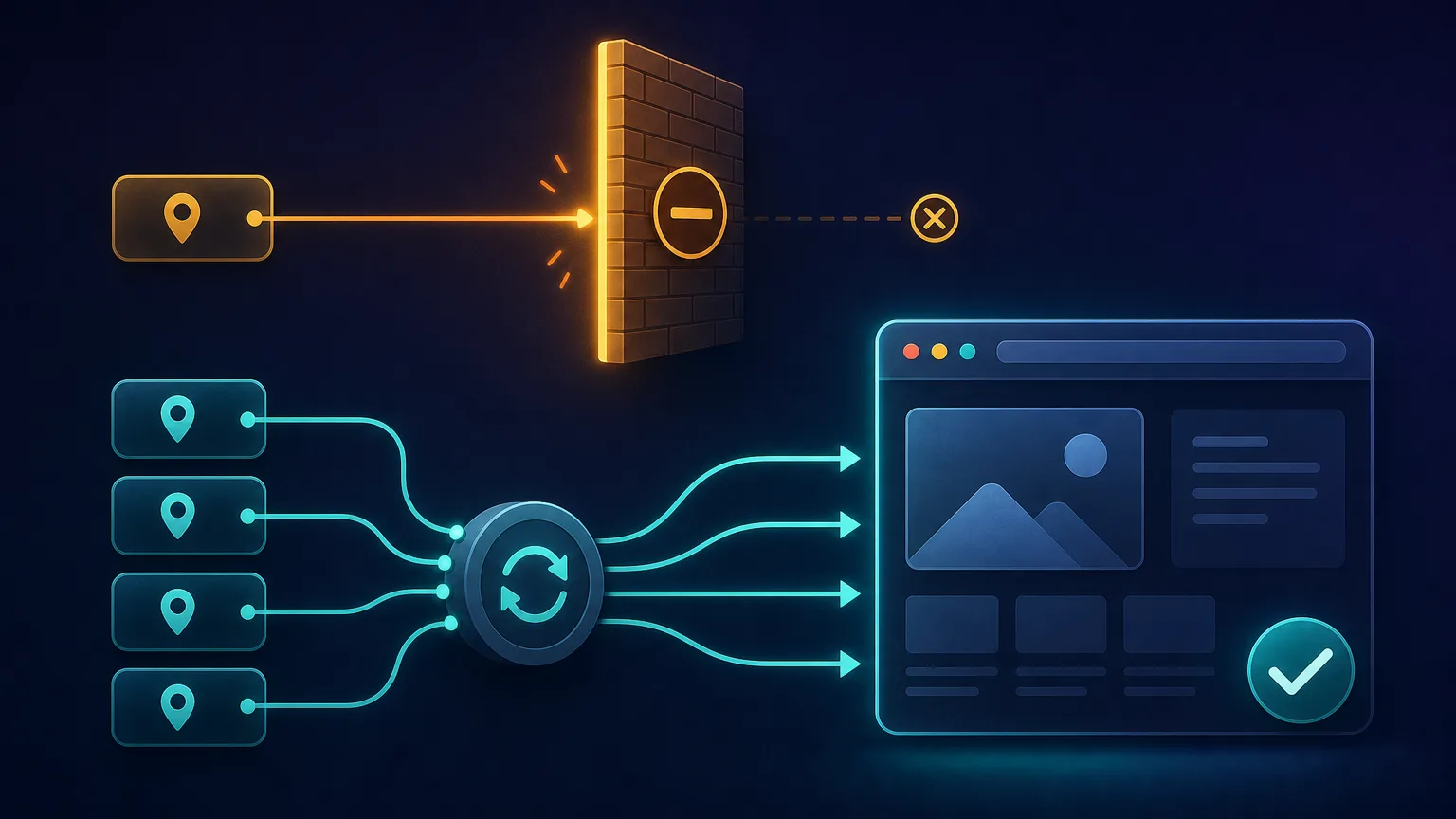
Before we get to the reasons, it helps to see the big picture. A modern anti-bot system scores every incoming request across many signals — the IP, the connection fingerprint, the headers, the behaviour — and decides whether it looks like a real human on a real device. A proxy fails when enough of those signals point to "automated" or "untrusted." Think of it as a checkpoint that sorts traffic into a trusted lane and a flagged lane; the reasons below are the specific ways a request lands in the flagged lane.

Reason 1: The IP type and its reputation
The single biggest factor is what kind of IP you're using. Every IP belongs to a network (identified by its ASN), and sites know which networks belong to data centres versus real homes and mobile carriers. Datacenter proxies live in well-known server IP ranges, so a site can often tell it's a datacenter address instantly and treat it with suspicion — which is why they get blocked far more than residential ones.
On top of type, every IP carries a reputation score built from its history. An address that has been used for spam, fraud or aggressive scraping is flagged in shared threat databases, and sites reject it on sight regardless of what you do.
Reason 2: Burned, overused and shared IPs
A "burned" IP is one that's already been flagged on a target site. This is a common problem with cheap or shared proxy pools: if hundreds of other users are hammering Amazon or Google through the same IPs you're using, those addresses get blocked — and you inherit the block the moment you try. The freshness and exclusivity of your pool matters enormously. A provider that recycles dirty IPs, or packs too many customers onto the same addresses, will get you blocked no matter how careful your own behaviour is. (This is one of the trust signals we cover in what makes a proxy provider trustworthy.)
Reason 3: Rate limits and request velocity
Even a perfectly clean IP gets blocked if it behaves inhumanly. No real person loads 500 pages a minute. When a single IP makes too many requests too fast, the site trips a rate limit and throttles or bans it — often extending the ban to the whole subnet. This is why sending your entire workload through one address, or a handful of them, fails quickly. Spreading requests across many IPs and adding human-like delays is what keeps each address under the radar.
Speed is the most common self-inflicted block
Many "my proxies don't work" problems are really "I'm scraping too aggressively." Rotation hides your volume, but hammering a target still gets IP ranges flagged. Throttle and randomise your request timing before blaming the proxies.
Reason 4: Fingerprint and behavioural signals
Here's the part that surprises people: a clean residential IP can still get blocked if the rest of your connection screams "bot." Sites fingerprint far more than your IP:
- TLS/HTTP fingerprint — the exact way your client negotiates the connection (often called a JA3 fingerprint) and the order of your HTTP headers reveal whether you're a real browser or a scripting library.
- Missing or wrong headers — a real browser sends a consistent set of headers; a bare HTTP client often doesn't.
- Browser fingerprint — canvas, WebGL, fonts and screen data that a headless browser may render suspiciously.
- Behaviour — no mouse movement, no scrolling, inhumanly precise timing, and never executing JavaScript.
If your IP is trusted but your fingerprint is generic or contradictory, you'll still be flagged. This is why pairing good proxies with realistic headers — and a real browser for JavaScript-heavy sites — matters as much as the IP itself.
Reason 5: Geo and consistency mismatches
Anti-bot systems look for signals that disagree with each other. If your IP says you're in Germany but your browser's time zone is New York and your language header is set to Japanese, that inconsistency is a giant red flag — real users are internally consistent. Mismatched geolocation, currency, language and time zone are a frequent, avoidable cause of blocks. Whenever you use a proxy in a given country, align the rest of your setup to match it. The same applies to the small details: a browser reporting a US-English locale while connecting from a Brazilian residential IP is exactly the kind of contradiction that machine-learning detection models are trained to catch.
Reason 6: Honeypots and traps
Some sites lay deliberate traps. Honeypot links are hidden from human users (via CSS) but visible to naive scrapers that follow every link; clicking one instantly identifies you as a bot and gets your IP banned. Hidden form fields, fake pagination and decoy pages work the same way. A scraper that blindly follows everything on a page walks straight into these, so respecting what a human would actually see and click helps you avoid them.
Reason 7: Dedicated anti-bot services
Finally, many sites don't build detection themselves — they outsource it to specialised anti-bot providers like Cloudflare, DataDome, Akamai and others. These services combine all of the signals above — IP reputation, fingerprinting, behaviour, machine-learning models trained on billions of requests — into a single, formidable gatekeeper. Against these, only clean residential or mobile IPs paired with a convincing browser fingerprint stand a reliable chance, which is why the hardest targets often need managed unblocking tools.
Why some sites block proxies far more than others
Not every website is equally aggressive, which is why the same proxy can breeze through one site and get instantly blocked on another. Targets roughly fall into three tiers:
- Easy: small or static sites with little or no anti-bot protection. Almost any proxy — even cheap datacenter — works here.
- Moderate: mainstream sites with basic rate limiting and some bot detection. Residential proxies with sensible throttling handle these comfortably.
- Hard: search engines, major social platforms, sneaker and ticket sites, and anything behind Cloudflare, DataDome or Akamai. These combine every detection method and often need clean residential or mobile IPs plus a convincing browser fingerprint — or a managed unblocking tool.
Knowing your target's tier tells you how much firepower you need. Reaching for premium mobile proxies to scrape an unprotected blog wastes money; using cheap datacenter proxies on Google wastes your time. Match the tool to the difficulty of the site.
Block likelihood by proxy type
Not all proxies are equally prone to blocks. Here's how the main types compare:
| Proxy type | Block likelihood | Why |
|---|---|---|
| Datacenter | High | Sits in known server IP ranges; easily fingerprinted |
| Residential | Low | Real home-ISP IPs that look like ordinary users |
| Mobile | Lowest | Carrier IPs shared by many real users (CGNAT); rarely banned |
| Free / public | Very high | Already abused, burned and overloaded by everyone |
For a deeper dive on why carrier IPs are so trusted, see mobile proxies explained.
How to diagnose which block you're hitting
Fixing a block starts with identifying it. Match your symptom to the likely cause and fix:
- Instant 403 on every request → your IP type or reputation is the problem; the address is flagged before you do anything. Switch to a cleaner residential or mobile IP.
- Works fine, then 429 after a burst → you're hitting a rate limit. Slow down, add delays, and rotate across more IPs.
- CAPTCHAs on an otherwise clean IP → your fingerprint or behaviour looks automated. Improve your headers, use a real browser, and act more human.
- Blocked despite a good residential IP → check for a geo mismatch or a bot-like TLS/HTTP fingerprint.
- Empty or wrong data instead of an error → you may be shadow-blocked or have walked into a honeypot; review exactly what your scraper is requesting and following.
- Everything worked yesterday, nothing today → your IPs were likely burned in the meantime, or the site tightened its defences; rotate to fresh addresses.
The fastest single diagnostic: open the target in a normal browser through the same proxy. If it loads, your IP is fine and the issue is your scraper's fingerprint or speed. If even the browser is blocked, the IP itself is the problem.
How to stop your proxies from getting blocked
Put the reasons in reverse and you get a practical anti-block checklist:
- Match the IP type to the target. Use residential or mobile for protected sites; save cheap datacenter for easy ones.
- Rotate your IPs. Spread requests across a large, fresh pool so no single address does too much (how rotating proxies work).
- Throttle and randomise. Add human-like delays; never blast a target at machine speed.
- Rotate fingerprints and headers too. A fresh IP with a stale, bot-like fingerprint still stands out — vary user agents and headers, and use a real browser for JavaScript sites.
- Match your geo. Keep IP country, time zone, language and currency consistent.
- Use sticky sessions for stateful flows. Never change IP mid-login or mid-checkout.
- Choose a clean, ethical provider. Fresh, well-sourced pools beat cheap, burned ones every time.
- Monitor your success rate. A rising block rate is your early warning to slow down or switch approach.
Is it the proxy, or your setup?
Before blaming the proxies, test one of your IPs in a normal browser. If the site loads fine there but blocks your scraper, the problem is usually your fingerprint, headers or request rate — not the IP. That single check saves hours of chasing the wrong fix.
Common mistakes that get you blocked
- Using cheap datacenter (or free) proxies on hard targets that demand residential trust.
- Sending everything through one or a few IPs instead of rotating across many.
- Scraping too fast with no delays, tripping rate limits.
- Ignoring your fingerprint — a perfect IP undone by an obvious bot signature.
- Mismatched geo between IP, time zone and language.
- Blindly following every link, walking into honeypots.
- Buying on pool size alone rather than IP freshness and cleanliness.
The bottom line
Proxies get blocked because websites are very good at spotting traffic that doesn't look like a real human on a trusted device — through IP reputation and type, burned or overused addresses, inhuman request rates, revealing connection fingerprints, inconsistent geo signals, honeypot traps, and dedicated anti-bot services. The fix isn't a magic bullet; it's stacking the odds in your favour: use clean residential or mobile IPs for hard targets, rotate them, throttle politely, match your fingerprint and geo, and pick a provider with a fresh, ethically-sourced pool. Do that, and the CAPTCHAs and 403s largely melt away. Start with our best rotating proxies guide or browse the full proxy directory to find a network that won't get you blocked in the first place.
Frequently asked questions
Usually one of a few reasons: the IP type is easily flagged (datacenter), the IPs are burned or shared, you're sending requests too fast, your connection fingerprint looks like a bot, or your geo signals don't match. It's rarely random, and each cause has a specific fix.
Datacenter IPs live in well-known server address ranges (ASNs) that sites can identify instantly, so they're treated with suspicion. Residential proxies use real home-ISP IPs that look like ordinary users, which is why they pass anti-bot checks far more reliably.
A burned IP is one that's already been flagged or banned on a target site, usually because it was abused by previous users. This is common with cheap, shared pools - you inherit other people's blocks the moment you use the same addresses.
They score many signals at once: the IP's type and reputation, request rate, TLS and HTTP fingerprints, browser fingerprint, behaviour (like never running JavaScript), and geo consistency. Dedicated anti-bot services like Cloudflare and DataDome combine all of these into one gatekeeper.
Use residential or mobile IPs for protected sites, rotate across a large fresh pool, throttle with human-like delays, rotate your headers and fingerprint, keep your geo consistent, use sticky sessions for logins, and choose a provider with clean, ethically-sourced IPs.
Rotation helps by spreading requests so no single IP does too much, but it isn't a complete fix on its own. If your fingerprint or behaviour is obviously automated, you'll still get blocked on a fresh IP. Rotate fingerprints and throttle alongside your IPs.
A CAPTCHA means the site is suspicious but not certain - often because your IP's reputation is borderline or your fingerprint looks automated. Switching to a cleaner residential IP, improving your browser fingerprint, and slowing down usually reduces them.
Yes. A trusted IP won't save you if your connection fingerprint is bot-like, your geo signals are inconsistent, or you hammer the site too fast. Proxies are one layer; fingerprint, behaviour and request rate all matter too.