Table of contents
Shopify powers a huge share of limited-release drops, and where there are limited releases there are bots — and where there are bots, there are proxies. A Shopify bot running twenty checkout tasks from one home IP gets rate-limited and banned within seconds, which is why proxies aren't an optional add-on but the thing that makes the setup work at all. This guide explains where proxies fit, why ISP proxies dominate this niche, how many you actually need, and the best providers for Shopify in 2026 — plus an honest look at the terms-of-service reality nobody likes to mention.
Where proxies fit in a Shopify bot setup
A Shopify bot automates the monitor-to-checkout path: it watches a store for a product going live, adds to cart, and submits checkout faster than a human can. To improve the odds, operators run many tasks in parallel. Each task is effectively a separate shopper — and if all of them come from a single IP address, the store sees one address making dozens of near-simultaneous requests. That's the clearest possible bot signal. Proxies give each task its own IP, so the traffic looks like many separate customers rather than one machine.
Why your home IP won't work
- Rate limiting. Shopify throttles requests per IP; a burst from one address gets slowed or refused.
- Soft bans. Hit the limits and the store starts failing your checkouts — often silently, so you don't even know you're blocked.
- One IP, one shopper. Many concurrent sessions from one address are trivially linkable, so all your tasks fall together.
- Your real identity is exposed. Your home IP ties every attempt back to you and your accounts.
What Shopify does to stop bots
Understanding the defences explains the proxy requirements. Shopify stores lean on per-IP rate limiting, checkout throttling and queues during high-demand drops, and — on many stores — bot-protection layers that score requests and challenge suspicious ones. Some merchants add third-party anti-bot or CAPTCHA in front of the storefront. None of this looks only at your IP; browser fingerprint and behaviour matter too, which is why a good proxy alone isn't a magic pass (see how websites detect bots). But the IP is the first and cheapest signal for a store to act on, so it's the first thing you have to get right.
ISP vs residential vs datacenter for Shopify
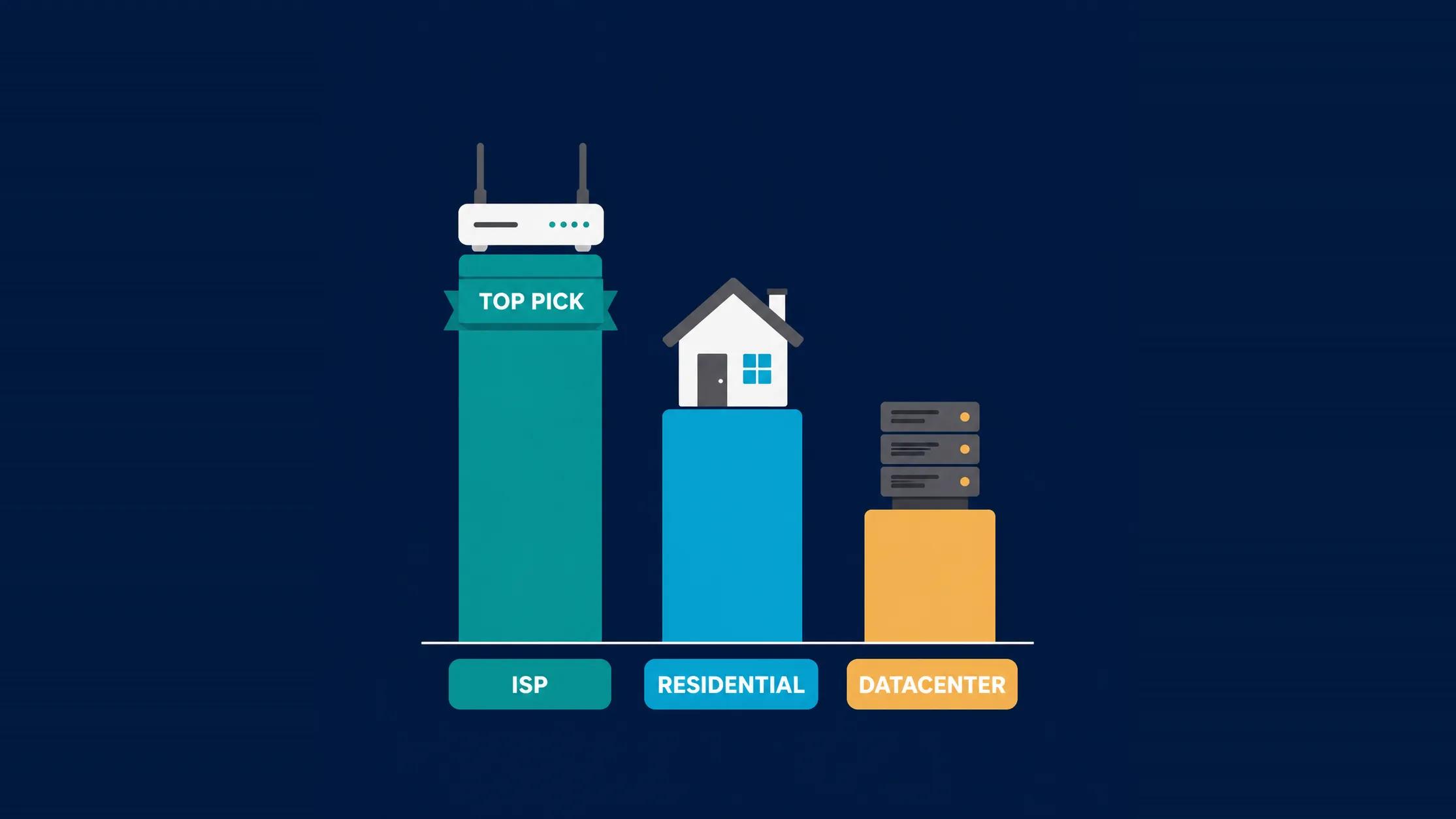
This is the decision that matters most, and Shopify is unusual because it rewards a specific middle option:
- ISP proxies (static residential) — the Shopify standard. These are IPs registered to consumer ISPs but hosted in data centres. That combination is exactly what this use case wants: the trust of a residential ISP owner with the speed and stability of datacenter hardware, plus a static IP that holds a checkout session. For most Shopify work, this is the default.
- Residential proxies — for the toughest stores. Real home IPs are the most trusted, but they're slower, routed through someone else's connection, and usually metered per GB. Worth it on heavily protected stores; overkill and expensive for ordinary ones.
- Datacenter proxies — cheap and fast, easily blocked. Lowest latency and price, and still usable on unprotected Shopify stores, but their ranges are well known and get blocked quickly on anything defended.
| Type | Speed | Trust | Billing | Best for |
|---|---|---|---|---|
| ISP (static residential) | Very fast | High | Per IP, usually unmetered | Most Shopify drops |
| Residential | Moderate | Highest | Per GB | Heavily protected stores |
| Datacenter | Fastest | Low | Per IP, cheap | Unprotected stores only |
What actually matters when choosing
- Latency to the store's region. Drops are decided in milliseconds, so pick IPs geographically close to the storefront you're targeting.
- Subnet diversity. If every IP sits on one subnet, a single ban can take out your whole pool. Spread across subnets.
- IP freshness and reputation. Recycled, previously-burned IPs are already flagged on popular stores.
- Unmetered bandwidth. ISP plans are usually per-IP and unlimited, which suits many parallel tasks far better than per-GB residential billing.
- Instant delivery and a dashboard so you can get IPs configured before a drop rather than during it.
The best proxies for Shopify bots in 2026
Oculus Proxies — built for this niche
Well known in the drop community for fast ISP and residential plans tuned to retail releases, with the kind of dashboard and instant delivery that matters when a drop is minutes away.

Oculus Proxies
Oculus Proxies carries its sneaker DNA well: exits are fast, drop-day reliability is taken seriously, and support answers in minutes on Discord when it matters. As a general-purpose provider it is competent but not differentiated — mid-market pricing, modest geo granularity, botter-oriented docs. For retail botting and latency-sensitive account work it belongs on the shortlist; pure scrapers have cheaper options.
MarsProxies — strong ISP performance
Focused on the sneaker and release space with quick, stable ISP IPs and good subnet spread — a common pick for people running many tasks at once.

MarsProxies
MarsProxies is the strongest of the recent newcomers: clean IPs, week-long sticky sessions, city/ISP targeting, SOCKS5 everywhere, and non-expiring traffic — at prices below the established mid-market. It lacks the mega-pools and enterprise tooling of the majors, and its track record is short. For sneaker work, account management, and quality-conscious general use on a budget, it is one of the best value-per-dollar picks in the directory.
Ping Proxies — low-latency ISP network
Built around speed and reliability with a clean dashboard, well suited to latency-sensitive checkout work where a few hundred milliseconds decide the outcome.

Ping Proxies
Ping Proxies feels like it was built by people who have been on the buying side: the API is coherent, the docs tell the truth, the status page exists, and the datacenter pricing is honestly sharp. The residential line is solid mid-market rather than category-leading, and the company is still young. For developer-run projects that value operational transparency over mega-pool marketing, it is one of the most pleasant providers to actually use.
NetNut — reliable ISP and residential mix
A large, well-maintained network offering both static ISP and residential access, useful when you need to move between ordinary and heavily protected stores.

NetNut
NetNut's direct-ISP architecture is more than marketing — it genuinely delivers steadier, faster sessions than peer-to-peer networks, because it does not depend on consumer devices staying online. That makes it a standout for uptime-critical workloads like brand protection and ad verification, where a dropped session means lost data. The trade-offs are business-oriented pricing, higher minimum commitments, and a dashboard that takes some learning. If session stability is your priority and you operate at business scale, NetNut is one of the most reliable residential networks available and well worth the 7-day trial.
IPRoyal — budget-friendly and flexible
Affordable ISP, datacenter and residential options in one place, a sensible starting point if you're testing the waters before committing to a bigger pool.

IPRoyal
IPRoyal is the best pure pay-as-you-go deal in proxies. Non-expiring traffic is a genuinely customer-friendly policy that no major rival matches — buy what you need, use it whenever, lose nothing. The pool is smaller than the premium networks and success rates can soften on the most heavily defended targets, so high-volume enterprise scraping is not its strength. The dashboard is also fairly basic. For intermittent scraping, account work, and sneaker copping on a predictable budget, IPRoyal is an easy recommendation and one of the best value picks for occasional users.
How many proxies do you need?
The working rule is roughly one IP per task. If you plan to run 25 tasks, budget for around 25 IPs — sharing one IP across several tasks reproduces exactly the pattern you bought proxies to avoid. Some operators push two or three light tasks per IP on relaxed stores, but on a competitive drop that's a false economy: a single rate-limit hit takes down every task sharing that address. Start smaller than you think, confirm your success rate, then scale the pool rather than buying hundreds of IPs you can't yet use well.
Test before the drop, not during it
Buy and configure your proxies well ahead of a release, then run test requests against the target store to confirm they're fast and not already blocked. Discovering a dead or banned IP thirty seconds before a drop is the most avoidable failure in this whole workflow.
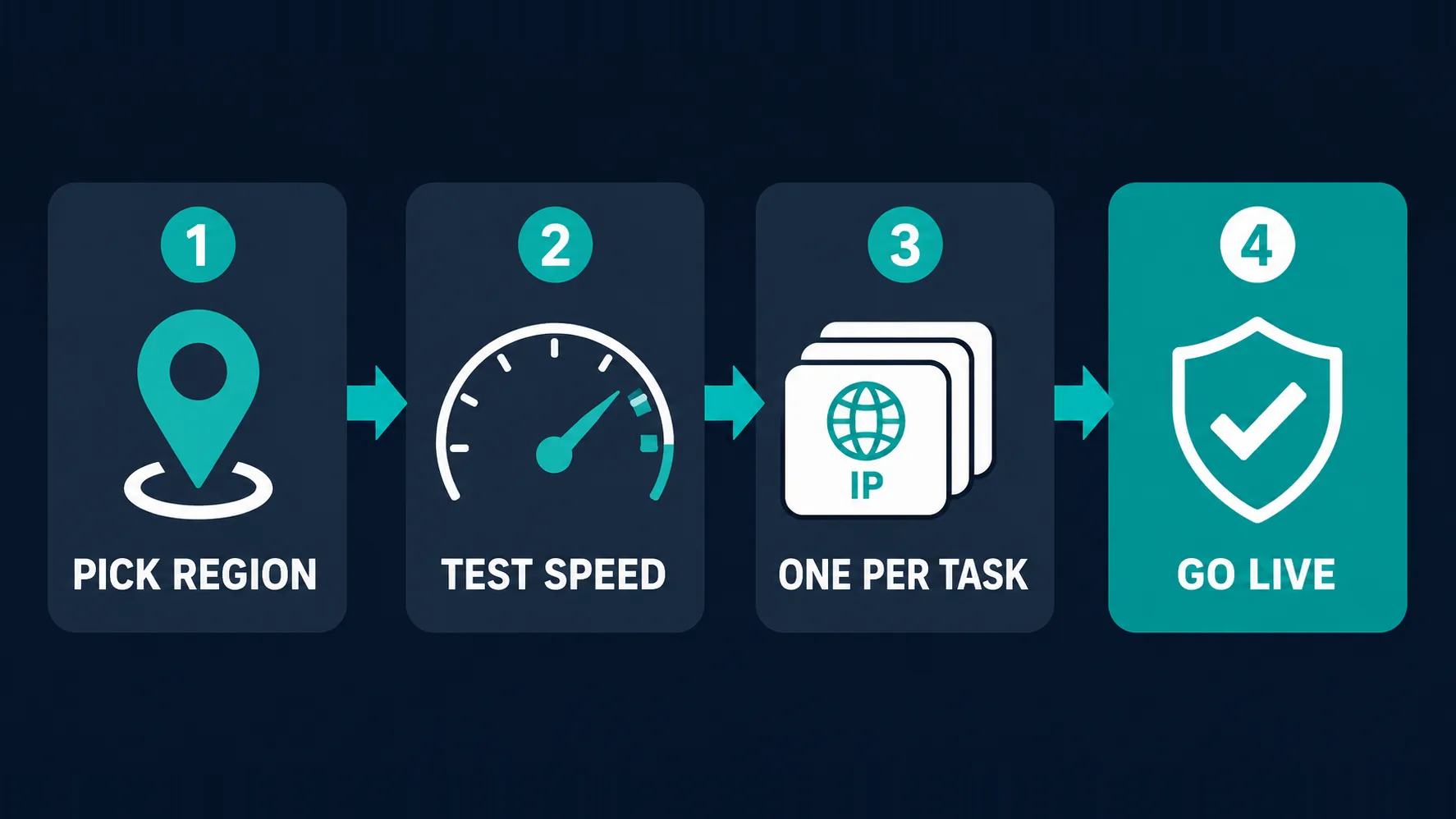
Setting up proxies with a Shopify bot
- Pick the right region — IPs near the store's serving region for the lowest latency.
- Test speed and reachability against the target store before the drop.
- Assign one proxy per task in your bot's proxy list rather than pooling them.
- Go live and monitor — watch for soft bans and swap out any IP that starts failing.
The monitor → cart → checkout path
It helps to see where each proxy request actually goes. A bot typically runs three phases: a monitor that polls the store for a product or variant going live, an add-to-cart step once stock appears, and a checkout submission. The monitor is the noisiest phase — it polls repeatedly, which is precisely what per-IP rate limits are designed to catch, so many setups give monitoring its own IPs separate from the checkout tasks. Checkout, by contrast, is a short burst that must succeed cleanly on a stable connection. Splitting those two jobs across different IPs stops a hammering monitor from burning the addresses you need for the actual purchase.
Why static beats rotating here
Rotating proxies are the right answer for large-scale scraping, but Shopify checkout is the opposite problem. A checkout is a session: cart state, cookies and the checkout token all belong to one visitor, and if your IP changes midway through, the store sees the session jump networks and can invalidate it. That's why static ISP IPs dominate this niche — one task, one address, held for the whole flow. Rotation still has a place on the monitoring side, where each poll is independent and spreading requests helps. The rule of thumb: rotate what you poll, keep static what you buy with.
Where you run the bot matters too
Proxies handle the exit IP, but the machine issuing the requests adds its own latency. Many operators run their bot on a VPS or server close to the store's region rather than a home PC, so the round trip from bot → proxy → store is as short as possible. A fast proxy behind a slow, distant home connection wastes the advantage you paid for. It also removes home-network variability (Wi-Fi drops, ISP congestion) from a process where a few hundred milliseconds decide the result. If you are serious about latency, treat the hosting location and the proxy location as one combined decision.
How to test proxies before a drop
Never find out on drop day. A short pre-flight check catches nearly every avoidable failure:
- Confirm each IP is alive and authenticating correctly in your bot's proxy tester.
- Measure latency to the actual store, not a generic speed-test endpoint — the target is what matters.
- Check for existing blocks by loading the storefront through each proxy and watching for challenges or errors.
- Verify subnet spread so you are not holding fifty addresses that share a fate.
- Retest after any provider change, since replacement IPs are not always as clean as the originals.
Ten minutes of testing beforehand is worth more than any last-minute pool upgrade.
Common mistakes
- Buying cheap datacenter IPs for protected stores — they're blocked almost immediately.
- All IPs on one subnet, so one ban wipes out the pool.
- Sharing IPs across many tasks and triggering rate limits.
- Ignoring latency and using IPs on the wrong side of the world.
- Assuming proxies alone are enough — fingerprint and behaviour still get you flagged (why proxies get blocked).
The legal and terms-of-service reality
This deserves a straight answer rather than a shrug. Proxies themselves are entirely legal, and so is automating your own browser. However, automated purchasing almost always violates a store's terms of service, and merchants act on it: cancelled orders, refunded charges, banned accounts, and blocked addresses are routine outcomes. Some jurisdictions also regulate specific automated-purchase categories (US law targets event ticket bots in particular), so the picture varies by what you're buying and where you are. Nothing here defeats a determined merchant, and no provider can promise you a checkout. Understand the rules of the stores you interact with, accept that orders can be reversed, and treat any "guaranteed cook" claim as marketing.
No proxy guarantees a successful checkout
Success on a drop depends on the bot, the store's protections, your timing and plain luck — the proxy only removes the IP bottleneck. Be sceptical of providers or resellers promising guaranteed results, and never spend more on a pool than you can afford to have blocked.
Who this setup is (and isn''t) for
Worth being blunt about fit. Proxy pools of this kind genuinely suit people running legitimate multi-store retail monitoring, price and stock tracking, or release research where many concurrent requests are unavoidable. They also suit hobbyists who accept that a drop is a lottery and that orders can be cancelled. They are a poor fit if you expect guaranteed results, if you cannot absorb the cost of a burned pool, or if you are counting on resale profit to cover the spend — the failure rate on competitive releases is high and entirely outside your control. And if a store's terms clearly forbid automation and you would not be comfortable explaining your setup to the merchant, that is a signal worth listening to.
The bottom line
For Shopify bots, the proxy question resolves cleanly: ISP (static residential) proxies are the default because they combine residential trust with datacenter speed and a stable IP for checkout; residential is the fallback for heavily protected stores, and datacenter only makes sense on unprotected ones. Budget roughly one IP per task, pick a region close to the store, insist on subnet diversity and fresh IPs, and test everything before drop day. Oculus Proxies, MarsProxies and Ping Proxies are the specialists here, NetNut brings scale and flexibility, and IPRoyal is the friendly budget entry. Just go in clear-eyed: the proxy solves the IP problem, not the terms-of-service one.
Frequently asked questions
ISP proxies (also called static residential) are the standard choice, because they combine the trust of a consumer ISP-owned IP with datacenter speed and a static address that holds a checkout session. Residential proxies are the fallback for heavily protected stores, and datacenter proxies only make sense on unprotected ones. Providers like Oculus Proxies, MarsProxies and Ping Proxies specialise in this niche.
ISP proxies win for most Shopify work because they are much faster and usually billed per IP with unmetered bandwidth, which suits many parallel tasks. Residential proxies are more trusted since the IPs belong to real homes, but they are slower and metered per GB, so reserve them for stores with heavy bot protection where ISP IPs are getting blocked.
The working rule is roughly one IP per task, so 25 tasks means about 25 IPs. Sharing an IP across several tasks recreates the exact pattern proxies exist to avoid, and a single rate-limit hit then takes down every task on that address. Start with a small pool, measure your success rate, and scale up from there.
You can, and they are the cheapest and fastest option, but their IP ranges are well known and get blocked quickly on any store with bot protection. They remain usable on smaller or unprotected Shopify stores. For competitive or defended drops, ISP proxies are a far more reliable investment.
Usually because of per-IP rate limiting — too many requests from one address in a short window — or because the IP was already flagged from previous abuse. Bans also spread by subnet, so if your whole pool sits on one subnet a single ban can wipe it out. Fresh IPs, subnet diversity and one proxy per task are the main defences.
Proxies and browser automation are legal in themselves, but automated purchasing almost always violates a store's terms of service, which can mean cancelled orders, refunded charges and banned accounts. Some jurisdictions regulate particular categories — US law specifically targets event ticket bots, for example — so the picture depends on what you are buying and where you are. Understand each store's rules before you run anything.
Effectively no. Free proxies are slow, unstable and almost always already blacklisted on popular stores, and latency alone will lose you a drop decided in milliseconds. Some are outright unsafe, logging or tampering with traffic. For anything time-sensitive, a paid ISP plan is the only sensible option.
Pricing varies by provider and proxy type, so check the live figures on the cards above rather than any number quoted in an article. The general pattern is that ISP proxies are sold per IP (often with unmetered bandwidth), datacenter IPs are cheapest per address, and residential is billed per gigabyte, which gets expensive fast when running many tasks. Budget by the number of tasks you plan to run.