Table of contents
TikTok rewards consistency and punishes weird network behavior. Creator accounts, agency multi-account desks, and growth teams that schedule posts, reply in the inbox, or run research workflows all need a stable exit IP that looks like a normal home or ISP user — not a rotating datacenter hop that changes mid-session.
If your stack jumps ASN every few minutes, logins trigger checkpoints, For You page testing becomes noisy, and multi-account work starts cross-linking personas. Sticky ISP and sticky residential proxies exist for exactly this: one account, one long-lived IP, one clean browser profile.
This guide covers what TikTok-side risk systems tend to notice, which proxy types fit creator and multi-account ops, how sticky sessions and warm-up work, a practical tool stack for 2026, provider picks (with live cards — no invented prices), setup steps, costs and trade-offs, and who should skip automation entirely. Throughout: TikTok’s Terms of Service restrict many forms of automation and multi-account abuse. Proxies do not make prohibited activity allowed. Use only workflows you are authorized to run.
Compliance first
TikTok’s Terms of Service and Community Guidelines can restrict bots, unauthorized scraping, spam, and inauthentic engagement. Proxies change the network path; they do not grant permission. Stay within platform rules and applicable law. Treat this article as networking education for legitimate creator ops and research — not a playbook for spam farms.
Why TikTok is picky about proxies
TikTok is a mobile-first product with strong device and network fingerprinting. Real creators usually open the app from the same city, carrier or home ISP, and device for days at a time. Automation stacks that ignore that pattern look like account takeover or farmed traffic.
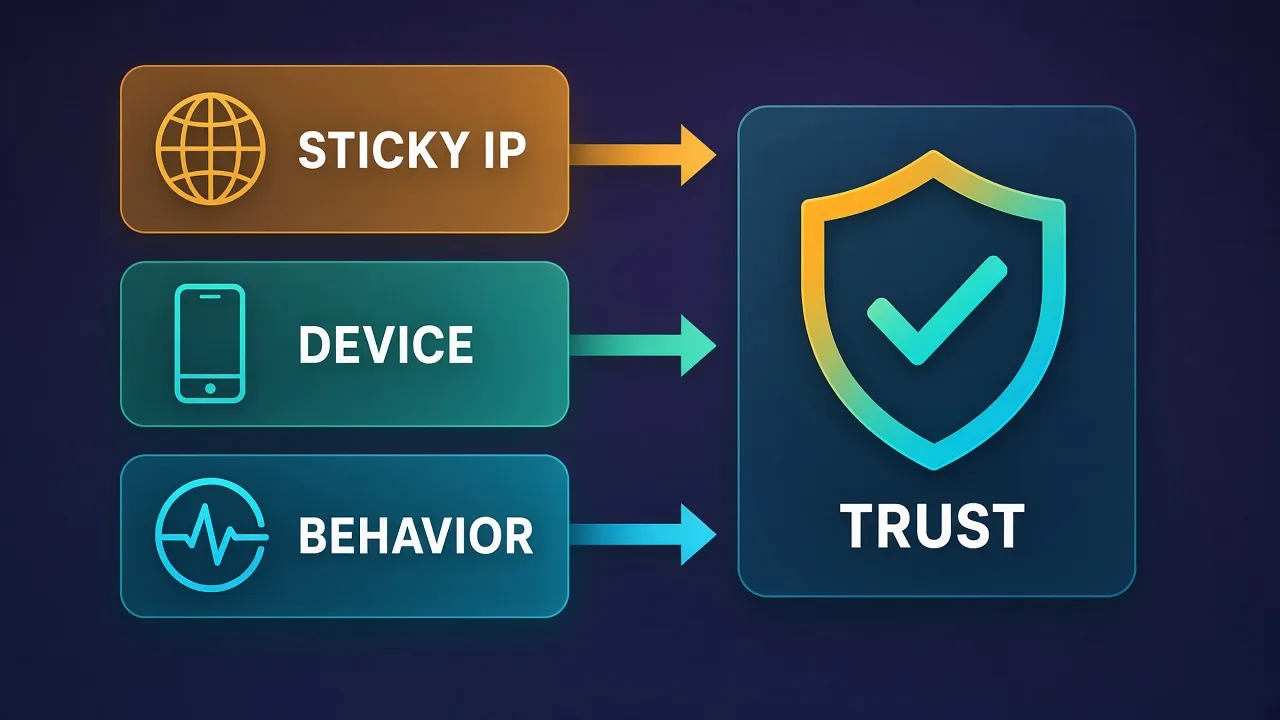
Three pressure points show up again and again for teams that automate posting, inbox work, or account warm-up:
- Session longevity. A creator who posts from New York on Spectrum today and from a Frankfurt hosting ASN tomorrow looks wrong. Sticky exits matter more than raw bandwidth.
- Device + IP binding. TikTok correlates app installs, device IDs, cookies, and IP reputation. Swapping proxies without isolating browser (or device) profiles links accounts.
- Engagement abuse pressure. Like/follow/comment farms trained TikTok’s risk models to distrust datacenter ranges and ultra-cheap shared residential pools. Clean ISP and quality residential inventory is the safer default for logged-in work.
The same lessons apply on other social platforms. If you already run LinkedIn or Telegram desks, the pattern matches: prefer sticky ISP or sticky residential, one IP per persona, and human-scale volumes. See our guides on best proxies for LinkedIn automation and best static proxies for Telegram for parallel setups.
What “good” looks like for TikTok automation
For logged-in creator and multi-account work in 2026, a solid proxy seat usually has these properties:
- Sticky or dedicated IP held for hours to days (not rotating every request).
- ISP or residential ASN that matches the geo you claim for the persona.
- Consistent city/region across login, posting, and inbox sessions.
- Enough bandwidth for video uploads without forcing mid-upload IP changes.
- One persona per exit (or at most a tightly controlled pair in the same brand geo).
Mobile proxies can help when you need carrier-grade ASN reputation, but they cost more per GB and are overkill for many desktop creator workflows. Datacenter proxies are a poor default for logged-in TikTok accounts; save them for carefully rate-limited public fetches if you need them at all.
For a deeper type comparison — residential vs ISP vs datacenter — read Residential vs ISP vs Datacenter Proxies. That piece explains ASN reputation and when static ISP seats beat rotating residential pools.
Proxy types for TikTok: what fits and what burns accounts
Not every proxy product is built for social login sessions. Map the type to the job before you buy seats.
| Proxy type | TikTok fit | Best for | Main risk |
|---|---|---|---|
| ISP / static residential | Strong | Logged-in creator & multi-account desks | Higher per-IP cost; limited inventory in some cities |
| Sticky residential | Good | Warm-up, shorter sessions, geo testing | Session can expire; pool quality varies |
| Rotating residential | Weak for login | Public scraping / research without login | IP churn looks like takeover on accounts |
| Mobile (4G/5G) | Situational | High-trust carrier ASN needs | Cost per GB; overkill for many desks |
| Datacenter | Poor for login | Non-login public fetches only | Hosting ASNs flagged often |
Sticky vs rotating in one sentence
Sticky keeps the same exit IP for a timed window (or until you release it). Rotating assigns a new exit on a schedule or every request. Logged-in TikTok personas want sticky or dedicated — not rotation mid-session.
How sticky sessions actually work
Providers implement stickiness differently. Common patterns:
- Session ID in the username — you pass a session token and the gateway pins that token to one peer IP for N minutes.
- Dedicated / static port — one port maps to one IP until you change the assignment (typical ISP product).
- Sticky endpoint hostname — a hostname that resolves your sticky peer for the lease duration.
For TikTok creator ops, prefer leases measured in hours or longer, and treat an unexpected IP change as an incident: pause automation, keep the new IP if the old one is gone, and warm the account again before heavy posting. Never “fix” stickiness by logging the same account through five different cities in one afternoon.
Creator ops vs multi-account desks
Two common setups share the same proxy principles but differ in scale.
Solo creator or small brand
One or a few official accounts. Priorities: reliable uploads, stable analytics sessions, and inbox replies from a consistent IP. A handful of ISP seats (or long sticky residential leases) plus a normal or lightly hardened browser is often enough. Keep personal browsing off those IPs.
Agency / multi-account desk
Many client brands, each needing isolation. Priorities: one sticky IP per account (or per brand geo), anti-detect or fully isolated browser profiles, documented warm-up, and strict volume caps. Shared exits across client brands are how desks get cluster bans. Pair proxies with a proper anti-detect workflow — see Do You Need Proxies with Anti-Detect Browsers? and Best Anti-Detect Browsers for Social Media Management.
Best proxies for TikTok automation in 2026
Below are qualitative picks for sticky ISP and sticky residential work. Live [[provider:]] cards show current ratings and pricing — we do not invent numbers here. Verify geo coverage for the cities you actually need before you seat accounts.
Bright Data — enterprise sticky & ISP depth
Bright Data suits larger desks that need broad country coverage, dedicated ISP options, and session controls with audit-friendly tooling. Expect more setup ceremony than a hobby reseller, but the inventory depth helps when you need many clean seats in specific metros.
Bright Data
Bright Data remains the most complete data-collection platform money can buy. No competitor matches its combination of network scale, targeting granularity, and compliance tooling — and for enterprise teams whose revenue depends on reliable data, that completeness justifies the premium. The trade-offs are real: it is one of the priciest providers per gigabyte, the interface overwhelms newcomers, and KYC verification adds friction before you can route a single request. Smaller projects will get better value from Decodo or IPRoyal. But if you need city-level residential targeting at scale, a managed unblocker for the hardest targets, and audit-ready compliance, Bright Data is the default — and our highest-rated proxy provider overall.
Oxylabs — reliable residential & ISP for scale
Oxylabs is a strong fit when you want documented sticky sessions, ISP products, and support that understands production social workloads. Good default for agencies that already standardize on a single premium vendor.

Oxylabs
Oxylabs is the enterprise provider that gets the fundamentals right. The network is huge and well-maintained, the scraper APIs are genuinely best-in-class, and the documentation and SDKs make integration faster than almost any competitor. What sets it apart from Bright Data is service: dedicated account managers, responsive support, and cleaner tooling mean less time fighting the platform and more time shipping. The cost is higher entry pricing, and the deepest discounts favor high-volume commitments. For serious commercial data operations that can justify the spend, Oxylabs is a top-two choice and frequently the one teams stay with long-term.
Decodo — practical sticky residential for growing desks
Decodo (formerly Smartproxy in many catalogs) is often chosen by mid-size teams that want sticky residential without enterprise procurement. Check current ISP/static offerings for your target geos before seating high-value creator accounts.

Decodo
Decodo offers the best price-to-performance ratio in the industry. It delivers roughly 90% of what the enterprise leaders provide — high success rates, a large clean pool, sticky sessions, an unblocker — at a fraction of their cost. The dashboard is the friendliest of any major provider, the 14-day money-back guarantee removes the risk of trying it, and support actually responds. The main gaps are enterprise-grade compliance tooling and the very deepest targeting, neither of which most teams need. For startups, solo developers, and any team that wants professional results without enterprise pricing, Decodo is our top value pick and an easy recommendation.
SOAX — flexible sticky targeting
SOAX works well when you need granular targeting and sticky leases for warm-up or geo-specific creator tests. Confirm session length options match your upload and inbox windows.

SOAX
SOAX is the targeting specialist. City- and ISP-level selection on every plan — not locked behind premium tiers — is genuinely rare, and the continuously cleaned pool keeps success rates high where it matters. It is not the fastest network, the interface could use a refresh, and SOCKS5 coverage is uneven. Those are real but minor gripes against a provider that nails the fundamentals of precision and reliability. For ad verification, localized market research, and social-media work that depends on appearing in an exact location, SOAX is one of the best mid-market options available.
NetNut — ISP-leaning performance
NetNut is frequently considered for ISP-style exits and lower-latency paths. Useful when upload reliability and stable ASN reputation matter more than ultra-cheap GB pricing.

NetNut
NetNut's direct-ISP architecture is more than marketing — it genuinely delivers steadier, faster sessions than peer-to-peer networks, because it does not depend on consumer devices staying online. That makes it a standout for uptime-critical workloads like brand protection and ad verification, where a dropped session means lost data. The trade-offs are business-oriented pricing, higher minimum commitments, and a dashboard that takes some learning. If session stability is your priority and you operate at business scale, NetNut is one of the most reliable residential networks available and well worth the 7-day trial.
Webshare — lighter budgets & experimentation
Webshare can fit early tests and lower-stakes research. For production multi-account TikTok desks, validate that the specific plan you buy is sticky ISP or long sticky residential — not a rotating datacenter pool marketed for general scraping.

Webshare
Webshare is the developer's self-service favorite. Instant activation, a free tier that is actually free, and the cheapest fast datacenter proxies in the market make it the easiest provider to just start using. The custom plan builder — pick your IP count, bandwidth, and threads — is a genuinely good model that lets you avoid paying for capacity you do not need. The residential pool is newer and less battle-tested than specialists, and support is thin on the lower tiers. For datacenter proxies, API-driven workflows, and anyone who wants to try before paying, Webshare is one of the best-value options around.
How to choose among these
Start from geo + stickiness, not brand logos. List the cities you need, the number of simultaneous personas, and whether you need dedicated ISP ports or sticky residential leases. Then open the live cards above and compare current coverage and pricing for that exact product line.
Tool stack that pairs with sticky proxies
Proxies are only one layer. A durable TikTok desk usually includes:
- Isolated profiles — anti-detect browser or separate OS user / device per account.
- One sticky proxy per profile — never share exits across unrelated brands.
- Human-scale schedulers — post and engage at volumes that look like a real creator, not a farm.
- Warm-up checklist — light browsing and organic views before heavy posting or outreach.
- Incident playbook — if a checkpoint appears, stop automation, keep the IP, and recover manually.
Instagram desks follow a similar isolation model; if you run both platforms, reuse the same one-profile-one-proxy discipline described in Best Proxies for Instagram Automation.
Setup: seating a TikTok persona on a sticky ISP proxy
Use this as a practical checklist, not a ToS waiver.
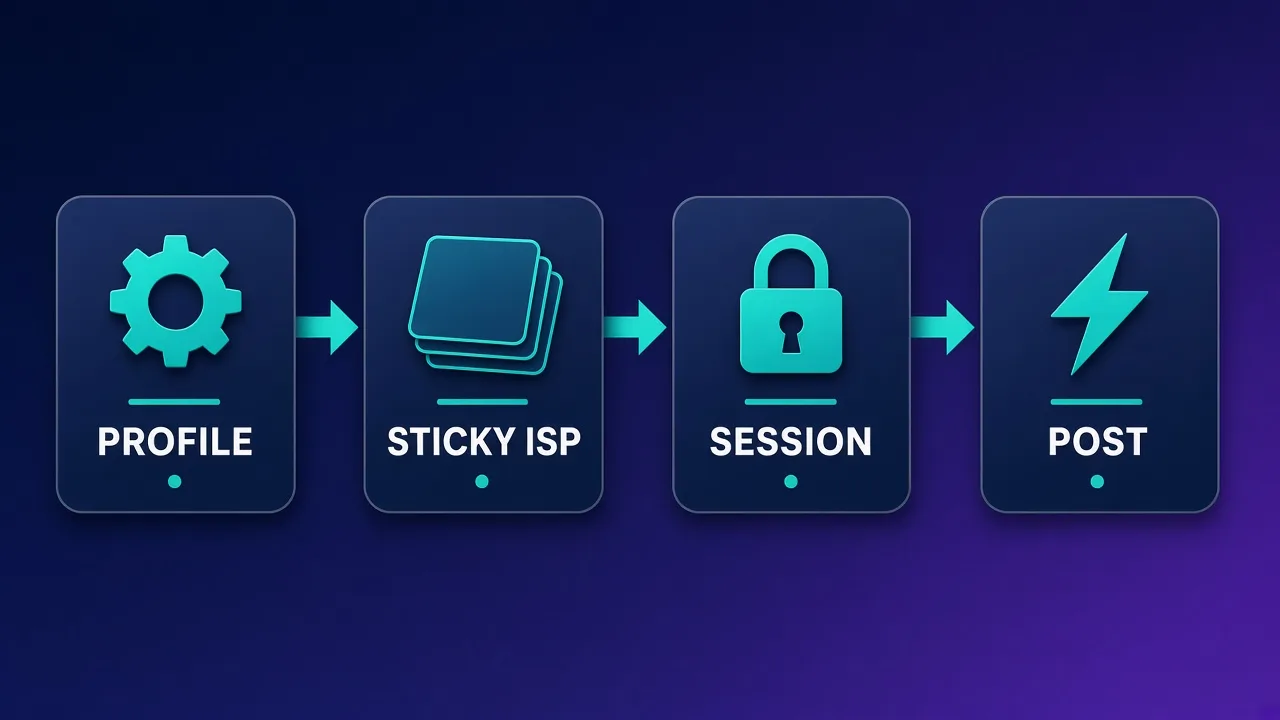
- Buy the right product. Dedicated ISP or long sticky residential in the persona’s city/region.
- Verify the exit. Check IP type, ASN, and city before first login (whoer / ipinfo-style checks — confirm residential/ISP, not hosting).
- Bind one profile. Create a fresh anti-detect (or fully isolated) profile; paste proxy host, port, user, pass.
- First session is manual. Open TikTok (web or mirrored workflow you are allowed to use), browse naturally, avoid bulk actions.
- Warm for days, not minutes. Light daily use before scheduling tools or higher posting frequency.
- Scale slowly. Increase posting and inbox volume gradually; watch for puzzles or shadow limits.
- Never rotate mid-crisis. If restricted, do not hop countries. Pause, keep the IP, recover.
Warm-up and volume: what “human-scale” means
There is no magic number that guarantees safety. Risk models change. Still, experienced desks share qualitative habits:
- New IP + new or restored account: several days of light browsing before aggressive posting.
- Prefer the same hours of day the persona’s geo would actually be awake.
- Avoid identical action bursts across many accounts (same caption templates, same second-of-hour posts).
- Separate research scrapers (rotating residential is fine for public pages) from logged-in creator personas (sticky only).
If your goal is public data collection for AI agents or research rather than logged-in creator work, a different proxy design applies — see Best Proxies for AI Agents.
Costs and trade-offs (without fake price tags)
Pricing moves constantly by vendor, geo, and product line. Instead of inventing numbers, budget with these units:
- ISP / static: usually billed per IP per month. Predictable for seated accounts.
- Sticky residential: often per GB, sometimes with session fees. Uploads (video) can dominate GB use.
- Mobile: highest per-GB cost; buy only when you truly need carrier ASN.
Total cost of ownership includes anti-detect seats, content tooling, and the human time to warm accounts. A cheap rotating pool that burns three client accounts is more expensive than a pricier ISP seat that lasts a quarter. Always confirm live pricing on the provider cards above and on each vendor’s site before you commit.
Common pitfalls that get TikTok accounts restricted
- Rotating residential on logged-in accounts. Looks like stolen sessions.
- Datacenter IPs for creator logins. Hosting ASNs are well labeled.
- One browser, many accounts, one proxy. Fingerprints and cookies still correlate.
- Geo lies. Profile says LA, IP says Bucharest hosting — expect friction.
- IP sharing across client brands. Cluster risk when one brand gets flagged.
- Uploading huge videos on short sticky leases. Mid-upload IP change breaks trust and the upload.
- Ignoring platform rules. Proxies do not legalize spam or inauthentic engagement.
What this guide is not
We do not provide scripts to evade TikTok enforcement, buy aged accounts, or run engagement fraud. If your business model depends on those tactics, fix the model — a better proxy will not save it.
Who should (and should not) automate TikTok
Good fits: brands and creators managing official accounts with permission; agencies seating client creators with clear contracts; researchers collecting public trends with separate non-login scrapers; teams that already practice warm-up and isolation.
Poor fits: anyone planning mass fake engagement; teams unwilling to buy one sticky IP per persona; operators hoping a proxy alone replaces content quality and community management.
TikTok still rewards original video and audience trust. Proxies keep the network layer boring so your content and community work can do the real job.
Buying checklist before you open checkout
Before you open checkout, write down: number of personas, target cities, whether you need dedicated ISP or sticky residential, expected monthly video upload GB, and whether anti-detect licenses are already budgeted. Then compare two or three of the providers above on those axes only. Ignore vanity “millions of IPs” claims that do not map to your cities.
If you are also standardizing LinkedIn or Instagram desks, keep the same isolation rules across platforms so staff do not invent one-off proxy hacks per network. Consistency is what makes multi-platform ops auditable.
Conclusion
For TikTok creator and multi-account automation in 2026, the winning pattern is simple: sticky ISP or sticky residential, one exit per isolated profile, human-scale warm-up, and strict compliance. Bright Data, Oxylabs, Decodo, SOAX, NetNut, and Webshare all appear in our directory as published providers — use the live cards for current pricing and ratings, and pick based on geo and stickiness rather than marketing headlines.
Build the boring network layer once. Spend your creative energy on content, not on recovering restricted accounts.
Frequently asked questions
Sticky ISP or sticky residential proxies paired with one anti-detect profile per account work best for creator and multi-account TikTok ops. Rotating datacenter exits are a poor fit for logged-in sessions because the IP changes look unnatural.
Prefer sticky ISP (static residential) when you need the same exit for days or weeks on a seated creator account. Use sticky residential when ISP inventory lacks your city. Rotating residential is better for public scrape jobs than for logged-in posting.
Do not share. Seat one persona on one sticky exit and one browser profile. Sharing a proxy across accounts is a common way TikTok clusters and restricts them.
For multi-account desks, yes — pair each sticky proxy with an isolated profile so cookies, fingerprints, and local storage never leak across personas. A proxy alone does not fix device fingerprint collisions.
Usually behavior and warm-up, not just IP type. Sudden new-device logins, mass follows, duplicate content, or jumping geos faster than a human travels all trigger checks. Proxies keep the network layer boring; they do not replace human-scale pacing.
Generally no for logged-in creator work. Datacenter ranges are easier to flag. Keep datacenter for non-login public fetches if your stack needs them, and keep sticky ISP or residential for accounts.
Published options in our directory include Bright Data, Oxylabs, Decodo, SOAX, NetNut, and Webshare. Compare live cards for current pricing and ratings, then pilot sticky sessions in your target cities before seating real accounts.
Automating engagement, fake views, or ToS-breaking scripts can get accounts banned and may be illegal in some contexts. This guide covers network hygiene for legitimate creator and ops workflows — not spam or engagement fraud.