Table of contents
AI agents have moved from answering questions to doing things on the web: researching competitors, comparing prices, filling forms, monitoring listings and pulling fresh data into models. The moment an agent leaves its sandbox and starts browsing real websites, it runs into the same wall every scraper hits — rate limits, CAPTCHAs, geo-restrictions and outright blocks. Proxies are the part of the stack that decides whether an agent can finish its task. This guide explains why agents get blocked, which proxy setup fits which kind of agent, when a scraping API beats raw proxies, and the best providers for AI agents in 2026.
Why AI agents need proxies
From a website's point of view, an AI agent looks a lot like a bot — because it is one. Agents typically run on cloud servers, fire requests faster than a person could click, open many tabs in parallel, and drive headless browsers. Every one of those traits is a detection signal. Without proxies, an agent's traffic comes from a single data-centre IP that anti-bot systems recognise immediately, so pages return challenges, empty results or blocks instead of the content the agent needs.
Proxies fix several problems at once:
- They replace a data-centre IP with trusted ones, such as residential or mobile addresses that look like real visitors.
- They spread load across many IPs so no single address trips a rate limit.
- They unlock location-specific content, letting an agent see prices, search results or availability as a user in a particular country would.
- They isolate tasks, so one agent session getting flagged doesn't burn the rest.
How websites detect AI agents
Detection works in layers, and an agent has to get through all of them. The first is the network: the site looks up the IP's owner, and traffic from a hosting provider's network is treated as likely automation (see what an ASN is and why it matters). The second is the browser fingerprint: headless browsers leak tell-tale signals unless they're configured carefully. The third is behaviour: agents that load pages instantly, never scroll and fire requests in perfectly regular bursts stand out. Proxies solve the first layer; the other two depend on how the agent's browser is set up and paced. Our guide to how websites detect bots covers each layer in depth.
Rotating vs sticky sessions for agents
This is the single most important configuration choice, and it depends on what the agent is doing.
Rotating IPs for breadth
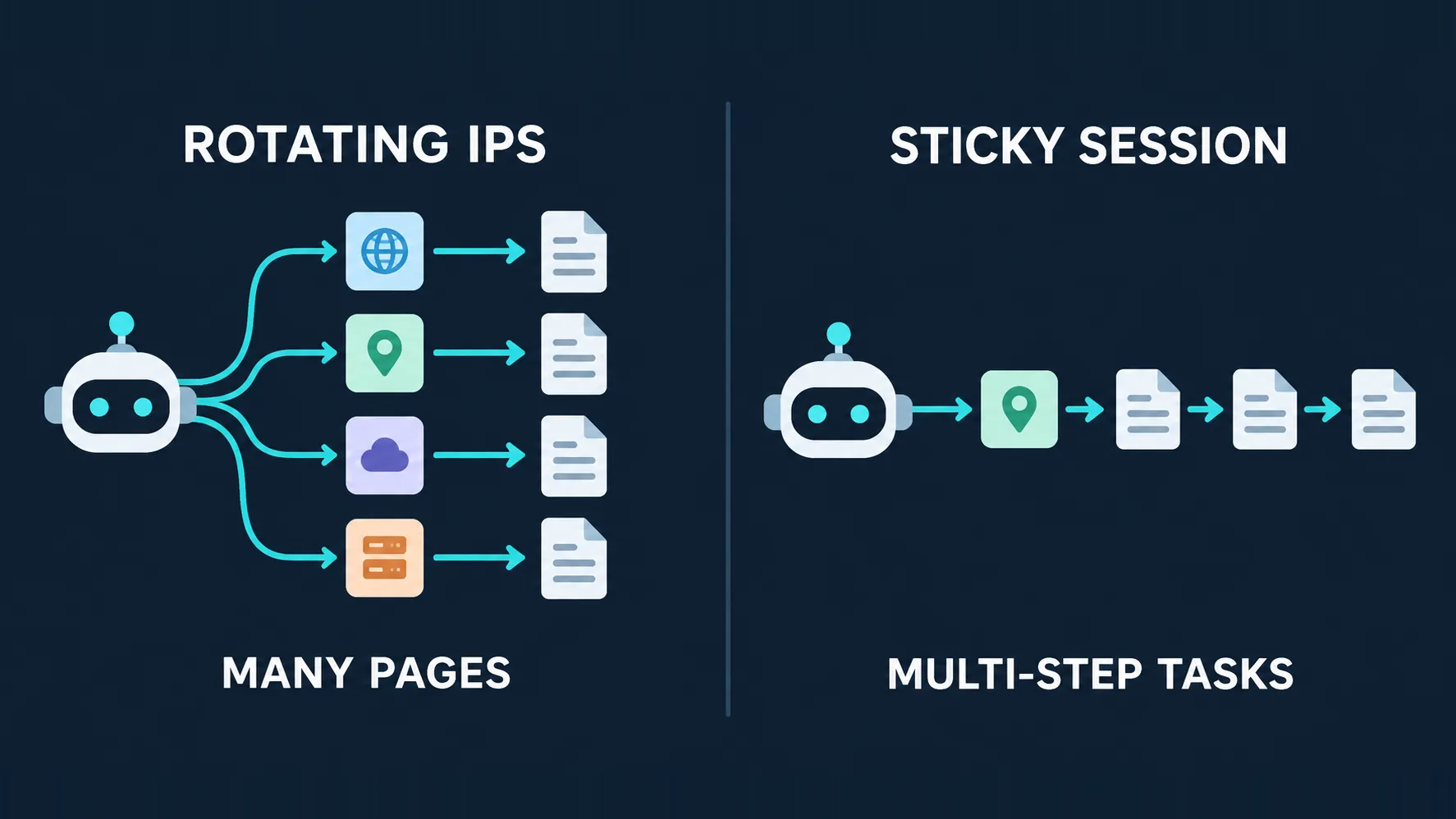
A research or monitoring agent that visits many independent pages — product listings, search results, articles — benefits from rotation: each request, or each small batch, leaves from a different IP. Spreading traffic this way keeps any single address under the radar and lets the agent cover a large number of pages quickly.
Sticky sessions for multi-step tasks
An agent that logs in, adds items to a cart, fills a multi-page form or navigates a flow that keeps state needs the same IP for the whole task. If the IP changes halfway through, the site sees a session suddenly jump networks and may invalidate it, force a re-login or flag the account. For these tasks, use a sticky session that holds one IP for minutes or hours, ideally from a residential or ISP pool.
Match the session to the task, not the agent
The same agent often needs both modes. A shopping-research agent might rotate IPs while collecting listings, then switch to a sticky session to walk through a checkout-style comparison. Most providers let you control this per request with a session ID, so build the switch into the agent's tools rather than picking one mode globally.
Proxy types by agent task
| Proxy type | Best for | Strengths | Watch out for |
|---|---|---|---|
| Rotating residential | Research and monitoring agents | Trusted IPs, huge pools, easy breadth | Billed per GB; browser agents use a lot of bandwidth |
| Sticky residential / ISP | Logged-in or multi-step tasks | Stable identity, holds sessions | Smaller effective pool per task |
| Mobile | The strictest sites and apps | Highest trust on carrier networks | Most expensive, fewer IPs |
| Datacenter | Public APIs and lenient sites | Fast and cheap | Easily detected on protected sites |
| Scraping API / unblocker | Agents that only need page content | Handles rotation, CAPTCHAs and rendering for you | Less control; priced per request |
Raw proxies vs a scraping API
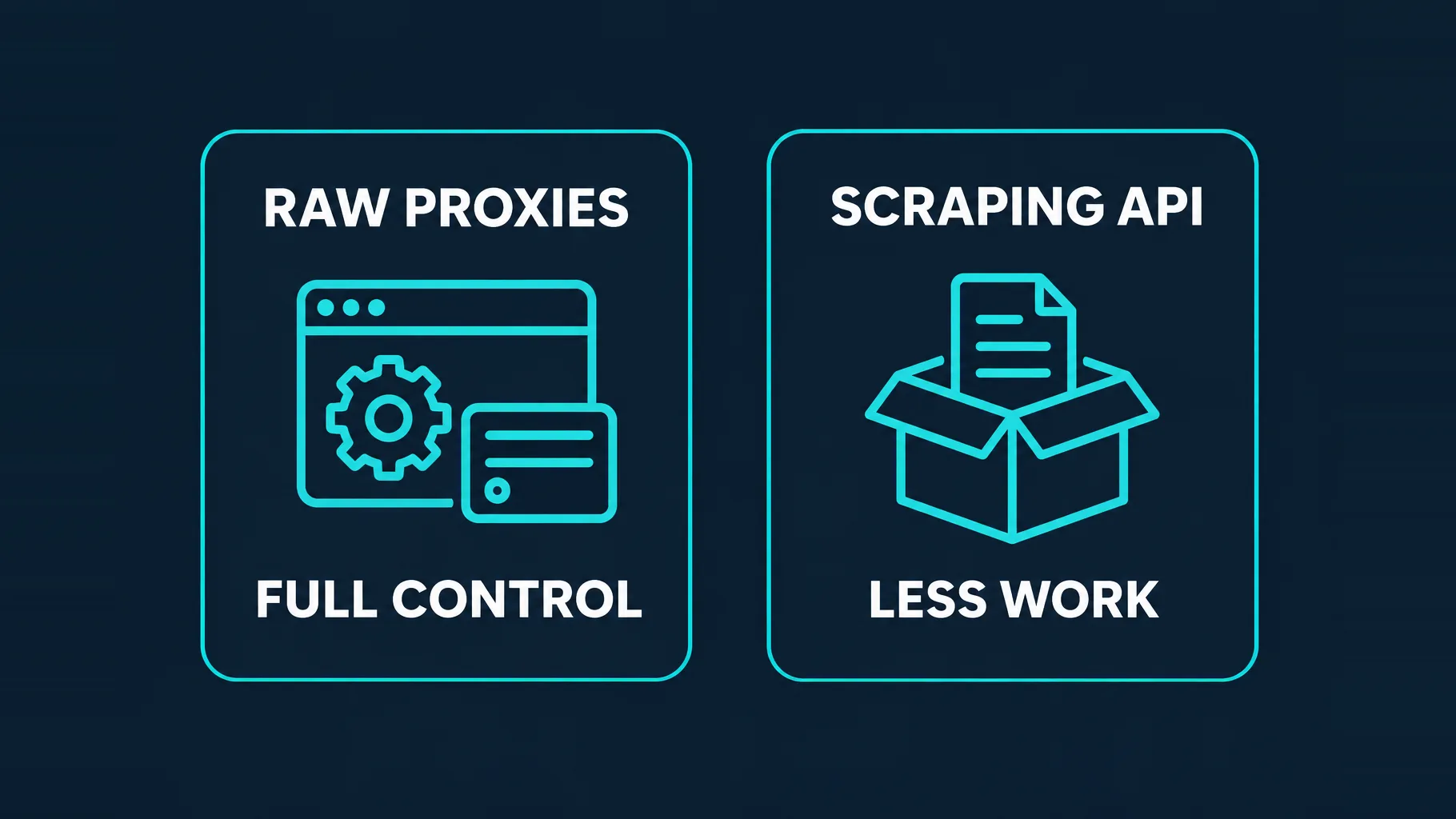
Not every agent needs raw proxies. If your agent drives a real browser — clicking, typing, scrolling, taking screenshots — it needs a proxy plugged into that browser, because the browser itself is doing the work. But many agents only need the content of a page: they fetch a URL, extract text, and pass it to the model. For those, a scraping API or web unblocker is often simpler and more reliable. You send a URL; the service handles proxy rotation, fingerprinting, CAPTCHAs, retries and JavaScript rendering, and returns the page.
The trade-off is control versus effort. Raw proxies give you full control over sessions, browser configuration and cost, but you own the engineering. A scraping API removes most of the work at the price of flexibility and a per-request bill. Many teams use both: an API for bulk fetches, raw proxies for interactive browser tasks.
The best proxies for AI agents in 2026
Bright Data — the largest network and the most agent tooling
One of the biggest residential and mobile networks, plus scraping browsers, unblocker APIs and ready-made datasets. Bright Data also publishes an MCP server, which makes it straightforward to give an LLM agent web-access tools without wiring proxies by hand.
Bright Data
Bright Data remains the most complete data-collection platform money can buy. No competitor matches its combination of network scale, targeting granularity, and compliance tooling — and for enterprise teams whose revenue depends on reliable data, that completeness justifies the premium. The trade-offs are real: it is one of the priciest providers per gigabyte, the interface overwhelms newcomers, and KYC verification adds friction before you can route a single request. Smaller projects will get better value from Decodo or IPRoyal. But if you need city-level residential targeting at scale, a managed unblocker for the hardest targets, and audit-ready compliance, Bright Data is the default — and our highest-rated proxy provider overall.
Oxylabs — reliability for production agents
An enterprise-grade residential network with a strong reputation for consistency, plus scraper and unblocker APIs that suit agents running unattended at scale.

Oxylabs
Oxylabs is the enterprise provider that gets the fundamentals right. The network is huge and well-maintained, the scraper APIs are genuinely best-in-class, and the documentation and SDKs make integration faster than almost any competitor. What sets it apart from Bright Data is service: dedicated account managers, responsive support, and cleaner tooling mean less time fighting the platform and more time shipping. The cost is higher entry pricing, and the deepest discounts favor high-volume commitments. For serious commercial data operations that can justify the spend, Oxylabs is a top-two choice and frequently the one teams stay with long-term.
Decodo — best balance of price and performance
A large residential pool with a friendly dashboard and competitive pricing, making it a sensible default for teams experimenting with agents before committing to enterprise spend.

Decodo
Decodo offers the best price-to-performance ratio in the industry. It delivers roughly 90% of what the enterprise leaders provide — high success rates, a large clean pool, sticky sessions, an unblocker — at a fraction of their cost. The dashboard is the friendliest of any major provider, the 14-day money-back guarantee removes the risk of trying it, and support actually responds. The main gaps are enterprise-grade compliance tooling and the very deepest targeting, neither of which most teams need. For startups, solo developers, and any team that wants professional results without enterprise pricing, Decodo is our top value pick and an easy recommendation.
Nimble — an AI-oriented data platform
Pairs premium residential IPs with AI-driven collection tooling and structured output, which fits agents that want clean data rather than raw HTML to parse.

Nimble
Nimble is one of the most modern entrants in the space, and it shows. The developer experience is excellent, the structured-output APIs save real engineering time, and the AI-driven collection pipeline handles unblocking gracefully. It is priced as a premium platform, so cost-sensitive teams that just need raw bandwidth will look elsewhere. The ecosystem is also younger than Bright Data or Oxylabs, meaning fewer community resources. For data and analytics teams that want clean, structured web data with first-class tooling rather than a bag of IPs, Nimble is a strong and forward-looking choice.
Zyte API — managed access for fetch-only agents
From the team behind Scrapy, Zyte API bundles proxy rotation, ban handling, browser rendering and extraction into one per-request call — ideal when an agent just needs reliable page content.

Zyte
Zyte API is the most complete scraping-as-a-service offering from the most credible engineering lineage in the space (they wrote Scrapy). Automatic ban handling, escalation, and rendering behind a success-priced API genuinely deletes the proxy-ops workload. It is not a general-purpose proxy — account management and browser-based workflows need conventional providers — and heavy scraping teams with anti-bot expertise can beat its per-request economics. For developer teams whose product is the data, not the infrastructure, it is the benchmark.
NodeMaven — long sticky sessions for stateful agents
Filters IPs for reputation in real time and lets you hold them in sticky sessions lasting hours, which suits agents that log in and work through long, stateful tasks.

NodeMaven
NodeMaven's quality-filtered pool is a genuinely different pitch in a market obsessed with pool size, and it works: the IPs you get are noticeably cleaner, and holding one for a day makes account workflows far more stable than typical 10–30 minute sticky windows. You pay more per gigabyte than at budget providers, and raw-volume scrapers should look elsewhere — this is a precision tool. For multi-accounting through anti-detect browsers and any workflow where one flagged IP costs you an account, NodeMaven justifies its premium.
Wiring a proxy into an agent's browser
Most browser agents run on Playwright or Puppeteer under the hood, so adding a proxy is usually a launch option. Playwright can set a proxy for the whole browser, or give each context its own — which is how you run several isolated agent sessions, each with its own IP, in one process:
from playwright.sync_api import sync_playwright

PROXY = {
    "server": "http://PROXY_HOST:PORT",
    "username": "USER",
    "password": "PASS",
}

with sync_playwright() as p:
    # One proxy for the whole browser
    browser = p.chromium.launch(proxy=PROXY)

    # Or: a separate proxy (and IP) per agent session
    context = browser.new_context(proxy={**PROXY, "username": "USER-session-agent1"})
    page = context.new_page()
    page.goto("https://api.ipify.org")
    print("Agent exit IP:", page.inner_text("body"))
    browser.close()
Many providers encode the session ID in the username (as above) to pin a sticky IP; check your provider's docs for its exact format. The same pattern works for agent frameworks built on Playwright. For the Node.js equivalent, see how to use proxies with Puppeteer.
Keeping agent proxy costs under control
Browser agents are expensive to proxy because a full browser downloads everything — images, fonts, video, ads, tracking scripts — and residential bandwidth is billed per gigabyte. A few habits keep the bill reasonable:
- Block heavy resources the model never looks at, such as images, media and fonts, using request interception.
- Fetch instead of browse when the agent only needs text; a scraping API or plain HTTP fetch uses a fraction of the bandwidth.
- Cache results so repeated questions don't trigger repeated page loads.
- Cap concurrency per target site. Too many parallel sessions raise costs and block rates at the same time.
- Use cheaper IP types where they work — datacenter or ISP for lenient sites, residential only where it's needed.
Geo-targeting for agents
Many agent tasks are location-sensitive in ways that are easy to miss. A price-comparison agent sees different prices, currencies and stock depending on the country it appears to browse from; a search-monitoring agent sees different results in each market; a travel agent sees different fares. If the agent always exits from one country, it quietly returns the wrong answer for users everywhere else. Choose a proxy provider with country and city targeting, pass the user's intended location into the agent's tool calls, and set the browser's language and timezone to match the proxy so the site serves the right local version. Our guide to geo-targeting in proxies explains how precise targeting works and where it falls short.
Handling blocks inside the agent loop
Even with good proxies, some requests will hit a CAPTCHA, a challenge page or a soft block. The worst outcome is an agent that doesn't notice and hands the block page to the model, which then "summarises" a CAPTCHA as if it were the content. Build block handling into the agent's browsing tool rather than leaving it to the model:
- Detect challenges by checking status codes, page titles and tell-tale markers before returning content to the model.
- Retry on a fresh IP with a short back-off, and cap the number of retries so a hard block doesn't loop forever.
- Report failure honestly to the model — "this page could not be accessed" — so it can choose another source instead of hallucinating.
- Log blocks per site so you can see which targets need a stronger IP type or a scraping API.
Common mistakes when giving agents web access
- Running agents straight from a cloud server's IP and wondering why every page is a challenge.
- Rotating IPs mid-task, which breaks logins and multi-step flows.
- Ignoring the browser fingerprint — a clean residential IP won't save a badly configured headless browser.
- Unlimited concurrency against one site, which looks like an attack and gets the whole pool blocked.
- Not handling blocks: agents should detect a challenge page, back off and retry on a fresh IP rather than feeding garbage to the model.
Proxies don't grant permission
An agent with good proxies can reach far more of the web, but that doesn't make every use appropriate. Respect robots.txt and rate limits, avoid logging into accounts you don't own, stay within each site's terms, and be careful with personal data. Agents act on your behalf, so their behaviour is your responsibility.
How to choose
- Building at scale or want agent tooling out of the box? Bright Data.
- Running unattended production agents? Oxylabs.
- Experimenting on a budget? Decodo.
- Want structured data rather than raw pages? Nimble or Zyte API.
- Agents that log in and hold long sessions? NodeMaven.
If your agents drive full browsers, it's also worth reading our comparison of the best agentic browsers for AI automation, or browse the full proxy directory.
The bottom line
AI agents are only as useful as the web access behind them, and that access is decided at the network layer first. Give browsing agents trusted residential or ISP IPs, rotate for broad research and hold sticky sessions for multi-step tasks, and consider a scraping API when an agent only needs page content. Bright Data and Oxylabs lead for scale and reliability, Decodo is the value pick, Nimble and Zyte suit data-focused agents, and NodeMaven fits long stateful sessions. Pair the right proxies with a sensible browser setup, polite pacing and good block handling, and your agents will spend their time finishing tasks instead of solving CAPTCHAs.
Frequently asked questions
Any agent that browses real websites at scale usually does. Agents run on cloud servers, move fast and use headless browsers, so without proxies their traffic comes from one data-centre IP that anti-bot systems block quickly. Proxies give the agent trusted IPs, spread requests across many addresses and unlock location-specific content.
Residential proxies are the safer default for agents that visit protected sites, because their IPs belong to real households and are trusted. Datacenter proxies are cheaper and faster and work well for public APIs and lenient sites, but they are easy to detect on anything with bot protection. Many teams mix both depending on the target.
It depends on the task. Rotate IPs when an agent visits many independent pages, such as research or monitoring. Use a sticky session that holds one IP when an agent logs in or works through a multi-step flow, because changing IP mid-task can break the session or flag the account.
For agents that only need page content, a scraping API is often simpler and more reliable, because it handles rotation, CAPTCHAs, retries and rendering for you. Agents that drive a real browser — clicking, typing and navigating — need raw proxies plugged into that browser. Many teams use an API for bulk fetches and raw proxies for interactive tasks.
Pass a proxy setting when launching the browser, with the server, username and password, or set a different proxy per browser context to give each agent session its own IP. Many providers let you pin a sticky IP by adding a session ID to the proxy username. Check your provider's documentation for the exact format.
Plan for roughly one IP per concurrent agent session on the same target, and more if you rotate. With a rotating residential plan you usually buy bandwidth rather than individual IPs, so the practical limit is cost and the target site's tolerance. Cap concurrency per site to avoid looking like an attack.
Collecting publicly available information is legal in many contexts, but it can still breach a site's terms of service, and some data — personal, copyrighted or behind a login — carries real legal risk. Proxies are a technical tool, not permission. Respect robots.txt, rate limits and site terms, and take particular care with personal data.
Use trusted residential or ISP IPs, match rotation to the task, configure the browser so it doesn't leak automation signals, and pace requests like a person would. Have the agent detect challenge pages, back off and retry on a fresh IP instead of passing blocked pages to the model.