Table of contents
Running more than one Telegram account from the same home or office IP is a fast way to trip friction: sudden logouts, extra verification prompts, and sessions that feel "stuck" for no obvious reason. Static proxies give each account a stable public identity so your day-to-day messaging looks less like a rotating botnet and more like a normal user on a consistent network.
This guide focuses on static and sticky IPs for Telegram account management in 2026—ISP (static residential), dedicated datacenter, and long-lived sticky residential sessions. It is not a scraping roundup. If you need a broader mix of rotating residential and mobile options, start with our overview of the best proxies for Telegram, then come back here when you need one IP per account that does not jump every few minutes.
Below you will find how Telegram tends to react to IP churn at a high level, which proxy types fit sticky messaging work, a side-by-side comparison, verified provider picks with live cards, and a practical desktop/mobile setup path—plus the pitfalls that waste budget more often than raw speed does.
Scope note
This article is for legitimate multi-account workflows (agencies, community ops, support desks, creators). It does not cover evasion of bans, spam tooling, or anything that violates Telegram's Terms of Service. Stable IPs help reduce accidental risk signals; they do not make abusive behavior safe.
What static proxies are for Telegram
A static proxy is an IP address (or a tightly bound sticky session) that stays the same across hours, days, or the life of a plan. For Telegram, that stability matters because the app ties sessions to devices, phone numbers, and network context. When the public IP behind an account flips every request, Telegram may treat the session as unusual even when you are doing nothing wrong.
Teams use static proxies for Telegram when they:
- Manage several brand or client accounts from one office without stacking them all on one residential ISP IP
- Keep a support or community account online around the clock with the same egress identity
- Separate personal Telegram from work Telegram on the same laptop
- Pair each account with an antidetect or dedicated browser profile that also expects a stable network fingerprint
Static does not mean "unlimited freedom." It means predictable egress. You still need clean ranges, sane device hygiene, and realistic usage patterns. Think of the proxy as the street address on the envelope, not the content of the letter.
Telegram's built-in client supports SOCKS5 and MTProto-style proxy settings depending on platform and version. Many operators still prefer routing the whole device or a container through a SOCKS5/HTTP proxy so media, calls, and background sync share one path. Either way, the IP type you buy matters more than the brand logo on the invoice.
How Telegram abuse limits work at a high level
Telegram does not publish a full public playbook of every risk signal it weighs. What operators observe in practice is that the platform combines several layers: account age and verification state, device and client fingerprints, messaging velocity, peer reports, and network reputation. IP address is one input among many—not a magic kill switch and not irrelevant either.
Common friction patterns that people associate with network issues include:
- Repeated SMS or in-app verification after IP changes
- Sessions that drop when you travel or hop Wi-Fi/VPN too aggressively
- Limits on certain actions when many accounts share one noisy datacenter subnet
- Media or calls failing while text still works (often a path or protocol mismatch, not always a ban)
None of those symptoms prove a specific internal rule. They do suggest that sudden, frequent, or shared egress is riskier for long-lived accounts than a quiet static IP with moderate activity. If you are researching ASN reputation and why some ranges look "hosting-like," our primer on what an ASN is explains why ISP and residential labels often behave differently from cloud blocks.
Do not invent certainty
Vendor marketing that promises "Telegram-safe" IPs is a sales claim, not a guarantee. Reputation changes, ranges get recycled, and shared pools can sour overnight. Evaluate providers on transparency, replacement policy, and session controls—not slogans.
Why static and sticky IPs matter vs rotating
Rotating residential proxies shine for high-volume scraping: each request can exit from a fresh peer, which reduces blocks on target websites. Telegram account sessions are the opposite problem. A chat client holds a long-lived authenticated session. If the public IP swings between cities or ASNs while you type, the change looks more like stolen credentials or a compromised device than like a careful human.
Here is the practical difference:
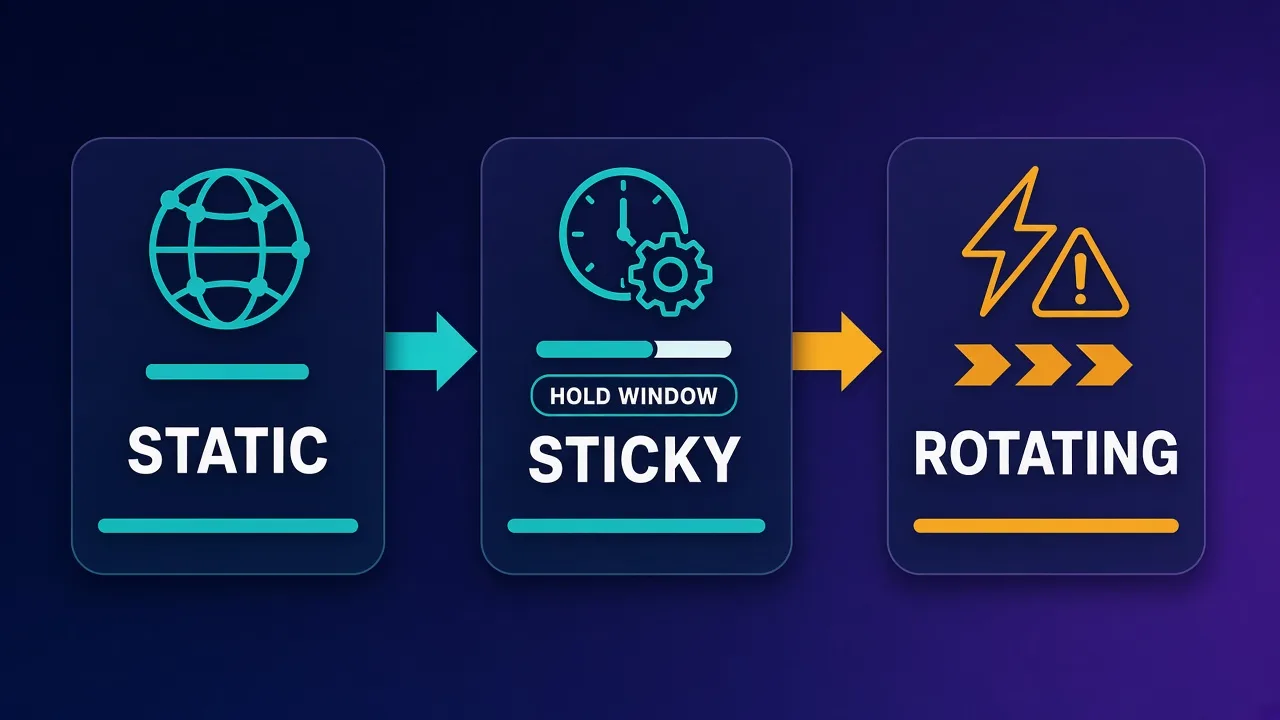
- Rotating: Great for fetching public pages at scale. Poor default for keeping the same Telegram account online all day.
- Sticky (temporary static): Same IP for a timed window (for example tens of minutes). Useful for short work blocks if true static inventory is thin.
- Static / dedicated / ISP: Same IP for the plan duration (or until you release it). Best fit for multi-account messaging ops.
Sticky residential can bridge the gap when you need residential reputation without buying a permanent ISP IP. Just confirm the sticky TTL in the provider dashboard before you bind an important account to it. A "sticky" session that rotates every few minutes is rotating with better marketing.
For Telegram, prefer one stable IP per sensitive account. Sharing one static IP across a dozen accounts recreates the same correlation problem you tried to escape—only now everyone shares a single rented address.
ISP static residential vs dedicated datacenter
Proxy marketplaces usually split "static-looking" inventory into a few buckets. Names vary by vendor, so read the product page carefully.
ISP / static residential
ISP proxies (sometimes sold as static residential) are typically IPs assigned through ISP-looking ASNs and hosted in a more stable way than consumer peer networks. They often combine residential-like reputation with datacenter-like uptime. For Telegram multi-account work, this is frequently the sweet spot: believable network identity without the churn of rotating peers.
Dedicated datacenter
Dedicated datacenter IPs are cheap, fast, and fully yours for the lease period. Latency is excellent for chat. The trade-off is reputation: many cloud and hosting ranges are already tagged as non-residential. Some Telegram workflows still run fine on clean dedicated IPs, especially low-volume support accounts. Heavy multi-account setups on notoriously shared subnets see more friction.
Sticky rotating residential
You keep a peer IP for a session window. Quality depends on peer honesty, region accuracy, and how aggressively the provider recycles. Useful when you need a city-level consumer look for a temporary campaign, less ideal as a permanent home for a flagship brand account.
Mobile (4G/5G)
Mobile proxies can look highly trustworthy because they exit through carrier CGNAT ranges. They cost more and sometimes change gateway IPs when the modem reconnects. For Telegram they can work well, but this guide prioritizes static ISP and dedicated options that are easier to pin to one account for months.
Choosing among these types is less about a universal winner and more about matching risk tolerance, budget, and how long each account must remain stable. When in doubt, start with ISP/static for the accounts that matter most, and use dedicated datacenter only where you have tested the range.
Static proxy comparison for Telegram workloads
Use this table as a planning lens. Live pricing and ratings sit on the provider cards further down—do not treat qualitative labels here as scored benchmarks.
| Proxy type | IP stability | Typical reputation | Latency feel | Best Telegram fit | Main trade-off |
|---|---|---|---|---|---|
| ISP / static residential | High (plan-bound) | Often stronger than hosting | Good | Long-lived multi-account ops | Higher cost than raw datacenter |
| Dedicated datacenter | High | Hosting-like; varies by subnet | Excellent | Low-volume support / internal bots | Range reputation can sour |
| Sticky residential | Medium (TTL-bound) | Consumer-like while sticky holds | Variable | Short campaigns, testing | TTL expiry forces IP change |
| Rotating residential | Low | Mixed pool | Variable | Not ideal for chat sessions | Looks like credential hopping |
| Mobile dedicated | Medium–high | Carrier-like | Good | High-trust niche accounts | Price and modem churn |
If you already know you need SOCKS5 inside Telegram's settings panel, confirm the provider exposes SOCKS5 (or a local forwarder) for the static product you buy. HTTP-only endpoints are a common mismatch.
Top static and ISP proxy picks for Telegram
These providers are published on Proxyaxis and offer ISP, dedicated, or otherwise static-friendly inventory suitable for account management. Picks are qualitative: match the card details to your region needs, then verify SOCKS5/HTTP access and sticky or dedicated controls in each dashboard. For a trust checklist beyond features, see what makes a proxy provider trustworthy.
Bright Data — enterprise ISP and static depth
Bright Data is a strong fit when you need broad geo coverage, formal contracting, and multiple product lines in one place. For Telegram ops, look specifically at ISP / static products rather than the default rotating residential pool used for scraping. Enterprise tooling helps teams assign IPs cleanly across client projects, which matters more than raw pool size when each account needs its own stable egress.
Bright Data
Bright Data remains the most complete data-collection platform money can buy. No competitor matches its combination of network scale, targeting granularity, and compliance tooling — and for enterprise teams whose revenue depends on reliable data, that completeness justifies the premium. The trade-offs are real: it is one of the priciest providers per gigabyte, the interface overwhelms newcomers, and KYC verification adds friction before you can route a single request. Smaller projects will get better value from Decodo or IPRoyal. But if you need city-level residential targeting at scale, a managed unblocker for the hardest targets, and audit-ready compliance, Bright Data is the default — and our highest-rated proxy provider overall.
Oxylabs — premium ISP inventory for serious ops
Oxylabs is another premium network with ISP and dedicated-style options alongside residential. Choose it when uptime, documentation, and account management workflows matter as much as the IP label. Telegram teams that already standardize on Oxylabs for other channels can keep vendor sprawl down by pulling static ISP endpoints from the same relationship.

Oxylabs
Oxylabs is the enterprise provider that gets the fundamentals right. The network is huge and well-maintained, the scraper APIs are genuinely best-in-class, and the documentation and SDKs make integration faster than almost any competitor. What sets it apart from Bright Data is service: dedicated account managers, responsive support, and cleaner tooling mean less time fighting the platform and more time shipping. The cost is higher entry pricing, and the deepest discounts favor high-volume commitments. For serious commercial data operations that can justify the spend, Oxylabs is a top-two choice and frequently the one teams stay with long-term.
Decodo — balanced ISP and residential mix
Decodo (often evaluated as a price/performance all-rounder) publishes ISP alongside residential and datacenter types. That mix helps when some Telegram accounts deserve ISP stability while lower-risk internal accounts can sit on cheaper dedicated IPs. Self-serve dashboards and straightforward session controls are the practical reasons teams shortlist it for messaging work.

Decodo
Decodo offers the best price-to-performance ratio in the industry. It delivers roughly 90% of what the enterprise leaders provide — high success rates, a large clean pool, sticky sessions, an unblocker — at a fraction of their cost. The dashboard is the friendliest of any major provider, the 14-day money-back guarantee removes the risk of trying it, and support actually responds. The main gaps are enterprise-grade compliance tooling and the very deepest targeting, neither of which most teams need. For startups, solo developers, and any team that wants professional results without enterprise pricing, Decodo is our top value pick and an easy recommendation.
NetNut — ISP-grade direct connectivity focus
NetNut markets ISP-grade residential connectivity with an emphasis on direct paths. For Telegram, that positioning maps well to sticky, low-churn sessions where you care about consistent routing more than massive rotating peer diversity. Validate city/country availability for the markets your accounts claim to sit in before you bind production logins.

NetNut
NetNut's direct-ISP architecture is more than marketing — it genuinely delivers steadier, faster sessions than peer-to-peer networks, because it does not depend on consumer devices staying online. That makes it a standout for uptime-critical workloads like brand protection and ad verification, where a dropped session means lost data. The trade-offs are business-oriented pricing, higher minimum commitments, and a dashboard that takes some learning. If session stability is your priority and you operate at business scale, NetNut is one of the most reliable residential networks available and well worth the 7-day trial.
SOAX — flexible targeting with ISP options
SOAX is useful when precise geo-targeting and flexible proxy types matter in the same subscription. Static or ISP endpoints plus clean targeting help agencies keep regional community accounts aligned with the countries they actually serve. As always, prefer dedicated or long sticky modes for Telegram rather than aggressive rotation.

SOAX
SOAX is the targeting specialist. City- and ISP-level selection on every plan — not locked behind premium tiers — is genuinely rare, and the continuously cleaned pool keeps success rates high where it matters. It is not the fastest network, the interface could use a refresh, and SOCKS5 coverage is uneven. Those are real but minor gripes against a provider that nails the fundamentals of precision and reliability. For ad verification, localized market research, and social-media work that depends on appearing in an exact location, SOAX is one of the best mid-market options available.
Proxy-Seller — dedicated private IPs per account
Proxy-Seller is a practical pick when you want simple dedicated private proxies priced per IP. That model maps cleanly to "one Telegram account, one IP." Dedicated datacenter ranges are not automatically premium-reputation, so test a small batch on non-critical accounts first, then scale the ones that stay quiet.

Proxy-Seller
Proxy-Seller is excellent value if you want fixed, dedicated IPs instead of metered bandwidth. Per-IP pricing from $1.30 with unlimited bandwidth, flexible rental terms, and unusually cheap IPv6 make it a smart choice for account management and SEO. It is not the place for large rotating-residential workloads — the per-IP model does not scale to mass scraping that needs thousands of fresh addresses. The dashboard is also plain and functional rather than polished. But for stable, dedicated identities at a low cost, backed by 24/7 support, Proxy-Seller is one of the better dedicated-proxy specialists around.
Webshare — self-serve static and ISP access
Webshare suits operators who want self-service purchasing without enterprise sales friction. With datacenter, ISP, and residential types available, you can prototype a static Telegram setup quickly, then upgrade density as the account roster grows. Pair each purchased IP with a clear internal spreadsheet so you never reuse the same egress across unrelated brands.

Webshare
Webshare is the developer's self-service favorite. Instant activation, a free tier that is actually free, and the cheapest fast datacenter proxies in the market make it the easiest provider to just start using. The custom plan builder — pick your IP count, bandwidth, and threads — is a genuinely good model that lets you avoid paying for capacity you do not need. The residential pool is newer and less battle-tested than specialists, and support is thin on the lower tiers. For datacenter proxies, API-driven workflows, and anyone who wants to try before paying, Webshare is one of the best-value options around.
How to use the cards
Open each provider card for live pricing, ratings, and product links. Cross-check that the SKU you buy is ISP, dedicated, or long-sticky—not a rotating residential plan accidentally selected from a default dropdown.
How to set up a static proxy with Telegram
Exact menus shift by Telegram Desktop and mobile version, but the flow is stable enough to follow without screenshots of a single build.
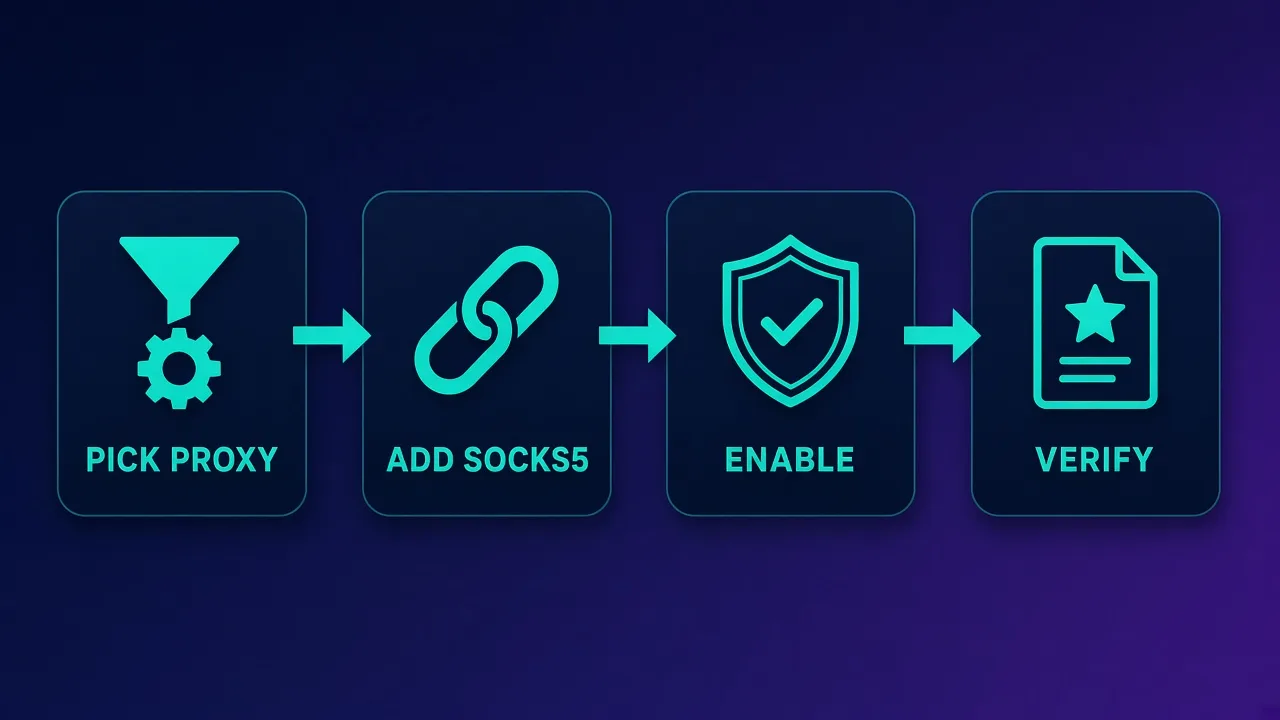
1. Buy and label the IP
Purchase one static/ISP/dedicated IP (or a long sticky port) per sensitive account. Record: host, port, protocol (prefer SOCKS5 when Telegram's in-app field is used), username/password, country, and which Telegram account owns it. Never share that sheet outside the ops team.
2. Decide routing style
- In-app SOCKS5: Telegram Desktop/mobile proxy settings. Good when only Telegram should move.
- System or container proxy: Route a VM, browser profile, or phone emulator through the proxy so the whole environment matches.
- Forwarder: Local tools that accept HTTP upstream and expose SOCKS5 locally if your provider's static product is HTTP-only.
3. Telegram Desktop (high level)
Open Settings → Advanced (or search Settings for "Proxy"). Add a proxy, choose SOCKS5 when available, paste host/port/credentials, save, and enable. Confirm the connection indicator turns healthy, then send a message in Saved Messages and open a photo to validate media—not only text.
4. Telegram Android / iOS (high level)
Look under Settings → Data and Storage → Proxy (wording varies). Add SOCKS5, enable it, and run the same text-plus-media check. If the phone also has an OS-level VPN or Wi-Fi proxy, disable the extras while testing so two layers do not fight.
5. Bind habits, not just settings
Keep the same device profile with the same proxy. Avoid logging the same account in from home Wi-Fi one hour and the static proxy the next without a reason. Warm new accounts gradually. Static IPs reduce noise; they do not erase reckless automation.
If chats connect but media stalls, revisit protocol mismatch, blocked ports, or overloaded shared gateways before assuming an account restriction.
Pitfalls that burn static proxy budgets
Most Telegram proxy failures are operational, not mystical.
- Shared "static" that is not exclusive: If dozens of customers share the IP, you inherit their reputation. Prefer dedicated or clearly allocated ISP assignments.
- Banned or noisy ranges: Hosting subnets and recycled residential pools can already be flagged. Buy small, test, then scale. Ask about replacements when an IP goes bad.
- Protocol mix-ups: Pasting an HTTP port into Telegram's SOCKS5 field yields "connected" theater with broken media.
- One IP, many brands: Correlation across accounts on one egress undoes the point of static separation.
- Ignoring ToS: Spam, fake engagement, and unauthorized automation can still get accounts limited on pristine IPs. Network hygiene is not a ToS waiver.
- Sticky TTL surprises: Binding a production account to a 10-minute sticky and then leaving for lunch is how you create your own IP churn.
- VPN + proxy stacking: Extra tunnels add failure modes and confusing exit geography.
When an IP goes bad, rotate that account's egress deliberately, re-verify if Telegram asks, and document the change. Random hopping under pressure is how small incidents become multi-account outages.
Costs and trade-offs
Static and ISP products usually cost more per usable identity than rotating residential billed by the gigabyte—because you are paying for exclusivity and time, not only bytes. Dedicated datacenter IPs are often the cheapest static option per month but may carry weaker reputation. Mobile dedicated sits at the high end.
Budget in layers:
- Critical public-facing accounts: ISP / static residential or carefully tested mobile.
- Internal or low-risk accounts: Dedicated datacenter after a pilot.
- Short tests: Sticky residential with a known TTL.
Also price your time: a cheaper IP that forces weekly re-verification can cost more than a cleaner ISP endpoint. Watch for non-expiring traffic marketing on rotating plans—that perk rarely matters if your real need is a month-long dedicated address.
Compare providers on replacement policy, authentication options, dashboard clarity, and whether you can buy single IPs without enterprise minimums. Live cards above keep list prices current; treat any screenshot of a price in a random blog as stale.
Who static Telegram proxies are for (and not for)
Good fit:
- Agencies managing multiple client community or support accounts
- Creators separating personal and brand identities on one workstation
- Ops teams that already use antidetect profiles and need matching network stability
- Anyone who tried rotating residential for chat and saw constant session friction
Usually a poor fit:
- People who only need Telegram unblocked on a censored network once—a simple SOCKS5 or VPN may be enough
- High-volume public-web scraping (use rotating residential instead)
- Anyone hoping a proxy alone will legitimize ToS-breaking automation
- Teams unwilling to track IP-to-account assignments carefully
If your problem is "Telegram will not connect on this Wi-Fi," fix connectivity first. If your problem is "several long-lived accounts keep colliding on one office IP," static proxies are the right category.
Conclusion
Static proxies for Telegram are about boring consistency: one clean egress per important account, protocols that match the client, and usage that stays inside platform rules. ISP and static residential products usually earn the first look for multi-account messaging; dedicated datacenter IPs remain useful when you have tested the range; sticky residential is a bridge, not always a home.
Start with a small pilot on non-critical accounts, confirm SOCKS5 paths and media uploads, then scale the providers whose ranges stay quiet. Use the live provider cards for current pricing, keep internal link context from guides like the best proxies for Telegram overview when you need rotating options too, and treat every IP as an identity asset you can inventory—not a disposable lottery ticket.
Frequently asked questions
A static proxy gives your Telegram client a public IP that stays the same across sessions instead of changing on every request. That stability helps multi-account and long-lived messaging setups look less like aggressive IP hopping. ISP and dedicated products are the common ways to buy that stability.
Often yes for important accounts, because ISP or static residential ranges can look less like hosting infrastructure. Dedicated datacenter IPs are faster and cheaper but may sit on noisier subnets. Test a small batch before moving flagship accounts.
You can, but they are usually a poor default for chat sessions that stay logged in all day. Frequent IP changes can trigger extra verification or session friction. Prefer static, dedicated, or long sticky sessions for account management.
Yes. Telegram Desktop and mobile apps let you add a SOCKS5 proxy in Settings. Use the SOCKS5 host and port from your provider, enable the entry, and verify both text and media after connecting.
Keep sensitive accounts on separate IPs whenever budget allows. Sharing one static address across many brands recreates correlation risk. A common ops pattern is one dedicated or ISP IP per important account, with careful inventory tracking.
Sticky proxies hold the same peer IP for a timed window, then may rotate. Static or dedicated proxies stay assigned for the plan period until you release them. For months-long Telegram account homes, true static or ISP assignments beat short sticky TTLs.
No. A clean stable IP can reduce network-related friction, but it does not override Terms of Service, spam reports, or abusive automation. Treat proxies as hygiene for legitimate multi-account workflows, not as a ban-proof shield.
Open Settings, find Data and Storage or search for Proxy, add a SOCKS5 entry with host, port, and credentials, then enable it. Disable conflicting system VPNs while testing, and confirm photos load after chats connect.