Table of contents
Almost every proxy provider now prints "SOCKS5" somewhere on its pricing page, but "supported" can mean very different things. On one provider it works on every product, carries UDP, and uses the same credentials as HTTP. On another it only works on one gateway, only over TCP, or only if you skip username and password authentication. If you're picking a provider specifically because your tool speaks SOCKS5, those details decide whether your setup works on the first try.
This guide compares six providers that support SOCKS5 properly: IPRoyal, Decodo, Oxylabs, Webshare, Proxy-Seller and ASocks. For each one we checked the official product pages, documentation and pricing on 4 November 2026 to see which product types carry SOCKS5, whether UDP is supported, how authentication works and what the entry price looks like. We also cover when SOCKS5 actually matters, the setup mistakes that cause most "my SOCKS5 proxy doesn't work" tickets, and how to test a proxy before you commit real traffic.
How to read this list
Prices and features below come from each provider's own website as checked on 4 November 2026. They change often, so confirm on the provider's site before you buy. We don't rank by a single speed number, because speed through a SOCKS5 proxy depends far more on the pool, location and target than on the protocol itself.
Quick picks
- Best all-round SOCKS5 coverage: Decodo, which states that residential, mobile, ISP and datacenter proxies all support SOCKS5 with both TCP and UDP.
- Best for pay-as-you-go residential SOCKS5: IPRoyal, with traffic that doesn't expire and sticky sessions of up to 7 days.
- Best for enterprise targeting: Oxylabs, with ASN, ZIP code and coordinate targeting on residential SOCKS5.
- Best budget and free option: Webshare, which includes SOCKS5 on every plan including the free 10-proxy tier.
- Best for static and IPv6 SOCKS5: Proxy-Seller, with dedicated IPv4, IPv6 and ISP proxies that all speak SOCKS5.
- Best flat-rate residential: ASocks, with a published $3/GB pay-as-you-go rate and per-proxy unlimited plans.
What SOCKS5 actually does (and what it doesn't)
SOCKS5 is a general-purpose proxy protocol defined in RFC 1928. Your client opens a connection to the proxy, optionally authenticates (usually with a username and password), and then asks the proxy to connect to a destination host and port. From then on the proxy simply relays bytes in both directions. It doesn't read HTTP headers, rewrite requests or cache responses. That's the key difference from an HTTP proxy, which understands web requests and can modify them.
Because it works below the application layer, SOCKS5 can carry almost any TCP traffic: web requests, but also SMTP, FTP, database connections, game clients or a custom protocol your own software uses. The specification also defines a UDP ASSOCIATE command, so a SOCKS5 proxy can relay UDP datagrams too. That's what makes it useful for VoIP, some games, DNS-over-UDP and HTTP/3, which runs over QUIC on UDP.
What SOCKS5 does not do is encrypt your traffic. The connection between you and the proxy is not protected by the protocol itself, which is why HTTPS on top still matters and why a SOCKS5 proxy is not a VPN replacement. It also doesn't make you faster or harder to detect on its own. Detection depends on the IP's reputation and your browser or client fingerprint, not on the proxy protocol. Our SOCKS5 vs HTTP proxies guide goes deeper on the protocol differences.
When SOCKS5 matters and when HTTP is fine
For a lot of web scraping, HTTP(S) proxies work just as well. Most scraping libraries speak HTTP proxies natively, and once an HTTPS tunnel is established through an HTTP CONNECT proxy, the speed is essentially the same. Webshare says this plainly on its own SOCKS5 page: once connected, SOCKS5 and HTTP move data at about the same speed.
SOCKS5 genuinely matters in these situations:
- Your tool only accepts SOCKS5. Some desktop apps, Telegram clients, torrent clients and older automation tools have a SOCKS field and nothing else.
- You're proxying non-HTTP traffic. Mail clients, FTP, SSH tunnels, custom TCP protocols or database drivers can't use an HTTP proxy without extra tooling.
- You need UDP. Voice and video calls, many games and HTTP/3 traffic need UDP. Only some providers relay UDP over SOCKS5, so this is the biggest differentiator in the list below.
- You want DNS resolved at the proxy. With
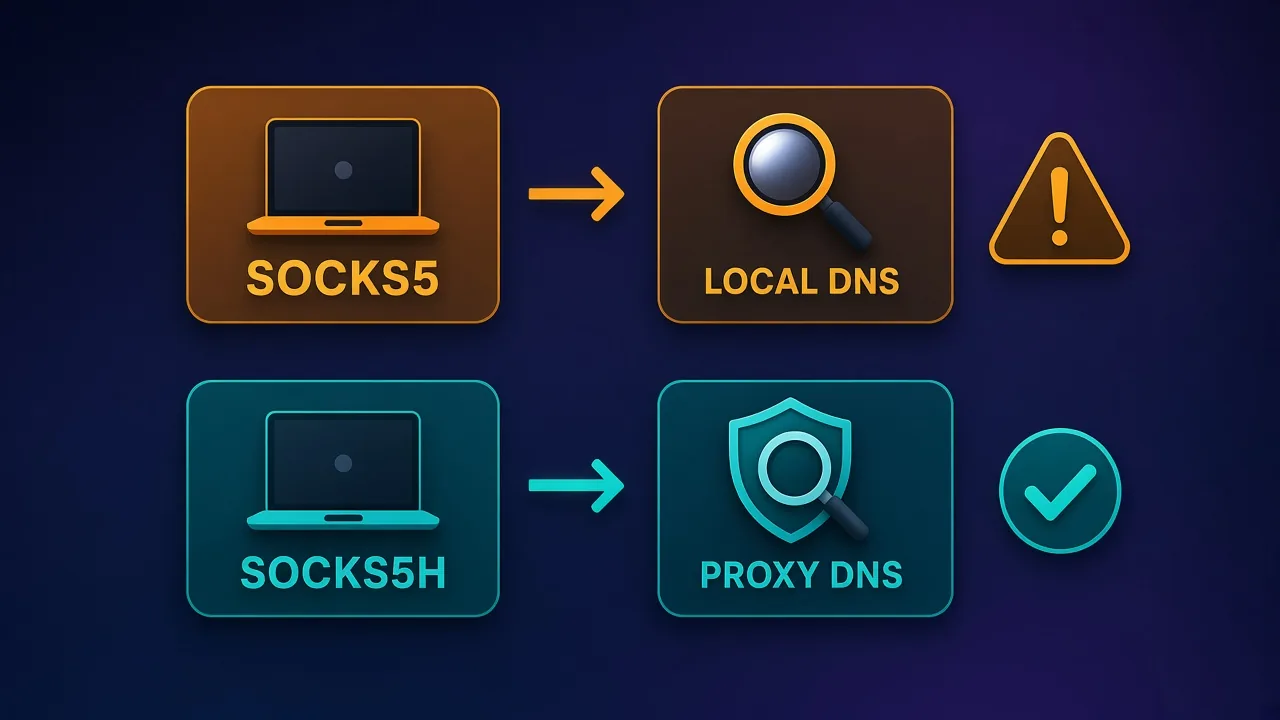
socks5h://the hostname lookup happens on the proxy side, which keeps DNS queries off your own network. - Antidetect browsers and multi-account tools. Most of them accept both, but some teams standardise on SOCKS5 so one proxy list works across every tool.
If none of those apply, buy the proxy type that fits your target (residential, ISP or datacenter) and use whichever protocol your tool handles best. Our guide to proxy types explains which pool fits which job.
How we picked these providers
We started from providers with published listings on Proxyaxis and kept only those whose official pages clearly document SOCKS5 support. For each we looked at five things:
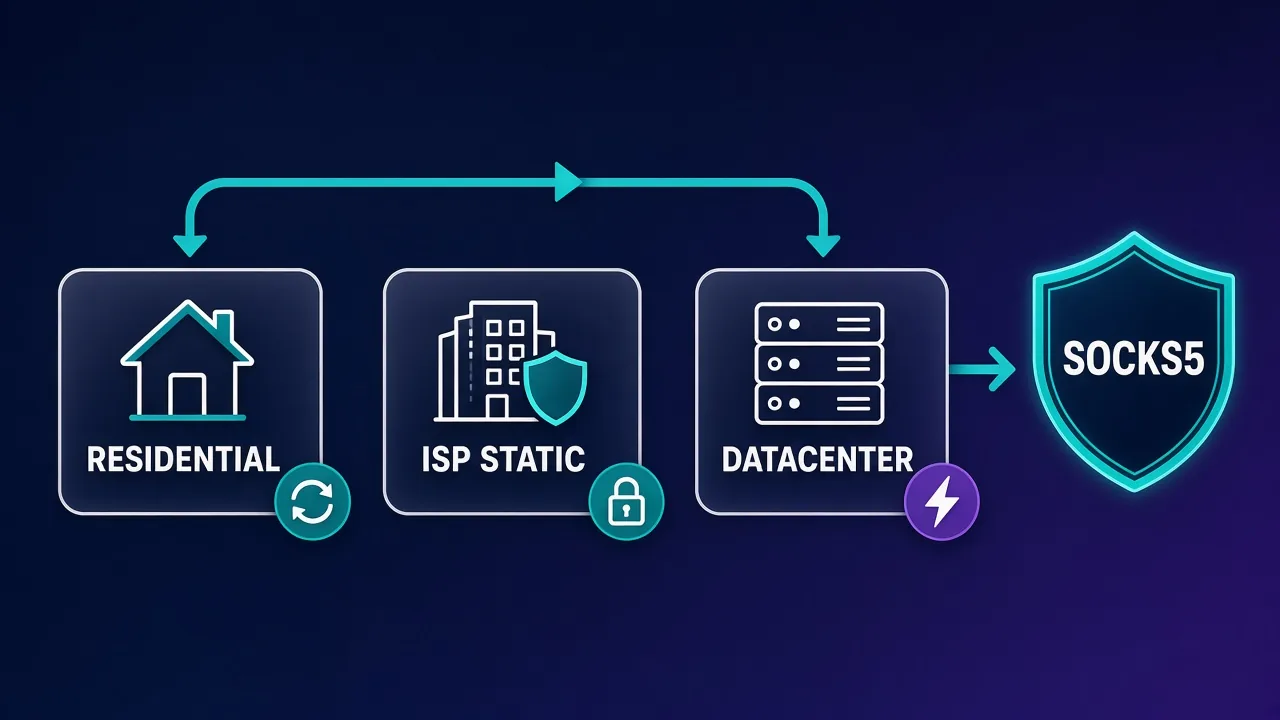
- Which products carry SOCKS5: residential, ISP (static residential), datacenter and mobile.
- UDP support: whether the provider documents UDP relay through SOCKS5, and on which products.
- Authentication: username and password, IP allowlisting, or both, and whether the same credentials work across HTTP and SOCKS5.
- Gateway quirks: special endpoints or ports needed for SOCKS5, and how sticky sessions work.
- Entry pricing and billing model: per GB, per IP or per proxy, and whether traffic expires.
We didn't include providers whose sourcing has been publicly questioned or disrupted, even where they advertise SOCKS5. Cheap SOCKS5 lists with unclear origins are exactly where abuse problems tend to come from.
SOCKS5 support by provider at a glance
| Provider | SOCKS5 on | UDP over SOCKS5 | Authentication | Entry price (official site, 4 Nov 2026) |
|---|---|---|---|---|
| IPRoyal | Residential, ISP, datacenter | Residential SOCKS5 page lists TCP/UDP | User:pass or IP whitelist | Residential from $7.00/GB for 1 GB (subscription) or $7.35/GB pay-as-you-go |
| Decodo | Residential, mobile, ISP, datacenter | Yes, all proxy types | User:pass or IP whitelist | Residential 3 GB at $3.75/GB; datacenter 10 GB at $0.60/GB |
| Oxylabs | Residential, dedicated datacenter | UDP via dedicated datacenter; residential SOCKS5 is TCP | User:pass | Residential from $2.5/GB; dedicated datacenter from $1.2/IP |
| Webshare | Proxy Server (datacenter), static residential, rotating residential | No, TCP only | User:pass or IP authorization | Free 10 proxies; 100 datacenter proxies for $2.99/month |
| Proxy-Seller | IPv4, IPv6, ISP, mobile, residential | Yes on residential (UDP and QUIC) | User:pass, IP, or both | IPv4 from $0.49/IP; IPv6 from $0.02/IP; residential from $3.5/GB |
| ASocks | Residential, mobile, corporate | Not documented on the pages we checked | User:pass | Residential $3/GB pay-as-you-go or $5 per proxy/month unlimited |
The best SOCKS5 proxy providers
1. Decodo: SOCKS5 with TCP and UDP on every proxy type
Decodo (formerly Smartproxy) has the cleanest SOCKS5 story of the group. Its FAQ states that all proxy types (residential, mobile, ISP and datacenter) support HTTP(S) and SOCKS5, including both TCP and UDP traffic through SOCKS5. Residential proxies also support HTTP/3 over a dedicated SOCKS5-plus-UDP endpoint at no extra cost. You can authenticate with username and password or an IP whitelist, and the SOCKS5 page shows a 3-day free trial and a 14-day money-back policy.
There are two quirks worth knowing before you plug it in. Residential and mobile SOCKS5 must go through gate.decodo.com on port 7000, so country endpoints like us.decodo.com won't work over SOCKS5; you target locations with username parameters such as user-username-country-us instead. And to get a sticky SOCKS5 session you must add a session parameter, otherwise the IP rotates even if you set a session duration. On the SOCKS5 pricing block, residential starts at a 3 GB plan at $3.75/GB and datacenter at 10 GB for $0.60/GB.

Decodo
Decodo offers the best price-to-performance ratio in the industry. It delivers roughly 90% of what the enterprise leaders provide — high success rates, a large clean pool, sticky sessions, an unblocker — at a fraction of their cost. The dashboard is the friendliest of any major provider, the 14-day money-back guarantee removes the risk of trying it, and support actually responds. The main gaps are enterprise-grade compliance tooling and the very deepest targeting, neither of which most teams need. For startups, solo developers, and any team that wants professional results without enterprise pricing, Decodo is our top value pick and an easy recommendation.
2. IPRoyal: pay-as-you-go residential SOCKS5 that doesn't expire
IPRoyal's dedicated residential SOCKS5 page lists TCP and UDP protocols, rotating and sticky sessions, country, state and city targeting, and sticky IPs held for up to 7 days. The residential product page lists HTTP, HTTPS and SOCKS5 as supported protocols with unlimited concurrent sessions, and IPRoyal also marks its ISP and datacenter proxies as SOCKS5-supported.
The appeal is the billing model. Residential traffic is bought per GB and never expires, so you can top up once and use it over months. On the pricing page we checked, 1 GB costs $7.00/GB on the subscription option or $7.35/GB pay-as-you-go, 10 GB drops to $5.25/GB, and custom plans reach $1.75/GB, but only from 10 TB of traffic. That headline rate is a volume price, not what a small buyer pays. Our IPRoyal pricing breakdown walks through the tiers.

IPRoyal
IPRoyal is the best pure pay-as-you-go deal in proxies. Non-expiring traffic is a genuinely customer-friendly policy that no major rival matches — buy what you need, use it whenever, lose nothing. The pool is smaller than the premium networks and success rates can soften on the most heavily defended targets, so high-volume enterprise scraping is not its strength. The dashboard is also fairly basic. For intermittent scraping, account work, and sneaker copping on a predictable budget, IPRoyal is an easy recommendation and one of the best value picks for occasional users.
Reports of Pawns.app on hacked devices
Security researchers have found IPRoyal's Pawns.app bandwidth-sharing software installed on compromised devices. GreyNoise reported an actor that installed it on at least 143 hacked edge devices, and AhnLab documented adware droppers and attacks on poorly managed MS-SQL servers doing the same. None of these reports says IPRoyal installed the software itself; criminals ran it on devices they didn't own and collected the payouts. IPRoyal's sourcing policy says suppliers must show device owners gave informed consent and that it checks its pool daily against abuse databases. Buyer takeaway: use these IPs only for legitimate work and ask how consent is proven before committing to a large plan. Full background in our IPRoyal pricing explainer.
3. Oxylabs: enterprise-grade targeting on residential SOCKS5
Oxylabs offers SOCKS5 on two products: residential proxies and dedicated datacenter proxies. Its residential pool is advertised at 175M+ IPs with continent, coordinate, ASN, ZIP code, city, state and country targeting, which is more granular than most of this list. Concurrency is unlimited.
The important detail is UDP. Oxylabs' SOCKS5 page describes residential SOCKS5 as TCP connections and points users who need UDP to its dedicated datacenter proxies. So if your workload is UDP-heavy (calls, games, QUIC), pick the datacenter product, not residential. Oxylabs also notes that its SOCKS5 residential proxies can't be used in Google Chrome with authentication, and recommends Firefox with a proxy extension for browser use. Listed starting prices are $2.5/GB for residential and $1.2/IP for dedicated datacenter, and the page mentions $5 of welcome credit for new accounts.

Oxylabs
Oxylabs is the enterprise provider that gets the fundamentals right. The network is huge and well-maintained, the scraper APIs are genuinely best-in-class, and the documentation and SDKs make integration faster than almost any competitor. What sets it apart from Bright Data is service: dedicated account managers, responsive support, and cleaner tooling mean less time fighting the platform and more time shipping. The cost is higher entry pricing, and the deepest discounts favor high-volume commitments. For serious commercial data operations that can justify the spend, Oxylabs is a top-two choice and frequently the one teams stay with long-term.
4. Webshare: SOCKS5 on every plan, including free
Webshare is the easiest way to try SOCKS5 without spending anything. Every proxy accepts SOCKS5 and HTTP on the same port, so you switch protocols just by changing the scheme in your tool. SOCKS5 is included on Proxy Server (shared datacenter), static residential and rotating residential plans, including the free plan of 10 proxies with 1 GB of monthly bandwidth.
Webshare is also refreshingly explicit about limits. Its SOCKS5 page says both protocols run over TCP and UDP isn't supported, and that Chromium-based browsers, including headless Chrome in Puppeteer and Playwright, don't support username and password authentication for SOCKS5. The fix it recommends is to add your server's IP under IP authorization, or switch to HTTP with credentials. Paid datacenter plans start at 100 proxies for $2.99/month, and the SOCKS5 location list covers 195 countries for rotating residential and 50+ for Proxy Server.

Webshare
Webshare is the developer's self-service favorite. Instant activation, a free tier that is actually free, and the cheapest fast datacenter proxies in the market make it the easiest provider to just start using. The custom plan builder — pick your IP count, bandwidth, and threads — is a genuinely good model that lets you avoid paying for capacity you do not need. The residential pool is newer and less battle-tested than specialists, and support is thin on the lower tiers. For datacenter proxies, API-driven workflows, and anyone who wants to try before paying, Webshare is one of the best-value options around.
5. Proxy-Seller: static IPv4, IPv6 and ISP SOCKS5
Proxy-Seller is built around static, dedicated IPs, and every package supports HTTP, HTTPS and SOCKS5. That makes it a strong fit for tools that want a fixed SOCKS5 address per account, like antidetect browser profiles or long-lived sessions. On its comparison table, dedicated IPv4 starts at $0.49/IP, IPv6 at $0.02/IP, ISP at $0.98/IP and mobile at $10/IP, with unlimited bandwidth on the static products under a fair-usage policy.
Its residential product is also worth a look for UDP work: Proxy-Seller says SOCKS5 on residential carries UDP and QUIC (HTTP/3), provided you use a UDP-capable client such as Proxifier, Clash or sing-box. Residential traffic is priced from $3.5/GB for 1 GB down to $1.45/GB at 1,000 GB, and packages are valid for 30 days. There's no free trial, but Proxy-Seller offers replacement or a refund within 24 hours of delivery if proxies don't meet the stated specifications.

Proxy-Seller
Proxy-Seller is excellent value if you want fixed, dedicated IPs instead of metered bandwidth. Per-IP pricing from $1.30 with unlimited bandwidth, flexible rental terms, and unusually cheap IPv6 make it a smart choice for account management and SEO. It is not the place for large rotating-residential workloads — the per-IP model does not scale to mass scraping that needs thousands of fresh addresses. The dashboard is also plain and functional rather than polished. But for stable, dedicated identities at a low cost, backed by 24/7 support, Proxy-Seller is one of the better dedicated-proxy specialists around.
6. ASocks: flat-rate residential and mobile SOCKS5
ASocks is a smaller provider that keeps pricing simple. Its site advertises 7M+ IPs across 150+ locations and HTTP(S) plus SOCKS5 support with city and ASN targeting. Its own comparison page lists residential and mobile pay-as-you-go traffic at $3/GB, and the homepage shows unlimited-traffic plans at $5 per proxy per month for residential and $15 per proxy per month for mobile, with discounts from 10 proxies.
The trade-off is a smaller pool and less public documentation. We couldn't find UDP support described on the ASocks pages we checked, so treat it as a TCP option unless support confirms otherwise. It's a sensible pick for antidetect browser users who want SOCKS5 residential or mobile IPs at a predictable price.

Asocks
Asocks' flat $3/GB is a small act of mercy in a market of pricing matrices — what you see is what everyone pays, and at entry volumes it beats most mid-market rates. The network behind it is competent rather than exceptional: a mid-sized pool that handles mainstream targets and yields on the hardest ones. Heavy users will out-negotiate the flat rate elsewhere. For fluctuating or modest usage where pricing simplicity matters, it is an easy provider to like.
Setup gotchas that break SOCKS5 proxies
Most failed SOCKS5 setups come down to a handful of problems, and none of them is specific to one provider.
socks5 vs socks5h
In cURL and Python requests, socks5:// resolves the hostname on your machine and sends the IP to the proxy, while socks5h:// sends the hostname and lets the proxy resolve it. Use socks5h:// when you care about DNS privacy or when the target resolves differently by region. Decodo's own documentation uses socks5h:// in its examples for this reason.
curl -x "socks5h://USERNAME:PASSWORD@proxy.example.com:1080" https://ifconfig.meIn Python, SOCKS support needs an extra dependency:
pip install "requests[socks]"

import requests

proxy = "socks5h://USERNAME:PASSWORD@proxy.example.com:1080"
r = requests.get("https://ifconfig.me", proxies={"http": proxy, "https": proxy}, timeout=20)
print(r.text)
Our cURL proxy guide has more examples, including authentication flags and debugging timeouts.
Browsers and SOCKS5 authentication
Chrome and other Chromium browsers don't support username and password authentication for SOCKS5 proxies, and that includes headless Chrome under Puppeteer and Playwright. Both Webshare and Oxylabs call this out. Your options are IP allowlisting (so no credentials are needed), switching to an HTTP proxy with credentials, using Firefox, or using an antidetect browser that handles SOCKS5 authentication itself.
Provider-specific endpoints
Some providers route SOCKS5 through a specific gateway or port. Decodo requires gate.decodo.com:7000 for residential and mobile SOCKS5 and a session parameter for sticky IPs. Always copy the SOCKS5 endpoint from the dashboard rather than reusing the HTTP one.
UDP needs a UDP-capable client
A provider supporting UDP doesn't help if your client only sends TCP through the proxy. Browsers and most HTTP libraries won't use SOCKS5 UDP. For calls, games or QUIC you need a client that implements UDP ASSOCIATE, such as Proxifier, Clash or sing-box.
Don't trust "free SOCKS5 lists"
Public SOCKS5 lists are often compromised devices or honeypots. Anything you send through them, including logins, can be logged. If you need free SOCKS5 to experiment, use a reputable provider's free tier instead.
What SOCKS5 proxies cost
None of the six providers charges extra for SOCKS5 itself. You pay for the proxy type and volume, and the protocol is included. The real cost decision is the billing model:
- Per GB (rotating residential, mobile): best when you need lots of IPs and moderate traffic. Watch for expiry: IPRoyal residential traffic never expires, while Proxy-Seller residential packages are valid for 30 days.
- Per IP (static datacenter, ISP, IPv6): best for heavy traffic on a fixed set of addresses, since bandwidth is usually unlimited under fair use. Proxy-Seller and Oxylabs dedicated datacenter fall here.
- Per proxy with unlimited traffic: ASocks' residential and mobile plans and Webshare's datacenter plans price by the number of proxies, which is predictable for always-on profiles.
Be careful comparing headline numbers. A "from $1.75/GB" or "from $1.45/GB" rate is the top volume tier, and small buyers pay several times that. Compare the price at the volume you'll actually use.
How to test a SOCKS5 proxy before you scale
Run a short checklist before pointing real work at a new proxy:
- Connectivity: request an IP echo service through
socks5h://and confirm you see the proxy's IP, not yours. - Location: check the reported country and city match what you targeted.
- DNS: run a DNS leak test to confirm lookups go through the proxy.
- Stickiness: send a few requests with a session ID and confirm the IP stays the same for the period you expect.
- Target success: try the real target a few dozen times and record blocks and CAPTCHAs.
- UDP (if needed): test with your actual UDP client, not a browser.
Our step-by-step proxy testing guide has commands for each of these checks.
Quick decision rule
Need UDP across product types? Start with Decodo. Need pay-as-you-go residential that doesn't expire? IPRoyal. Need static SOCKS5 per account? Proxy-Seller. Just testing? Webshare's free tier.
Who should (and shouldn't) shop for SOCKS5 specifically
Shop for SOCKS5 specifically if your software only accepts it, you're proxying non-web traffic, you need UDP, or you want one proxy list that works in every tool your team uses. In those cases, the UDP and authentication details in the table above matter more than a few cents per GB.
Don't shop for SOCKS5 specifically if you're scraping websites with a standard HTTP library or running Chrome-based automation with credentials. HTTP(S) proxies will be simpler to set up and just as fast, and every provider here sells the same IPs over both protocols anyway.
Bottom line
SOCKS5 support is now standard, but quality of support isn't. Decodo offers the broadest coverage with TCP and UDP on every proxy type. IPRoyal is the flexible pay-as-you-go residential choice. Oxylabs gives the most precise targeting, with UDP on its dedicated datacenter line. Webshare is the cheapest way in, with a free tier and honest documentation about its TCP-only limit. Proxy-Seller is the pick for static IPv4, IPv6 and ISP SOCKS5, and ASocks keeps residential and mobile SOCKS5 pricing flat and simple. Match the provider to whether you need UDP, static IPs or rotating residential, test before you scale, and confirm current prices on the provider's site.
Frequently asked questions
It depends on what you need SOCKS5 for. Decodo documents SOCKS5 with TCP and UDP on all its proxy types, IPRoyal suits pay-as-you-go residential use, Oxylabs offers the most granular targeting, and Webshare is the cheapest way to start with a free tier.
Not with the providers in this guide. Decodo, IPRoyal, Oxylabs, Webshare, Proxy-Seller and ASocks all include SOCKS5 at no extra charge, so you pay for the proxy type and volume rather than the protocol.
No. The SOCKS5 standard allows UDP relay, but providers decide whether to enable it. Decodo supports UDP on all proxy types, Proxy-Seller on residential and IPRoyal lists TCP/UDP for residential SOCKS5, while Webshare is TCP only and Oxylabs offers UDP through its dedicated datacenter proxies rather than residential.
With socks5:// your own machine resolves the hostname and sends the IP address to the proxy. With socks5h:// the hostname is sent to the proxy and resolved there, which keeps DNS lookups off your network and avoids location mismatches.
Chrome and other Chromium browsers, including headless Chrome in Puppeteer and Playwright, don't support username and password authentication for SOCKS5. Use IP allowlisting so no credentials are needed, switch to an HTTP proxy, use Firefox, or use an antidetect browser that handles SOCKS5 authentication.
Usually not in a way you'll notice. Once a connection is established, both protocols move data at roughly the same speed, so performance depends mostly on the proxy pool, its location and the target site.
No. SOCKS5 relays traffic without encrypting it, so you should still use HTTPS or another encrypted protocol on top. If you need your whole connection encrypted, a VPN is the better tool.
Webshare offers 10 free proxies with 1 GB of monthly bandwidth that support SOCKS5, and Decodo advertises a short free trial. Avoid public free SOCKS5 lists, which are often compromised devices or honeypots that can log your traffic.