Table of contents
Running many accounts on the same platform, whether that is a portfolio of ad accounts, a fleet of e-commerce storefronts or a stable of social profiles for clients, is a networking problem as much as a browser problem. Platforms link accounts that share signals, and the IP address is one of the loudest signals there is. If ten accounts log in from one address, or hop between addresses that look like a data centre, the platform does not need a fingerprint to connect the dots.
This guide explains which proxy types hold up for multi-account work, how to pair them with antidetect browser profiles, and which providers in our directory are the strongest fits. We focus on providers whose products we have checked against our own listings, and we keep prices out of the prose because they change often; the live cards pull current details from our directory.
Why multi-account work needs the right proxies
Platforms that care about account abuse, such as social networks, marketplaces and ad networks, look for patterns that suggest one operator is behind many accounts. The IP address contributes several of those signals at once:
- Shared IPs. Multiple accounts logging in from the same address, especially in the same session window, are an obvious link.
- IP type. Addresses registered to hosting companies look very different from addresses on consumer broadband or mobile networks.
- IP history. An address that has been used for spam or flagged activity carries that reputation to your account.
- Location jumps. An account that logs in from one city on Monday and another continent on Tuesday looks compromised or automated.
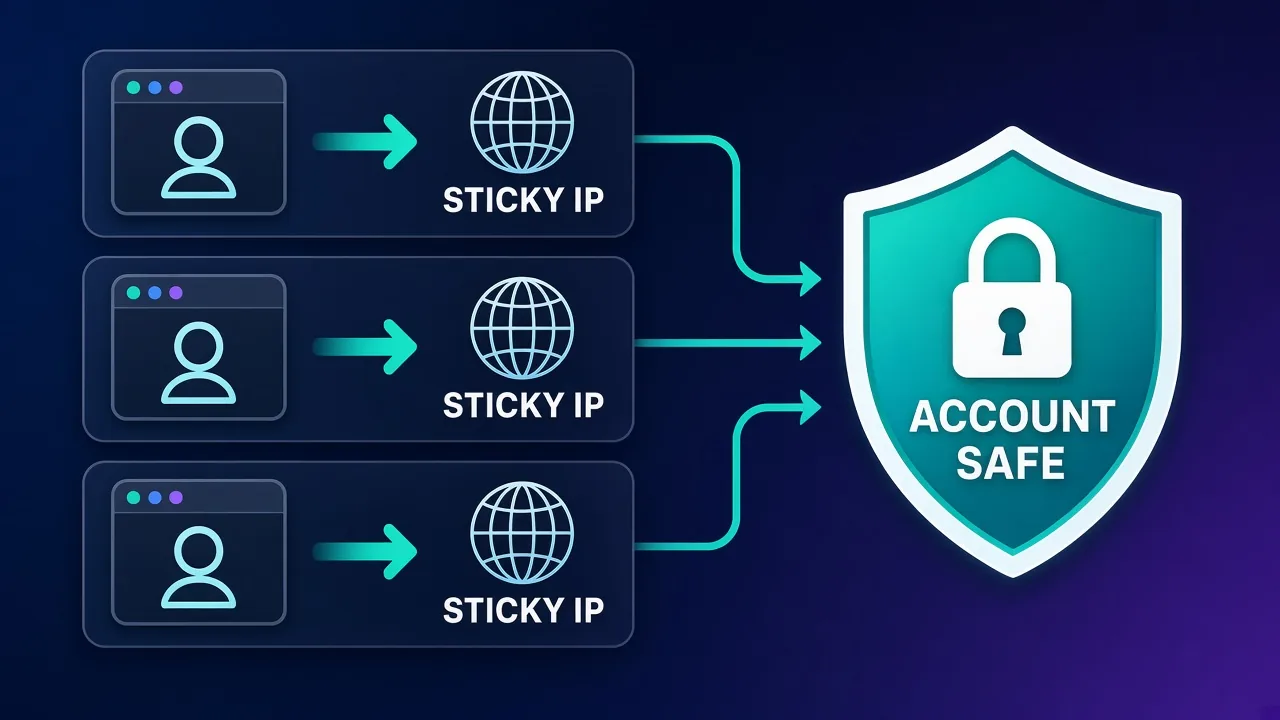
The goal is simple to state: each account should look like one consistent person on one consistent connection. Proxies are how you give each account its own connection; an antidetect browser is how you give each account its own device. You need both. Our explainer on whether you need proxies with antidetect browsers goes deeper on why one without the other fails.
Which proxy types work for multiple accounts
Not every proxy type is suitable. The right choice depends on how strict the platform is and how long each account needs to keep the same identity.
| Proxy type | How it looks to the platform | Stability | Multi-account fit |
|---|---|---|---|
| Static ISP (static residential) | Consumer ISP address | Same IP for as long as you rent it | Excellent for long-lived accounts |
| Sticky residential | Real home connection | Held for a session window, then may change | Good, if sessions are long enough |
| Mobile (4G/5G) | Carrier IP shared by many real users | Varies; often rotates on a timer or on demand | Excellent for strict social and app platforms |
| Rotating residential | Real home connection | New IP per request or short interval | Poor for logged-in accounts |
| Datacenter | Hosting provider address | Very stable | Risky on strict platforms |
Static ISP proxies
Static ISP proxies give you an address registered to a consumer ISP that does not change for as long as you keep it. For accounts that you plan to run for months, this is usually the most predictable option: one account, one dedicated IP, no surprises. Our roundup of the best ISP proxies compares this category in depth.
Sticky residential proxies
Sticky residential sessions hold the same home IP for a period of time. They are more flexible than static ISP IPs and often cover more locations, but the session can end when the time window expires or the underlying device goes offline. The length of that window is the critical spec for multi-account work. Read our guide to sticky sessions to understand how providers implement them.
Mobile proxies
Mobile IPs are shared by many genuine subscribers through carrier-grade NAT, so platforms are cautious about blocking them. That makes them the strongest option for the strictest platforms, at the highest cost. The catch is that mobile IPs often rotate, so you need to understand how a provider handles rotation before you log accounts into them. Our mobile proxies explainer and list of the best mobile proxies cover this in detail.
Rotating proxies and logged-in accounts don't mix
A logged-in account that changes IP on every request looks like a session hijack. Use rotating residential IPs for anonymous browsing and research, not for accounts you need to keep.
What to look for in a multi-account proxy provider
- Session length you control. Can you keep an IP for hours or days, or only minutes?
- IP quality. Does the provider screen out flagged addresses before you get them?
- Precise targeting. Can you pin a country, city or even ISP so an account's location stays plausible?
- Protocol support. Many antidetect browsers work best with SOCKS5; check that your provider offers it on the product you need.
- Static and mobile options. Having ISP and mobile products under one account simplifies mixed setups.
- Sub-users and access control. Useful for agencies where different team members manage different account groups.
- Clear acceptable-use rules. A provider that enforces its policies keeps its pool cleaner for everyone.
The best proxies for multi-account management
These four providers are all verified in our directory and each has a specific strength for account work. They are listed by the kind of operator they suit best, not ranked by a single score.
NodeMaven: best for long-lived residential sessions
NodeMaven takes a quality-first approach. Instead of competing on raw pool size, it filters IPs in real time and only serves addresses that pass reputation checks. Its sticky sessions can last 24 hours or more where the underlying device stays online, which is far longer than the typical sticky window. That combination, clean IPs held for a long time, is exactly what account workflows need. It supports HTTP(S) and SOCKS5, offers country, region and city targeting across 150+ countries, and lists integrations with Multilogin, GoLogin, AdsPower and Dolphin Anty. The trade-off is a higher per-gigabyte price than budget providers and a smaller, younger network.

NodeMaven
NodeMaven's quality-filtered pool is a genuinely different pitch in a market obsessed with pool size, and it works: the IPs you get are noticeably cleaner, and holding one for a day makes account workflows far more stable than typical 10–30 minute sticky windows. You pay more per gigabyte than at budget providers, and raw-volume scrapers should look elsewhere — this is a precision tool. For multi-accounting through anti-detect browsers and any workflow where one flagged IP costs you an account, NodeMaven justifies its premium.
IPRoyal: best budget option with static ISP and SOCKS5
IPRoyal suits smaller operators who want a dedicated identity per account without a large monthly bill. It sells static residential (ISP) IPs for persistent identities, sticky residential sessions, and mobile proxies, with SOCKS5 support across products. Residential traffic is sold pay-as-you-go and never expires, which helps when you warm accounts slowly or only log in occasionally. The trade-offs, per our listing, are a smaller pool than premium rivals and basic dashboard analytics.

IPRoyal
IPRoyal is the best pure pay-as-you-go deal in proxies. Non-expiring traffic is a genuinely customer-friendly policy that no major rival matches — buy what you need, use it whenever, lose nothing. The pool is smaller than the premium networks and success rates can soften on the most heavily defended targets, so high-volume enterprise scraping is not its strength. The dashboard is also fairly basic. For intermittent scraping, account work, and sneaker copping on a predictable budget, IPRoyal is an easy recommendation and one of the best value picks for occasional users.
SOAX: best for precise location matching
SOAX's standout feature is targeting precision: country, region, city and ISP-level selection on every plan. For multi-account work that matters, because each account's IP should match where the account claims to be, and some platforms notice when an account bounces between carriers or providers. SOAX sells residential, mobile, ISP and datacenter proxies, continuously cleans its pool to remove flagged IPs, and supports both whitelist and credential authentication. Note that SOCKS5 is available on some products but not all, so check the product you plan to use.

SOAX
SOAX is the targeting specialist. City- and ISP-level selection on every plan — not locked behind premium tiers — is genuinely rare, and the continuously cleaned pool keeps success rates high where it matters. It is not the fastest network, the interface could use a refresh, and SOCKS5 coverage is uneven. Those are real but minor gripes against a provider that nails the fundamentals of precision and reliability. For ad verification, localized market research, and social-media work that depends on appearing in an exact location, SOAX is one of the best mid-market options available.
Decodo: best all-rounder for growing teams
Decodo, formerly Smartproxy, is the balanced choice for agencies and teams that need several proxy types under one roof. It offers residential, mobile, ISP and datacenter proxies, sticky sessions of up to 30 minutes on residential, sub-users for team access, and listed integrations with Multilogin and AdsPower. Its 30-minute sticky window is fine for task-based sessions, but for accounts that must keep one IP for days, pair Decodo's static ISP product with your long-lived profiles rather than relying on rotating residential sessions.

Decodo
Decodo offers the best price-to-performance ratio in the industry. It delivers roughly 90% of what the enterprise leaders provide — high success rates, a large clean pool, sticky sessions, an unblocker — at a fraction of their cost. The dashboard is the friendliest of any major provider, the 14-day money-back guarantee removes the risk of trying it, and support actually responds. The main gaps are enterprise-grade compliance tooling and the very deepest targeting, neither of which most teams need. For startups, solo developers, and any team that wants professional results without enterprise pricing, Decodo is our top value pick and an easy recommendation.
Provider comparison for account work
| Provider | Account-relevant strength | Static ISP | Mobile | Watch out for |
|---|---|---|---|---|
| NodeMaven | Filtered IPs, 24h+ sticky sessions | Not its focus | Not listed in our directory | Premium per-GB pricing |
| IPRoyal | Static ISP, SOCKS5, non-expiring traffic | Yes | Yes | Smaller pool, basic analytics |
| SOAX | City and ISP targeting on every plan | Yes | Yes | SOCKS5 not on every product |
| Decodo | Broad catalogue, team features | Yes | Yes | Residential sticky window up to 30 minutes |
How to pair proxies with antidetect browser profiles
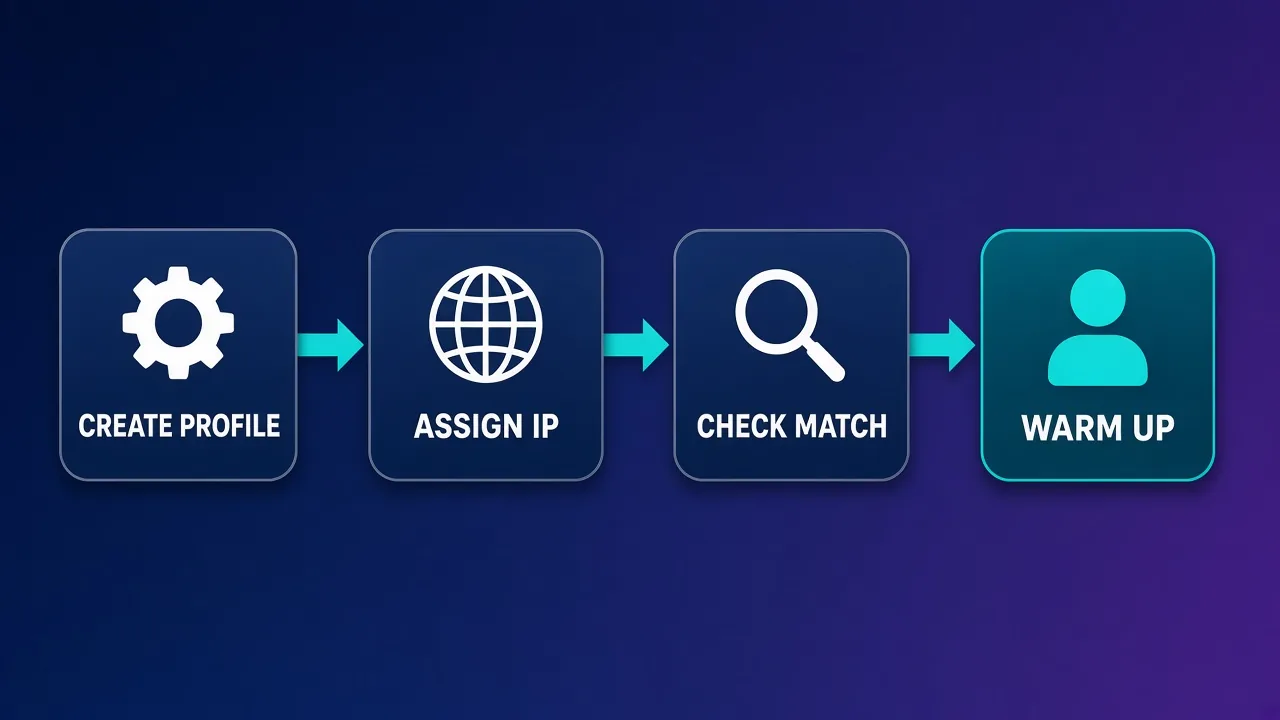
The proxy and the browser profile have to tell the same story. A Chrome profile that claims to be in Berlin with a German timezone, but connects through a Texas IP, is a contradiction platforms can spot. A reliable setup process looks like this:
- Create the profile first. In your antidetect browser, set the operating system, browser version, language and screen settings you want the account to have. Our antidetect browser roundup can help you choose a tool.
- Assign one dedicated IP. Add a static ISP proxy or a long sticky session to that profile and only that profile. Do not share it with any other account.
- Match the location. Make sure the profile's timezone, language and geolocation match the IP's country and city. Many antidetect browsers can fill these from the proxy automatically.
- Check for leaks. Before logging in, visit an IP and leak checker inside the profile to confirm the IP, DNS and WebRTC all report the proxy, not your real connection. Our guide on how to test a proxy walks through these checks.
- Warm up gradually. New accounts should behave like new users: browse, follow, post slowly, and avoid bulk actions in the first days.
- Keep the pairing for life. Once an account is tied to an IP and a profile, keep both together. Record the pairing in a simple spreadsheet so team members do not mix them up.
For tool-specific steps, see our walkthrough on setting up an antidetect browser with proxies.
Budget per account, not per gigabyte
Logged-in account work uses relatively little bandwidth but needs stable IPs. Static ISP proxies priced per IP often work out cheaper per account than residential bandwidth, while bandwidth-priced plans suit research-heavy workflows. Estimate both before you buy.
Common mistakes that get accounts linked
- Reusing one IP across accounts. Even two accounts on one address is a link. One account, one IP.
- Using rotating proxies for logins. Changing IP on every request during a logged-in session is a strong suspicious-activity signal.
- Mismatched geography. Timezone, language, IP location and the account's stated country should all line up.
- Cheap shared datacenter IPs on strict platforms. Hosting ranges are easy to identify and often already flagged.
- Logging in from your real IP "just once". A single login from your home connection can link every account you have used from it.
- Behaviour that looks automated. Proxies hide the network, not the pattern. Identical actions at identical times across accounts still link them.
- Ignoring platform rules. Some platforms forbid multiple accounts outright. Proxies do not change a platform's terms; know the rules for your use case.
Matching proxy type to platform
As a rough guide:
- Social media and app-based platforms tend to be the strictest. Mobile or high-quality static ISP IPs are the safest choices.
- Marketplaces and e-commerce seller accounts value long-term stability and location consistency, which favours static ISP IPs in the seller's registered country.
- Ad accounts are often tied to payment details and business locations, so precise geo-targeting and stable IPs matter most.
- Low-risk tools and dashboards may tolerate long sticky residential sessions without issue.
Whatever the platform, start with a small number of accounts, watch for verification prompts or restrictions, and scale only once your setup proves stable.
Who this setup is (and isn't) for
This approach suits agencies managing client accounts, e-commerce operators with storefronts in several regions, marketers running separate brand presences, and QA teams that need to test platforms as distinct users. It is not a way to evade bans for abusive behaviour, and providers that enforce acceptable-use policies, including several on this list, may suspend customers who use their networks for fraud or spam.
The bottom line
For multi-account management, stability beats volume. Choose NodeMaven when you want clean residential IPs held for a day or more, IPRoyal when you want affordable static ISP or mobile IPs with SOCKS5, SOAX when location precision down to city and ISP matters, and Decodo when a growing team wants every proxy type in one dashboard. Whichever you choose, give each account its own IP and its own browser profile, keep them together for life, and test for leaks before every first login.
Frequently asked questions
Static ISP proxies and mobile proxies are usually the safest choices because they look like real consumer connections and stay stable. Long sticky residential sessions also work well. Rotating residential and cheap datacenter proxies are poor choices for logged-in accounts.
Ideally one. Sharing a single IP between accounts is one of the most common ways platforms link them. Give each account its own dedicated IP and keep that pairing for the life of the account.
Usually yes. Proxies separate the network signal, while an antidetect browser separates the device fingerprint, cookies and storage. Platforms look at both, so using one without the other often still gets accounts linked.
Not for logged-in sessions. An account whose IP changes on every request looks like a hijacked session. Use sticky sessions or static IPs for accounts, and keep rotating proxies for anonymous research and scraping.
For strict social and app platforms, often yes. Mobile carrier IPs are shared by many real users, so platforms are cautious about blocking them. They cost more, and many rotate, so check how a provider handles rotation before logging accounts into them.
Platforms compare your IP location with signals like timezone, language and geolocation. If a profile claims to be in one country but connects from another, it looks suspicious. Match the profile settings to the proxy's country and city.
As long as the account is in use, ideally hours or days. Typical sticky windows of 10 to 30 minutes suit short tasks, while providers that offer 24-hour sessions or static ISP IPs are better for accounts you log into repeatedly.
Using proxies is legal in most places, but many platforms restrict or ban multiple accounts in their terms of service. Proxies do not change those rules, so check each platform's terms for your use case. This is not legal advice.