Table of contents
Anti-detect browsers and proxies are often sold as a single magic stack. In practice they only work when every browser profile maps to one dedicated exit, geo fields match that exit, leaks are closed, and the account is warmed before you ask it to do anything important. This guide walks through that setup end to end: what these tools actually do, why the one-profile-one-proxy rule exists, how to choose sticky ISP versus rotating residential, how to verify DNS and WebRTC, how to align timezone and locale, and a concrete create → assign → verify → warm-up workflow you can reuse across major antidetect tools.
Nothing here is a promise that a platform will leave your accounts alone. Platforms set their own risk models, and any multi-account or automation work must stay inside each site's terms and applicable law. Treat this as operational hygiene for legitimate marketing, QA, research, and agency workflows—not a bypass playbook.
Compliance first
Only run multi-profile setups for accounts and uses you are authorized to manage. Respect platform Terms of Service, advertising policies, and local privacy rules. If a workflow depends on deception, stop and redesign it.
What an anti-detect browser actually is
A normal browser exposes a large fingerprint: user agent, canvas and WebGL noise, fonts, audio context quirks, hardware concurrency, screen metrics, language lists, timezone, WebRTC candidates, and more. When two Chrome windows on the same laptop share those signals—and often share cookies or local storage—sites can treat them as one environment even if you log into different accounts.
An anti-detect browser (sometimes called an antidetect or multi-login browser) isolates each profile into its own storage and fingerprint envelope. Cookies, IndexedDB, service workers, and extensions stay inside that profile. The fingerprint parameters are either generated or locked so the profile looks like a consistent device over time. Team features, proxy fields, and cookie robots sit on top of that isolation.
Isolation is not invisibility. The goal is consistency and separation: one human-looking device per account seat, not a rotating carnival of random fingerprints. If you want the deeper mechanism—how canvas, WebRTC, and fonts interact—read our companion piece on how anti-detect browsers work.
Popular options in this category include tools teams already evaluate for profile isolation and proxy fields. Feature sets differ (team roles, API automation, mobile emulation, fingerprint sources), but the pairing rules with proxies stay the same across vendors.

AdsPower
AdsPower delivers remarkable feature-per-dollar: dual Chromium/Firefox engines, a genuine no-code RPA robot, team roles, a free 5-profile tier, and plans from around $5.40/mo. The trade-offs are a cluttered, learning-curve interface and support that leans to Asian time zones, but for cost-conscious e-commerce and ad teams it's hard to beat.

GoLogin
GoLogin is the best-value anti-detect browser going, pairing a genuinely useful forever-free tier with entry plans that include 100+ profiles for $24/month. It cedes a little ground to Multilogin on granular team permissions and to Octo on outright stealth, and its free bundled proxies are low quality — but as an accessible, cross-platform, cloud-or-desktop workhorse it is hard to fault.

Multilogin
Multilogin is the original enterprise anti-detect browser and still the benchmark, with the most battle-tested fingerprints, two engines (Chromium Mimic and Firefox Stealthfox), included residential proxy traffic, and best-in-class team controls. The costs are a premium price and a heavyweight app — so it's overkill for solo hobbyists, but the safest choice for serious teams that treat multi-accounting as infrastructure.

Dolphin Anty
Dolphin Anty is one of the most polished choices for affiliate and paid-social teams, pairing a genuinely useful 10-profile free tier with warming automation and bulk proxy tools that were clearly built by people who run ad accounts. Just weigh its Russian origins against your vendor policy, and know that its strengths are wasted if your work isn't media buying.

Octo Browser
Octo is one of the most stealth-focused and stable anti-detect browsers on the market, with real-device fingerprints and an update cadence measured in days rather than weeks. The trade-offs are a higher entry price with no free plan and lighter built-in automation than AdsPower — but if undetectability and a clean, sharable app are your priorities, it's hard to beat.
AdsPower
Browser
GoLogin
Browser
Editor score
User rating
Starting price
Founded
If you are still choosing a browser before you wire proxies, compare workflow, team features, and pricing shape across vendors without inventing scores. Other browsers worth evaluating on the same criteria include the following cards.

Hidemyacc
Hidemyacc punches above its weight, pairing real-device fingerprint data and the no-code Automium automation tool with prices starting at just $5/month. Its core Chromium updates lag the stealth leaders and its team features are basic, but for solo operators and small teams who want capable multi-accounting on a tight budget, it's excellent value.

Incogniton
Incogniton is the easy-to-learn option: a gentle interface, a generous 10-profile free plan, cloud sync, cookie collection, and handy touches like OCR paste-as-typing make everyday multi-accounting painless. Its core updates land more slowly than faster rivals and it sticks to desktop Chromium, so power users chasing the latest fingerprinting or mobile profiles may want more.

Kameleo
Kameleo is the go-to when you genuinely need to look like a phone: its real Android and iOS profiles and four-engine coverage are unmatched, and its Selenium/Puppeteer/Playwright automation suits serious pipelines. The catches are that the desktop app is Windows-only and there's no free plan, so you commit before you can trial it fully.

MoreLogin
MoreLogin is the value pick: a permanent 2-profile free tier, plans from $9/mo, dual Chromium/Firefox engines, and a surprising cloud-phone feature make it one of the cheapest ways to run a lot of profiles. Its automation and mobile authenticity are lighter than premium rivals, so heavy technical users may outgrow it, but budget-focused multi-accounters get remarkable mileage.

Undetectable
Undetectable''s standout idea is unlimited local profiles on paid plans — you pay for cloud storage and seats, not profile counts — which makes it a bargain for high-volume operators, backed by a fingerprint store selling real-user configs and profile transfer between accounts. The UI is less polished than GoLogin or Octo and pricing starts higher at $49/month, but for serious scale it's a smart, distinctive choice.
Why proxies matter with anti-detect browsers
Fingerprint isolation without a clean network path is half a setup. The site still sees the IP, ASN, geolocation signals, and often DNS behavior of whatever exit you use. If ten profiles leave through your home fiber, they share an obvious residential or ISP identity. If those same profiles bounce across unrelated datacenter exits every few minutes, the fingerprint may look stable while the network looks chaotic.
Proxies give each profile an intentional exit: country, city when available, ASN type, and session stickiness. Used well, they reduce cross-contamination between seats. Used poorly—shared exits, wrong geo, rotating mid-session—they create the very risk signals you were trying to avoid. For a focused take on whether you need both layers, see do you need proxies with anti-detect browsers.
When you shortlist proxy vendors for antidetect work, prioritize sticky controls, geo coverage, and support quality over marketing adjectives. The cards below are starting points for research—not ranked scores.
Bright Data
Bright Data remains the most complete data-collection platform money can buy. No competitor matches its combination of network scale, targeting granularity, and compliance tooling — and for enterprise teams whose revenue depends on reliable data, that completeness justifies the premium. The trade-offs are real: it is one of the priciest providers per gigabyte, the interface overwhelms newcomers, and KYC verification adds friction before you can route a single request. Smaller projects will get better value from Decodo or IPRoyal. But if you need city-level residential targeting at scale, a managed unblocker for the hardest targets, and audit-ready compliance, Bright Data is the default — and our highest-rated proxy provider overall.

Oxylabs
Oxylabs is the enterprise provider that gets the fundamentals right. The network is huge and well-maintained, the scraper APIs are genuinely best-in-class, and the documentation and SDKs make integration faster than almost any competitor. What sets it apart from Bright Data is service: dedicated account managers, responsive support, and cleaner tooling mean less time fighting the platform and more time shipping. The cost is higher entry pricing, and the deepest discounts favor high-volume commitments. For serious commercial data operations that can justify the spend, Oxylabs is a top-two choice and frequently the one teams stay with long-term.

Decodo
Decodo offers the best price-to-performance ratio in the industry. It delivers roughly 90% of what the enterprise leaders provide — high success rates, a large clean pool, sticky sessions, an unblocker — at a fraction of their cost. The dashboard is the friendliest of any major provider, the 14-day money-back guarantee removes the risk of trying it, and support actually responds. The main gaps are enterprise-grade compliance tooling and the very deepest targeting, neither of which most teams need. For startups, solo developers, and any team that wants professional results without enterprise pricing, Decodo is our top value pick and an easy recommendation.

SOAX
SOAX is the targeting specialist. City- and ISP-level selection on every plan — not locked behind premium tiers — is genuinely rare, and the continuously cleaned pool keeps success rates high where it matters. It is not the fastest network, the interface could use a refresh, and SOCKS5 coverage is uneven. Those are real but minor gripes against a provider that nails the fundamentals of precision and reliability. For ad verification, localized market research, and social-media work that depends on appearing in an exact location, SOAX is one of the best mid-market options available.

NetNut
NetNut's direct-ISP architecture is more than marketing — it genuinely delivers steadier, faster sessions than peer-to-peer networks, because it does not depend on consumer devices staying online. That makes it a standout for uptime-critical workloads like brand protection and ad verification, where a dropped session means lost data. The trade-offs are business-oriented pricing, higher minimum commitments, and a dashboard that takes some learning. If session stability is your priority and you operate at business scale, NetNut is one of the most reliable residential networks available and well worth the 7-day trial.
The one-profile-one-proxy rule
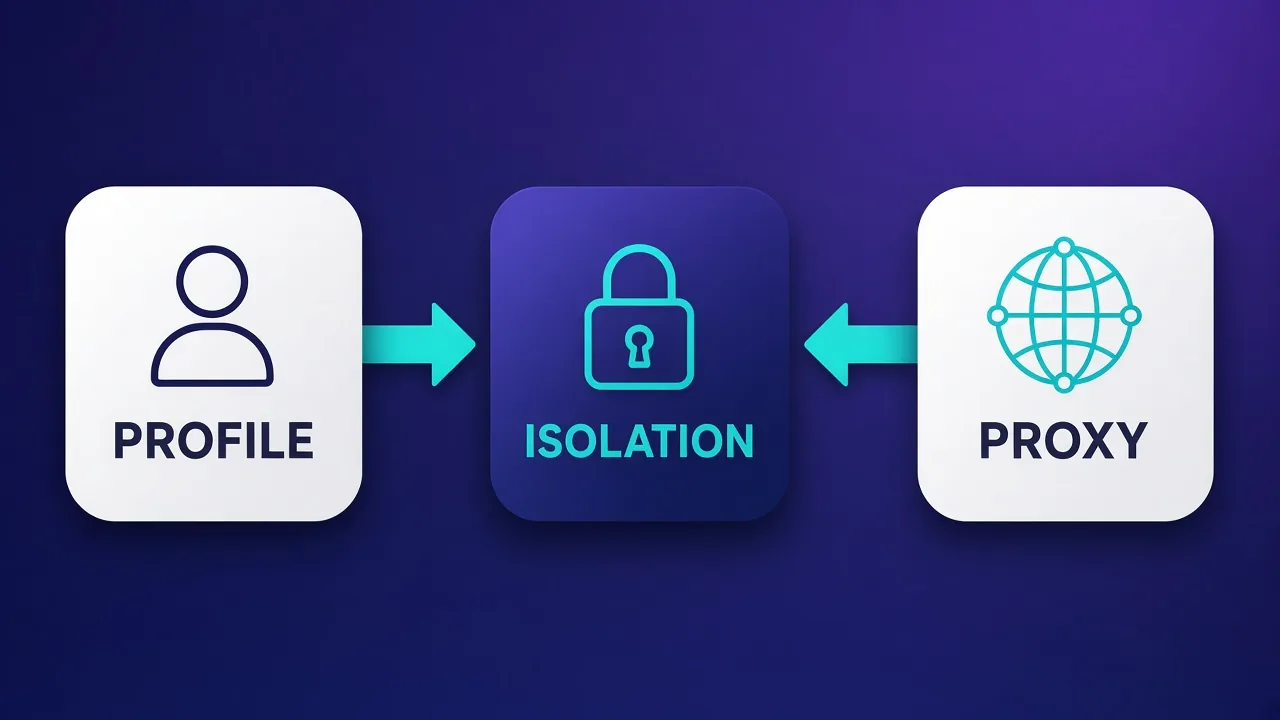
The single most important operational rule is simple: one browser profile, one dedicated proxy session. That means profile A always leaves through proxy session A; profile B never inherits A's exit, even for a quick check; if you retire a proxy, you either migrate the profile carefully or treat the account as needing re-warmup on the new exit; and team members do not hot-swap credentials across profiles without updating the proxy assignment.
Why the rule is non-negotiable: platforms correlate accounts that share IPs, especially when those accounts also share similar behavior windows. Anti-detect browsers stop cookie bleed; they do not invent separate network identities for you. Sharing one sticky ISP across five supposedly isolated profiles is a common failure mode in agencies that scale faster than their IP inventory.
Practical implications for day-to-day ops:
- Buy or allocate proxy capacity before you mass-create profiles.
- Name profiles and proxy labels with the same seat ID so audits are obvious.
- Store host, port, username, password, and protocol inside the profile—not in a shared notepad everyone overwrites.
- When a proxy dies, mark the profile offline until a replacement of the same geo and type is verified.
- Document ownership so on-call staff know which seat maps to which exit.
Seat hygiene beats fancy fingerprints
A mediocre fingerprint with perfect one-to-one proxy hygiene usually outperforms a premium fingerprint that shares exits. Fix the network map first, then tune fingerprint templates.
Think of each profile as a rented laptop in a city. You would not move five employees onto the same public Wi-Fi and still claim they are independent devices. The proxy is that laptop's network identity. Guard it with the same seriousness you guard the cookie jar.
Sticky ISP vs residential: which exit fits the seat
Not every proxy type fits every anti-detect use case. Sticky ISP (sometimes marketed as static residential or dedicated ISP) and rotating residential are the two you will debate most often. Datacenter exits can work for some scraping or low-trust tasks, but long-lived social or ads seats usually want consumer or ISP-looking ASNs. For taxonomy, see residential vs ISP vs datacenter proxies before you lock inventory.
| Dimension | Sticky ISP / static residential | Sticky residential (pool, long TTL) | Short-TTL rotating residential |
|---|---|---|---|
| IP longevity | Same exit for days or months when the provider allows | Same exit for a defined sticky window | Changes frequently by design |
| Best fit with anti-detect | Long-lived accounts, ads seats, social logins | Sessions that need consumer ASN plus moderate stickiness | Broad crawling, not profiled logins |
| Failure mode | Shared ISP across seats; sudden ASN change on replace | TTL expiry mid-session | Login from a new IP every few minutes |
| Warm-up impact | Warm-up compounds on one identity | Warm-up only if TTL covers the habit window | Warm-up rarely sticks |
| Cost posture | Higher per IP; predictable inventory | GB or request priced; plan sticky carefully | Often cheaper per GB; poor for durable seats |
Rule of thumb for anti-detect profiles that hold cookies and logins: prefer sticky ISP or long sticky residential in the same city or metro as the profile's timezone and language. Use short rotation only for tasks that never authenticate as a durable identity. Sticky session mechanics are covered in sticky sessions explained.
Additional proxy options teams often shortlist for social and ads seats:
The Social Proxy
For high-value social accounts, a dedicated modem is the gold standard, and The Social Proxy executes it properly: real SIM hardware in named cities, unlimited data, API rotation, and an identity no other customer can poison. The economics only work when the accounts justify ~$90/month per identity cluster, and the finite city list constrains geo-sensitive plans. If your Instagram or TikTok operation loses real money when an account dies, this is what the premium buys.

Live Proxies
Private allocation is a real answer to shared-pool roulette: Live Proxies' model of giving your account its own stable residential set produces the most consistent session behaviour we have seen outside premium ISP products. You pay for that consistency, and volume scrapers who just need gigabytes will find better economics in open pools. For ticketing, e-commerce, and account work where one bad shared IP can cost real money, it is among the best-designed newcomers.

IPRoyal
IPRoyal is the best pure pay-as-you-go deal in proxies. Non-expiring traffic is a genuinely customer-friendly policy that no major rival matches — buy what you need, use it whenever, lose nothing. The pool is smaller than the premium networks and success rates can soften on the most heavily defended targets, so high-volume enterprise scraping is not its strength. The dashboard is also fairly basic. For intermittent scraping, account work, and sneaker copping on a predictable budget, IPRoyal is an easy recommendation and one of the best value picks for occasional users.

Proxy-Seller
Proxy-Seller is excellent value if you want fixed, dedicated IPs instead of metered bandwidth. Per-IP pricing from $1.30 with unlimited bandwidth, flexible rental terms, and unusually cheap IPv6 make it a smart choice for account management and SEO. It is not the place for large rotating-residential workloads — the per-IP model does not scale to mass scraping that needs thousands of fresh addresses. The dashboard is also plain and functional rather than polished. But for stable, dedicated identities at a low cost, backed by 24/7 support, Proxy-Seller is one of the better dedicated-proxy specialists around.

NodeMaven
NodeMaven's quality-filtered pool is a genuinely different pitch in a market obsessed with pool size, and it works: the IPs you get are noticeably cleaner, and holding one for a day makes account workflows far more stable than typical 10–30 minute sticky windows. You pay more per gigabyte than at budget providers, and raw-volume scrapers should look elsewhere — this is a precision tool. For multi-accounting through anti-detect browsers and any workflow where one flagged IP costs you an account, NodeMaven justifies its premium.

Webshare
Webshare is the developer's self-service favorite. Instant activation, a free tier that is actually free, and the cheapest fast datacenter proxies in the market make it the easiest provider to just start using. The custom plan builder — pick your IP count, bandwidth, and threads — is a genuinely good model that lets you avoid paying for capacity you do not need. The residential pool is newer and less battle-tested than specialists, and support is thin on the lower tiers. For datacenter proxies, API-driven workflows, and anyone who wants to try before paying, Webshare is one of the best-value options around.

DataImpulse
DataImpulse delivers the most convincing $1/GB offer we have seen: real pay-as-you-go pricing with country and city targeting, SOCKS5, and sticky sessions included rather than upsold. For budget scraping it resets expectations of what cheap should include. As a young network its long-term consistency is still being proven, and heavy-duty targets expose the gap to premium pools. For light-to-moderate scraping, testing, and cost-sensitive production work, it is arguably the best value in the market right now.

Rayobyte
Rayobyte is a dependable, transparent US provider that does the basics very well. Its unlimited-bandwidth datacenter proxies are the highlight — predictable costs for heavy scraping, backed by a responsive US-based support team. The ethical residential sourcing program is a genuine plus for compliance-minded teams, even if the pool is mid-sized rather than enormous. The interface is functional rather than polished, and datacenter country coverage is narrower than some. For SEO tooling, high-volume datacenter scraping, and anyone who values support and transparency, Rayobyte is a solid, no-drama choice.
IPIDEA
IPIDEA offers more structure than the cheapest S5 vendors — proper traffic plans, API access, static products — at prices that still undercut Western rivals meaningfully. Execution is uneven: session quality and geo-accuracy fluctuate, sourcing is opaque, and documentation translates poorly in places. A reasonable budget-volume option, particularly for APAC-based teams; less compelling if you need predictable quality or Western-hours support.
LunaProxy
LunaProxy is aggressive on price in a way Western competitors rarely match, and for tolerant, high-volume targets the economics can genuinely work — especially on unlimited plans. The caveats are real: headline pool numbers do not reflect concurrently available IPs, quality varies session to session, sourcing transparency is limited, and support is inconsistent in English. Treat it as a budget workhorse for low-stakes volume, test against your targets before committing, and keep a premium provider in reserve for anything hard or sensitive.
Match product type to seat risk. An aged ads account deserves a quieter, stickier exit than a disposable research scrape. When in doubt, map inventory to seats before you click purchase and verify sticky controls in a small pilot.
DNS leaks, WebRTC leaks, and verification
Even with a correct proxy host, your real network can still leak. Two classic paths dominate antidetect failures.
DNS leaks: the browser or OS resolves hostnames through a resolver that is not on the proxy path, exposing local ISP DNS or a mismatched region. Some tools force remote DNS through the proxy; others rely on system resolvers unless you change defaults.
WebRTC leaks: STUN and TURN candidates can reveal local or real public IPs alongside the proxied HTTP or SOCKS path. A site that reads those candidates may see your home IP even while XHR traffic exits through the proxy.
Most anti-detect tools expose toggles to disable WebRTC, replace it with the proxy IP, or use a controlled mode. Prefer the mode that either fully disables WebRTC for that profile or forces candidates through the assigned exit. Do not assume the default is safe—open the profile settings and read what the toggle actually does on your version.
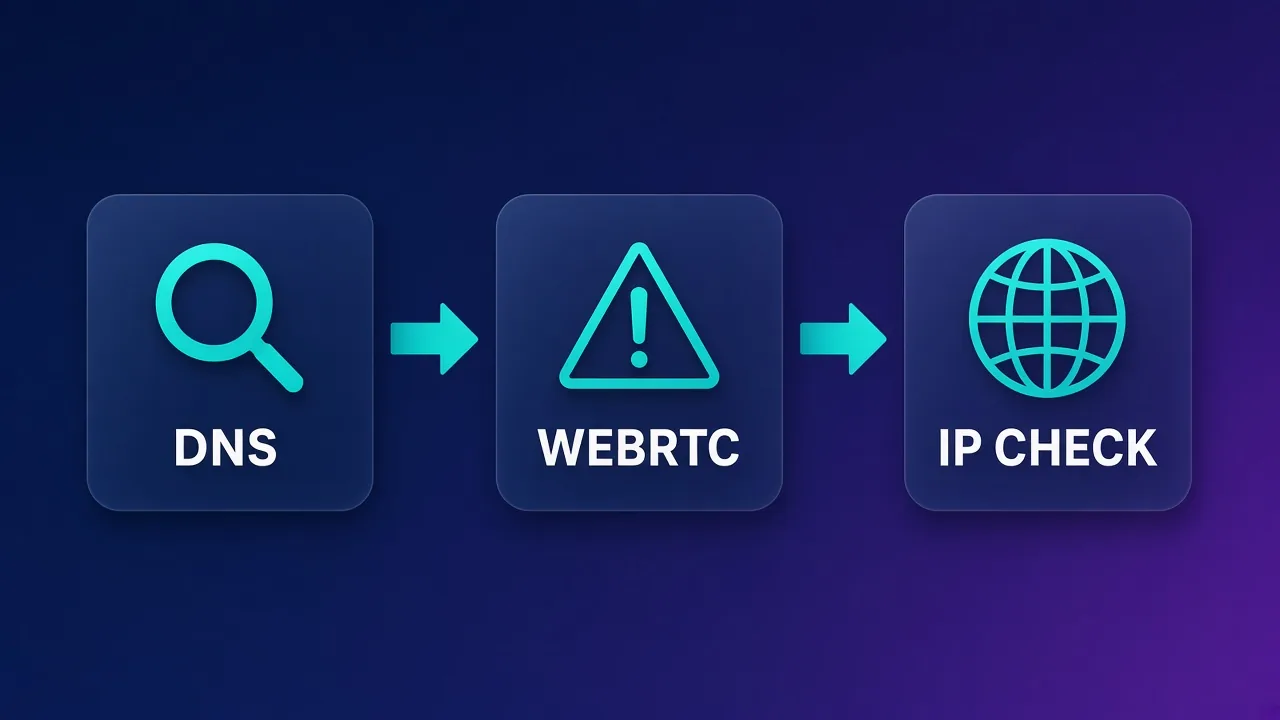
Verification checklist after every new proxy assignment:
- Launch only that profile—no other profiles from the same machine in parallel if you are debugging.
- Visit an IP echo page and confirm the expected country and IP.
- Run a WebRTC leak test in the same tab session; confirm no home IP appears.
- Check DNS leak test pages for resolver country alignment with the exit.
- Confirm timezone and language in the profile match the exit region.
- Only then log into the target site or import cookies.
Never skip the leak pass
Logging in to save time before leak checks is how teams burn aged accounts. Five minutes of verification is cheaper than rebuilding a seat from scratch.
Re-run the same checks after major OS updates, antidetect version upgrades, or proxy credential rotations. Settings drift. Treat verification as a gate in your checklist, not a one-time onboarding ritual.
Geo match: timezone, locale, and language
Sites and fraud models look for incongruent signals. A profile that claims English US language, New York timezone, and a Brazilian exit IP is a soft flag even when the fingerprint canvas looks perfect. Perfect alignment is not always possible with limited inventory, but large mismatches are avoidable with planning.
Align these four layers on every profile:
- Proxy geo — country, and city when your provider supports city targeting.
- Timezone — IANA zone consistent with that geo (for example, America/Chicago with a Midwest US exit).
- Languages / Accept-Language — primary language that fits the market you will browse.
- UI locale — browser and OS-emulation language settings inside the anti-detect profile.
Secondary checks matter once the seat is live: currency hints on commerce sites, phone number country codes you attach later, billing addresses, and creative language in ads. If the seat will run Facebook or similar ads workflows, keep the same geo story across proxy, profile, and business assets. Keep payment and creative language consistent with that same geo story.
When you must move a seat to a new country, treat it as a migration: new proxy, updated timezone and locale, fresh leak verification, and a longer warm-up. Do not flip only the proxy field and hope the old cookies look local overnight.
Agencies operating multiple markets should maintain a simple matrix—market, timezone, language, proxy label, profile ID—so new hires do not invent mismatched combos under deadline pressure.
Fingerprint checklist before you scale
Before cloning a profile template across a team, lock a checklist. Exact controls vary by product, but the questions stay similar whether you use a lightweight antidetect or an enterprise suite.
- Is the user agent and OS combo realistic and frozen for that profile?
- Are canvas, WebGL, and audio modes set to consistent noise rather than random-on-every-launch?
- Do screen resolution and device memory look plausible for the claimed device class?
- Are fonts limited to a believable set for that OS?
- Is WebRTC handled intentionally—off or proxied—not left on default?
- Are geolocation APIs blocked or matched to the proxy city?
- Are extensions minimal, and identical across seats only when intentional?
- Is the profile's cookie jar empty at creation, then built through warm-up—not imported from another seat?
- Are developer tools and automation flags consistent with how you will actually drive the browser?
Stability beats novelty. Changing fingerprint parameters after the account has history can look like device replacement. If you must change hardware claims, combine that with a deliberate warm-up window rather than an immediate high-risk action such as a sudden spend increase or bulk outreach.
Template wisely: one golden template per market is usually enough. Dozens of near-identical clones with tiny random deltas can still cluster if network and behavior align too tightly. Diversity should be intentional, not accidental noise.
Step-by-step: create profile, assign proxy, verify, warm up
This sequence works across most antidetect UIs. Button labels differ; the order should not. Write it into your internal runbook so every operator follows the same gates.
1. Create the profile
Create a new profile from your team's template. Name it with a seat ID that encodes client, market, and purpose. Set OS family, browser engine version, and language/timezone to match the planned geo. Prefer editing proxy fields before the first launch when your tool allows offline configuration.
Avoid starting from a profile that already holds cookies from another seat. Fresh profile, fresh jar.
2. Assign the proxy
Enter protocol (HTTP, HTTPS, or SOCKS5—match what the provider issued), host, port, and credentials. Prefer provider sticky parameters in the username when required, such as session IDs and TTL flags. Save. Confirm the profile UI shows the proxy as bound to that profile alone.
Example shape of a sticky username (illustrative only—follow your provider's documentation exactly):
user-SESSION-abc123-TTL-1440:password
Never paste production credentials into shared chat threads. Store them in the profile vault or a team secrets manager with access logs.
3. Verify the exit
Start the profile. Open an IP check, then WebRTC and DNS checks in the same session. Confirm the observed IP matches the purchased exit, the country (and city if claimed) match, no real IP appears in WebRTC candidates, and the timezone in the profile matches the exit region.
If anything fails, stop. Fix proxy or fingerprint settings before login. Do not "test the login anyway" to see what happens—that is how aged accounts disappear.
4. Warm up before real work
Warm-up means behaving like a normal user on that device identity before you push spend, scrapes, or bulk actions. A typical pattern for a new social or ads seat looks like this:
- Browse general sites in-region for short sessions across several days.
- Log into the target platform and complete basic profile surfaces slowly.
- Avoid immediate bulk friend requests, mass messaging, or sudden ad spend spikes.
- Keep the same proxy throughout; do not rotate for freshness.
- Record notes: first login date, proxy label, challenges seen, and who owns the seat.
Warm-up length depends on platform risk and account age. New accounts need more patience than aged ones you migrated carefully. There is no universal hour count that guarantees safety—treat warm-up as risk reduction, not a cheat code. If a challenge appears, slow down further rather than switching fingerprints in panic.
5. Operate with discipline
After warm-up, keep daily actions inside normal human ranges for that niche. Close the profile when idle if your process requires clean session boundaries. When automation APIs drive the browser, still respect one-profile-one-proxy mapping and platform rate limits. Schedule reviews when proxies approach renewal so you are not forced into emergency IP swaps during campaigns.
Common pitfalls and how to avoid them
Shared proxies across isolated profiles. Fix inventory first. Count seats, then buy exits. Never "temporarily" share.
Rotating residential on login seats. Save short rotation for non-auth tasks. Sticky ISP or long sticky residential for identities that hold cookies.
Geo mismatch. A Kolkata timezone with a Miami exit is a self-inflicted wound. Align the four geo layers every time.
Skipping leak tests. A green connected badge in the UI is not a WebRTC pass.
Importing cookie jars between profiles. That recreates the cross-contamination anti-detect was meant to stop.
Changing fingerprint and proxy on the same day as a risky action. Sequence changes, then warm, then act.
Using free or overloaded exits for high-value seats. Cheap shared IPs often carry strangers' abuse histories.
Ignoring team process. Without naming conventions and ownership, someone will borrow a proxy under deadline pressure. Write the rule down and enforce it in onboarding.
Over-automating day one. Bots that click like bots burn fingerprints and IPs together. Human-paced warm-up first.
Silent proxy expiry. Calendar renewals. A dead sticky IP mid-campaign forces scramble migrations.
Who this setup is for—and who should skip it
Good fit: agencies managing multiple client ad accounts with authorization; ecommerce teams running region-specific storefront QA; growth teams operating several brand social seats under clear ownership; researchers and QA engineers who need clean, reproducible browser environments; operators who already accept the cost of one quality exit per seat.
Poor fit: anyone trying to evade bans for Terms-of-Service-violating abuse; solo users who only need one personal account on one device; workflows that require whole-device VPN tunneling rather than per-app exits; budgets that cannot fund one sticky exit per active profile; teams unwilling to document ownership, warm-up, and leak checks.
If you only need privacy on a single personal browser, a reputable VPN or system proxy may be simpler. Anti-detect plus proxy stacks shine when you must keep many durable identities separate—not when you need one private tab for personal browsing.
Putting it together
A durable anti-detect setup is a system, not a single toggle. Create the profile with a believable, stable fingerprint. Bind exactly one sticky, geo-matched proxy. Verify IP, DNS, and WebRTC before login. Warm the seat. Operate inside platform rules. When something breaks, replace the exit carefully and re-verify rather than thrashing fingerprints under pressure.
For browser UX, teams often evaluate cards such as the ones below; for exits, map sticky ISP or long sticky residential inventory to each seat before scale.
Multilogin
Multilogin is the original enterprise anti-detect browser and still the benchmark, with the most battle-tested fingerprints, two engines (Chromium Mimic and Firefox Stealthfox), included residential proxy traffic, and best-in-class team controls. The costs are a premium price and a heavyweight app — so it's overkill for solo hobbyists, but the safest choice for serious teams that treat multi-accounting as infrastructure.
AdsPower
AdsPower delivers remarkable feature-per-dollar: dual Chromium/Firefox engines, a genuine no-code RPA robot, team roles, a free 5-profile tier, and plans from around $5.40/mo. The trade-offs are a cluttered, learning-curve interface and support that leans to Asian time zones, but for cost-conscious e-commerce and ad teams it's hard to beat.
Octo Browser
Octo is one of the most stealth-focused and stable anti-detect browsers on the market, with real-device fingerprints and an update cadence measured in days rather than weeks. The trade-offs are a higher entry price with no free plan and lighter built-in automation than AdsPower — but if undetectability and a clean, sharable app are your priorities, it's hard to beat.
SOAX
SOAX is the targeting specialist. City- and ISP-level selection on every plan — not locked behind premium tiers — is genuinely rare, and the continuously cleaned pool keeps success rates high where it matters. It is not the fastest network, the interface could use a refresh, and SOCKS5 coverage is uneven. Those are real but minor gripes against a provider that nails the fundamentals of precision and reliability. For ad verification, localized market research, and social-media work that depends on appearing in an exact location, SOAX is one of the best mid-market options available.
NetNut
NetNut's direct-ISP architecture is more than marketing — it genuinely delivers steadier, faster sessions than peer-to-peer networks, because it does not depend on consumer devices staying online. That makes it a standout for uptime-critical workloads like brand protection and ad verification, where a dropped session means lost data. The trade-offs are business-oriented pricing, higher minimum commitments, and a dashboard that takes some learning. If session stability is your priority and you operate at business scale, NetNut is one of the most reliable residential networks available and well worth the 7-day trial.
Live Proxies
Private allocation is a real answer to shared-pool roulette: Live Proxies' model of giving your account its own stable residential set produces the most consistent session behaviour we have seen outside premium ISP products. You pay for that consistency, and volume scrapers who just need gigabytes will find better economics in open pools. For ticketing, e-commerce, and account work where one bad shared IP can cost real money, it is among the best-designed newcomers.
Proxy-Seller
Proxy-Seller is excellent value if you want fixed, dedicated IPs instead of metered bandwidth. Per-IP pricing from $1.30 with unlimited bandwidth, flexible rental terms, and unusually cheap IPv6 make it a smart choice for account management and SEO. It is not the place for large rotating-residential workloads — the per-IP model does not scale to mass scraping that needs thousands of fresh addresses. The dashboard is also plain and functional rather than polished. But for stable, dedicated identities at a low cost, backed by 24/7 support, Proxy-Seller is one of the better dedicated-proxy specialists around.
Multilogin
Browser
AdsPower
Browser
Editor score
User rating
Starting price
Founded
Keep comparing qualitatively, keep seating maps honest, and keep leak checks boringly consistent. Do that, and the stack becomes predictable infrastructure instead of a lottery. Skip the rules, and no amount of fingerprint marketing will save the seats.
Frequently asked questions
Almost always yes for multi-account work. Fingerprint isolation stops cookie bleed, but shared home or office IPs still link seats. Assign one dedicated sticky exit per profile and verify leaks before login.
Each browser profile must use its own dedicated proxy session for the life of that seat. Do not share exits across profiles, even temporarily. If a proxy dies, replace it carefully and re-verify before heavy use.
Prefer sticky ISP or long sticky residential for logins and ads seats so warm-up compounds on one identity. Short-TTL rotating residential fits broad crawling, not durable authenticated profiles.
After assigning the proxy, open only that profile, confirm the IP echo matches the exit, run WebRTC and DNS leak tests in the same session, and fix toggles until no home IP or mismatched resolver appears.
Platforms compare network geo with browser locale signals. Large mismatches—like a US timezone on a distant exit—look inconsistent. Align proxy country, timezone, Accept-Language, and UI locale on every profile.
There is no universal safe hour count. New seats usually need several days of light, in-region browsing and gradual platform use before spend or bulk actions. Treat warm-up as risk reduction, not a guarantee.
You can technically, but you should not for durable accounts. Shared exits recreate the correlation anti-detect browsers try to prevent. Scale proxy inventory with seat count instead.
Only use multi-profile stacks for accounts and purposes you are authorized to manage, and stay inside each platform's Terms of Service and local law. This guide is operational hygiene, not advice to evade bans or deceive platforms.