Table of contents
Social media managers face a problem most people never think about: platforms are built to link accounts. Log into five Instagram profiles from one browser and the network can tell they're all you — same device fingerprint, same IP, same cookies — and it may ban the whole cluster at once. Antidetect browsers exist to solve exactly this, giving each account its own isolated, believable browser identity so they look like separate people on separate devices. This guide covers why they matter for social media, what to look for, and the best antidetect browsers for managing multiple social accounts safely in 2026.
Why social media managers need an antidetect browser
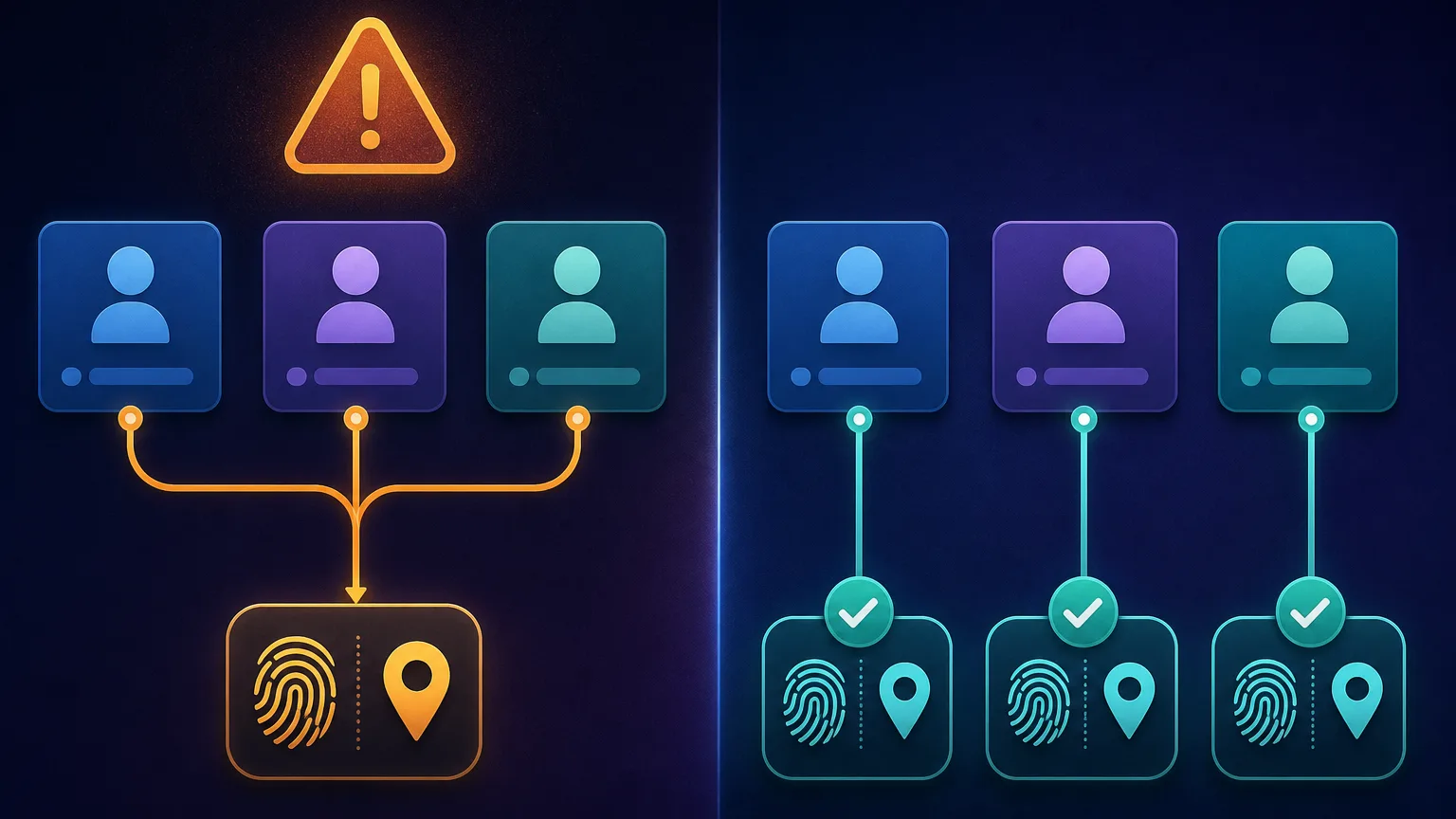
Every time you visit a social platform, it fingerprints your browser (user agent, canvas, WebGL, fonts, timezone and more) and notes your IP and cookies. Run multiple accounts from the same setup and all those signals match, so the platform links the accounts together. One flagged account can then take down all of them. An antidetect browser breaks that link by giving each profile a unique, consistent fingerprint and its own cookie store and proxy — so to the platform, each account appears to be a different person on a different device. If you want the mechanics, our explainer on how anti-detect browsers work goes deeper.
What to look for in a social media antidetect browser
Not every antidetect browser suits social work. Weigh these:
- Fingerprint quality & profile isolation. Consistent, believable fingerprints and truly separate cookie/storage per profile — the core job.
- Proxy integration. Easy per-profile proxy assignment, since each account needs its own IP.
- Team features. For agencies: sharing profiles, roles, and handoffs across staff.
- Automation. Built-in automation or Selenium/Puppeteer/Playwright support for repetitive posting and warm-up.
- Mobile emulation. Social platforms are mobile-first, so emulating Android/iOS profiles can matter.
- Price & free tier. Cost scales with the number of profiles and seats; a free tier helps you start small.
The best antidetect browsers for social media management
These five consistently perform well for running multiple social accounts, each with a different strength:
AdsPower — best all-round for social multi-accounting
One of the most popular choices for social and e-commerce multi-accounting, with solid fingerprinting, easy per-profile proxies, built-in automation (RPA) for repetitive social tasks, and an accessible free tier to start.

AdsPower
AdsPower delivers remarkable feature-per-dollar: dual Chromium/Firefox engines, a genuine no-code RPA robot, team roles, a free 5-profile tier, and plans from around $5.40/mo. The trade-offs are a cluttered, learning-curve interface and support that leans to Asian time zones, but for cost-conscious e-commerce and ad teams it's hard to beat.
GoLogin — best cloud-based option for teams
Cloud-first with profiles synced across machines, a clean beginner-friendly interface, and good team sharing — handy for distributed social teams that hand accounts between members.

GoLogin
GoLogin is the best-value anti-detect browser going, pairing a genuinely useful forever-free tier with entry plans that include 100+ profiles for $24/month. It cedes a little ground to Multilogin on granular team permissions and to Octo on outright stealth, and its free bundled proxies are low quality — but as an accessible, cross-platform, cloud-or-desktop workhorse it is hard to fault.
Multilogin — best for agencies and reliability
The established premium choice, with battle-tested fingerprints, strong team collaboration, and cloud-synced profiles — a safe pick for agencies running many client accounts where reliability matters most.

Multilogin
Multilogin is the original enterprise anti-detect browser and still the benchmark, with the most battle-tested fingerprints, two engines (Chromium Mimic and Firefox Stealthfox), included residential proxy traffic, and best-in-class team controls. The costs are a premium price and a heavyweight app — so it's overkill for solo hobbyists, but the safest choice for serious teams that treat multi-accounting as infrastructure.
Dolphin Anty — popular with affiliates and social marketers
Widely used in affiliate and social marketing circles, with a generous free tier, handy cookie and automation tools, and a workflow tuned for managing lots of profiles.

Dolphin Anty
Dolphin Anty is one of the most polished choices for affiliate and paid-social teams, pairing a genuinely useful 10-profile free tier with warming automation and bulk proxy tools that were clearly built by people who run ad accounts. Just weigh its Russian origins against your vendor policy, and know that its strengths are wasted if your work isn't media buying.
Kameleo — best for mobile social accounts
Its standout is mobile device emulation (Android and iOS), which suits social platforms that behave differently for mobile traffic, plus a strong automation API for scripted posting.

Kameleo
Kameleo is the go-to when you genuinely need to look like a phone: its real Android and iOS profiles and four-engine coverage are unmatched, and its Selenium/Puppeteer/Playwright automation suits serious pipelines. The catches are that the desktop app is Windows-only and there's no free plan, so you commit before you can trial it fully.
Quick comparison
| Browser | Best for | Team features | Mobile profiles | Free tier |
|---|---|---|---|---|
| AdsPower | All-round multi-accounting | Yes | Limited | Yes |
| GoLogin | Cloud teams | Strong | Yes | Trial/limited |
| Multilogin | Agencies, reliability | Strong | Limited | No |
| Dolphin Anty | Affiliates, marketers | Yes | Limited | Yes |
| Kameleo | Mobile social accounts | Basic | Yes | Trial |
How to use an antidetect browser for social media
The workflow is the same whichever tool you pick, and doing it right is what keeps accounts alive:
- Create one profile per account. Never run two social accounts in the same profile — that defeats the isolation.
- Assign a dedicated proxy. Give each profile its own clean residential or mobile IP, ideally in the account's target region.
- Match the fingerprint to the proxy. Align timezone, language and locale with the proxy's location for consistency.
- Warm up before scaling. Use new accounts gently at first — browse, like, follow — before heavy posting, so they build normal history.
- Automate carefully. If you use automation, add human-like variation in timing and actions rather than identical robotic patterns.
Proxies matter as much as the browser
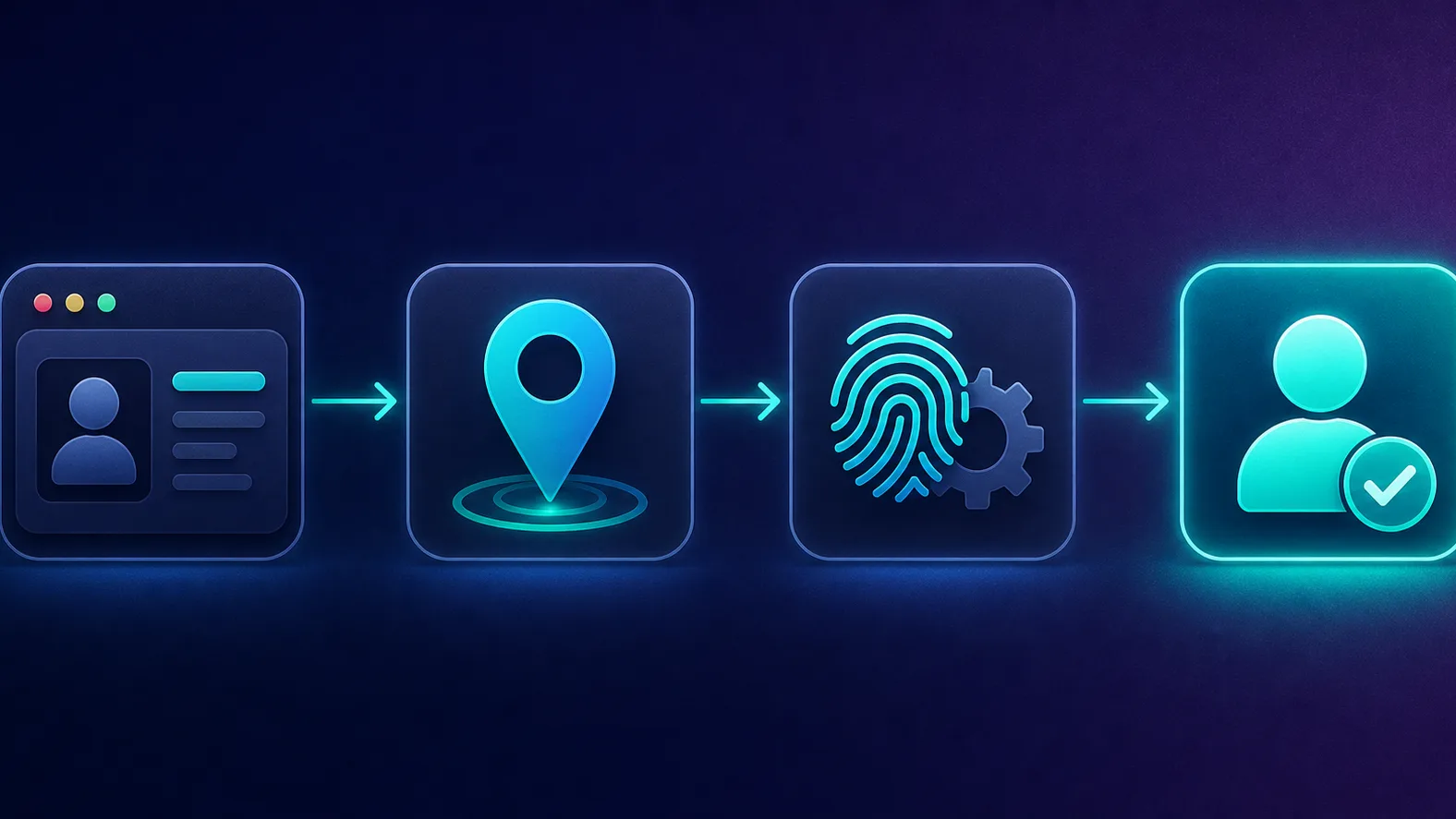
An antidetect browser hides your fingerprint, but your IP is a separate signal the platform checks. Running several accounts on one IP links them just as surely as a shared fingerprint. For social work, mobile and residential proxies are strongly preferred because their IPs are trusted — mobile IPs especially, since carrier-grade NAT puts thousands of real users behind each address, making them hard to flag. Learn why in our post on mobile proxies explained, and match one clean proxy to each profile.
One account, one proxy — always
The fastest way to get a batch of social accounts banned is sharing a single proxy across them. Treat each account as a separate person: its own profile, its own IP, its own consistent location. The browser and the proxy are two halves of the same disguise.
Which social platforms detect multi-accounting hardest
Not every network is equally strict, and knowing where the risk is highest helps you set up carefully:
- Instagram & Facebook (Meta). Among the most aggressive — heavy device fingerprinting, phone verification, and fast linking of accounts. Isolation and clean mobile/residential IPs matter most here.
- TikTok. Very mobile-centric and sensitive to device signals, which is where mobile-emulation tools earn their keep.
- Twitter/X & Reddit. Strict on bulk creation and coordinated behaviour; new accounts from fresh fingerprints need gentle warm-up.
- LinkedIn. Watches for automation and scraping closely and is quick to restrict accounts that behave non-humanly.
The pattern: mobile-first platforms lean on device signals, so consistent fingerprints plus mobile proxies are the safest combination for the strictest networks.
Why not just use incognito, browser profiles, or a VPN?
It's a fair question, and the answer is that none of those actually isolate your identity the way social platforms require:
- Incognito / private windows clear cookies but leave your fingerprint and IP identical — the platform still sees the same device. It hides nothing that matters for multi-accounting.
- Chrome/Firefox profiles separate bookmarks and logins but share the same underlying fingerprint and IP, so accounts are still linkable.
- A VPN changes your IP but does nothing about your fingerprint, and everyone on that VPN server shares similar exit IPs — which can look more suspicious, not less.
An antidetect browser is different because it gives each profile a genuinely distinct, consistent fingerprint and its own proxy and cookie store together. That combination — unique identity plus unique IP per account — is what native tools can't replicate.
How to warm up new social accounts
Fresh accounts that instantly behave like power users are a red flag, so warm-up is where many multi-account setups live or die:
- Start slow. For the first days, just browse, scroll, like a few posts, and follow a handful of accounts — behave like a curious new user, not a marketer.
- Complete the profile. Add a photo, bio, and some initial activity so the account looks real before it does anything commercial.
- Ramp gradually. Increase posting and interaction over days and weeks, not hours; sudden spikes look automated.
- Keep the environment stable. Use the same profile, fingerprint, and proxy for each account consistently — jumping IPs or devices mid-warm-up triggers security checks.
Patience here pays off: a well-warmed account tolerates far more activity later than one pushed hard from day one.
Free vs paid: what the tiers get you
Most of these tools offer a free tier or trial, which is genuinely useful for learning the workflow — but the limits are real. Free plans typically cap the number of profiles (often just a handful), restrict team seats, and may hold back automation or mobile features. Paid plans scale the profile count, add collaboration and roles for teams, and unlock the automation and mobile-emulation capabilities that heavier social operations rely on. Start free to validate your setup on a few accounts, then upgrade once you know how many profiles and seats you actually need — and remember that each profile also needs its own proxy, which is a separate cost to budget for.
Common mistakes to avoid
- Reusing proxies across accounts. The single most common cause of mass bans.
- Mismatched geography. A profile with a US timezone on a European IP looks wrong and raises flags.
- Over-automating. Identical actions and perfect timing across accounts are detectable even with perfect fingerprints.
- Importing accounts carelessly. Logging into an existing account from a brand-new fingerprint and far-away IP can itself trigger a security check.
- Scaling too fast. Spinning up dozens of accounts and hammering them immediately is a classic red flag.
Which one should you choose?
- Solo or small budget: AdsPower or Dolphin Anty — capable, popular, and with free tiers to start.
- Distributed team: GoLogin for cloud sync, or Multilogin for premium agency reliability.
- Mobile-heavy social work: Kameleo for its Android/iOS emulation.
- Agency running client accounts: Multilogin's collaboration and track record are hard to beat.
For deeper head-to-heads, see our Multilogin vs Kameleo and Dolphin Anty vs AdsPower comparisons, or browse the full antidetect browser directory.
Know the rules and the risk
Running multiple accounts often violates a social platform's terms of service, and no antidetect browser makes you immune to bans — it reduces fingerprint-based linking, but reckless behaviour, shared proxies, or policy violations will still get accounts removed. Understand each platform's rules and use these tools responsibly.
How profile isolation actually works
Under the hood, an antidetect browser does three things per profile to keep accounts genuinely separate. First, it spoofs the fingerprint — presenting a distinct but internally consistent set of signals (user agent, canvas and WebGL rendering, audio context, fonts, screen metrics, timezone) so each profile looks like a different real device. Second, it gives each profile its own isolated cookie and storage container, so logins, local storage, and tracking cookies never bleed between accounts the way they do in a normal browser. Third, it binds each profile to its own proxy, so the IP matches the identity. The magic isn't any single trick — it's keeping all three layers consistent per profile, so a platform correlating signals finds nothing that ties your accounts together.
Tips for managing many accounts efficiently
Once you're past a handful of profiles, organisation saves real time:
- Use folders, tags, or groups to sort profiles by client, platform, or region so you can find the right one instantly.
- Name profiles consistently (for example by account and location) so the setup is self-documenting.
- Import cookies carefully when migrating existing accounts, and log in from a matching location to avoid tripping a security check.
- Batch similar tasks and, where the tool supports it, use built-in automation for repetitive posting — with human-like variation.
- Keep a proxy-to-profile record so you never accidentally reuse an IP across accounts.
Good hygiene here scales far better than raw speed — a tidy, consistent setup is what lets one person safely run dozens of accounts.
Mobile or residential proxies for social?
Both work, and the choice is a trade-off. Residential proxies are cheaper and plentiful, and are fine for most account management. Mobile proxies are the most trusted of all — because carrier IPs are shared by thousands of real users, platforms are very reluctant to block them — but they cost more. For high-value accounts or the strictest platforms, mobile is worth the premium; for everyday management at scale, residential usually offers the better balance of cost and safety.
The bottom line
For anyone managing multiple social media accounts, an antidetect browser is the tool that keeps those accounts separate and alive by giving each a unique, consistent identity. AdsPower and Dolphin Anty are excellent, affordable all-rounders; GoLogin and Multilogin shine for teams and agencies; and Kameleo leads on mobile emulation. Whichever you choose, the rules are the same: one profile and one clean proxy per account, matched geography, gentle warm-up, and human-like behaviour. Pair the right browser with good proxies and disciplined habits, and you can run many social accounts without them dragging each other down.
Frequently asked questions
It depends on your needs. AdsPower and Dolphin Anty are popular, affordable all-rounders with free tiers; GoLogin and Multilogin are best for teams and agencies needing cloud sync and collaboration; and Kameleo leads for mobile social accounts thanks to its device emulation. Match the tool to your team size, budget, and whether you need mobile profiles.
Yes, that's exactly what they're built for. Each account runs in its own isolated profile with a unique fingerprint, separate cookies, and its own proxy, so the platform sees them as different people on different devices. This prevents the accounts from being linked and mass-banned together.
Yes. The browser hides your fingerprint, but your IP address is a separate signal — running several accounts on one IP links them regardless of fingerprint. Assign each profile its own clean residential or mobile proxy, ideally in the account's target region, for the best results.
The browsers themselves are legal software, but running multiple accounts usually violates a platform's terms of service, and using them can breach those terms. That's a policy matter rather than a criminal one in most cases, but it carries a real risk of account bans. Always understand the rules of the platforms you operate on.
Yes, several offer free tiers or trials. GoLogin, Dolphin Anty, and AdsPower all have free plans with limits on the number of profiles, which is enough to start small and test your workflow. For heavier use or team features you'll usually need a paid plan.
Kameleo is the standout because it can emulate Android and iOS device fingerprints, not just desktop ones. Since social platforms are mobile-first and often treat mobile traffic differently, convincing mobile profiles are a real advantage for social work. Most other antidetect browsers are primarily desktop-focused.
As many as your plan's profile limit allows — each account gets its own profile, and plans are typically priced by the number of profiles and team seats. The practical limit is usually your budget for profiles and proxies rather than the browser itself, since every account also needs its own clean IP.
It significantly reduces the risk of accounts being linked by fingerprint, but it's not a guarantee. Bans still happen from reused proxies, mismatched locations, robotic automation, aggressive scaling, or violating platform policies. The tool is only as safe as the operational discipline around it — good proxies and human-like behaviour matter just as much.