Table of contents
LinkedIn is not Instagram with a suit on. It is a professional network that treats sudden IP changes, shared datacenter ranges, and robotic click patterns as risk signals — and it will challenge or restrict accounts that look off.
If you run multi-account outreach, recruiting pipelines, or research workflows that need a stable exit IP per profile, the proxy layer matters as much as the tool. The wrong type (cheap rotating datacenter) burns accounts. The right type (ISP / static residential with sticky sessions, plus a sane warm-up) keeps sessions looking ordinary.
This guide covers what LinkedIn tends to inspect, which proxy types fit, how sticky sessions and warm-up work, a practical tool stack, provider picks for 2026, setup steps, costs, and who should skip automation entirely. Throughout: LinkedIn’s terms may prohibit automation. You are responsible for compliance. We frame this for growth, recruiting, and research teams who need stable IPs — not for spam or ToS evasion theater.
Compliance first
LinkedIn’s User Agreement and automation policies can restrict bots, scraping, and unsolicited bulk messaging. Proxies do not make prohibited activity legal or allowed. Use only workflows you are authorized to run, keep volumes human-scale, and stop if an account is restricted.
Why LinkedIn is hard on automation
Consumer social apps often tolerate noisy residential rotation because traffic looks like browsing. LinkedIn is different. Profiles are tied to real careers, companies, and sales pipelines. The product invests heavily in detecting fake or farmed accounts, credential stuffing, and mass connection spam.
Three things make LinkedIn especially picky:
- Long-lived sessions. A real user logs in from the same city and ISP for weeks. A script that hops ASN every hour looks like account takeover.
- High-value abuse targets. InMail, connection requests, and recruiter seats attract spam. LinkedIn’s fraud teams tune aggressively.
- Rich behavioral signals. Scroll speed, mouse movement, typing cadence, notification checks, and time-of-day patterns all feed risk models. An IP that looks residential is necessary but not sufficient.
Teams that copy Instagram-style rotating residential pools onto LinkedIn usually see CAPTCHAs, checkpoint flows, or soft locks within days. The parallel playbook for sticky social work looks closer to what we describe for Instagram automation proxies when sticky sessions matter — but LinkedIn is stricter about ASN consistency and warm-up.
If you only need occasional public page checks, a carefully rate-limited residential fetch might be enough. For logged-in multi-account ops, plan for one clean sticky IP per persona, anti-detect isolation, and slow ramp-ups.
What LinkedIn looks at: IP, ASN, sessions, and fingerprints
You cannot see LinkedIn’s full risk model from the outside. You can infer the main buckets operators care about — and design for them.
IP reputation
Blocklists, prior abuse, and “proxy / hosting” flags still matter. An IP that previously sent spam or sits in a noisy subnet will fail faster than a quiet consumer or ISP address. Reputation is why random open proxies and recycled datacenter ranges are a poor fit.
When proxies get blocked, it is rarely one magic header. It is usually reputation plus behavior. Our deeper dive on why proxies get blocked maps the same pattern across sites.
ASN and network type
An ASN (Autonomous System Number) identifies the network that announces the IP. Consumer cable / fiber ASNs look different from cloud ASNs (AWS, GCP, Hetzner, and similar). LinkedIn can treat hosting ASNs as higher risk for “real person” logins.
That is why ISP / static residential products exist: they often sit on carrier or ISP-branded ranges rather than obvious cloud blocks. If ASN is new vocabulary, start with what an ASN is before you buy anything.
Session consistency
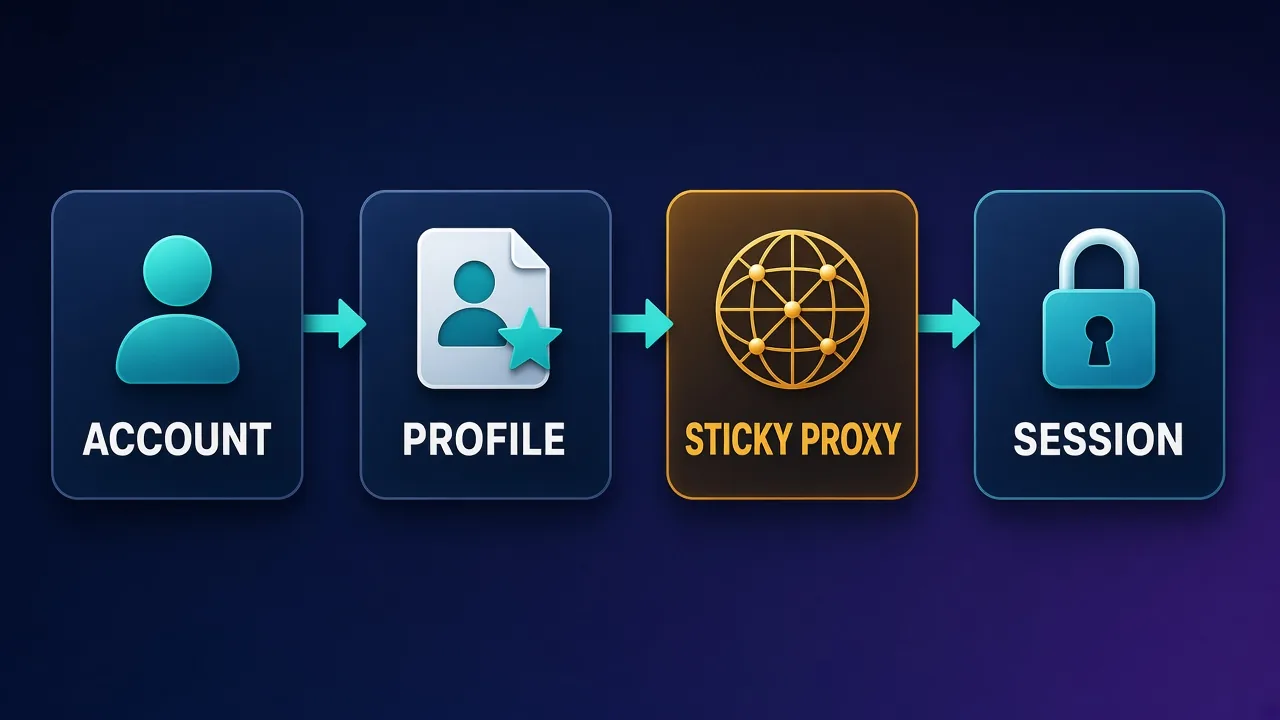
Sticky sessions mean the same account keeps the same exit IP (or a very small set) for hours or days. LinkedIn expects that. Rotating every request — fine for some scrapers — is a red flag for logged-in LinkedIn.
Consistency also covers geography. A profile that claimed New York should not appear from Singapore the next morning without a travel story. Keep city / country aligned with the persona and the phone number / recovery email you use.
Device and browser fingerprint
IP is only one signal. Canvas, WebGL, fonts, time zone, language, WebRTC leaks, and cookie jars also matter. Running five LinkedIn accounts in one Chrome profile on one laptop is asking for correlation — even behind five proxies.
Anti-detect browsers isolate fingerprints per profile. Proxies still matter; they are not optional just because the browser spoofs. See whether you need proxies with anti-detect browsers for the split of responsibilities.
Proxy types for LinkedIn: what works and what usually fails
Not every proxy product is built for long sticky logins. Match the type to the job.
ISP / static residential (preferred for most LinkedIn work)
ISP proxies (sometimes marketed as static residential) give you a dedicated or long-lived IP on ISP-looking ranges. You keep the same address for weeks or months. That maps cleanly to “one account, one office IP.”
For multi-account LinkedIn ops, this is usually the default recommendation: predictable sticky behavior, better ASN optics than cloud datacenter, and simpler ops than managing rotating pools.
Residential sticky sessions
Rotating residential networks can pin a session for 10–60 minutes (sometimes longer) via a sticky session ID. Useful when dedicated ISP inventory is scarce in a city, or you need short-lived research sessions.
Limits: sticky duration caps, peer churn, and higher per-GB cost if your tooling is chatty. For always-on sales seats, dedicated ISP still tends to be calmer.
When mobile helps
Mobile (4G/5G) exits can look like phone traffic and sometimes pass stricter checks. They help for recovery flows, app-only experiments, or regions where ISP stock is thin.
Trade-offs: higher cost, variable latency, and sticky options that are shorter or pricier. Mobile is a specialist tool for LinkedIn, not the first buy for a 20-seat outreach desk.
Why datacenter usually fails for logged-in LinkedIn
Datacenter IPs are fast and cheap. They are also heavily flagged as hosting. For anonymous public fetches they can work with careful rate limits. For logging into LinkedIn as a “person,” they often trigger checkpoints quickly.
Some teams use premium datacenter for non-login scraping of public job pages. That is a different job than automation of logged-in inboxes. Do not mix those requirements.
Rule of thumb
Logged-in LinkedIn personas → ISP / static residential first, sticky residential second, mobile for edge cases. Skip commodity datacenter for account sessions.
If you already run sticky setups for messaging apps, the mindset is similar to static proxies for Telegram and stable exits for WhatsApp proxy setups: same IP, same device story, slow changes.
Sticky sessions and warm-up: how to look ordinary
Buying the right proxy type is half the work. How you bind and ramp the account is the other half.
Sticky binding
- Assign one proxy endpoint (or sticky ID) per LinkedIn profile. Never share an exit across personas.
- Store the binding in your anti-detect profile notes so a teammate does not rotate it by accident.
- Prefer provider sticky TTLs measured in hours or dedicated ports that do not rotate on reconnect.
- If the sticky drops, pause activity. Re-binding to a new ASN mid-campaign is riskier than waiting.
Warm-up timeline (illustrative, not a guarantee)
New or restored accounts should not blast 100 connection requests on day one. A conservative pattern many ops teams use:
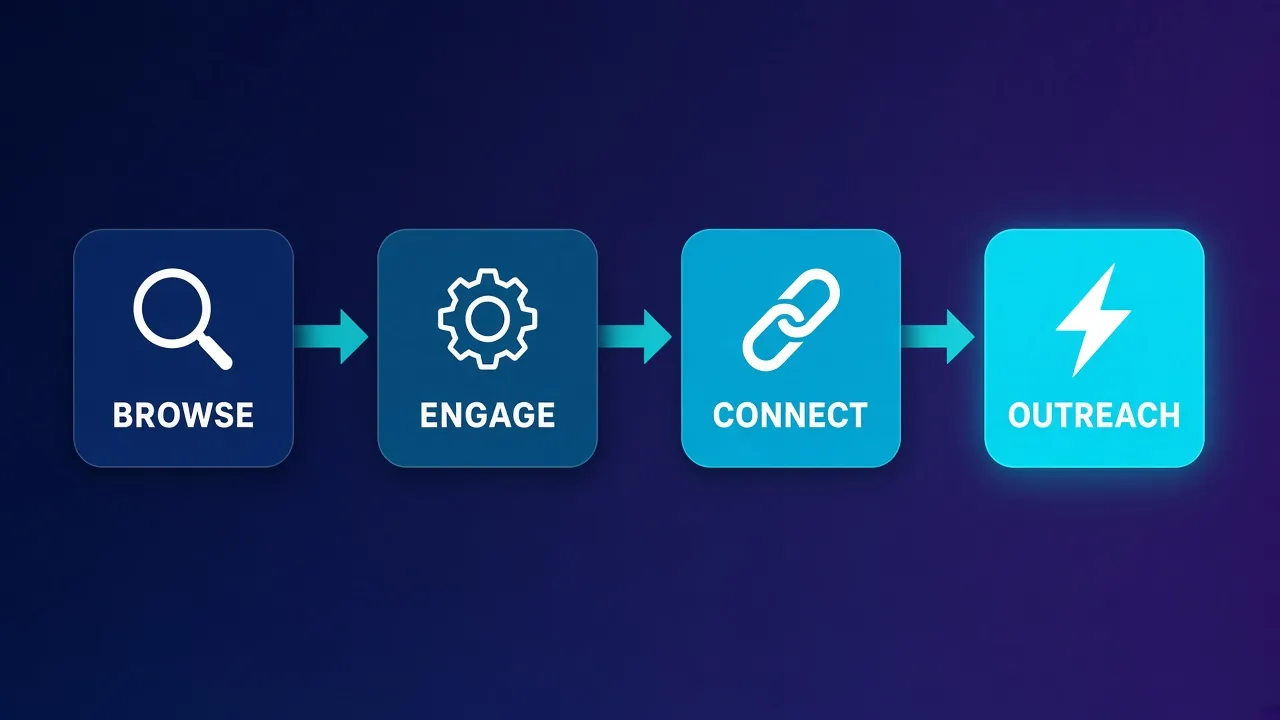
- Days 1–3: log in, complete profile basics, browse the feed, open a few profiles. No bulk outreach.
- Days 4–7: light engagement (a few likes / comments), 5–10 connection requests if the account is established enough.
- Week 2+: ramp messaging and invites gradually. Cap daily actions well below tool maximums.
- Ongoing: keep human gaps, business-hours scheduling in the persona’s time zone, and randomized delays.
Warm-up does not “beat” LinkedIn. It reduces the chance that a brand-new fingerprint plus aggressive automation looks like a bot farm on hour one.
Tool stack: anti-detect, proxies, and sequencing
Stable LinkedIn work is a three-layer stack. Drop any layer and the others compensate poorly.
1. Anti-detect browser (or dedicated browser profiles)
Each LinkedIn account gets its own profile: cookies, local storage, fingerprint, and proxy settings. Popular options in this niche include GoLogin, Multilogin, Dolphin Anty, and similar tools. Pick one your team can operate consistently; switching mid-campaign reshuffles fingerprints.
2. Proxies
ISP / static residential preferred, as above. Configure the proxy inside the anti-detect profile so DNS and WebRTC follow that exit. Test for leaks before first login.
3. Sequencer / outreach tool (optional)
Tools that schedule connection requests, follow-ups, and InMails. Whatever you use, set conservative limits, personalize copy, and monitor restriction rates. A sequencer without IP hygiene just automates getting banned faster.
Stack checklist: one profile → one fingerprint → one sticky IP → one sequencer schedule. Document the binding. Review restriction rates weekly and cut volume before you swap providers blindly.
Manual browser work with the same isolation still needs the proxy layer. Automation software does not replace network hygiene.
Comparison: which approach fits which LinkedIn job?
Use this table to choose an approach before you pick a brand.
| Approach | Best for | Sticky strength | Typical risk if misused | Cost posture |
|---|---|---|---|---|
| ISP / static residential | Logged-in multi-account seats | Excellent (dedicated) | Low–medium if warmed | Per IP / month |
| Residential sticky | Flexible geo, shorter sessions | Good (TTL-limited) | Medium if TTL too short | Per GB |
| Mobile 4G/5G | Recovery, app flows, hard geos | Fair–good | Medium; pricey mistakes | High per GB / line |
| Datacenter | Public, non-login fetches only | N/A / poor for personas | High for logins | Lowest |
| No proxy (home IP) | One personal account | Natural | Correlates all activity to you | Free, not multi-account safe |
Most serious LinkedIn multi-account desks standardize on ISP for production seats and keep a small residential or mobile budget for troubleshooting.
Provider picks for LinkedIn sticky work (2026)
Below are published providers on Proxyaxis that offer ISP and/or strong residential inventory suitable for sticky LinkedIn sessions. We are not inventing live prices or scores here — cards pull current data. Always check current pricing on Proxyaxis before you buy, and verify sticky TTL / dedicated IP options in the provider dashboard.
Qualitative fit notes only; your geo, budget, and tooling will decide the winner.
Bright Data
Enterprise-grade coverage across ISP, residential, and mobile. Strong when you need named geos, compliance paperwork, and large seat counts. Overkill for a two-account experiment; sensible for agencies that already standardize on one vendor.
Bright Data
Bright Data remains the most complete data-collection platform money can buy. No competitor matches its combination of network scale, targeting granularity, and compliance tooling — and for enterprise teams whose revenue depends on reliable data, that completeness justifies the premium. The trade-offs are real: it is one of the priciest providers per gigabyte, the interface overwhelms newcomers, and KYC verification adds friction before you can route a single request. Smaller projects will get better value from Decodo or IPRoyal. But if you need city-level residential targeting at scale, a managed unblocker for the hardest targets, and audit-ready compliance, Bright Data is the default — and our highest-rated proxy provider overall.
Oxylabs
Another heavyweight with ISP and residential lines aimed at serious ops. Expect polished dashboards and support that can talk sticky session design. Good fit when uptime SLAs and documentation matter more than bargain pricing.

Oxylabs
Oxylabs is the enterprise provider that gets the fundamentals right. The network is huge and well-maintained, the scraper APIs are genuinely best-in-class, and the documentation and SDKs make integration faster than almost any competitor. What sets it apart from Bright Data is service: dedicated account managers, responsive support, and cleaner tooling mean less time fighting the platform and more time shipping. The cost is higher entry pricing, and the deepest discounts favor high-volume commitments. For serious commercial data operations that can justify the spend, Oxylabs is a top-two choice and frequently the one teams stay with long-term.
Decodo
Solid all-type catalog (including ISP and residential) at a more approachable entry point than the top enterprise brands. Useful middle ground for teams scaling past hobby plans without jumping straight to the most expensive enterprise contracts.

Decodo
Decodo offers the best price-to-performance ratio in the industry. It delivers roughly 90% of what the enterprise leaders provide — high success rates, a large clean pool, sticky sessions, an unblocker — at a fraction of their cost. The dashboard is the friendliest of any major provider, the 14-day money-back guarantee removes the risk of trying it, and support actually responds. The main gaps are enterprise-grade compliance tooling and the very deepest targeting, neither of which most teams need. For startups, solo developers, and any team that wants professional results without enterprise pricing, Decodo is our top value pick and an easy recommendation.
NetNut
Often chosen when operators want ISP-style stability and straightforward sticky behavior for social and outreach stacks. Evaluate their LinkedIn-relevant geos and dedicated options against your persona map.

NetNut
NetNut's direct-ISP architecture is more than marketing — it genuinely delivers steadier, faster sessions than peer-to-peer networks, because it does not depend on consumer devices staying online. That makes it a standout for uptime-critical workloads like brand protection and ad verification, where a dropped session means lost data. The trade-offs are business-oriented pricing, higher minimum commitments, and a dashboard that takes some learning. If session stability is your priority and you operate at business scale, NetNut is one of the most reliable residential networks available and well worth the 7-day trial.
SOAX
Flexible residential and ISP-oriented targeting with sticky session controls. Handy when you need city-level exits and are willing to tune session length carefully for LinkedIn logins.

SOAX
SOAX is the targeting specialist. City- and ISP-level selection on every plan — not locked behind premium tiers — is genuinely rare, and the continuously cleaned pool keeps success rates high where it matters. It is not the fastest network, the interface could use a refresh, and SOCKS5 coverage is uneven. Those are real but minor gripes against a provider that nails the fundamentals of precision and reliability. For ad verification, localized market research, and social-media work that depends on appearing in an exact location, SOAX is one of the best mid-market options available.
Proxy-Seller
Frequently used for per-IP ISP / static buys — the purchasing model matches “one LinkedIn seat, one IP” budgeting. Confirm protocol (HTTP/SOCKS), subnet quality, and replacement policy before assigning production accounts.

Proxy-Seller
Proxy-Seller is excellent value if you want fixed, dedicated IPs instead of metered bandwidth. Per-IP pricing from $1.30 with unlimited bandwidth, flexible rental terms, and unusually cheap IPv6 make it a smart choice for account management and SEO. It is not the place for large rotating-residential workloads — the per-IP model does not scale to mass scraping that needs thousands of fresh addresses. The dashboard is also plain and functional rather than polished. But for stable, dedicated identities at a low cost, backed by 24/7 support, Proxy-Seller is one of the better dedicated-proxy specialists around.
Webshare
Practical for teams that want ISP or static-style inventory with simpler onboarding. A reasonable place to prototype bindings and leak tests before committing a full agency fleet elsewhere.

Webshare
Webshare is the developer's self-service favorite. Instant activation, a free tier that is actually free, and the cheapest fast datacenter proxies in the market make it the easiest provider to just start using. The custom plan builder — pick your IP count, bandwidth, and threads — is a genuinely good model that lets you avoid paying for capacity you do not need. The residential pool is newer and less battle-tested than specialists, and support is thin on the lower tiers. For datacenter proxies, API-driven workflows, and anyone who wants to try before paying, Webshare is one of the best-value options around.
Start with two providers in a bake-off: same anti-detect profiles, same warm-up script, measure checkpoint rate over two weeks. Do not migrate every account on day one of a new vendor.
How to set up proxies for LinkedIn automation
A concrete sequence you can hand to an operator:
- Pick the proxy type. Prefer dedicated ISP / static residential in the persona’s country (and city if available).
- Create the anti-detect profile. Match OS, time zone, language, and screen norms to the persona. Disable WebRTC leaks; force proxy DNS when the tool allows it.
- Paste proxy credentials. Host, port, user, pass (or IP auth). Save. Restart the profile.
- Leak-check. Visit an IP/ASN checker inside that profile only. Confirm country, ISP label, and that WebRTC does not show your real IP.
- First LinkedIn login. Prefer official mobile verification paths you control. Avoid logging in from a second network the same day.
- Warm up. Follow the ramp above. Keep the sequencer off until the account looks lived-in.
- Bind in your ops sheet. Profile name, proxy host, sticky ID, geo, date started, restriction notes.
- Monitor. If LinkedIn serves repeated puzzles or limits, stop automation, keep the same IP, and recover manually before changing vendors.
Protocol tip: browsers usually speak HTTP(S) proxies fine. Some stacks prefer SOCKS5. Match what your anti-detect tool documents; do not mix schemes in one URL string.
Pitfalls, ToS, and compliance warnings
Common failure modes we see when LinkedIn proxy setups go sideways:
- Rotating mid-session. Sticky expired; tool silently grabbed a new peer. Fix TTL and pause on rotate.
- Shared subnets. Twenty accounts on adjacent IPs in a known proxy block. Spread purchases; prefer cleaner allocations.
- Fingerprint clones. Copy-pasted anti-detect profiles with identical canvas noise. Clone carefully or create fresh.
- Volume cosplay. “Human-like” tools set to 200 invites/day. LinkedIn still sees the aggregate. Cut limits.
- Geo lies. Phone number in India, proxy in Germany, browser locale in US. Align identity signals.
- Ignoring official restrictions. Pushing through checkpoints with more automation. Stop and remediate.
You own the compliance risk
Proxies and anti-detect tools are dual-use infrastructure. Using them to violate LinkedIn’s terms, harass users, scrape personal data unlawfully, or run unauthorized access can have legal and account consequences. Proxyaxis provides educational comparisons of networking tools — not advice to break platform rules. Consult counsel for commercial automation programs.
Also respect privacy and anti-spam laws in your jurisdiction (for example CAN-SPAM-style rules, GDPR/CCPA for personal data). A clean IP does not grant a license to spam.
What LinkedIn proxy setups cost
Budget in layers rather than one line item:
- Proxies: ISP / static is usually priced per IP per month; residential and mobile skew per GB. LinkedIn browser sessions are lighter than video scraping, but idle keep-alives and preview images still consume bandwidth on metered plans.
- Anti-detect seats: per profile or per user licenses add up once you pass a handful of accounts.
- Sequencer / CRM: outreach tools often charge per connected LinkedIn seat.
- Labor: warm-up, copy, and restriction handling are real hours. Cheap proxies with expensive babysitting are not cheap.
We are not quoting vendor numbers here because they change. Open each provider card on Proxyaxis and check current pricing on Proxyaxis for the plan that includes sticky or dedicated ISP in your geos.
Rule of thumb for planning: price the successful seated account per month (proxy + browser + tool + labor), not the cheapest GB on a pricing page.
Who this is for — and who should skip it
Reasonable fit:
- Recruiting and sales teams managing multiple authorized brand or regional personas with clear internal policy.
- Agencies that already isolate client accounts and need stable ISP exits.
- Researchers collecting permitted public data at low volume with legal review.
- Operators migrating off datacenter after repeated LinkedIn checkpoints.
Poor fit / skip:
- Anyone planning bulk unsolicited spam or fake identity farms.
- Single personal account users — your home or office IP is usually fine; extra proxies add failure modes.
- Teams unwilling to warm up or to stop when restricted.
- Use cases that violate LinkedIn terms or local law — no proxy stack fixes that.
If your goal is one authentic presence, invest in content and CRM discipline instead of a proxy mesh.
Conclusion
The best proxies for LinkedIn automation in 2026 are not the cheapest rotating datacenter lists. They are ISP / static residential (or carefully managed sticky residential) exits bound one-to-one with isolated browser profiles, warmed slowly, and monitored for restrictions.
Remember the signal stack: IP reputation, ASN type, session consistency, and device fingerprint. Match proxy type to that stack, use providers that publish real sticky or dedicated options, and keep LinkedIn’s terms in the room when you design volume.
Start with a small bake-off among the providers above, document every binding, and scale only what stays healthy. For adjacent sticky-social patterns, compare notes with our Instagram, Telegram, and WhatsApp proxy guides — then adapt, because LinkedIn remains one of the stricter environments in the social proxy world.
Frequently asked questions
ISP or static residential proxies are usually the best fit for logged-in LinkedIn personas because they keep one stable exit IP on ISP-looking ranges. Sticky residential can work for shorter sessions. Commodity datacenter IPs often trigger checkpoints on login.
For logged-in accounts, datacenter proxies are a poor default because many ranges are labeled as hosting. They may still suit carefully rate-limited public page fetches without login. Do not treat them as interchangeable with ISP seats for outreach profiles.
Yes for multi-account or automation work. LinkedIn expects long-lived sessions from a consistent network. Rotating the exit IP every request or every few minutes looks abnormal and raises restriction risk.
Proxies hide or change the network path; they do not isolate cookies or browser fingerprints. Running several LinkedIn accounts in one normal browser profile can still correlate them. Pair one sticky proxy with one anti-detect (or fully isolated) profile per account.
LinkedIn’s terms and automation policies often restrict bots, scraping, and bulk messaging. Proxies do not grant permission. You are responsible for staying within LinkedIn’s rules and applicable law; treat this guide as networking education, not legal clearance.
Many operators spend several days on light browsing before outreach, then ramp connection requests slowly over one to two weeks. There is no guaranteed timeline. If you see puzzles or limits, pause automation and keep the same IP while you recover.
Prefer one account per sticky or dedicated IP. Sharing an exit across personas makes it easier for risk systems to link them. If inventory is tight, never share across client brands or conflicting geos.
ISP and static plans are commonly billed per IP per month; residential and mobile are often per GB. Exact numbers change by vendor and geo, so check current pricing on Proxyaxis and estimate total cost per seated account including browser and tooling.