Table of contents
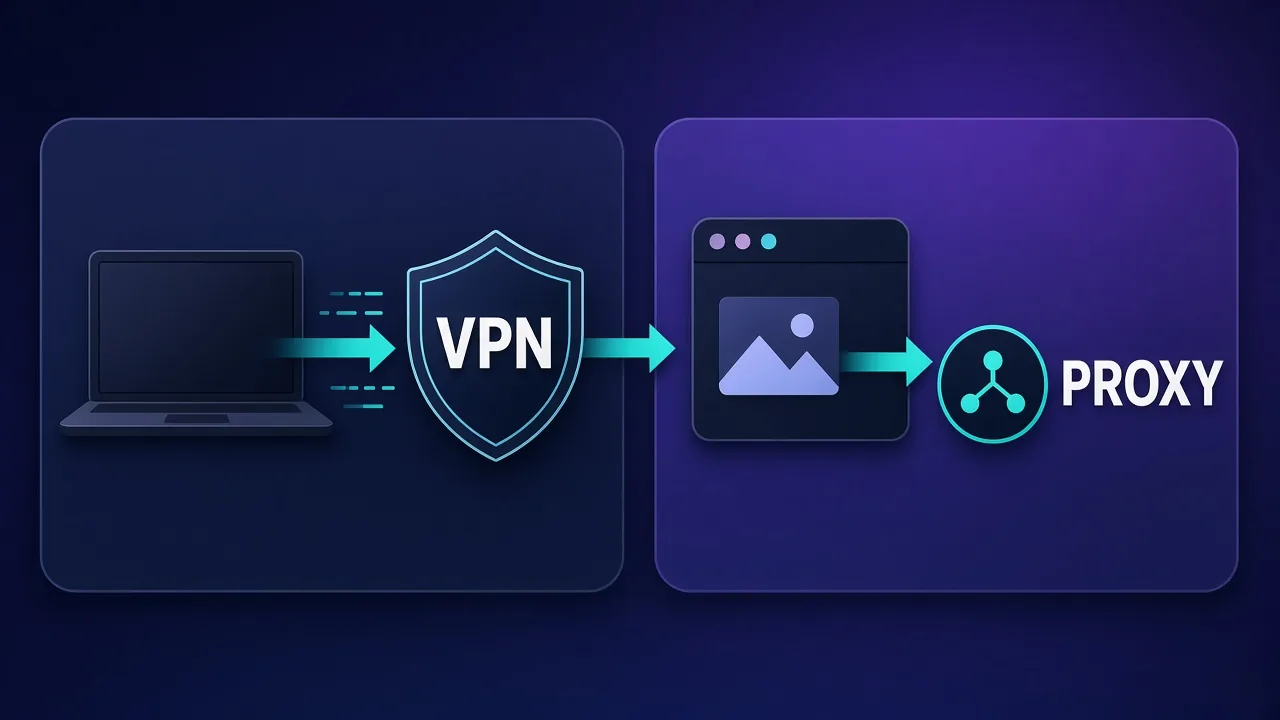
Proxies and VPNs both change the IP address a destination site sees, which is why people treat them as interchangeable. They are not. A VPN typically wraps your whole device (or a system tunnel) in an encrypted path to a provider’s server. A proxy usually sits in front of one application, browser profile, or HTTP client and forwards only that traffic. That single difference — device-level versus app-level — drives almost every practical decision about multi-account work, scraping, privacy, and compliance.
This guide unpacks how each tool works on the wire, where encryption and DNS leak protection actually live, when sticky or rotating proxies beat a VPN, and when a VPN is the safer default. If you are choosing IP types next, see our breakdown of residential vs ISP vs datacenter proxies and the protocol primer on SOCKS5 vs HTTP proxies.
Quick takeaway
Use a VPN when you want device-wide encryption and a single trusted egress for browsing or travel. Use a proxy when you need per-app or per-profile IPs, high concurrency, sticky sessions for accounts, or scrapers that must rotate exits without wrapping the whole OS.
What a VPN actually does
A virtual private network creates an encrypted tunnel between your device and a VPN server. Applications on that device generally send traffic into the tunnel without knowing the tunnel exists. The remote site sees the VPN server’s IP, not your home or office IP. Modern consumer VPNs also push DNS through the tunnel, offer a kill switch if the tunnel drops, and may include split tunneling so selected apps bypass the VPN.
That design optimizes for privacy and integrity of the whole path. Your coffee-shop Wi-Fi operator cannot easily inspect HTTPS payloads inside the tunnel; many corporate VPNs similarly protect traffic on untrusted networks. The trade-off is coarse control: one device (or one OS user session) usually maps to one egress IP at a time. Running ten separate “identities” from one laptop through one VPN exit is awkward — every app shares the same visible IP and often the same fingerprint environment.
Enterprise and privacy-focused VPNs differ in logging posture, jurisdiction, and protocol (WireGuard, OpenVPN, IKEv2), but the scope remains device- or interface-level. For everyday private browsing, streaming geo unlocks, and public Wi-Fi, that scope is a feature, not a bug.
What a proxy actually does
A proxy accepts connections from a client and forwards them toward a destination. Common forms include HTTP/HTTPS forward proxies and SOCKS5 proxies. The client must be configured to use the proxy (browser settings, environment variables, library parameters, or an anti-detect profile’s proxy field). Traffic that never points at the proxy does not go through it.
Because the proxy is application-scoped, you can:
- Give each browser profile or automation worker its own IP.
- Rotate exits per request or pin a sticky session for minutes to hours.
- Mix residential, ISP (static residential), and datacenter pools in one stack.
- Leave your OS and other apps on the normal network path.
Proxies do not automatically encrypt the hop between you and the proxy the way a VPN encrypts the whole tunnel. Many setups use TLS to the destination (HTTPS), and some providers offer SOCKS5 over TLS or require authenticated HTTPS CONNECT. Treat “proxy” as an IP and routing control plane first; treat encryption as a separate requirement you must verify for your threat model.
App-level vs device-level: the decision that matters
Ask one question before you buy anything: Do I need one shared egress for everything, or many independent egresses for different tasks?
| Dimension | VPN (typical) | Proxy (typical) |
|---|---|---|
| Scope | Device / OS tunnel | App, profile, or HTTP client |
| Encryption to provider | Yes (core feature) | Optional / depends on setup |
| Multi-account isolation | Weak unless multiple devices/VMs | Strong with one proxy per profile |
| High concurrency scraping | Poor fit | Designed for pools and rotation |
| Sticky IP for logins | Possible but coarse | First-class sticky sessions |
| DNS leak controls | Usually built-in | Must configure client carefully |
| Public Wi-Fi privacy | Excellent default | Incomplete alone |
Multi-account social and ads ops almost always need proxies (often sticky ISP) paired with anti-detect browsers. Travel privacy and “encrypt my laptop on hotel Wi-Fi” almost always need a VPN. Scraping at scale needs proxies; a VPN exit shared by thousands of other customers is usually a blocked, noisy IP for aggressive collection.
Do not stack blindly
Running a system VPN and application proxies together can create confusing routes, DNS mismatches, and “wrong country” failures. Prefer one clear path per workflow. If you must combine them, document which apps bypass the VPN and test IP, DNS, and WebRTC separately.
Privacy: what each tool protects (and what it does not)
Privacy is not a single switch. Break it into threats:
- Local network observer (café Wi-Fi): a VPN encrypts your traffic to the VPN server and is usually the right tool. A plain HTTP proxy may leave the client-to-proxy hop exposed on that network.
- Destination site: both can hide your home IP. Neither hides browser fingerprints, cookies, or account behavior. IP is only one signal.
- Provider trust: both VPN and proxy providers can see metadata about your usage to varying degrees. Read logging policies; prefer providers with a clear retention story for your risk level.
- Government or legal process: jurisdiction and logging matter more than marketing slogans. Neither tool is anonymity by itself.
If your goal is “safer browsing on untrusted networks,” start with a reputable VPN. If your goal is “sites should not correlate my scrapers or accounts by a single home IP,” start with proxies and operational hygiene (separate profiles, warm-up, human-like pacing).
Multi-account and anti-detect workflows
Teams that run many marketplace, social, or ads identities typically isolate each identity in an anti-detect browser profile with its own fingerprint and a dedicated proxy. The proxy supplies a stable or semi-stable IP that matches the account’s expected geography; the browser supplies cookie and canvas isolation. A single VPN IP shared across profiles links those identities from the platform’s point of view.
Sticky ISP (static residential) proxies are popular for logins and Business Manager–style work because ASN reputation looks like a normal household or small-business line and the IP can remain assigned for long sessions. Rotating residential pools fit read-heavy collection better than long-lived authenticated sessions. Datacenter proxies are cheaper and faster but often face stricter challenges on major consumer platforms.
For pairing guidance, see how operators wire anti-detect browsers with proxies (when that guide is live on your calendar) and compare fingerprint/proxy UX in pieces like Multilogin vs AdsPower.
Scraping and automation
Scrapers care about pool size, subnet diversity, geo targeting, session controls, protocol support, and retry semantics. Proxies are built around those knobs. You can attach a different exit to each worker, honor robots and site terms where required, and back off when you see blocks — without forcing your entire laptop through a congested VPN node.
A VPN can still help a single researcher browse a blocked resource privately, but it is a weak scraping fabric: limited concurrency, shared reputation, and little sticky/rotate vocabulary. If you automate with Python, patterns in how to rotate proxies in Python show why gateway URLs, session IDs, and retry budgets belong in the client — not in a system VPN toggle.
Protocol choice still matters. HTTP proxies are natural for HTTPS CONNECT and many scrapers; SOCKS5 is useful when you need broader TCP (and sometimes UDP) support. Match the protocol to the client library you actually run.
When to use a VPN
- You are on untrusted Wi-Fi and want encryption by default.
- You want one simple “protect this device” control for browsing and apps.
- You need a kill switch and DNS leak protection without configuring every app.
- You are traveling and need a predictable egress country for personal accounts.
- Compliance or corporate policy requires a managed tunnel to company resources (corporate VPN) — a different product class than consumer privacy VPNs, but still device-scoped.
Consumer VPN picks on Proxyaxis (live cards, not invented prices) include options such as:
Mullvad
Often chosen when logging posture and straightforward pricing matter more than extras. Useful baseline for privacy-oriented personal use — not a scraping pool.

Mullvad
Uncompromising privacy with zero marketing games. Mullvad does not even know who you are. Streaming unblocking and country coverage trail the big consumer brands — that is the trade-off, and it is deliberate.
Proton VPN
Frequently evaluated for privacy branding plus broader consumer features. Still a device-level tool; do not expect per-profile sticky social IPs.

Proton VPN
The privacy purist's choice that no longer compromises on speed or streaming. The free tier is genuinely free and safe — unique in this industry. Paid plans are competitive with the very best.
NordVPN
Common consumer pick for ease of use and wide app support. Fine for travel and Wi-Fi; poor substitute for a residential proxy pool.

NordVPN
Still the benchmark. NordVPN combines top-tier speeds, a repeatedly audited no-logs policy, and the broadest feature set in the industry at a mid-range price. The default recommendation for most people.
When to use a proxy
- You run multiple accounts or browser profiles that must not share one IP.
- You need sticky sessions for logins or rotating exits for collection.
- You require city/ASN targeting, large pools, or API-friendly gateways.
- Only one app should change IP; the rest of the device should stay local.
- You are building scrapers, monitors, or ad-tech pipelines with concurrency.
Provider choice depends on IP type and use case. Enterprise residential/ISP stacks (Bright Data, Oxylabs), mid-market flexible pools (Decodo, SOAX), and social-oriented sticky products all appear in Proxyaxis roundups — verify live cards for current plans rather than memorizing list prices.
Bright Data
Proxy

Oxylabs
Proxy
Editor score
User rating
Starting price
Founded
Can you use both?
Yes, carefully. Examples that sometimes make sense:
- VPN for the human, proxies for the bots: your personal browser uses a VPN on travel networks; automation workers on a server use proxies only.
- Proxy inside a clean VM: the VM may sit behind a corporate VPN while the browser inside uses a dedicated proxy — only if routing is understood and tested.
- Never “double hop” for mystique: VPN into a proxy chain without a threat model usually adds latency and failure modes without meaningful anonymity.
Test with IP check endpoints, DNS leak tests, and WebRTC checks from the same profile you will use in production. Record the expected country and ASN.
Cost and operational trade-offs
VPNs are usually flat monthly subscriptions for unlimited personal traffic through a shared network. Proxies are usually priced by bandwidth (residential), by IP (datacenter/ISP), or by request (some scraping APIs). Heavy collection can make residential bandwidth the dominant cost; multi-account social work often spends more on sticky ISP seats and anti-detect licenses than on raw GB.
Operations differ too. A VPN failure is “internet feels broken until reconnect.” A proxy failure is “this worker got 403s” — which you can isolate, rotate, and retry. Build observability (status codes, challenge rates, geo mismatches) into proxy workflows; treat VPN as a coarser health check.
Practical default
Personal device on hostile networks → VPN. Many identities or many concurrent exits → proxies. Legitimate business automation still needs policy review: platform terms, copyright, and privacy law are not solved by either tool.
Common pitfalls
- Using a VPN IP for ten social profiles and wondering why they get linked.
- Assuming a proxy encrypts local Wi-Fi the way a VPN does.
- Ignoring DNS and WebRTC so the real IP leaks beside a “successful” proxy check.
- Rotating residential exits on every authenticated request and triggering security challenges.
- Buying the cheapest datacenter list for platforms that fingerprint ASN reputation aggressively.
- Fabricating a sense of anonymity while reusing fingerprints, payment methods, or device farms carelessly.
Who each option is (not) for
VPN fits: individuals, travelers, journalists protecting transit networks, remote workers on a corporate tunnel, households that want a simple privacy control.
VPN is a poor fit: large-scale scraping, multi-account ads ops, anyone who needs dozens of concurrent geo-targeted exits from one host.
Proxy fits: growth and data teams, agencies managing client pages, developers building monitors, operators who isolate browser profiles.
Proxy is a poor fit: “encrypt my whole phone on airport Wi-Fi” with no app-by-app configuration — use a VPN app instead.
Conclusion
Proxy vs VPN is not a popularity contest; it is a scope contest. VPNs excel at device-level encryption and simple private egress. Proxies excel at app-level IP control, concurrency, and session semantics for automation and multi-account work. Choose based on whether you are protecting a person on a network or coordinating many network identities — then pick IP type, protocol, and provider with that job in mind. For value-oriented residential pools see best cheap residential proxies; for trust signals when evaluating vendors, read what makes a proxy provider trustworthy.
Frequently asked questions
No. A VPN usually encrypts and tunnels most or all device traffic to a provider server. A proxy typically forwards traffic for one application, browser profile, or HTTP client. Both can change the visible IP, but scope, encryption, and multi-account fit differ.
For protecting traffic on untrusted Wi-Fi, a reputable VPN is usually better because encryption and DNS leak controls are built in. A proxy hides IP from the destination for configured apps but may not encrypt the path to the proxy. Neither replaces good account hygiene or hides browser fingerprints.
Usually not as your only tool. One VPN exit shared across many profiles links those identities by IP. Prefer dedicated sticky proxies per browser profile, optionally with an anti-detect browser, and keep personal browsing on a separate path.
You can, but routing gets easy to misconfigure. A common clean pattern is a VPN for personal browsing on travel networks and proxies only on automation workers or specific browser profiles. Test IP, DNS, and WebRTC after any combined setup.
Not by themselves. Many proxy setups do not encrypt the client-to-proxy hop the way a VPN encrypts a tunnel. On café or airport Wi-Fi, use a VPN (or trusted cellular tether) for device privacy; use proxies when you need per-app IP control.
None “replaces” a VPN’s encryption story, but rotating residential or datacenter proxies are the usual scraping fabric because they offer pools, concurrency, and session controls. Choose IP type based on the target’s tolerance and your compliance requirements.
VPNs use their own tunnel protocols (such as WireGuard or OpenVPN). Proxies are commonly HTTP(S) or SOCKS5. Pick the proxy protocol your client supports; it is independent from the VPN-versus-proxy scope decision.
When you have one person, one device, and a goal of encrypted egress and a single private IP for normal browsing or remote work. The moment you need many concurrent identities or exits, add proxies.