Table of contents
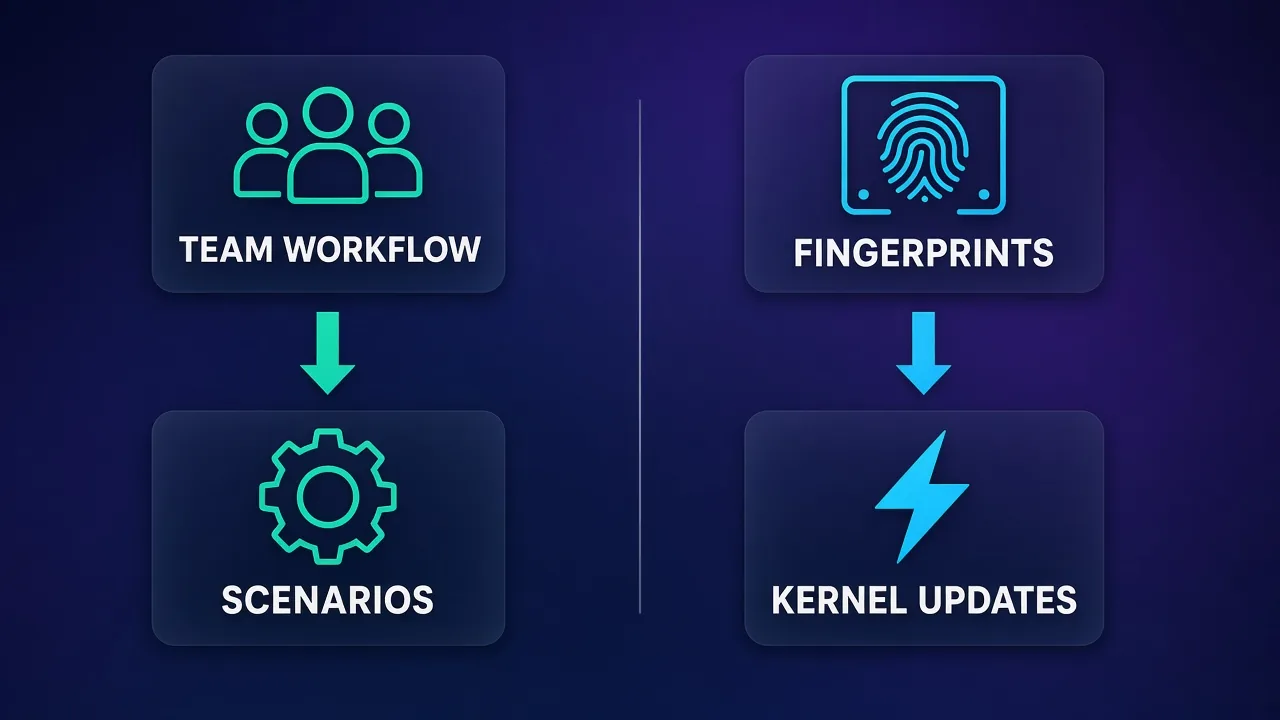
Dolphin Anty and Octo Browser are both antidetect browsers that came out of the affiliate and media-buying world, and both let you run many isolated browser profiles from one machine. They are aimed at slightly different buyers, though. Dolphin Anty leans into team workflow: a free tier, cheap entry plans, a no-code scenario builder, a synchronizer that mirrors actions across profiles, and pay-per-seat users. Octo Browser leans into fingerprint quality and engine freshness: real-device fingerprints, a Chromium kernel it says it updates as fast as it can, and an API that is metered in requests per minute on its higher plans.
This comparison looks at the questions a media-buying team or a solo operator actually asks: what each tool costs per profile, how team seats and permissions work, how good the fingerprints are, how fresh the browser core stays, and what the API lets you automate. Prices below were checked on each vendor's official pricing page on 5 November 2026 and are monthly list prices before any multi-month discount. They change often, so confirm them before you buy. If you are new to the category, start with our explainer on how anti-detect browsers work.
Quick verdict
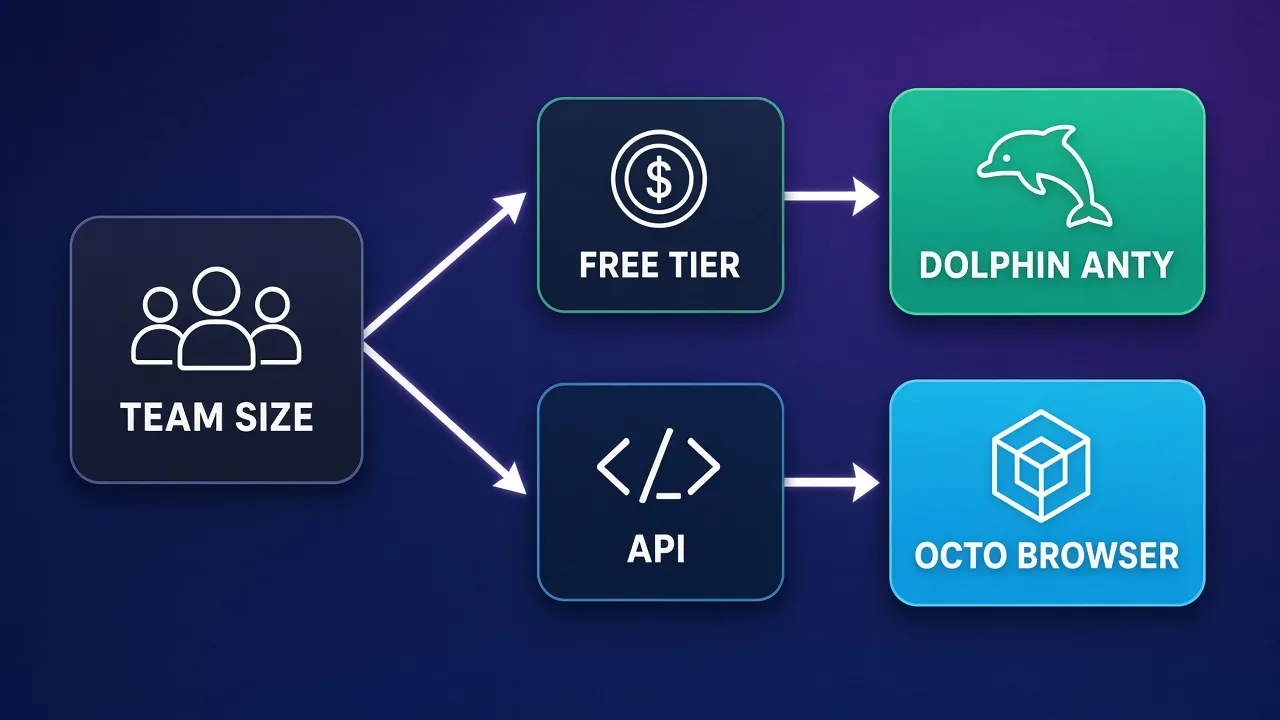
Pick Dolphin Anty if you are a media-buying or farming team that wants to start free, keep costs low per profile, and automate repetitive clicks without writing code. Its synchronizer and scenario builder are genuinely useful for warming and maintaining many ad accounts, and it lets you add users one seat at a time on its Base plan and above.
Pick Octo Browser if fingerprint consistency and a current Chromium core matter more than a free tier, or if you are a developer who wants a well-documented API with published rate limits. Octo costs more at the small end but becomes competitive per profile on its Team and Advanced plans.
Here they are side by side, with live data from our directory:
Dolphin Anty
Browser

Octo Browser
Browser
Editor score
User rating
Starting price
Founded
Dolphin Anty vs Octo Browser at a glance
| Factor | Dolphin Anty | Octo Browser |
|---|---|---|
| Free plan | Yes, up to 3 profiles, no API | No permanent free plan |
| Cheapest paid plan | Starter, $10/mo for 20 profiles | Lite, €10/mo for 3 profiles |
| Mid-tier plan | Base, $89/mo for 100 profiles | Base, €79/mo for 100 profiles |
| Team plan | Team, $159/mo for 300 profiles | Team, €169/mo for 350 profiles |
| Top listed plan | Enterprise, $299/mo from 1,000 profiles | Advanced, €329/mo for 1,200 profiles |
| Extra users | Base +$10, Team +$20, Enterprise +$25 per user | Team includes 3 members (up to 6); Advanced includes 8 (more can be added) |
| API access | All paid plans, listed at 1,500 RPM | Base and up: 50, 100 and 200 RPM by tier |
| No-code automation | Scenario builder and synchronizer | No built-in scenario builder; API-first |
| Engine | Plan table lists Chrome or Firefox engine | Octium, Octo's own Chromium-based kernel |
| Mobile fingerprints | Desktop and mobile OS listed on all plans | Android device fingerprints |
| Long-term discount | 20% from 6 months, 40% for 12 months | 10% for 3 months, 20% for 6, 30% for 12 |
Note the currencies: Dolphin lists in US dollars (it also shows RUB, EUR and BRL), while Octo lists in euros and says prices exclude VAT, which may be added depending on your country.
Pricing per profile: what you actually pay
Headline prices hide the number that matters to a team running dozens or hundreds of accounts: the cost of one profile per month. Dividing each plan's monthly list price by its included profiles gives a rough comparison. These are our own calculations from the published prices, not figures either vendor publishes.
| Plan size | Dolphin Anty | Cost per profile | Octo Browser | Cost per profile |
|---|---|---|---|---|
| Entry | Starter $10 / 20 | about $0.50 | Lite €10 / 3 | about €3.33 |
| Small | (Starter scales to 60) | n/a | Starter €29 / 10 | about €2.90 |
| 100 profiles | Base $89 / 100 | about $0.89 | Base €79 / 100 | about €0.79 |
| Team | Team $159 / 300 | about $0.53 | Team €169 / 350 | about €0.48 |
| Large | Enterprise $299 / 1,000 | about $0.30 | Advanced €329 / 1,200 | about €0.27 |
Two patterns stand out. At the small end Dolphin is far cheaper: 20 profiles for $10 against 3 or 10 profiles from Octo at a similar or higher price. From around 100 profiles upward the two converge, and Octo's larger plans come out slightly cheaper per profile before you account for currency and VAT. The bigger difference at scale is often seats, not profiles, which is covered below.
Discounts change the maths
Dolphin's 12-month discount is listed at 40%, against 30% for Octo. If you are confident you will stay a year, recompute with the discounted prices on each vendor's pricing page before deciding. Octo also says you can upgrade any time but can only downgrade after your current subscription ends.
The free tier and how to trial each tool
Dolphin Anty's free plan gives you up to 3 browser profiles with one user and no API access. That is enough to test fingerprints against the platforms you care about, try the scenario builder's basics and get a feel for the interface before paying. For a new media buyer it removes the risk of paying for a tool that does not fit.
Octo Browser has no permanent free plan. Its cheapest option, Lite, costs €10 a month for 3 profiles, so testing Octo means paying a small amount up front. For an established team that is a minor cost, but for someone still deciding whether they need an antidetect browser at all, Dolphin's free tier is the easier starting point.
Team workflows for media buyers
Media-buying teams usually have a lead who owns budgets and payment profiles, several buyers who launch campaigns, and sometimes farmers who warm accounts. The browser needs to let these people share profiles and proxies without passing cookies around in chat, and it needs to stop a junior operator from deleting the wrong account.
Dolphin Anty
Dolphin's team features start on its Base plan. Its plan comparison lists user creation, per-user profile creation limits, Admin, Team Lead and User roles, proxy sharing, profile sharing with permissions, and folder, scenario, bookmark, extension and start-page sharing. Each plan includes one user, and you add more at $10 per user on Base, $20 on Team and $25 on Enterprise. That pay-per-seat model suits teams that grow one buyer at a time. Dolphin also lists an audit log, internal and cross-account profile transfer, and the ability to switch between 2, 3 or 10 Dolphin accounts depending on plan.
Octo Browser
Octo bundles team members into plans rather than selling them one by one from the start. Its pricing page shows team members on Team (3 included, expandable to 6) and Advanced (8 included, with more available). Below Team you work as a single user, though Octo says you can use the same account on 2 or 3 devices at once and lists unlimited devices on every plan. Profile templates, profile export to another user and profile tasks with notifications round out the collaboration features.
Rule of thumb for teams
If you have two to five people and fewer than 300 profiles, Dolphin's Base or Team plan with a few paid seats is usually the cheaper setup. If you have six or more operators and well over 300 profiles, price out Octo's Advanced plan, which includes eight seats.
Fingerprint quality
An antidetect browser is judged first on whether each profile's fingerprint looks like a real, consistent device. Sites read canvas and WebGL rendering, fonts, screen and hardware hints, timezone, language and WebRTC behaviour, and they flag combinations that do not add up, such as a Windows user agent with a macOS font list.
Octo describes every profile as carrying "the digital fingerprint of a real device" and says its R&D team constantly analyses the anti-fraud systems of popular platforms and monitors fingerprint parameters. It invites users to test profiles with any fingerprint checker. Octo also offers Android fingerprints for work that needs mobile versions of sites.
Dolphin says it uses real fingerprints when you create a profile quickly, lets you control around 20 parameters if you want to customise, and lists desktop and mobile operating systems on every plan. Its homepage mentions webcam parameter spoofing, bulk fingerprint updates across profiles, and support for generating fingerprints for iOS and Android, with some mobile options flagged as coming soon.
Neither vendor publishes independent test results that would let us rank one above the other, and we have not run our own detection benchmark for this article. In practice both are used at scale by affiliate teams. Octo's whole pitch is fingerprint quality, while Dolphin's pitch is broader, so buyers who prioritise stealth above everything else tend to shortlist Octo first.
No browser makes you undetectable
Bans also come from proxy reputation, payment details, behaviour and how fast accounts are created or warmed up. A good fingerprint lowers risk; it does not remove it. Test any browser against your own target platforms with a small number of profiles first.
Engine freshness: why the browser version matters
Most real users run an auto-updated version of Chrome. A profile that reports a browser version several releases old stands out, and so does a core that behaves differently from the version it claims to be. That is why antidetect vendors talk about how quickly they ship new Chromium releases.
Octo makes this a headline feature. It calls its kernel Octium and says it updates it "as quickly as possible, so that no one notices any difference between Octo and Chrome sessions." It also says it regularly and promptly updates the Chromium kernel so users blend in with real Chrome users. Our Octo Browser vs Multilogin comparison covers how that cadence stacks up against an enterprise rival.
Dolphin does not market update speed as prominently. Its current plan comparison lists a "Chrome or Firefox engine" on every plan, which is a change from earlier versions that were Chromium-only, as we noted in our Dolphin Anty vs AdsPower review. A second engine helps if you want your fleet of profiles to look less uniform. If engine freshness is your main concern, check each vendor's changelog for how many days after a Chrome stable release they shipped the matching core.
Automation and API
Automation is where the two tools differ most in philosophy.
Dolphin Anty: no-code first, API included
Dolphin includes a scenario builder that lets you assemble browser actions from blocks, so a non-developer can automate registration, farming or data collection. Its synchronizer mirrors every action in a master profile across several other profiles, which saves time when you need to do the same thing in many accounts. Paid plans also include remote and local API access listed at 1,500 requests per minute, with Selenium, Puppeteer and Playwright supported. Scenario transfer and copying let a team lead build a scenario once and share it.
Octo Browser: API first
Octo has no comparable no-code builder. Instead it offers what it calls a universal API with detailed documentation, usable from any programming language in automatic or hybrid mode. API access starts on the Base plan, with published limits of 50 requests per minute and 500 per hour on Base, 100 RPM and 1,500 RPH on Team, and 200 RPM and 3,000 RPH on Advanced. Advanced can be raised to 1,000 RPM and 50,000 RPH.
The practical split is simple. If your team does not code, Dolphin's scenario builder and synchronizer are a real advantage, especially for account warming. If you have a developer and want predictable, documented limits, Octo's API is cleaner to plan around, though you need at least the €79 Base plan to use it.
Proxies and network setup
Neither browser replaces a proxy. Each profile needs its own IP, and the IP's location should match the profile's timezone and language. Dolphin lists support for HTTP, SOCKS5, SOCKS4 and SSH proxies, IP change through a link, and a check for whether a proxy appears in spam databases. Octo lets you attach your own proxies per profile and also runs a built-in Proxy Shop where you can buy residential and mobile proxies, including proxies with UDP support, inside the browser. Its 3.1 release notes also mention a VPN option for profiles.
For long-lived ad and social accounts, sticky residential, ISP or mobile IPs are the usual choice. Our guides to setting up an anti-detect browser with proxies and the best proxies for multi-account management go into which type to use and why.
Platforms and everyday use
Both run on Windows, macOS and Linux. Octo highlights support for Apple Silicon Macs and claims 99.995% uptime for its service. Dolphin offers cloud sync of profiles, cookies and extensions on paid plans and local sync on every plan, plus traffic-saving and memory-saving options that help when you run many profiles on one machine. Dolphin's support is listed as running from 10:00 to 22:00 GMT+3 in Russian, Ukrainian, English and Portuguese, with dedicated managers on some plans. Octo's pricing page lists customer service on every plan and a personal customer success manager as a feature, so ask which plan includes one if that matters to you.
In terms of interface, Dolphin's profile table with tags, statuses, notes and folders is built for buyers who manage hundreds of accounts by hand. Octo's interface is deliberately lean, which some users prefer and others find too sparse once they want built-in automation.
Who each browser is (and isn't) for
Dolphin Anty fits
- Media buyers and affiliate teams who want to start free and pay little per profile.
- Teams that add buyers one at a time and want per-seat pricing.
- Operators who need no-code automation for warming and repetitive tasks.
Dolphin Anty is a weaker fit for
- Buyers whose main concern is the fastest possible core updates and who want a vendor that publishes that cadence.
- Large teams where per-user add-on costs pile up.
Octo Browser fits
- Teams that put fingerprint quality and a current Chromium core first.
- Developers who want a documented API with clear rate limits.
- Larger teams that can use Team or Advanced, where included seats and per-profile cost are strongest.
Octo Browser is a weaker fit for
- Solo users on a tight budget, since the entry plans give few profiles.
- Non-coders who want built-in scenario automation.
How to decide in an afternoon
- Count the profiles you need now and in six months, and the number of people who will log in.
- Price both tools at that size using the per-profile table above, adding Dolphin's per-user fees or checking which Octo plan includes your seat count.
- Decide whether your automation will be no-code (favours Dolphin) or scripted (either, but Octo's limits are clearer).
- Run a small test: Dolphin's free 3 profiles and Octo's €10 Lite plan, each with the same proxies, against your own target platforms.
- Check each vendor's changelog for recent core updates before committing to a long discounted term.
If neither feels right, our roundup of the best antidetect browsers compares the wider field, including AdsPower, GoLogin and Multilogin.
Bottom line
Dolphin Anty and Octo Browser are both credible, actively developed antidetect browsers, and the right choice depends on what your team values. Dolphin wins on getting started: a free tier, very cheap entry plans, seat-by-seat users and no-code automation that media buyers actually use. Octo wins on focus: real-device fingerprints, a fast-moving Chromium core and a clean, metered API, at a higher entry price that evens out at scale. Test both with your own proxies and platforms before you commit to a yearly plan.
Frequently asked questions
For most media-buying teams Dolphin Anty is the easier fit: it has a free tier, cheap entry plans, per-seat users and no-code tools like the scenario builder and synchronizer for warming accounts. Octo Browser is the stronger pick if your team puts fingerprint quality and fast Chromium updates first and is happy to pay more at the small end.
No. Octo Browser has no permanent free plan. Its cheapest plan, Lite, was listed at €10 a month for 3 profiles when we checked on 5 November 2026, with prices shown excluding VAT.
Dolphin Anty's free plan includes up to 3 browser profiles for one user. It does not include API access, so automation through the API needs a paid plan.
At small sizes Dolphin Anty is much cheaper, with 20 profiles for $10 a month on Starter. From about 100 profiles upward the two are close, and Octo's Team and Advanced plans work out slightly cheaper per profile on list price, before currency differences and VAT.
Yes. Dolphin Anty includes remote and local API access on its paid plans, listed at 1,500 requests per minute. Octo Browser includes API access from its Base plan, with published limits of 50, 100 and 200 requests per minute on Base, Team and Advanced.
Dolphin Anty includes one user per plan and sells extra users at $10, $20 or $25 a month on Base, Team and Enterprise. Octo Browser bundles team members into its Team plan (3, expandable to 6) and Advanced plan (8, with more available).
Octo Browser runs Octium, its own Chromium-based kernel, which it says it updates as quickly as possible to match Chrome. Dolphin Anty's current plan comparison lists a Chrome or Firefox engine on every plan.
Yes. Both browsers separate fingerprints and storage, but each profile still needs its own IP address that matches its location settings. Dolphin supports HTTP, SOCKS4, SOCKS5 and SSH proxies, and Octo lets you add your own or buy proxies in its built-in Proxy Shop.