Table of contents
Kameleo and GoLogin both sell the same basic promise: separate browser profiles, each with its own fingerprint, cookies and proxy, so that dozens of accounts or scraping sessions never look like they come from one machine. Beyond that shared foundation, the two tools are built around very different ideas. Kameleo is an engineering-first product whose standout feature is emulating Android and iOS browsers from a desktop, wrapped in a local API that automation developers can drive from code. GoLogin is a value-focused profile manager that leans on cloud launches, a web app and an Android app so you can reach your profiles from almost any device, at plan prices aimed at freelancers and small teams.
This comparison explains how each tool works, where each one is stronger, and how their pricing models differ. We checked both vendors' official pricing and feature pages while writing, but plans change often, so treat any figures here as a snapshot and confirm on the live pricing pages before you buy.
The short version
Pick Kameleo if you need mobile browser fingerprints, Firefox-based profiles alongside Chromium, or a serious automation stack with SDKs and Docker. Pick GoLogin if you mostly need many desktop profiles at a low cost per profile, easy cloud access, and simple sharing with a small team. Either way, the proxies you pair with the browser matter as much as the browser itself.

Kameleo
Browser

GoLogin
Browser
Editor score
User rating
Starting price
Founded
What an anti-detect browser actually protects
Websites identify visitors with far more than cookies. A modern fingerprint combines dozens of signals: user agent, screen size, installed fonts, graphics card details reported through WebGL, how the browser draws canvas images, audio processing quirks, time zone, language and the IP address the request comes from. Anti-fraud systems compare these signals across sessions. If two accounts share the same canvas hash and GPU string, they are probably on the same device, no matter how carefully the cookies were separated.
An anti-detect browser gives each profile a different but internally consistent set of those signals and keeps the profile's storage isolated. Consistency is the hard part. A profile that claims to be an iPhone but reports a desktop graphics card, or a Windows machine with macOS-only fonts, can be more suspicious than no spoofing at all. That is the lens to use when comparing Kameleo and GoLogin. Both cover the basics. They differ in which kinds of device they can convincingly imitate and how you operate them at scale.
If you are new to the category, our guide to the best anti-detect browsers for web scraping covers the wider field and how these tools fit into a scraping stack.
Kameleo at a glance: mobile emulation and an automation-first design
Kameleo ships two custom-built browser kernels: Chroma, based on Chromium, and Junglefox, based on Firefox. Between them, Kameleo says it can mimic Chrome, Firefox, Edge and Safari profiles. That range matters because real-world traffic is not all Chrome. If every one of your sessions looks like the same Chromium build, that sameness becomes a pattern in itself. Kameleo also lets you run several kernel versions side by side. Its official site says new Chroma builds follow each stable Chrome release within about five days, and Junglefox updates arrive roughly every two months.
Mobile browser emulation
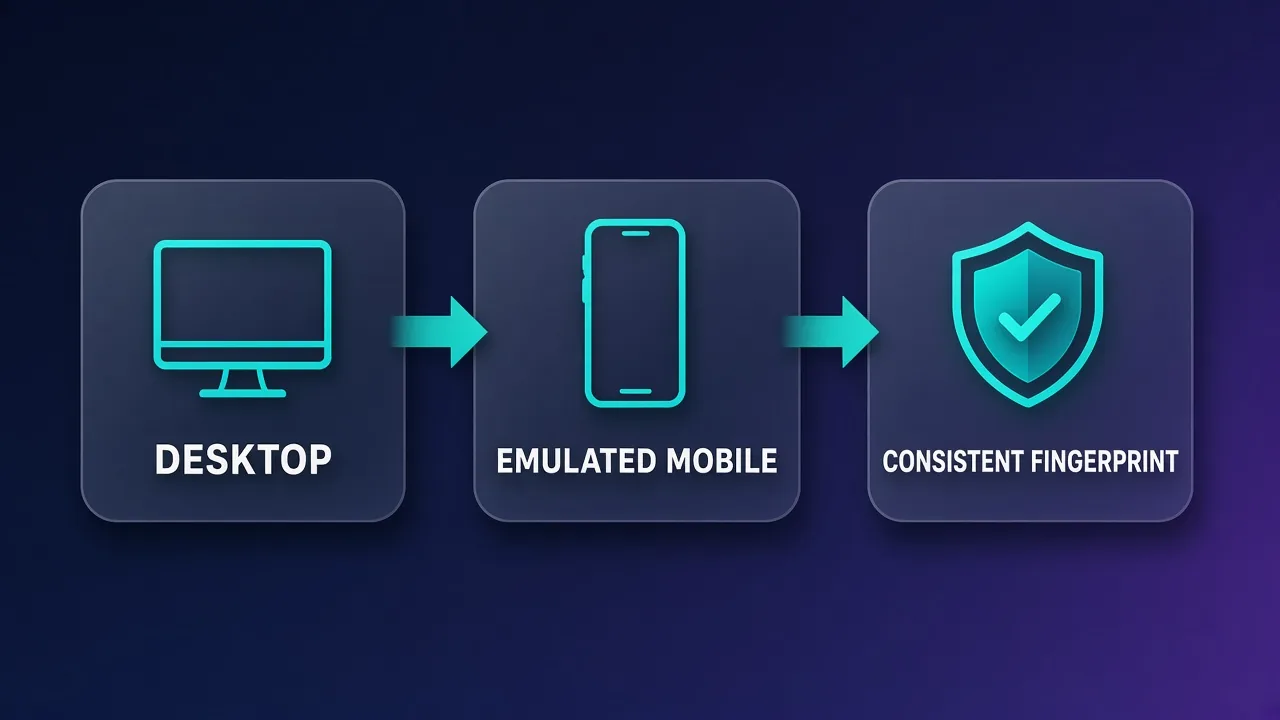
Kameleo's best-known feature is mobile profiles. Inside Kameleo Desktop's Chroma engine you can launch a mobile profile that emulates an Android or iOS browser, drawing on device configurations such as screen sizes, user agents, hardware specs and locales. Canvas, WebGL and AudioContext are masked to match. This is emulation on your PC, not a physical phone or a remote handset, but it goes well beyond the common shortcut of putting a mobile user agent on a desktop browser. For teams testing mobile web flows or working on mobile-first platforms, that is the main reason to choose Kameleo.
Automation stack
Kameleo is built to be driven from code. Its Local API is documented to the OpenAPI standard, and official SDKs exist for Python, JavaScript and C#. Existing Selenium, Puppeteer and Playwright scripts can connect to the Kameleo endpoint, and Playwright also works with the Firefox-based Junglefox kernel. Headless mode uses the same kernel and fingerprint as headed mode, and official Docker images are available for both Linux and Windows containers. The desktop application runs on Windows 10 and later, Windows Server 2016 and later, and macOS 12 and later.
Kameleo
Kameleo is the go-to when you genuinely need to look like a phone: its real Android and iOS profiles and four-engine coverage are unmatched, and its Selenium/Puppeteer/Playwright automation suits serious pipelines. The catches are that the desktop app is Windows-only and there's no free plan, so you commit before you can trial it fully.
GoLogin at a glance: cloud profiles and budget-friendly scale
GoLogin runs on Orbita, its own Chromium-based browser, with desktop apps for Windows, macOS (Intel and Apple chips) and Linux. Each profile gets a unique fingerprint from GoLogin's fingerprint database, and you can accept the generated values or adjust them yourself. GoLogin's approach is less about covering many browser engines and more about making profiles easy to reach and cheap to scale.
Cloud launches, web app and Android app
GoLogin's main differentiator is access. Its web app lets you check on work from any browser, and the Run in Cloud option, available from both the desktop app and the web app, launches a profile on a GoLogin cloud server instead of your own machine. An Android app lets you use your profiles from a phone. That makes GoLogin practical on a locked-down work laptop, a Chromebook, or while travelling. Note that the Android app is a way to manage and use profiles on a phone. It is not the same thing as emulating a mobile fingerprint for every profile, which is Kameleo's specialty. GoLogin also lists separate products such as Cloud Browser and Cloud Android on its site. Check their current scope on the official pages if mobile environments are central to your work.
Automation
GoLogin offers a REST API with request limits that rise by plan, and its feature pages describe support for Puppeteer and Selenium scripts, headless and headful modes, and API-controlled cloud profile sessions. Automation is well covered for most scraping and account workflows, though Kameleo's multi-language SDKs and Docker images give developers more ways to build it into their own infrastructure.
GoLogin
GoLogin is the best-value anti-detect browser going, pairing a genuinely useful forever-free tier with entry plans that include 100+ profiles for $24/month. It cedes a little ground to Multilogin on granular team permissions and to Octo on outright stealth, and its free bundled proxies are low quality — but as an accessible, cross-platform, cloud-or-desktop workhorse it is hard to fault.
Kameleo vs GoLogin: side-by-side comparison
The table below summarises what each vendor's official pages listed when we checked them. Plan limits change often, so confirm on the live pricing pages before you commit.
| Area | Kameleo | GoLogin |
|---|---|---|
| Browser kernels | Chroma (Chromium) and Junglefox (Firefox); mimics Chrome, Firefox, Edge and Safari | Orbita (Chromium-based) |
| Mobile fingerprints | Emulated Android and iOS browsers on desktop; how many can run at once depends on the plan | Android app for using profiles on a phone; mobile fingerprint emulation is not its core focus |
| Desktop platforms | Windows 10+, Windows Server 2016+, macOS 12+, plus Docker | Windows, macOS (Intel and Apple chips), Linux |
| Cloud access | Cloud-stored profiles for sync and sharing; browsers run on your own machines or containers | Web app and Run in Cloud launches on GoLogin servers |
| Automation | Local API (OpenAPI), SDKs for Python, JS and C#; Selenium, Puppeteer, Playwright; headless; Docker | REST API; Puppeteer and Selenium; headless and headful; API cloud profiles |
| Pricing model | Plans sized by concurrent browsers; unlimited local profiles | Plans sized by number of stored profiles |
| Free option | Free plan with limits on concurrent browsers and usage time | Free plan with 3 profiles; 7-day trial on paid plans |
| Team features | Three roles (Admin, Analyst, Member), profile sharing, session lock | Team members and profile shares with view, edit or manage rights |
| Proxies | HTTP, HTTPS, SOCKS5 and SSH per profile | Per-profile proxies; paid plans include some residential proxy traffic |
Fingerprint quality and engine coverage
Both tools produce consistent desktop fingerprints that are good enough for most multi-account and scraping work. The differences show up at the edges.
Kameleo's two-kernel design is a real advantage when you need diversity. Being able to present a Firefox-based profile, not just a Chromium one with a Firefox user agent, avoids a mismatch that some anti-bot systems check for. Kameleo also highlights its canvas spoofing, and its pricing page lists a Fingerprint Inspector panel that shows which fingerprinting calls a site makes against your browser. That kind of tool saves a lot of guesswork when a target keeps flagging you.
GoLogin puts its effort into a single Chromium-based engine and a large fingerprint database. For platforms where most real visitors use Chrome, that is a sensible choice, and it keeps the product simple. The trade-off is that you cannot convincingly present a non-Chromium engine. Like every vendor that ships its own Chromium fork, GoLogin also has to keep Orbita in step with upstream Chrome releases. Check the release notes if matching the current Chrome version matters to you.
Fingerprints do not replace good proxies
A flawless fingerprint behind a flagged datacenter IP still gets blocked. Match proxy type to the profile. Emulated mobile profiles generally make the most sense with mobile or residential IPs, and the IP's country should agree with the profile's time zone and language. A mismatch here undoes the work the browser does.
Mobile fingerprints: where Kameleo pulls ahead
If your work involves platforms that mostly see phone traffic, such as some social apps' web versions, mobile ad verification, or mobile checkout testing, a desktop fingerprint can look out of place. Kameleo's mobile profiles are designed for exactly that. You choose an Android or iOS configuration, and the profile presents a matching set of screen, user-agent, hardware and rendering signals. You can automate it with the same Selenium, Puppeteer or Playwright scripts you use for desktop profiles.
How many mobile profiles you can run at once depends on the plan. Kameleo's pricing page says the Free plan allows two emulated mobile browsers at a time. On Startup the mobile limit scales with your concurrent-browser limit up to a cap, and on Business and Enterprise mobile sessions can use your full concurrent-browser allowance. If mobile is your main use case, size your plan around that limit rather than total profile count.
GoLogin covers a different mobile need: working from a phone. Its Android app lets you open and manage profiles from a mobile device, and the web app and cloud launches mean you do not need your own computer running. That is convenient, but it does not give every profile a phone fingerprint. If you specifically need sites to see a mobile browser, test GoLogin's current mobile options against your target or look at Kameleo.
For a closer look at how Kameleo's mobile focus compares with an enterprise rival, see our Multilogin vs Kameleo comparison.
Pricing models compared: concurrency vs profile count
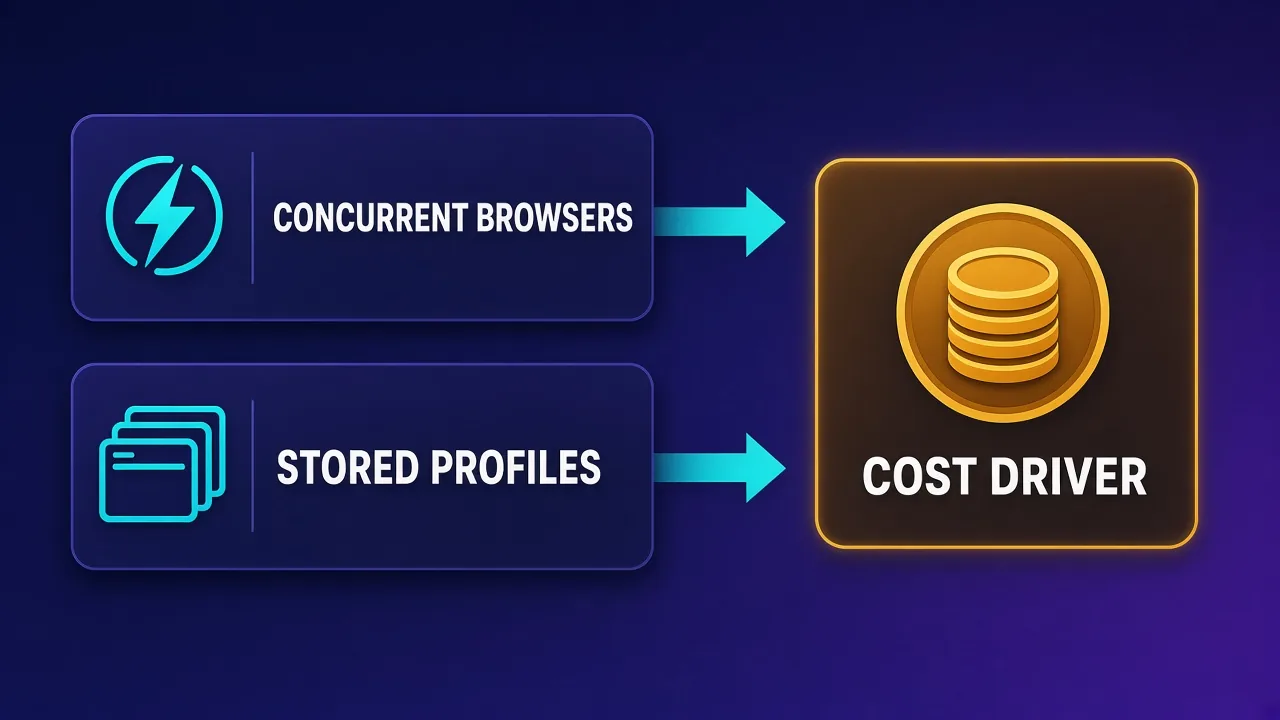
The biggest structural difference between the two tools is what you pay for.
Kameleo: pay for concurrent browsers
Kameleo lets you store unlimited local profiles on every plan and charges mainly for how many browsers you run at the same time, plus the number of emulated mobile browsers, cloud-profile storage and API throughput. When we checked, the official pricing page listed a Free plan at €0 per month with two concurrent browsers, 300 minutes of browser usage time, two emulated mobile browsers, 100 cloud profiles and three team members. Startup was €59 per month on monthly billing and adds unlimited usage time, unlimited team members, more mobile browsers and 5,000 cloud profiles. Higher Business and Enterprise tiers raise the limits further, and annual billing was shown at a lower monthly equivalent. Check the Kameleo pricing page for current figures.
This model suits automation teams with thousands of profiles that only a few run at once. It is less forgiving if you need many browsers open at the same time, because that is the number that drives cost.
GoLogin: pay for stored profiles
GoLogin prices by how many profiles you keep. Its tiers, Professional, Business, Enterprise and Custom, step up from tens to hundreds to thousands of profiles, with more profile shares, cloud launches and API requests per minute at each level. Annual billing was advertised at up to 50% off monthly prices, there is a 7-day trial and a "7 days free returns" promise on paid plans, and a free plan includes 3 browser profiles with the core features except profile sharing and team members. Because the Professional tier uses a profile-count slider, the entry price depends on how many profiles you choose. Check the GoLogin pricing page for the current price at your profile count.
This model is easy to predict for account managers who run a known number of profiles. It is the reason GoLogin is often seen as the budget pick: the cost per stored profile at the lower tiers is low compared with many rivals.
How to estimate your real cost
Write down two numbers before comparing plans: total profiles you need to store, and the most you will ever run at the same time. If storage is high and concurrency is low, Kameleo's model may work out well. If you need lots of stored profiles with modest automation, GoLogin's per-profile tiers are usually simpler to budget.
Team workflows and collaboration
Both tools support teams, but with different levels of structure.
Kameleo's pricing page describes three roles. Admins have full control including sharing settings, Analysts can create, run, update and delete profiles, and Members can only open profiles shared with them. Cloud profiles can be organised into groups to control access, and a session lock stops two people from using the same cloud profile at once, which prevents overlapping sessions from corrupting cookies or triggering security checks. Kameleo also says there is no device limit, so the same subscription can run across several machines or servers.
GoLogin handles collaboration through team members and profile shares. A share can grant viewing, editing or managing rights, and the number of shares and members grows with the plan. The web app is a real advantage for distributed teams because a colleague can open a shared profile in a browser without installing anything. Organisations with strict role-based permission requirements should check that GoLogin's sharing model is detailed enough for them. Our AdsPower vs GoLogin comparison covers GoLogin's team model against another budget-friendly rival.
Use cases: which tool fits which job
Kameleo tends to fit
- Mobile web testing and mobile-first platforms, where profiles need to look like Android or iOS browsers.
- Engineered scraping pipelines that benefit from SDKs, headless runs with the same fingerprint as headed mode, and Docker deployment.
- Targets that check browser-engine diversity, where Firefox-based profiles help.
- Large profile libraries with modest concurrency, because local profile storage is unlimited.
GoLogin tends to fit
- Freelancers and small agencies managing social, ad or marketplace accounts on a tight budget.
- Teams working from mixed or locked-down devices, thanks to the web app and cloud launches.
- Beginners who want to learn on a free plan before paying.
- Linux desktop users who want a native client.
Setup tips and common pitfalls
Whichever tool you choose, the same mistakes cause most bans and blocks:
- One proxy, many profiles. Give each profile its own IP, or at least a sticky session, so accounts do not share an address. Both tools support per-profile proxy settings.
- Mismatched geography. Line up the proxy location with the profile's time zone, language and geolocation. Both tools can match these, but check before the first login.
- Overriding fingerprint values blindly. Changing one parameter by hand can break the profile's consistency. Start from the generated fingerprint and change only what you understand.
- Hammering new accounts. Warm up new profiles with normal browsing before running heavy automation. A perfect fingerprint does not excuse robotic behaviour.
- Ignoring kernel updates. An outdated browser version is itself a signal. Keep Kameleo's kernels or GoLogin's Orbita up to date.
- Testing on the target first. Check new profiles on a fingerprint test page before using them on accounts that matter.
Who should avoid each tool
Kameleo may be more than you need if you just manage a handful of social accounts by hand and never touch code. Its strengths are in mobile emulation and automation, and its paid tiers are priced for professional use. There is no native Linux desktop app either. Linux users would rely on the Docker images, which suit automation better than hands-on browsing.
GoLogin may fall short if you specifically need sites to see mobile browsers, Firefox-based profiles, or a self-hosted container deployment. Teams with complex permission requirements should also check whether its sharing model is detailed enough. Bundled proxy traffic is convenient, but for important accounts you will likely still want a dedicated residential or mobile proxy provider.
Verdict: Kameleo or GoLogin?
These tools are less direct rivals than they first appear. Kameleo is the specialist. It makes the most sense when you need emulated Android and iOS fingerprints, more than one browser engine, or an automation stack that fits into your own infrastructure through SDKs and Docker. Its concurrency-based pricing rewards teams that store many profiles but run relatively few at once.
GoLogin is the generalist on a budget. It makes the most sense when you need lots of desktop profiles at a low price, want to reach them from anywhere through the web app or Android app, and prefer a plan that scales with profile count. Both offer free plans, so the best way to decide is to recreate one real workflow in each, with the proxies you plan to use, and see which one your target sites accept more readily.
Frequently asked questions
Neither is better for every job. Kameleo is stronger for emulated Android and iOS fingerprints, Firefox-based profiles and code-driven automation with SDKs and Docker. GoLogin is stronger for low-cost desktop profiles, cloud launches and access from any device.
GoLogin offers an Android app for using and managing profiles from a phone, plus separate cloud products listed on its site. Kameleo's core feature is emulating Android and iOS browser fingerprints on the desktop. If sites must see a mobile browser, test both against your target before committing.
Yes. When we checked, Kameleo listed a Free plan with two concurrent browsers, 300 minutes of browser usage time and two emulated mobile browsers. GoLogin listed a free plan with 3 browser profiles that excludes profile sharing and team members. Limits change, so confirm on each official pricing page.
Kameleo includes unlimited local profiles and charges mainly for how many browsers run at the same time, along with mobile, cloud-profile and API limits. GoLogin charges by how many profiles you store, with more shares, cloud launches and API requests at higher tiers. Check both live pricing pages for current figures.
Kameleo's download page lists Windows 10 and later, Windows Server 2016 and later, macOS 12 and later, and Docker images for Linux and Windows containers. GoLogin offers desktop apps for Windows, macOS on Intel and Apple chips, and Linux, plus a web app and an Android app.
Kameleo documents Selenium, Puppeteer and Playwright support through its Local API, with SDKs for Python, JavaScript and C#. GoLogin provides a REST API and describes Puppeteer and Selenium support with headless and headful modes. Check each vendor's docs for the current framework list.
Kameleo suits engineered scraping pipelines because of its SDKs, headless mode that uses the same fingerprint as headed mode, and official Docker images. GoLogin works well for lighter scraping, especially when you want cloud launches instead of running browsers on your own hardware. In both cases, proxy quality drives most of the success rate.
Yes. An anti-detect browser hides device signals but not your IP reputation. Give each profile its own residential or mobile proxy matched to the profile's location, time zone and language. GoLogin plans include some residential proxy traffic, but important accounts usually justify a dedicated provider.