Table of contents
SOAX rebuilt its pricing around prepaid credits, and that change trips up a lot of buyers who remember the older per-GB bundles and the low-cost paid trial. Now you pick a monthly plan, the plan fee turns into a credit balance, and the credits are used up at a per-GB rate. That rate depends on which plan you are on and which country your exit IP is in. This guide walks through each part of that system: the five plans, the three geo tiers, how credits expire, what replaced the trial, and which products the plans actually cover. The figures below come from SOAX's public pricing page as we checked it in October 2026. SOAX can change them at any time, so confirm on the live pricing page before you buy.
If you are still deciding between providers, read our SOAX vs Bright Data comparison, and see Bright Data Pricing Explained for how a very different billing model works.

SOAX
SOAX is the targeting specialist. City- and ISP-level selection on every plan — not locked behind premium tiers — is genuinely rare, and the continuously cleaned pool keeps success rates high where it matters. It is not the fastest network, the interface could use a refresh, and SOCKS5 coverage is uneven. Those are real but minor gripes against a provider that nails the fundamentals of precision and reliability. For ad verification, localized market research, and social-media work that depends on appearing in an exact location, SOAX is one of the best mid-market options available.
How SOAX pricing works in one paragraph
Every paid SOAX plan has a fixed monthly fee and a matching number of prepaid credits. SOAX says that as a rough guide one credit is about $1 of usage. It's a pricing reference, not cash, and credits can't be withdrawn or moved to another account. Proxy traffic is charged in credits for each gigabyte you transfer. The per-GB rate depends on two things: your plan (bigger plans get cheaper rates) and the geo tier of the egress IP, meaning the proxy IP that actually connects to the target site. Residential and mobile traffic cost the same, so you don't pay extra to route through carrier IPs. When your credits run out, traffic stops until you buy a top-up, unless you're an approved business account on postpaid billing.
The key mental model
Think of a SOAX plan as two decisions in one. The plan fee is prepaid spend, and the plan tier sets the price per GB that spend buys. A bigger plan doesn't only give you more credits. It makes every credit go further.
The five SOAX plans at a glance
SOAX publishes five self-service tiers, from a free Sandbox up to Enterprise. All of them include both the residential and the mobile network. They differ in per-GB rates, how many proxy packages and team seats you get, targeting depth, SLA and support. Here are the list figures from the pricing page (prices exclude VAT and other taxes):
| Plan | Monthly fee | Included credits | Tier 1 rate | Tier 2 rate | Tier 3 rate | Packages / seats |
|---|---|---|---|---|---|---|
| Sandbox | Free | None | $5.00/GB | $4.00/GB | $2.00/GB | 2 / 1 |
| Builder | $200/mo + VAT | 200 | $3.00/GB | $2.25/GB | $1.20/GB | 3 / 2 |
| Team | $500/mo + VAT | 500 | $2.20/GB | $1.65/GB | $0.90/GB | 5 / 3 |
| Scale | $1,500/mo + VAT | 1,500 | $1.50/GB | $1.15/GB | $0.60/GB | 7 / 5 |
| Enterprise | $3,000/mo + VAT | 3,000 | from $0.85/GB | from $0.55/GB | from $0.35/GB | 10 / 10 |
Some other differences matter more than they first appear:
- Targeting depth. Sandbox, Builder and Team list country, region, city and ISP targeting. Scale adds ASN and ZIP targeting, and Enterprise matches Scale.
- Support and SLA. Sandbox gets basic support. Builder through Scale get 24/7 support and the standard SLA. Enterprise adds a premium SLA and a dedicated customer success manager.
- Dedicated IP pools and postpaid billing are listed only on Enterprise.
- Credit rollover is 60 days on every plan, and Enterprise also lists a 365-day option, which ties in with the annual agreement described below.
Geo tiers: why the same gigabyte costs different amounts
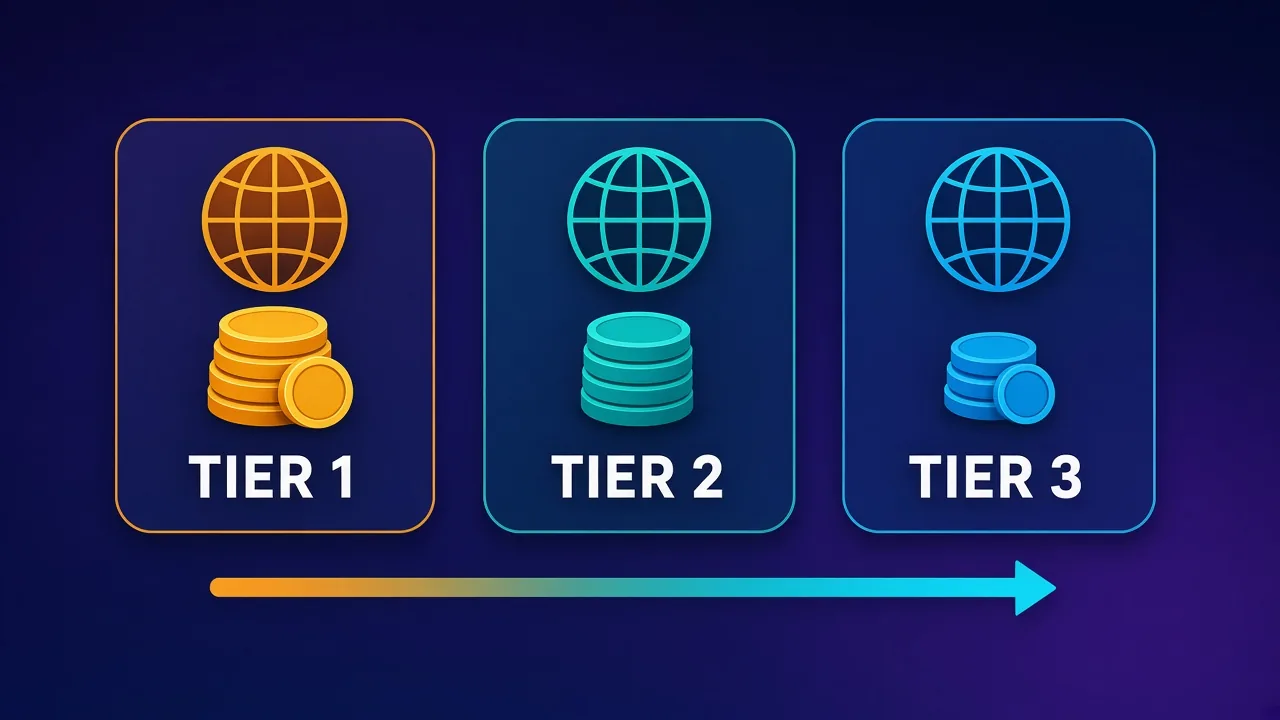
SOAX puts countries into three geo tiers based on what it costs to serve each market. Tier 1 is the most expensive and Tier 3 is the cheapest. SOAX's own examples put the United States in Tier 1 and India in Tier 2. Only the egress IP's country decides the tier. Your own location and the target website's location don't count.
This matters a lot for budgeting. On the Team plan, a gigabyte through a US exit costs $2.20, while a gigabyte through a Tier 3 country costs $0.90. That's well under half the price for the same amount of data. A team scraping localized prices across many markets will pay a blended rate that depends heavily on which countries it needs. If most of your traffic has to leave from the US, UK or similar premium markets, plan around the Tier 1 column. If your targets are spread more widely, your effective rate can come in noticeably lower.
SOAX doesn't publish the full country-to-tier list in the pricing table. The pricing page has a usage and cost modeller where you pick a country and a traffic volume. Use it for the specific countries you need instead of guessing a tier.
What counts as billable traffic
This part of SOAX's billing gets misread the most, and it can quietly raise your effective cost. According to SOAX's billing FAQ:
- Data is counted in both directions, so your requests count as well as the responses.
- Partial responses, retries and interrupted connections are all billable.
- One GB is one billion bytes (decimal), not 1,073,741,824 bytes.
So a badly tuned scraper costs you money in a way the headline rate hides. If a third of your requests fail and get retried, you pay for every attempt. Heavy pages with images, video and third-party scripts eat bandwidth fast. Blocking unneeded resources, caching static assets and capping retries are the most effective cost controls you have on any per-GB proxy, and SOAX is no exception.
Retries are not free
SOAX bills retries and interrupted connections, so a low success rate raises your real cost per useful page. Before you commit to a plan, measure success rates on your actual targets. Our guide on how to test a proxy covers a simple method.
Is there a SOAX free trial?
Not any more, at least not in the classic sense. SOAX used to be known for a cheap paid trial, but its current billing FAQ answers "Is there a free trial?" with a plain "No." In its place is the Sandbox account. Sandbox has no subscription fee and needs no credit card to sign up, but it includes no credits. To send traffic, you buy top-up credits and pay Sandbox rates, which are the highest on the price list ($5.00, $4.00 and $2.00 per GB across the three tiers).
In practice, Sandbox works as a pay-as-you-go evaluation tier. You can buy a small block of credits, run your real workload against your real targets, and see the success rate and bandwidth use before you pay a monthly fee. The cost per GB is high, but the total outlay can stay small if you keep the test focused. Two things to know: Sandbox credits expire 60 days after you add them, and you're limited to two proxy packages and one seat.
A sensible way to evaluate
Open a Sandbox account, buy the smallest top-up checkout offers you, and test one or two targets that matter to you. If the success rate holds up, the Builder or Team plan will usually cost far less per GB than Sandbox. Check the actual top-up price at checkout, because SOAX shows it there.
Residential, mobile, ISP and datacenter: what the plans cover
The current plans cover two proxy networks, and both are billed at the same rate.
Residential proxies
Residential traffic goes through IPs on household connections. SOAX supports rotation per request, after a number of requests, after a set time or on error, plus sticky sessions that hold one IP. Its product pages list HTTP, HTTPS and SOCKS5. Residential is the default choice for price monitoring, SERP collection and most general scraping.
Mobile proxies
Mobile traffic goes through 3G/4G/5G carrier connections. Many providers charge a premium for mobile. SOAX's pitch is that it costs the same as residential, so a gigabyte through a mobile IP uses the same credits as a residential one in the same geo tier. That's a real advantage if you work on platforms that trust carrier IPs, such as social apps. For background on why carrier IPs behave differently, see Mobile Proxies Explained.
What about ISP and datacenter proxies?
When we checked in October 2026, SOAX's website presented its proxy line-up as residential and mobile, delivered through a single "proxy mesh" endpoint. The pricing table only covers those two networks, and we couldn't find a current ISP or datacenter product page on soax.com. SOAX has sold other proxy types in the past, and some third-party reviews still mention them. If you specifically need static ISP or datacenter IPs, ask SOAX support whether they're available on your account before you assume so. Don't budget for them from older review pages. For what those proxy types are generally used for, see Datacenter Proxies Explained.
SOAX also has scraping and data products, and its billing FAQ says one prepaid credit balance covers all the SOAX products on your account. We haven't verified per-request rates for those products, so check their pricing directly if you plan to use them.
Credits, expiry, top-ups and renewals
The credit system works well once you know the rules. Most surprise costs come from not knowing them.
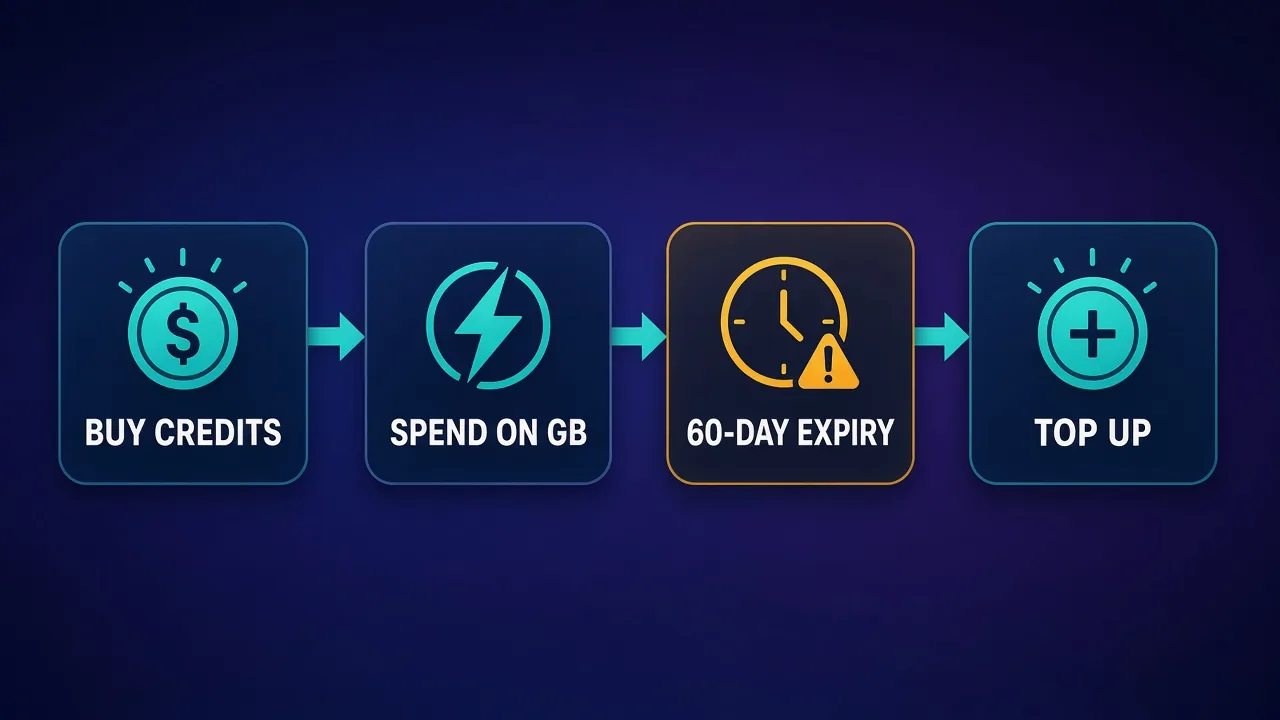
- When credits arrive. Included credits are added after your first successful payment and after each successful renewal.
- Expiry. Credits added on Sandbox or a monthly plan expire 60 days after they are added. Credits added on an annual plan last 12 months. Each block keeps its own fixed expiry date, and SOAX spends the block that expires first.
- Top-ups. You can buy extra credits on any plan, Sandbox included, and the price is shown before you pay. Each top-up is a new block that expires according to the plan you're on when you buy it. SOAX says bulk top-up purchases may get a small discount.
- Running out. Without postpaid billing, traffic stops when your balance hits zero. That works as a built-in spending cap, but it can also halt a production job in the middle of a run.
- Upgrades and downgrades. An upgrade takes effect as soon as you pay the difference. A downgrade takes effect at the end of the current paid period. After either change, all usage is charged at the new plan's rates.
- Cancelling or a failed renewal. Your account drops to Sandbox. You keep any unexpired credits, but you spend them at Sandbox rates, which are much higher. Unused time isn't refunded, and payments are generally non-refundable.
The 60-day expiry is the rule to plan around. On a monthly plan, unused credits carry over for about two months, so a quiet month followed by a busy one usually works out. If you're consistently using well under your plan's credits, though, they'll expire and you're probably on too big a plan.
Enterprise Monthly and Enterprise Annual
Enterprise works differently from the smaller plans. Enterprise Monthly uses volume bands. Within each billing period, SOAX tracks usage separately for each geo tier, and each tier has three bands. A lower rate applies only once usage moves into the next band, and every period starts again at the first band. SOAX's own worked example for Tier 1 charges the first 5 TB at 0.85 credits/GB, the next 10 TB at 0.75 and anything beyond that at 0.50. For Tier 3, the same bands are 0.35, 0.30 and 0.25 credits/GB. Usage in one tier doesn't affect the bands in another.
Enterprise Annual is the only plan you can't buy self-service. It needs business verification, a signed agreement and a 12-month commitment, with the plan fee invoiced in advance. When you sign, each geo tier is set to the lowest Enterprise Monthly band rate available at that time, and that rate applies from the first GB, so there are no bands. The agreement can also cover postpaid overage, invoicing terms and support commitments. SOAX says that for anything below Enterprise Annual, talking to sales usually won't get you a better price, because self-service prices are public.
Worked examples: estimating your monthly bill
The examples below are simple arithmetic using SOAX's list rates. They ignore VAT, and they ignore retries and failed requests, which add billable bandwidth.
Example 1: 150 GB a month, mostly US targets
All of this traffic is Tier 1. On Team ($2.20/GB), 150 GB uses about 330 credits, which fits inside the 500 included credits and leaves room for retries or a busier month. On Builder ($3.00/GB), the same 150 GB uses about 450 credits, well over the 200 included, so you'd need around 250 credits of top-ups. Builder's fee is lower, but your total spend could end up close to Team's, with fewer seats and packages. This is why you should model your volume before picking a plan.
Example 2: 60 GB a month across Tier 2 and Tier 3 markets
Say 40 GB goes through Tier 2 countries and 20 GB through Tier 3. On Builder, that's about 90 credits (40 × 2.25) plus 24 credits (20 × 1.20), roughly 114 credits, which is comfortably inside the 200 included. In this case, Team would leave a lot of credits unused, and they'd risk expiring.
Example 3: occasional testing
If you only run small, irregular jobs, Sandbox with top-ups avoids a monthly fee completely. The per-GB rate is the highest SOAX charges, so this only makes sense while volumes are small.
What drives your SOAX cost up or down
To sum up, these are the factors that move a SOAX bill the most:
- Geo mix. Tier 1 traffic can cost more than twice as much per GB as Tier 3 on the same plan.
- Plan fit. A plan that's too small means expensive top-ups. A plan that's too big means credits expiring after 60 days.
- Payload weight. Images, video and scripts add billable bytes in both directions.
- Success rate. Failed and retried requests are billed, so a cleaner pipeline is a cheaper one.
- Targeting needs. If you need ASN or ZIP-level targeting, the pricing table puts you on Scale or above.
- Team structure. The limits on packages and seats can push you up a tier even if your bandwidth wouldn't.
Who SOAX pricing suits, and who it doesn't
SOAX's model suits teams with steady, predictable monthly volume who want public prices with no sales process, the same rate for residential and mobile, and spending controls such as per-package traffic caps. The mobile-at-residential-price point stands out if you rely on carrier IPs. The tier tables also make it easy to forecast costs once you know your country mix.
It's a weaker fit if your usage is very bursty (credits expire after 60 days on monthly plans), if you need static ISP or datacenter IPs (not shown in the current self-service line-up), or if you want a cheap low-commitment trial (Sandbox has replaced it, at the highest per-GB rates). Very large buyers should compare Enterprise Annual quotes with other enterprise providers. See SOAX vs Bright Data for a starting point.
Overall, SOAX pricing is clear once you understand it. Pick the plan whose included credits roughly match your expected monthly spend at that plan's rates, look up your countries in SOAX's cost modeller, and test your real targets on Sandbox before you commit. Then check the live pricing page again on the day you buy, because these figures can change.
Frequently asked questions
It depends on your plan and the geo tier of the exit IP. At October 2026 list prices, Tier 1 traffic (for example, US IPs) ranges from $5.00/GB on Sandbox to $1.50/GB on Scale, with Enterprise starting at $0.85/GB. Tier 3 countries cost much less. Check soax.com/pricing for current rates.
No. SOAX's billing FAQ says there is no free trial. Instead there is a free Sandbox account with no subscription fee and no included credits, where you buy top-up credits and pay Sandbox rates to test the service.
SOAX says one credit is roughly $1 of usage as a pricing reference, not a cash value. Credits are spent on traffic at your plan's per-GB rate, and they can't be withdrawn or transferred to another account.
No. SOAX charges the same per-GB rate for residential and mobile traffic on every plan. The price still varies by plan and by the geo tier of the exit IP.
Yes. Credits added on Sandbox or a monthly plan expire 60 days after they are added, and credits added on an annual plan expire after 12 months. Each block of credits keeps its own expiry date, and the soonest-expiring block is used first.
SOAX groups countries into three tiers based on the cost of serving each market. Tier 1 is the most expensive and Tier 3 the cheapest. Only the country of the exit (egress) IP sets the tier, not your location or the target site's location.
When we checked in October 2026, SOAX's website and pricing table covered only residential and mobile proxies, and we found no current ISP or datacenter product page. If you need static IPs, confirm availability with SOAX support before buying.
Unless you're an approved business account with postpaid billing, traffic stops when your prepaid balance reaches zero. You can buy top-up credits at any time to continue, and the price is shown at checkout.