Table of contents
Choosing a proxy provider looks simple from the outside: compare a few pricing pages, pick the most impressive claims, and plug in the credentials. In practice, the provider that looks best on a landing page is often not the one that performs best against your actual targets. IP quality, session behavior, support responsiveness and how the network sources its IPs usually matter far more than headline numbers. This buyer's guide walks through the decisions in the order that tends to save the most time and money: define the use case, pick the proxy type, evaluate IP quality, check session control and protocols, understand pricing models, and then run a small, measured trial before you commit.
Start With Your Use Case, Not the Provider
Every sensible proxy decision starts with a clear description of the job. "I need proxies" is not a requirement; "I need to collect public product pages from three retail sites in Germany and France, a few thousand requests per day, with as few blocks as possible" is. The more specific you are, the easier it becomes to rule providers in or out.
Write down the answers to a handful of questions before you look at a single pricing page:
- What are the targets? Public websites, search engines, social platforms, marketplaces and your own infrastructure each behave differently and apply different levels of bot protection.
- What does a session look like? Is every request independent, or do you need to log in, keep a cart, or hold an identity for hours or days?
- Which locations matter? Country-level targeting is widely available; city, region or carrier-level targeting is more specialized.
- What volume do you expect? Rough bandwidth and request counts determine which pricing model will be economical.
- What tooling will connect? Scrapers, headless browsers, anti-detect browsers and automation tools each have protocol and authentication preferences.
Two broad categories usually emerge. Data collection workloads care about success rate, rotation and cost per successful request. Account and identity workloads care about stability, a consistent location and an IP that looks like a real user over time.
Pick the Right Proxy Type
Once the use case is clear, the proxy type usually follows. Each type trades off cost, speed, trust and stability differently. If you want a deeper comparison, our guide to residential vs ISP vs datacenter proxies breaks down the mechanics.
Datacenter proxies
Datacenter IPs come from hosting and cloud networks. They are typically fast, inexpensive and easy to scale, which makes them a good fit for targets with light protection, internal testing and high-volume tasks where an occasional block is acceptable. Their weakness is that the networks they come from are easy to identify, so stricter sites often treat them with suspicion.
Residential proxies
Residential IPs are assigned by consumer internet service providers to home connections. Because traffic appears to come from ordinary households, they tend to blend in better on protected sites. Most residential products rotate through a large pool, which suits scraping and geo-verification, though speed and uptime vary more than with datacenter IPs.
ISP (static residential) proxies
ISP proxies are hosted in data centers but registered under consumer ISP address space. They combine the stability of a static IP with a residential-looking network identity, which makes them popular for account management and long sessions where the same IP should persist.
Mobile proxies
Mobile proxies route traffic through cellular carrier networks. Because many real users share carrier IPs through carrier-grade NAT, these addresses often carry high trust on mobile-first platforms. They are usually the most expensive option and are best reserved for cases where other types consistently fail.
Evaluate IP Quality: ASN, Geo Accuracy and Reputation
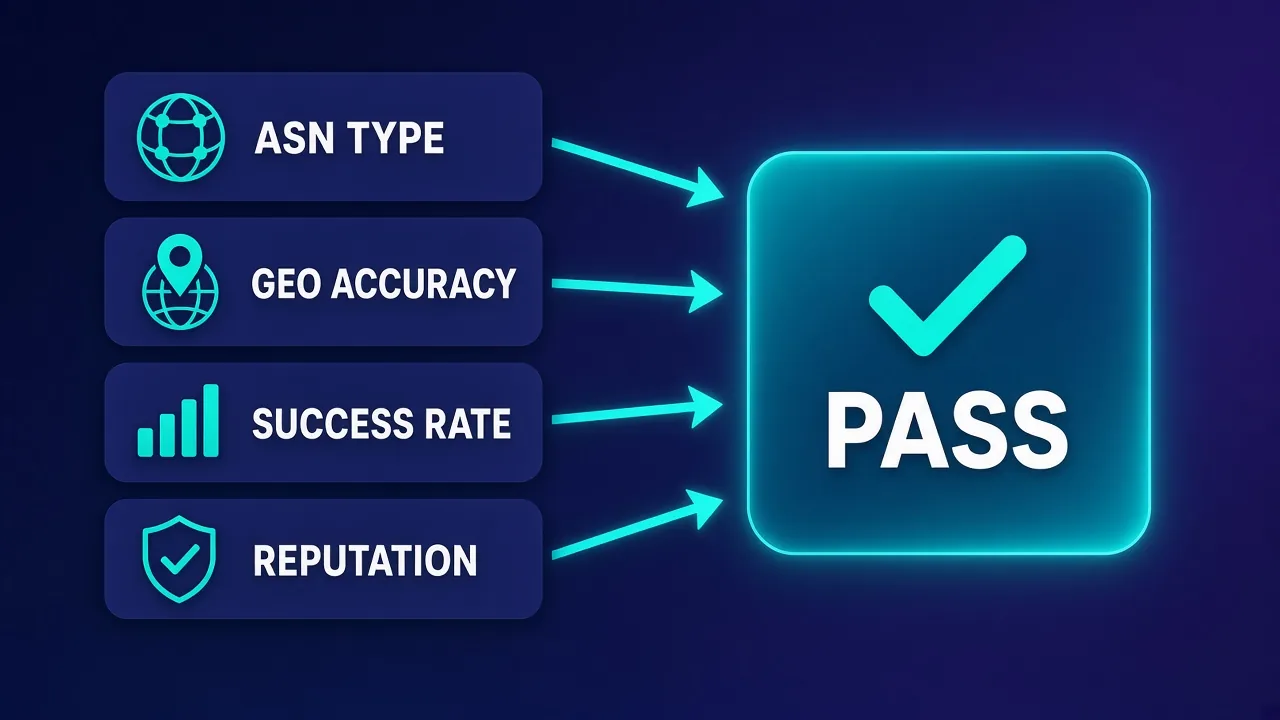
Two providers can sell the same proxy type and deliver very different results. The difference usually comes down to IP quality, and you can test most of it yourself rather than relying on marketing claims.
ASN type
Every IP address belongs to an autonomous system, identified by an ASN, which tells anyone looking which organization announces that address range. Anti-bot systems routinely check whether an IP's ASN belongs to a consumer ISP, a mobile carrier or a hosting company. If you are buying residential or ISP proxies, sample a batch of IPs and look up their ASNs. They should map to recognizable consumer networks, not cloud providers. Our explainer on what an ASN is covers how to run these lookups.
Geo accuracy
If you request a German IP, it should resolve to Germany in the commercial geolocation databases that websites actually use. Geo databases do not always agree, so check a sample against more than one source. Mismatches matter most for localized content, ad verification and account work, where a location that drifts between requests can look suspicious.
Success rate on your targets
The only success rate that matters is the one you measure against your own targets. A pool that performs well on one site can struggle on another because of how that site scores traffic. Track the share of requests that return the content you expect, not just an HTTP 200, because many sites return challenge pages or soft blocks with a normal status code.
Reputation and abuse history
IPs carry history. Addresses that were recently used for spam or aggressive scraping may already appear on blocklists or carry elevated risk scores. Check a sample against public reputation and blocklist services. A provider that actively retires abused IPs and controls what customers can do on its network usually delivers a cleaner pool.
Session Control, Rotation and Protocol Support
Rotating vs sticky sessions
Rotating sessions assign a new IP per request or per connection, which spreads load and suits stateless scraping. Sticky sessions hold the same IP for a set period so that logins, carts and multi-step flows stay consistent. Check how long a provider can hold a sticky session, whether you can choose the duration, and what happens when the underlying residential device goes offline. Our guide to sticky sessions explains the trade-offs in more detail.
Protocols and authentication
Confirm the provider supports the protocols your tools expect. HTTP and HTTPS proxies cover most scraping libraries and browsers, while SOCKS5 is useful for non-HTTP traffic and some automation tools. Authentication typically comes as username and password, IP allowlisting, or both. Username-based parameters for country, session ID and duration are convenient because you can change behavior without touching the dashboard.
Understand Pricing Models
Pricing pages are hard to compare because providers bill in different units. Rather than looking at the sticker price, estimate what you will pay per successful outcome for your workload.
Per gigabyte
Bandwidth-based billing is common for rotating residential and mobile proxies. It works well when pages are light or when you can block images, fonts and scripts. It becomes costly with heavy pages or full browser automation, where every asset counts toward usage. Retries also consume bandwidth, so a pool with a lower success rate can end up costing more even if its per-GB rate looks lower.
Per IP
Datacenter and ISP proxies are usually sold per IP, often with generous or unmetered bandwidth. This model is predictable and suits account management, where each profile needs a dedicated address for weeks at a time. Check whether IPs are dedicated or shared, and whether you can replace burned addresses.
Per request or per successful result
Scraper APIs and unblocker products often bill per request or per successful result, handling rotation, retries and sometimes rendering for you. They can simplify engineering for hard targets, but you give up some control and should check exactly what counts as a billable success.
Also look at commitment terms. Monthly plans, pay-as-you-go balances, bandwidth expiry and minimum purchases vary widely between providers. For a first engagement, flexibility usually beats a slightly lower unit rate.
Dashboard, API and Support
Day-to-day operations depend on the tools around the proxies. A capable dashboard should let you generate credentials, set targeting, view usage by sub-user or project, and set spending or bandwidth limits. An API for the same tasks matters if you manage many projects or need to automate provisioning.
Support is easy to overlook until something breaks. During your trial, contact support with a genuine technical question, such as why a particular target returns challenges or how to configure session duration. Note how quickly they respond, whether the answer is specific to your problem, and whether they can escalate to engineers.
Ethical Sourcing, Compliance and KYC
Residential and mobile IPs come from real people's devices and connections, so how a provider obtains them is an ethical and business-risk question, not a technicality. Reputable providers typically source IPs through opt-in programs where device owners give informed consent, often in exchange for compensation or an app feature, and they can explain that process clearly.
Questions worth asking include:
- How are residential and mobile IPs sourced, and how is consent obtained and recorded?
- Can device owners easily opt out?
- Does the provider run know-your-customer (KYC) checks for new accounts or for access to sensitive targets?
- Which use cases and domains are restricted, and how is abuse handled?
KYC can feel like friction, but it usually benefits customers. Networks that vet users tend to see less abuse, which keeps IPs cleaner for everyone. For a fuller framework, see our guide on what makes a proxy provider trustworthy.
Compliance is your responsibility too
A proxy does not change what you are allowed to do. Respect site terms, applicable law and privacy rules for the data you collect, and avoid collecting personal data you do not have a lawful basis to process.
Red Flags to Watch For
None of these signs is automatically disqualifying, but several together should make you cautious.
- Vague or missing sourcing information. If a provider cannot explain where its residential IPs come from, treat that as a serious concern.
- Unverifiable claims. Very large pool figures or near-perfect success claims with no explanation of how they are measured.
- No trial, refund path or small plan. You should be able to test with real traffic before committing serious budget.
- Datacenter ASNs in a "residential" product. A quick ASN check on sample IPs will reveal this.
- Unclear billing. Hidden fees, bandwidth that expires unusually quickly, or difficulty finding usage reports.
- Unresponsive support. If pre-sales questions go unanswered, production issues probably will too.
Evaluation Criteria at a Glance
Use this table as a scorecard for shortlisted providers, filling in your own observations rather than vendor answers.
| Criterion | What to check | Why it matters | How to test |
|---|---|---|---|
| ASN type | Whether IPs map to consumer ISPs, carriers or hosting networks | Anti-bot systems weigh network type heavily | Look up the ASN for a sample of a few dozen IPs |
| Geo accuracy | Whether IPs resolve to the requested country or city | Localized content and account consistency depend on it | Compare sample IPs against several geolocation databases |
| Success rate | Share of requests returning the expected content | Determines real cost per useful result | Run a fixed request batch against your actual targets |
| Reputation | Presence on blocklists and frequency of CAPTCHAs | Abused IPs trigger challenges and blocks | Check samples against reputation services and log challenge pages |
| Session control | Sticky duration options and rotation settings | Logins and multi-step flows need stable IPs | Hold a sticky session and record when the IP changes |
| Protocols | HTTP(S), SOCKS5 and authentication options | Must match your tools | Connect through each tool in your production stack |
| Pricing fit | Billing unit, commitments and expiry rules | The cheapest unit price is not always the cheapest outcome | Calculate cost per successful request from trial data |
| Support | Response speed and technical depth | Problems in production need fast answers | Send a real technical question during the trial |
| Sourcing and KYC | Consent model, opt-out and customer vetting | Affects ethics, legal risk and pool cleanliness | Read published policies and ask support directly |
A Step-by-Step Trial Checklist
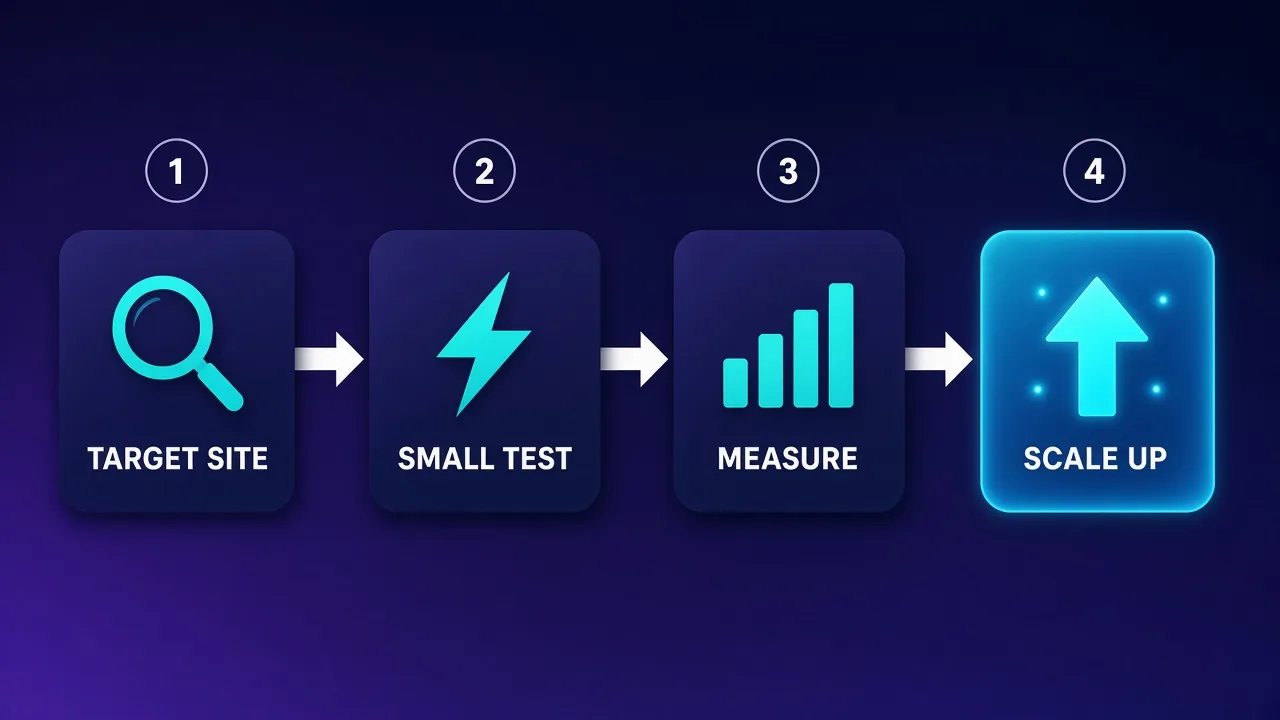
A structured trial turns a subjective choice into a measurable one. Keep it small, use your real targets and record the same metrics for every provider so the comparison is fair.
- Define success. Decide what a successful request looks like for each target, such as the presence of a specific element or data field, not just a status code.
- Shortlist two or three providers. Pick candidates that offer the proxy type and locations you need.
- Sample and inspect IPs. Pull a batch of IPs and check ASN, geolocation and reputation before sending real traffic.
- Run a small, identical test. Send the same set of requests, at the same pace and from the same tooling, through each provider.
- Measure. Record success rate, challenge rate, latency, errors and the bandwidth or requests consumed.
- Test sessions. If you need sticky sessions, verify how long the IP holds and how the provider handles drops.
- Calculate cost per success. Divide spend by successful results to compare providers on equal terms.
- Scale gradually. Increase volume in steps and watch whether performance holds as you grow.
Keep your trial reproducible
Save your test scripts, target lists and results. When performance changes months later, you can rerun the same trial to see whether the provider, the target or your own setup has changed.
Providers Worth Trialing as Starting Points
The providers below are not a ranking. They are established options that suit different needs. Live pricing and ratings are shown on each card; always validate performance on your own targets.
Decodo for a balanced all-rounder
Decodo is often shortlisted by teams that want residential, ISP, mobile and datacenter options under one account with a straightforward dashboard. It tends to suit small and mid-sized teams that value ease of setup and accessible documentation.

Decodo
Decodo offers the best price-to-performance ratio in the industry. It delivers roughly 90% of what the enterprise leaders provide — high success rates, a large clean pool, sticky sessions, an unblocker — at a fraction of their cost. The dashboard is the friendliest of any major provider, the 14-day money-back guarantee removes the risk of trying it, and support actually responds. The main gaps are enterprise-grade compliance tooling and the very deepest targeting, neither of which most teams need. For startups, solo developers, and any team that wants professional results without enterprise pricing, Decodo is our top value pick and an easy recommendation.
Bright Data for enterprise-scale control
Bright Data offers a very broad product range, granular targeting and extensive compliance processes, including customer vetting. It is typically a fit for larger organizations that need fine control, scraping tools and formal procurement, and are comfortable with a more complex platform.
Bright Data
Bright Data remains the most complete data-collection platform money can buy. No competitor matches its combination of network scale, targeting granularity, and compliance tooling — and for enterprise teams whose revenue depends on reliable data, that completeness justifies the premium. The trade-offs are real: it is one of the priciest providers per gigabyte, the interface overwhelms newcomers, and KYC verification adds friction before you can route a single request. Smaller projects will get better value from Decodo or IPRoyal. But if you need city-level residential targeting at scale, a managed unblocker for the hardest targets, and audit-ready compliance, Bright Data is the default — and our highest-rated proxy provider overall.
Oxylabs for large data-collection projects
Oxylabs is frequently considered for high-volume scraping, with residential and datacenter networks plus scraper APIs aimed at business users. Teams that want dedicated account management and enterprise-grade support often include it in their trials.

Oxylabs
Oxylabs is the enterprise provider that gets the fundamentals right. The network is huge and well-maintained, the scraper APIs are genuinely best-in-class, and the documentation and SDKs make integration faster than almost any competitor. What sets it apart from Bright Data is service: dedicated account managers, responsive support, and cleaner tooling mean less time fighting the platform and more time shipping. The cost is higher entry pricing, and the deepest discounts favor high-volume commitments. For serious commercial data operations that can justify the spend, Oxylabs is a top-two choice and frequently the one teams stay with long-term.
IPRoyal for flexible, smaller budgets
IPRoyal is a common choice for buyers who want flexible residential plans and static ISP options without large commitments. It can work well for freelancers and smaller projects that still need residential coverage.

IPRoyal
IPRoyal is the best pure pay-as-you-go deal in proxies. Non-expiring traffic is a genuinely customer-friendly policy that no major rival matches — buy what you need, use it whenever, lose nothing. The pool is smaller than the premium networks and success rates can soften on the most heavily defended targets, so high-volume enterprise scraping is not its strength. The dashboard is also fairly basic. For intermittent scraping, account work, and sneaker copping on a predictable budget, IPRoyal is an easy recommendation and one of the best value picks for occasional users.
Webshare for datacenter and testing workloads
Webshare is known for self-serve datacenter and static proxies with a simple setup flow. It is a practical starting point for lightly protected targets, development work and testing before you move harder targets to residential IPs.

Webshare
Webshare is the developer's self-service favorite. Instant activation, a free tier that is actually free, and the cheapest fast datacenter proxies in the market make it the easiest provider to just start using. The custom plan builder — pick your IP count, bandwidth, and threads — is a genuinely good model that lets you avoid paying for capacity you do not need. The residential pool is newer and less battle-tested than specialists, and support is thin on the lower tiers. For datacenter proxies, API-driven workflows, and anyone who wants to try before paying, Webshare is one of the best-value options around.
Final Thoughts
The right proxy provider is the one that performs reliably on your targets, at a cost you can sustain, with sourcing and support you can trust. Start from the use case, choose the proxy type that matches it, and then verify IP quality yourself: check ASNs, geolocation and reputation, and measure success on real targets rather than relying on headline claims. Treat pricing as cost per successful outcome rather than cost per unit, and give proper weight to the less glamorous factors, such as support and ethical sourcing.
Above all, run a small, measured trial before committing. A few days of structured testing with two or three providers usually reveals more than any comparison chart, and it gives you a baseline to return to when results change.
Frequently asked questions
Start by defining your use case, targets, locations and expected volume, then pick the proxy type that fits. Shortlist two or three providers that offer it and run a small trial against your real targets. Compare them on success rate, IP quality, support and cost per successful request rather than headline claims.
Datacenter proxies come from hosting networks and are fast and inexpensive but easier for sites to identify. Residential proxies use IPs assigned to home connections and usually blend in better on protected sites. ISP proxies are static IPs registered to consumer ISPs, combining stability with a residential-looking network identity.
Sample a batch of IPs and look up their ASNs to confirm they belong to the network type you paid for. Check geolocation against more than one database and test reputation with blocklist services. Most importantly, measure how often requests to your real targets return the content you expect.
Per-GB billing usually suits rotating residential proxies for scraping, especially when pages are light. Per-IP billing is typically more predictable for static ISP or datacenter proxies used for account management or long sessions. The best way to decide is to estimate cost per successful result from trial data.
A sticky session keeps the same IP for a set period instead of rotating on every request. You need them for logins, carts, multi-step forms and account work where an IP change mid-session could look suspicious. For stateless scraping, rotating sessions are usually more suitable.
Ask how residential and mobile IPs are sourced and whether device owners give informed, opt-in consent. Reputable providers can explain their sourcing, offer an opt-out for device owners, run KYC checks and restrict abusive use cases. Vague answers about where IPs come from are a red flag.
Common warning signs include unclear IP sourcing, unverifiable claims about pool size or success rates, and no way to trial the service. Datacenter ASNs inside a product sold as residential, confusing billing and slow support are also concerns. Several of these together usually justify looking elsewhere.
Yes. A short, structured trial against your own targets shows far more than marketing pages or comparison charts. Use identical scripts and pacing for each provider, record success rate, latency and usage, then scale gradually with the one that performs best.