Table of contents
X (formerly Twitter) is one of the more demanding platforms for anyone running multiple accounts or automating workflows. Its systems look at the network an account connects from, how consistent that connection is, and how the account behaves over time. The right proxy setup will not make prohibited automation acceptable, and nothing guarantees an account will never be challenged, but a sensible configuration removes many of the avoidable signals that cause legitimate accounts to get flagged. This guide explains why X flags automated activity, which proxy types fit account management versus public data collection, how to set up and test a clean configuration, and which providers are worth considering in 2026.
Follow X's rules
X publishes automation rules and developer terms that describe what is and is not allowed. Proxies are a networking tool, not a permission slip. Only automate actions that X's rules permit, and use the official API where it fits your use case.
Why X Flags Automated Activity
Like most large platforms, X combines several signals to decide whether an account or session looks risky. No single factor usually decides the outcome; it is the combination that matters. For a broader view, see our explainer on how websites detect bots.
IP reputation and network type
Platforms can see which network an IP belongs to and whether it has a history of abuse. Datacenter ranges are easy to identify and are commonly associated with bots, so traffic from them often receives extra scrutiny. IPs that were recently used for spam may already carry a poor reputation before you ever touch them.
Shared IPs across accounts
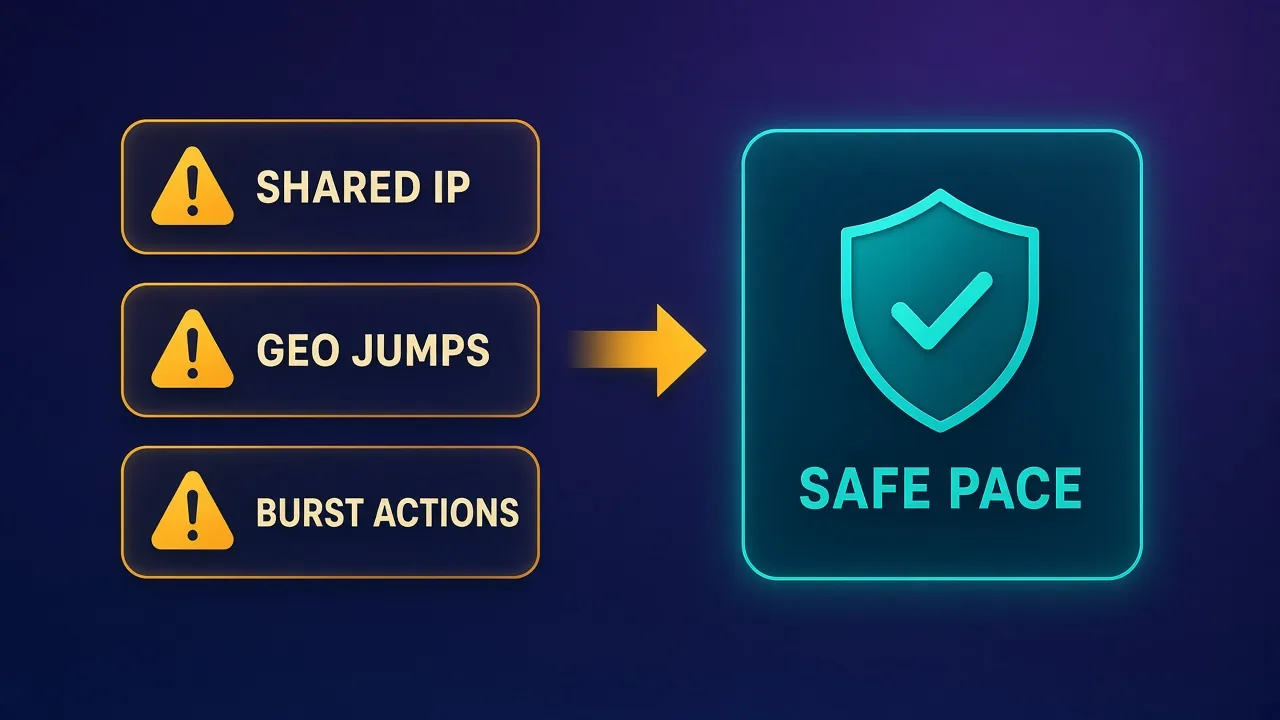
When many accounts log in from the same IP, especially accounts with no obvious relationship, platforms can link them. If one is restricted, the others may be reviewed too. Cheap shared proxy pools increase this risk because you cannot control who else is using the same address.
Geo jumps
An account that logs in from one country in the morning and another in the afternoon looks unusual, because real people rarely travel that fast. Rotating proxies that change location between sessions are a common, avoidable cause of security checks and login challenges.
Behavior and fingerprint
Platforms also look at what an account does and the device it appears to use. Bursts of identical actions, perfectly regular timing, and browser fingerprints that are shared across accounts or inconsistent with the IP are strong signals. A clean IP cannot hide robotic behavior or a mismatched fingerprint.
Account Operations vs Public Data Collection
The most useful decision you can make early is to separate two very different jobs, because they need opposite proxy behavior.
Managing accounts
Account operations include logging in, posting, replying and managing several brand or client profiles. Here the goal is to look like a stable, real user. That means the same IP, or at least the same small set of IPs, from a consistent location over weeks and months. Static ISP proxies and long sticky residential sessions are the usual fit.
Collecting public data
Public data collection, such as monitoring public posts, trends or profiles, is a different problem. Requests are typically not tied to an account identity, so the goal is to spread load and avoid rate limiting on any single IP. Rotating residential proxies tend to suit this, although the official API is often the more appropriate route, as discussed below.
Mixing the two is a common mistake. Using a rotating pool for account logins creates geo jumps and shared-IP exposure, while using a handful of static IPs for heavy data collection concentrates traffic and can burn those IPs quickly.
Proxy Types Compared for X
Each proxy type has a different profile for X workloads. The table below summarizes typical fit; real results depend on provider quality and how you use the IPs. Our guide to mobile proxies covers carrier networks in more depth.
| Proxy type | Fit for account management | Fit for public data collection | Trade-offs |
|---|---|---|---|
| ISP (static residential) | Strong: a stable IP registered to a consumer ISP | Limited: a small number of IPs concentrates traffic | Usually sold per IP; quality varies by subnet and provider |
| Residential (rotating) | Moderate with long sticky sessions; weak when rotating per request | Strong: large pools spread requests across many IPs | Sessions may drop when devices go offline; usually billed by bandwidth |
| Mobile | Strong: carrier IPs are shared by many real users | Moderate: effective but costly at volume | Typically the most expensive type; IPs can change when the carrier reassigns them |
| Datacenter | Weak: hosting networks are easy to identify | Limited on X; fine for lightly protected sites | Fast and inexpensive but more likely to be challenged |
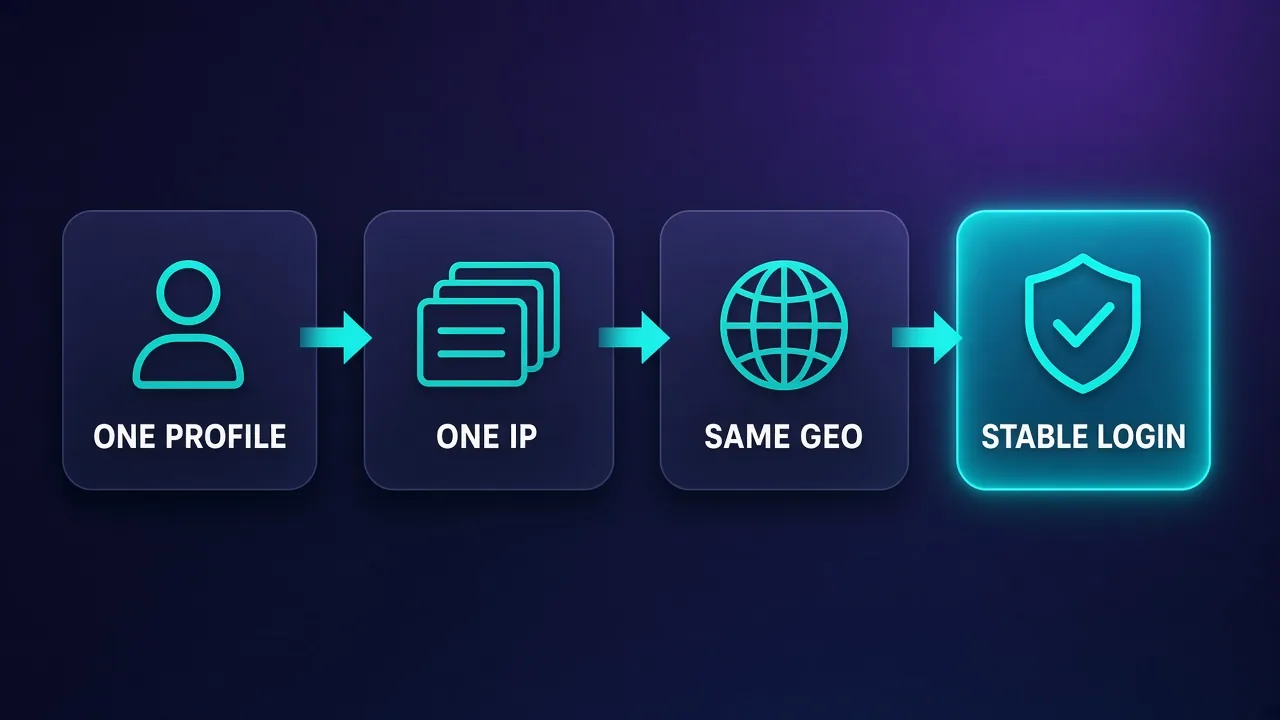
Account Setup: One Profile, One IP, One Location
The core rule for managing multiple X accounts is simple: each account gets its own browser profile, its own IP and a consistent location. This keeps accounts isolated from one another and makes each one look like a single, steady user.
- Dedicate an IP per account. Avoid placing multiple unrelated accounts on the same address. Static ISP proxies make this easy because each IP stays yours for the length of the plan.
- Match location to the account. An account run for a UK brand should normally connect from a UK IP. Pick a city or region if your provider supports it and keep it fixed.
- Use sticky sessions if you choose residential. If you use residential IPs for accounts, set the longest practical sticky session and request the same location each time. Our guide to sticky sessions explains how session IDs and durations work.
- Keep timezone and language consistent. The browser's timezone, language and locale should be plausible for the IP's location.
- Document the mapping. Keep a simple record of which account uses which profile, IP and location so changes are deliberate rather than accidental.
If an IP needs to be replaced, change it once and keep the new one in the same region rather than cycling through several options. Occasional, explainable changes look far more natural than constant movement.
Pairing Proxies With Anti-Detect Browsers
A proxy changes the network identity of a session, but the browser still reveals a great deal: canvas and WebGL output, fonts, screen size, hardware details, cookies and local storage. If several accounts run in the same regular browser, they share that fingerprint and storage even when each uses a different IP.
Anti-detect browsers address this by giving each profile its own isolated fingerprint, cookies and storage, and by letting you attach a specific proxy to each profile. That makes "one profile, one IP" practical at scale. Our explainer on how anti-detect browsers work covers the mechanics. Two widely used options are compared below.

Multilogin
Browser

AdsPower
Browser
Editor score
User rating
Starting price
Founded
Whichever browser you choose, check that each profile's timezone, language and WebRTC settings align with its proxy, and avoid unusual or extreme fingerprint values that stand out more than a normal device would.
Warm-Up and Pacing
New accounts, and accounts that have just moved to a new IP, tend to be watched more closely. A gradual warm-up gives the account time to build a normal history before you increase activity.
Start slowly
In the first days on a new account or IP, keep activity light and human: browse the timeline, follow a small number of relevant accounts, and post occasionally. Complete the profile with a photo, bio and consistent details. Avoid jumping straight into heavy posting or mass following.
Vary timing and actions
Real users do not act at perfectly regular intervals. If you schedule posts or use permitted automation, add natural variation in timing and avoid repeating identical text across accounts.
Increase gradually
Raise activity in small steps and watch for warning signs such as verification prompts, temporary restrictions or reduced reach. If you see them, pull back rather than pushing through. Specific safe limits are not published in a way you can rely on, and platform thresholds change, so treat any "magic numbers" you see online with caution.
The Official X API and Staying Within the Rules
For many data and posting workflows, the official X API is the compliant alternative to browser automation and scraping. It provides documented endpoints for reading data and publishing content, with access tiers and usage limits defined by X. Because those terms change, check X's current developer documentation for what each tier includes rather than relying on older guides.
The API is often the better choice when you need:
- Scheduled posting from approved tools and social media management platforms.
- Reliable, structured access to public posts or account data for analytics.
Beyond the API, X's automation rules describe which automated behaviors are allowed and which are prohibited, such as spammy mass actions or coordinated inauthentic activity. Proxies and anti-detect browsers are legitimate tools for agencies and teams managing several real accounts, but they do not change what X permits. Read the rules, automate only what is allowed, and keep accounts tied to real people or organizations.
When the API is enough
If your goal is to read public data or schedule posts, start by checking whether the official API covers it. You may not need proxies for that workload at all.
Best Proxy Providers for X Automation
The providers below are reasonable starting points for X account management or public data collection. Live prices and ratings appear on each card. None of them guarantees against restrictions, so test with a few accounts before scaling.
Decodo
Decodo offers residential proxies with sticky sessions alongside static ISP options under one dashboard. That combination makes it an approachable choice for small teams that handle both account work and occasional public data collection without wanting to juggle several vendors.

Decodo
Decodo offers the best price-to-performance ratio in the industry. It delivers roughly 90% of what the enterprise leaders provide — high success rates, a large clean pool, sticky sessions, an unblocker — at a fraction of their cost. The dashboard is the friendliest of any major provider, the 14-day money-back guarantee removes the risk of trying it, and support actually responds. The main gaps are enterprise-grade compliance tooling and the very deepest targeting, neither of which most teams need. For startups, solo developers, and any team that wants professional results without enterprise pricing, Decodo is our top value pick and an easy recommendation.
Bright Data
Bright Data runs large ISP and residential networks with granular targeting and formal compliance processes, including customer vetting. It typically suits agencies and larger organizations that want fine control over location and sessions and are comfortable with a more complex platform.
Bright Data
Bright Data remains the most complete data-collection platform money can buy. No competitor matches its combination of network scale, targeting granularity, and compliance tooling — and for enterprise teams whose revenue depends on reliable data, that completeness justifies the premium. The trade-offs are real: it is one of the priciest providers per gigabyte, the interface overwhelms newcomers, and KYC verification adds friction before you can route a single request. Smaller projects will get better value from Decodo or IPRoyal. But if you need city-level residential targeting at scale, a managed unblocker for the hardest targets, and audit-ready compliance, Bright Data is the default — and our highest-rated proxy provider overall.
Oxylabs
Oxylabs is particularly strong on the data-collection side, with large residential pools and business-focused support, and it also offers static ISP proxies for account work. Teams that run structured monitoring projects often include it in trials.

Oxylabs
Oxylabs is the enterprise provider that gets the fundamentals right. The network is huge and well-maintained, the scraper APIs are genuinely best-in-class, and the documentation and SDKs make integration faster than almost any competitor. What sets it apart from Bright Data is service: dedicated account managers, responsive support, and cleaner tooling mean less time fighting the platform and more time shipping. The cost is higher entry pricing, and the deepest discounts favor high-volume commitments. For serious commercial data operations that can justify the spend, Oxylabs is a top-two choice and frequently the one teams stay with long-term.
SOAX
SOAX is known for flexible geo-targeting across residential and mobile proxies, including city and carrier-level options. That granularity helps when you want each account pinned to a consistent region rather than a broad country.

SOAX
SOAX is the targeting specialist. City- and ISP-level selection on every plan — not locked behind premium tiers — is genuinely rare, and the continuously cleaned pool keeps success rates high where it matters. It is not the fastest network, the interface could use a refresh, and SOCKS5 coverage is uneven. Those are real but minor gripes against a provider that nails the fundamentals of precision and reliability. For ad verification, localized market research, and social-media work that depends on appearing in an exact location, SOAX is one of the best mid-market options available.
IPRoyal
IPRoyal sells static ISP proxies per IP as well as residential plans with flexible terms. It is a practical option for small teams that want a dedicated IP per account and a simple path to adding more as the operation grows.

IPRoyal
IPRoyal is the best pure pay-as-you-go deal in proxies. Non-expiring traffic is a genuinely customer-friendly policy that no major rival matches — buy what you need, use it whenever, lose nothing. The pool is smaller than the premium networks and success rates can soften on the most heavily defended targets, so high-volume enterprise scraping is not its strength. The dashboard is also fairly basic. For intermittent scraping, account work, and sneaker copping on a predictable budget, IPRoyal is an easy recommendation and one of the best value picks for occasional users.
The Social Proxy
The Social Proxy focuses on mobile and residential proxies aimed at social media use. Mobile carrier IPs can be worth testing for accounts that are repeatedly challenged on other proxy types, though they are usually a more premium choice.
The Social Proxy
For high-value social accounts, a dedicated modem is the gold standard, and The Social Proxy executes it properly: real SIM hardware in named cities, unlimited data, API rotation, and an identity no other customer can poison. The economics only work when the accounts justify ~$90/month per identity cluster, and the finite city list constrains geo-sensitive plans. If your Instagram or TikTok operation loses real money when an account dies, this is what the premium buys.
NodeMaven
NodeMaven emphasizes IP quality filtering and long-lasting sticky sessions on its residential network. That focus on session stability makes it worth considering for account work where you want residential IPs to behave more like static ones.

NodeMaven
NodeMaven's quality-filtered pool is a genuinely different pitch in a market obsessed with pool size, and it works: the IPs you get are noticeably cleaner, and holding one for a day makes account workflows far more stable than typical 10–30 minute sticky windows. You pay more per gigabyte than at budget providers, and raw-volume scrapers should look elsewhere — this is a precision tool. For multi-accounting through anti-detect browsers and any workflow where one flagged IP costs you an account, NodeMaven justifies its premium.
Proxy-Seller
Proxy-Seller offers per-IP static proxies, including ISP and mobile options, across many locations. Its straightforward per-IP model is useful for building a stable one-IP-per-account setup where you know exactly which address each profile uses.

Proxy-Seller
Proxy-Seller is excellent value if you want fixed, dedicated IPs instead of metered bandwidth. Per-IP pricing from $1.30 with unlimited bandwidth, flexible rental terms, and unusually cheap IPv6 make it a smart choice for account management and SEO. It is not the place for large rotating-residential workloads — the per-IP model does not scale to mass scraping that needs thousands of fresh addresses. The dashboard is also plain and functional rather than polished. But for stable, dedicated identities at a low cost, backed by 24/7 support, Proxy-Seller is one of the better dedicated-proxy specialists around.
How to Set Up and Test Your Proxies
A careful setup process catches most problems before they affect a live account. Work through these steps for each new account or IP.
- Choose the proxy type per workload. Use static ISP or long sticky residential sessions for accounts, and rotating residential, or the API, for public data.
- Verify the IP before logging in. Check the IP's location, its ASN and whether it appears on common blocklists. Replace any IP that resolves to the wrong country or a hosting network when you paid for residential.
- Create the browser profile. Attach the proxy to a dedicated profile and align timezone, language and locale with the IP's location.
- Check for leaks. Visit IP and WebRTC test pages from inside the profile to confirm that only the proxy IP is exposed and no local or real address leaks through.
- Log in manually first. Complete the first login and any verification steps by hand, then use the account normally for a while before introducing any permitted scheduling or automation.
- Monitor for several days. Watch for security prompts, unusual login notifications or restrictions, and note which IP and profile each account used at the time.
For public data collection with rotating residential proxies, test separately: run a small batch of requests, measure how many return the expected content rather than a login wall or an error page, and adjust pacing before increasing volume.
Common Pitfalls That Get Accounts Flagged
- Sharing one IP across many accounts. It links accounts together and spreads risk from one to all.
- Using rotating proxies for logins. Changing IPs and locations between sessions looks like account takeover activity.
- Relying on free or public proxies. These IPs are often abused, slow and may intercept traffic.
- Bursts of actions. Many follows, likes or posts in a short window, especially at regular intervals, are a classic automation signal.
- Mismatched fingerprints. A browser timezone or language that contradicts the IP's location, or identical fingerprints across profiles.
- Occasional logins from your real IP. Checking an account from your own connection or phone can link it to your other accounts.
- Ignoring warning signs. Pushing ahead after verification prompts instead of slowing down often escalates restrictions.
Do not fight a restriction with more automation
If an account is restricted, stop automated activity, resolve any verification through X's official process, and review your setup. Cycling through new IPs to get around a restriction usually makes the situation worse and may breach X's rules.
Who This Setup Is Not For
This kind of proxy setup is designed for teams managing several legitimate accounts, such as agencies, brands with regional profiles, or social media managers handling client accounts. It is not a good fit for everyone.
- Single-account users. If you run one account from your usual devices, a proxy adds complexity without much benefit and can even introduce the location changes you want to avoid.
- Spam or manipulation. Mass account creation, fake engagement and coordinated inauthentic activity violate X's rules, and no proxy configuration makes them acceptable.
- Workloads the API already covers. If you only need scheduled posting or structured data access, the official API or an approved management tool is usually simpler and more compliant.
Conclusion
The best proxy setup for X depends on which job you are doing. For managing accounts, static ISP proxies or long sticky residential sessions, with one profile, one IP and one consistent location per account, remove many of the signals that commonly trigger challenges. For public data collection, rotating residential proxies spread load more effectively, though the official X API is often the more compliant and reliable route.
Pair your proxies with isolated browser profiles, warm accounts up gradually, pace activity like a real person, and verify every IP before it touches a live account. Above all, read X's automation rules and developer terms, and only automate what they allow.
Frequently asked questions
For managing accounts, static ISP proxies or long sticky residential sessions are usually the best fit because they keep a stable IP and location. For collecting public data, rotating residential proxies spread requests more effectively. Datacenter proxies are generally more likely to be challenged on X.
It is generally safer to give each account its own dedicated IP. When several unrelated accounts share one address, the platform can link them, and a restriction on one may lead to reviews of the others. A one-profile, one-IP setup keeps accounts isolated.
Verification prompts often appear when an account's IP or location changes frequently, when the IP has a poor reputation, or when the browser fingerprint does not match the IP's location. Using a stable IP in a consistent region, aligning timezone and language, and pacing activity naturally usually reduces these prompts.
Rotating proxies that change IP per request are a poor fit for logged-in accounts because they create location jumps that look like suspicious logins. If you use residential proxies for accounts, configure the longest practical sticky session in a fixed location. Rotation is better suited to public data collection.
X publishes automation rules and developer terms that allow some automated activity and prohibit others, such as spam and coordinated inauthentic behavior. Check the current rules before automating anything and only automate what they permit. The official API is the sanctioned route for many posting and data tasks.
A proxy only changes the network identity, while a regular browser still shares fingerprints, cookies and storage across accounts. Anti-detect browsers give each profile an isolated fingerprint and let you attach a specific proxy to it. For several accounts, that isolation is usually worth having.
If you only need scheduled posting or structured access to public data, the official X API or an approved management tool is often simpler and more compliant. Proxies are mainly useful when teams manage several real accounts through a browser. Check the API's current tiers and limits to see whether it covers your needs.
Start with light, human activity such as browsing, following a few relevant accounts and posting occasionally, and complete the profile. Increase activity gradually with natural variation in timing. If you see verification prompts or restrictions, slow down rather than pushing through.