Table of contents
A proxy server sits between your device and the websites or APIs you talk to. Instead of your browser or script connecting straight to the destination, it sends the request to the proxy. The proxy forwards that request, receives the response, and hands it back to you. Along the way it can hide your real IP address, route traffic through another country, cache responses, filter content, or load-balance across servers.
That middleman role is why proxies show up in so many workflows: public-web data collection, ad verification, multi-account work, QA across regions, and corporate security gateways. This guide is the Proxyaxis head-term pillar on the topic. It covers how a request flows through a proxy, forward versus reverse proxies, anonymity levels, protocols, the main IP types, when a proxy is the right tool (and when a VPN is), common pitfalls, and how to choose a provider. For deeper dives on specific kinds of IPs, see our hub on types of proxies and the comparison of residential vs ISP vs datacenter proxies.
What this guide covers
You will leave with a clear mental model of client → proxy → origin, the vocabulary vendors use (forward, reverse, transparent, elite, SOCKS5), and a practical checklist for picking a proxy product without overpaying for features you do not need.
What is a proxy server?
In networking terms, a proxy is an intermediary host that accepts connections on behalf of a client and opens its own connections to the destination. From the destination's point of view, the traffic appears to come from the proxy's IP address, not from the client's. From the client's point of view, the proxy is just another hop that speaks a familiar protocol such as HTTP or SOCKS.
People often say "proxy" when they mean a commercial proxy product: a pool of IPs, authentication, a dashboard, and endpoints you plug into a browser, scraper, or antidetect profile. The underlying idea is the same. Whether you run a single forward proxy on a VPS or buy access to millions of residential IPs, the proxy is still the machine (or fleet) that terminates your outbound connection and originates a new one toward the target.
Proxies are not magic anonymity. They change the IP and optionally some headers. They do not automatically encrypt every packet the way a VPN tunnel does, and they do not rewrite browser fingerprints. Used well, they solve IP reputation, geo routing, and scale. Used poorly, they leak your real IP, get you banned faster, or burn budget on the wrong product.
How a proxy request works
The simplest way to understand a proxy is to walk one HTTP request from start to finish.
- You configure the client. Your browser, cURL command, Python session, or antidetect profile is told to use a proxy host, port, and (usually) a username and password or an IP whitelist.
- The client opens a connection to the proxy. For HTTP proxies, that is often a plain TCP connection to the proxy port. For HTTPS targets through an HTTP proxy, the client usually sends a
CONNECTrequest so the proxy opens a tunnel, then the TLS handshake happens between the client and the origin. - The proxy authenticates you. Shared commercial pools reject requests that fail auth. Enterprise setups may also enforce allowlists, rate limits, and destination policies.
- The proxy picks an egress IP. Depending on the product, that might be a sticky residential IP for 10 minutes, a rotating datacenter IP on every request, or a fixed ISP address you rented for a month.
- The proxy talks to the origin. It sends the request (or relays the tunneled bytes) and receives the response.
- The response returns through the proxy to your client. Status codes, headers, and body arrive as if you had connected directly — except that the origin saw the proxy's IP.
Two details matter in practice. First, DNS resolution can happen on the client or on the proxy. With SOCKS5, many tools offer a "remote DNS" mode so the target hostname is resolved at the proxy, which avoids leaking DNS queries from your local network. Second, sticky versus rotating sessions change how long you keep the same egress IP. Account logins and checkout flows usually need sticky sessions; high-volume crawling of public pages usually wants rotation.
Forward proxy vs reverse proxy
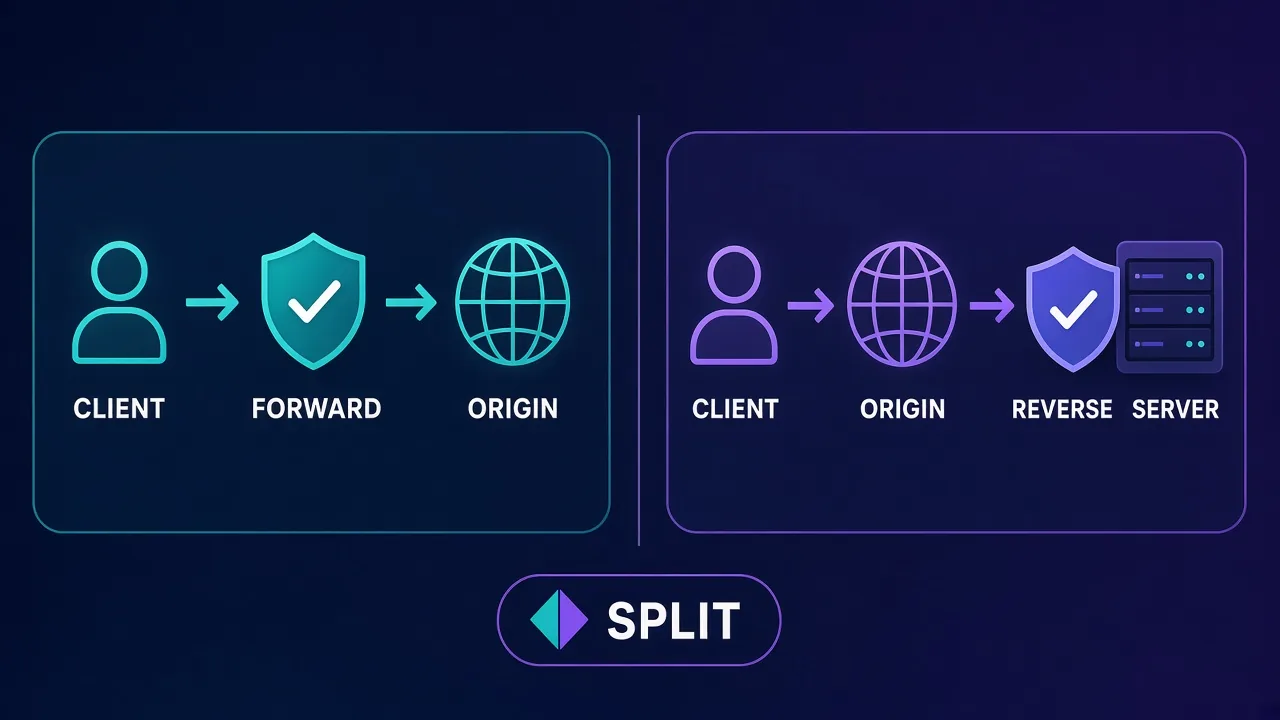
Almost every buyer-facing proxy product is a forward proxy: the client chooses the proxy and uses it to reach many different destinations. A reverse proxy sits in front of one or more origin servers and receives traffic that was aimed at those servers. Load balancers, CDNs, and API gateways are reverse proxies. They hide origin IPs, terminate TLS, cache content, and distribute load.
| Aspect | Forward proxy | Reverse proxy |
|---|---|---|
| Who configures it | The client / user | The site or API operator |
| Purpose | Egress control, anonymity, geo, scraping, multi-account | Ingress control, TLS, caching, load balancing, WAF |
| What the other side sees | Destination sees the proxy IP | Client sees the reverse-proxy hostname |
| Typical products | Residential, datacenter, ISP, mobile proxy pools | Nginx, Cloudflare, AWS ALB, API gateways |
Proxyaxis reviews focus on forward proxies because that is what individuals and growth teams buy. Reverse proxies are still useful vocabulary: if a vendor page talks about "proxying your traffic to users," they mean reverse. If it talks about "routing your requests through our IPs," they mean forward.
Quick check
If you pick the proxy and point your tools at it, it is a forward proxy. If visitors hit your domain and never see your origin IP, that front door is a reverse proxy.
Anonymity levels: transparent, anonymous, elite
HTTP proxies are often labelled by how much they reveal about the client. The labels are informal and older than modern residential pools, but they still appear in documentation and reseller lists.
- Transparent proxies forward your request and typically leave identifying headers intact (for example
X-Forwarded-For). The destination can often tell a proxy is involved and may still see your original IP. Corporate content filters and some ISP caches behave this way. They are useful for policy enforcement, not for hiding identity. - Anonymous proxies hide the client IP but may still advertise that a proxy is in use through headers such as
ViaorProxy-Connection. Many older free proxy lists fall here. Sites that actively block known proxies will still flag them. - Elite (high-anonymity) proxies aim to look like a normal client: no proxy-revealing headers, no client IP leakage. Commercial residential and well-run datacenter products target this behaviour. Even elite proxies can be detected by IP reputation databases, TLS fingerprints, or behavioural signals — anonymity of headers is only one layer.
For buying decisions today, treat the three labels as a sanity check on free or unknown lists, not as a quality score for modern paid pools. A residential IP with clean reputation usually outperforms a "elite" open proxy that has been scraped into every blocklist.
Proxy protocols: HTTP, HTTPS, SOCKS4, SOCKS5
Protocol choice decides which applications can use the proxy and how TLS and DNS behave.
| Protocol | What it carries | Best fit | Watch-outs |
|---|---|---|---|
| HTTP | HTTP requests; HTTPS via CONNECT tunnel | Browsers, scrapers, most SaaS tools | Plain HTTP to the proxy can expose credentials on the wire if you are not careful |
| HTTPS (TLS to proxy) | Same as HTTP, but the client–proxy hop is encrypted | Environments where the path to the proxy is untrusted | Not every client library supports an HTTPS proxy URL cleanly |
| SOCKS4 | Generic TCP (limited); no strong auth story | Legacy tools only | Prefer SOCKS5 for anything new |
| SOCKS5 | Generic TCP (and optionally UDP); username/password auth; remote DNS options | Non-HTTP apps, some browsers, flexible tooling | Confirm whether DNS is resolved locally or remotely |
Most commercial providers expose both HTTP(S) and SOCKS5 on the same pool. If you only browse and scrape web pages, HTTP with CONNECT is enough. If you need a proxy for apps that are not HTTP-aware, or you want remote DNS, choose SOCKS5. For a deeper protocol walkthrough with commands, see our guides on SOCKS5 and HTTP proxy usage elsewhere on the site.
Proxy types by IP source
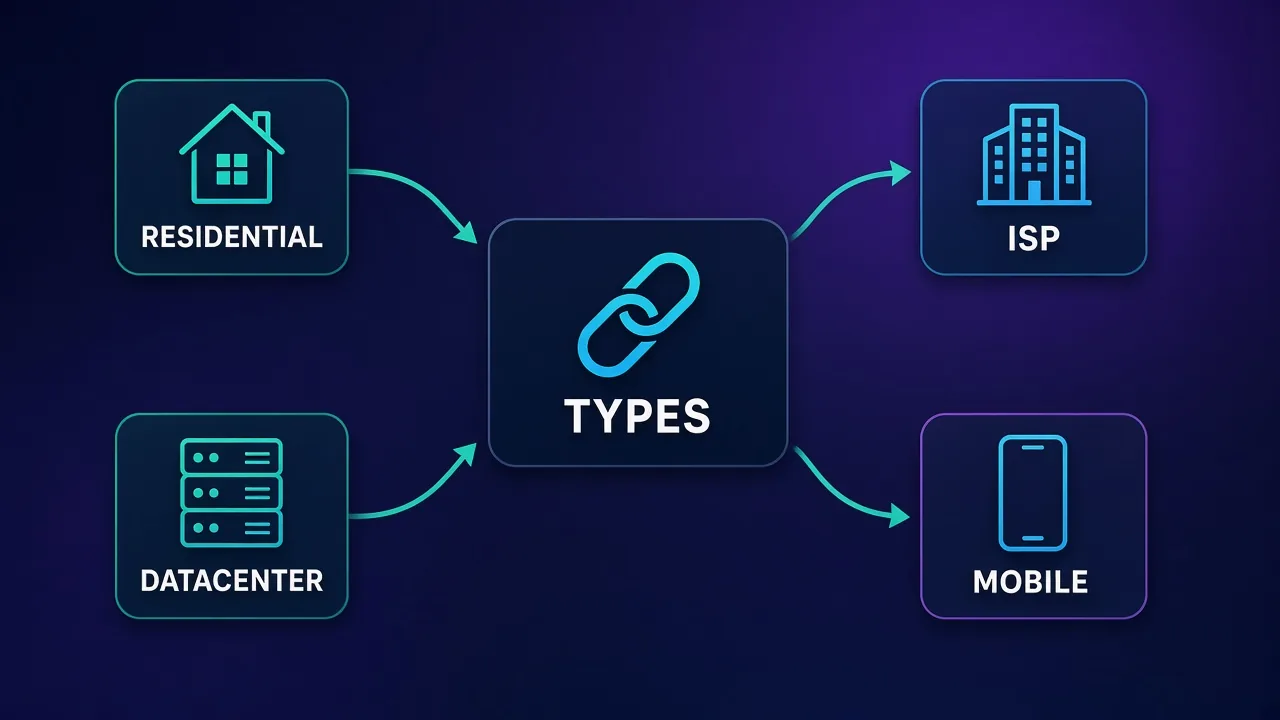
Vendors sell proxies by where the egress IP comes from. That source drives price, speed, and how often destinations block you. The four buckets you will see on almost every pricing page are residential, ISP (static residential), datacenter, and mobile. Our dedicated comparison of residential vs ISP vs datacenter proxies goes deeper; here is the pillar-level summary.
Residential proxies
Residential IPs are assigned by consumer ISPs to real households and routed through peer or partner networks. Destinations treat them like ordinary users, which raises success rates on strict sites. You usually pay per gigabyte of traffic. Sticky sessions let you keep one IP for minutes to hours; rotating sessions change IP per request or on a timer. Residential is the default for serious public-web collection, sneaker and ticket workflows that need clean IPs, and anything that fails hard on datacenter ranges.
ISP (static residential) proxies
ISP proxies combine a residential-looking ASN with datacenter-grade hosting. You get a fixed IP for the rental period, higher throughput than peer residential, and better trust than classic datacenter ranges on many sites. Pricing is typically per IP per month (or per day). They fit account management, long logins, and workflows where the same identity must look consistent for days.
Datacenter proxies
Datacenter IPs live in cloud and hosting ranges. They are fast and cheap — often billed per IP or per GB at a fraction of residential rates — but many websites fingerprint those ranges aggressively. Use them for tolerant targets, high-volume crawling of unprotected pages, QA, and internal tooling. Pair them with good retry logic and do not expect them to pass every anti-bot challenge alone.
Mobile proxies
Mobile proxies egress through carrier (4G/5G) IP pools. Carrier-grade NAT means many users share ranges, which can look very "normal" to some platforms and can also create noisy neighbour problems. They are the most expensive per GB or per dedicated device. Reach for them when desktop residential still fails and the target is known to favour mobile networks.
For a map of every common variant (rotating, sticky, dedicated, shared, SOCKS-only lists, and more), start at types of proxies.
Common uses for a proxy server
Legitimate, policy-respecting uses dominate what serious teams buy:
- Public data collection and monitoring. Price tracking, SEO rank checks, availability monitoring, and research scrapers spread requests across IPs so one address is not rate-limited into oblivion.
- Geo testing and localisation QA. Product, marketing, and support teams verify how a site renders and prices in another country without flying there.
- Ad verification. Agencies check that creatives appear correctly in target geos and that inventory is not spoofed.
- Multi-account and agency workflows. When platforms limit one identity per IP, teams combine proxies with antidetect browsers so each profile has a stable egress address.
- Corporate security and compliance. Forward proxies log and filter employee traffic; reverse proxies protect origin servers. Different job, same word.
- Unblocking region-locked public content for travel or research — always within the destination's terms and local law.
Proxies are a routing tool. They do not make prohibited activity legal. Respect robots rules, site terms, and applicable law, and prefer providers that publish clear acceptable-use policies and ethical sourcing claims you can verify.
When not to use a proxy (and when a VPN is better)
A proxy and a VPN both change your apparent IP, but they solve different problems. A VPN creates an encrypted tunnel for (usually) all device traffic and is built for private browsing, remote work, and protecting networks on untrusted Wi-Fi. A proxy is application-scoped: you point one tool or browser profile at it, often with geo and rotation features a consumer VPN lacks.
Prefer a VPN when you need whole-device privacy, strong encryption on hostile networks, or simple "appear in country X while I browse" without managing endpoints per app. Prefer a proxy when you need many IPs, sticky sessions, city-level targeting, or integration into scrapers and antidetect stacks. Our dedicated breakdown of proxy vs VPN walks through the decision with examples.
Do not use a proxy as a security blanket
A forward proxy without TLS to the proxy hop does not encrypt local Wi-Fi. An elite header profile does not hide malware, and rotating IPs will not fix a leaked session cookie. Match the tool to the threat.
Common pitfalls
- Buying residential when datacenter would work. You pay 5–20× more per GB for trust you may not need on soft targets.
- Ignoring sticky vs rotating. Logins that rotate mid-session look like account takeovers. Crawlers that stick forever burn one IP's reputation.
- Leaking DNS or WebRTC. The proxy IP in HTTP is useless if DNS or a browser STUN request reveals your home address. Test with a leak checker after setup.
- Trusting free open proxies. Many are honeypots, malware droppers, or already blocklisted. Free lists are for learning, not production.
- Comparing only the headline "from" price. Providers advertise their deepest volume tier. Compare the tier you will actually buy, on the same product type, with the same billing unit (per GB vs per IP).
- Skipping an exit test. Always confirm the egress IP, country, ASN, and whether the IP is already flagged before you scale a job.
How to choose a proxy provider
Start from the job, not the brand. Write down target difficulty, required countries, sticky length, protocol (HTTP vs SOCKS5), expected monthly GB or IP count, and whether you need an API and team seats. Then shortlist providers that publish clear sourcing, uptime, and refund terms. Run a small paid trial against your real targets before you commit to a large plan.
Three published Proxyaxis cards that regularly show up in that shortlist for different buyer profiles:
Decodo — strong self-serve residential value
Decodo (formerly Smartproxy) is a frequent pick when you want residential bandwidth without an enterprise sales call. As of 6 November 2026, its residential pricing page lists monthly plans from $3.75/GB on a 3 GB plan down to $2.75/GB at 100 GB, enterprise tiers from $2.50/GB (250 GB) to $2/GB (1 TB), and pay-as-you-go at $4/GB. Plans advertise a 115M+ IP pool, HTTP(S) and SOCKS5, city and ASN targeting, sticky and rotating sessions, and a 3-day free trial with 100 MB for new users. It fits teams that want a polished dashboard and predictable self-serve tiers.

Decodo
Decodo offers the best price-to-performance ratio in the industry. It delivers roughly 90% of what the enterprise leaders provide — high success rates, a large clean pool, sticky sessions, an unblocker — at a fraction of their cost. The dashboard is the friendliest of any major provider, the 14-day money-back guarantee removes the risk of trying it, and support actually responds. The main gaps are enterprise-grade compliance tooling and the very deepest targeting, neither of which most teams need. For startups, solo developers, and any team that wants professional results without enterprise pricing, Decodo is our top value pick and an easy recommendation.
Oxylabs — enterprise breadth across proxies and scrapers
Oxylabs packages proxies with scraping APIs under a single subscription model. On 6 November 2026 its pricing page showed Starter at $15/mo, Basic at $100/mo, Flexible at $500/mo, and Enterprise from $2,500/mo, with residential proxy rates from $6/GB on small plans down to $2.5/GB at the largest listed tier, plus mobile, ISP, and datacenter products on the same sheet. Choose Oxylabs when you need account management, compliance posture, and the option to mix raw proxies with Web Unblocker or scraper APIs as targets harden.

Oxylabs
Oxylabs is the enterprise provider that gets the fundamentals right. The network is huge and well-maintained, the scraper APIs are genuinely best-in-class, and the documentation and SDKs make integration faster than almost any competitor. What sets it apart from Bright Data is service: dedicated account managers, responsive support, and cleaner tooling mean less time fighting the platform and more time shipping. The cost is higher entry pricing, and the deepest discounts favor high-volume commitments. For serious commercial data operations that can justify the spend, Oxylabs is a top-two choice and frequently the one teams stay with long-term.
Webshare — affordable entry and large datacenter inventory
Webshare is the practical starting point for many solo developers and small tools that need lots of datacenter or ISP endpoints without a big contract. As of 6 November 2026, its pricing FAQ listed Proxy Server (datacenter) plans from $2.99/month for 100 proxies (as low as $0.0179/proxy at high volume), Static Residential (ISP) from $6/month for 20 proxies, Rotating Residential from $3.50/GB, and a free 10-proxy plan with 1 GB of monthly bandwidth and no credit card. HTTP and SOCKS5 endpoints are standard. It is less of an "enterprise residential" story and more of a flexible, customizable pool for builders who iterate quickly.

Webshare
Webshare is the developer's self-service favorite. Instant activation, a free tier that is actually free, and the cheapest fast datacenter proxies in the market make it the easiest provider to just start using. The custom plan builder — pick your IP count, bandwidth, and threads — is a genuinely good model that lets you avoid paying for capacity you do not need. The residential pool is newer and less battle-tested than specialists, and support is thin on the lower tiers. For datacenter proxies, API-driven workflows, and anyone who wants to try before paying, Webshare is one of the best-value options around.
Proxy server checklist before you buy
- Confirm the product type (residential / ISP / datacenter / mobile) matches your target's difficulty.
- Match billing unit to usage: per GB for rotating residential, per IP for sticky ISP or datacenter.
- Verify protocols you need (HTTP
CONNECT, SOCKS5, remote DNS). - Test sticky session length and rotation controls on a small plan.
- Check geo coverage for the countries and cities you actually need.
- Read AUP, refund window, and ethical sourcing claims; prefer providers you can hold to those claims.
- Measure success rate and bandwidth waste (images, retries) on a real sample before scaling.
Conclusion
A proxy server is an intermediary that forwards your traffic so destinations see a different IP — and, depending on the product, a different country, ASN, and reputation profile. Forward proxies serve clients who need egress control; reverse proxies serve operators who need ingress control. Anonymity labels, protocols, and IP types are the vocabulary that lets you buy the right middleman instead of the loudest one.
If you remember only three things: (1) map the job to residential, ISP, datacenter, or mobile before you look at brands; (2) compare prices on the tier you will actually purchase; and (3) test for IP quality and leaks on a small plan. From here, continue with types of proxies, the residential vs ISP vs datacenter comparison, and proxy vs VPN when you are choosing between whole-device privacy and application-level routing.
Frequently asked questions
A proxy server is a middleman between your device and a website or API. Your client sends the request to the proxy; the proxy forwards it and returns the response. The destination usually sees the proxy's IP address instead of yours.
You configure a browser, script, or app with the proxy host, port, and credentials. The client connects to the proxy, the proxy authenticates you, picks an egress IP, talks to the origin server, and relays the response back. Sticky sessions keep one IP; rotating sessions change IPs on a schedule or per request.
A forward proxy is chosen by the client to reach many destinations (the products Proxyaxis reviews). A reverse proxy sits in front of origin servers to terminate TLS, cache content, and load-balance traffic for visitors. CDNs and API gateways are reverse proxies.
Transparent proxies often leave identifying headers and may expose your IP. Anonymous proxies hide the client IP but can still reveal that a proxy is used. Elite (high-anonymity) proxies aim to look like a normal client with no proxy-revealing headers. Modern detection also uses IP reputation and fingerprints, so labels alone are not enough.
HTTP proxies (with CONNECT for HTTPS) are enough for most browsers and scrapers. SOCKS5 is better when you need a general TCP proxy, username/password auth, or remote DNS so hostnames resolve at the proxy. Many commercial providers offer both on the same pool.
Use a proxy when you need many IPs, sticky sessions, city targeting, or per-app routing for scrapers and antidetect profiles. Use a VPN when you want whole-device encryption and a simple privacy tunnel on untrusted networks. They solve overlapping but different problems.
The four common products are residential (consumer ISP peers, usually per GB), ISP or static residential (fixed IPs on residential ASNs), datacenter (fast cloud ranges, cheaper), and mobile (carrier 4G/5G pools, usually the most expensive). Match the type to how strict your target is.
Generally no for anything that matters. Open free proxies are often unstable, already blocklisted, or run by operators who log or tamper with traffic. Use them only for learning. For real work, buy from a provider with clear terms, authentication, and a small paid trial you can test against your targets.