Table of contents
Valorant is a game of milliseconds, so anything touching your connection deserves scrutiny — and VPNs are one of the most misunderstood tools players reach for. The honest truth is that a VPN won't magically lower your ping (it usually adds a little), but it does two genuinely valuable things for Valorant: it hides your real IP to protect you from DDoS attacks, and it lets you connect to Riot servers in other regions. This guide covers what a VPN can and can't do for Valorant, the best options in 2026, how to set one up, and whether it's safe with Riot's Vanguard anti-cheat.
Do you actually need a VPN for Valorant?
For most casual players, no — you don't need one to simply play. But a VPN becomes genuinely useful in specific situations: if you've been DDoS-attacked (a real problem in ranked and competitive play, where opponents pull your IP and knock you offline), if your ISP throttles or badly routes gaming traffic, if you want to play on another region's servers with friends abroad, or if you're on an untrusted or restricted network (a dorm, office, or public Wi-Fi). Outside those cases, the main effect of a VPN is a small latency cost — so use it deliberately, not by default.
What a VPN can (and can't) do for Valorant
Being honest about this up front saves disappointment:
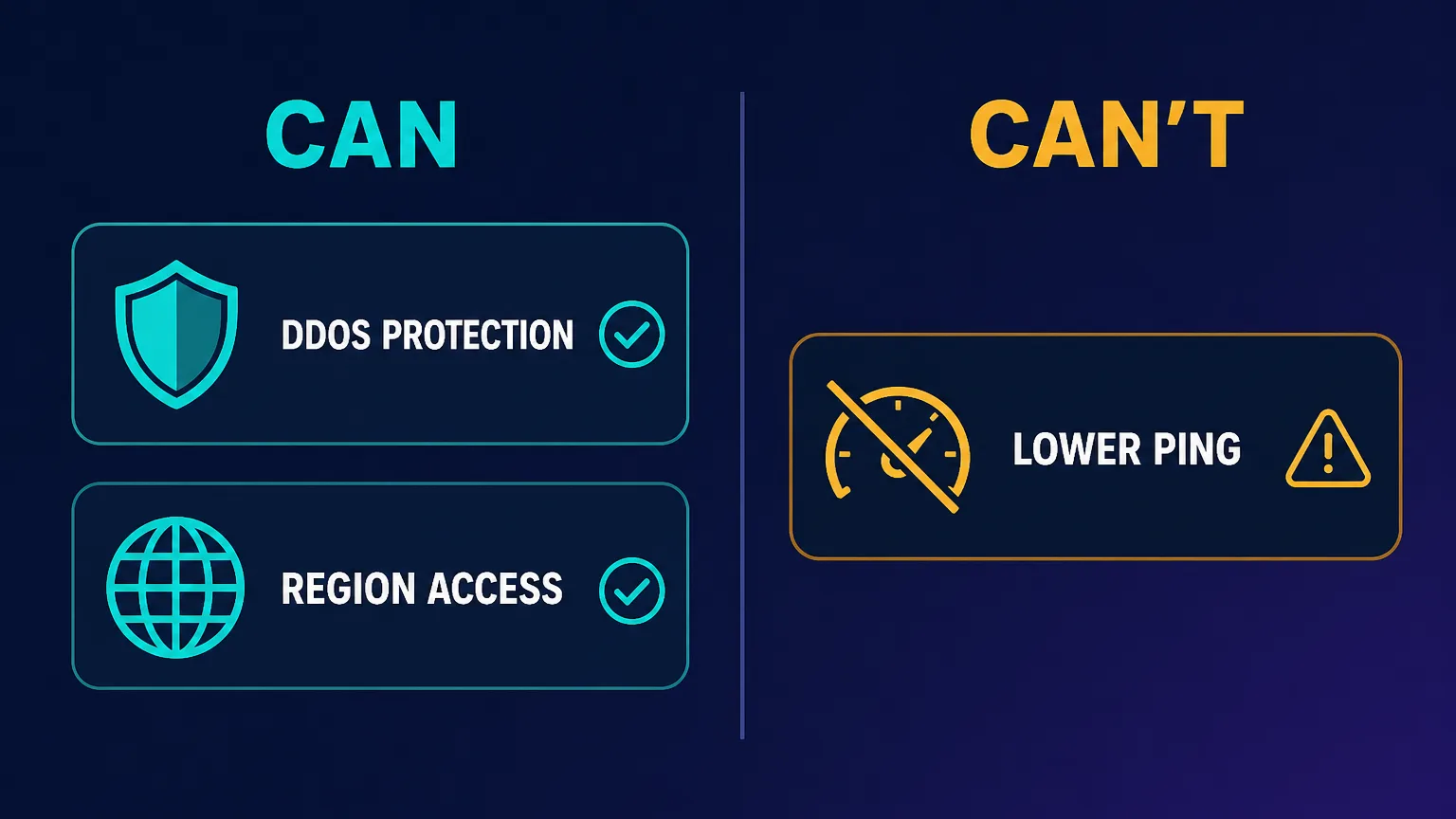
- Can: hide your IP and stop DDoS attacks. Because opponents only see the VPN's IP, they can't target your real connection — the single biggest reason competitive players use one.
- Can: unlock other regions. Connect through a server near another Riot data center to play on that region's servers.
- Can: bypass ISP throttling or bad routing. If your provider throttles or takes a poor path to Riot, a VPN can sometimes give you a better, more stable route.
- Can: secure you on restricted networks. Encryption gets you a stable, unblocked connection on locked-down Wi-Fi.
- Can't: guarantee lower ping. Routing through an extra server usually adds a few milliseconds. It only lowers ping when your ISP's default route was worse than the VPN's — not as a rule.
What makes a good Valorant VPN
The priorities for gaming differ from streaming or privacy:
- Low latency & a fast protocol. WireGuard (or a provider's WireGuard-based protocol like NordLynx, and ExpressVPN's Lightway) adds the least overhead.
- Servers near Riot data centers in the regions you play, so the detour is as short as possible.
- Strong DDoS/IP protection and rock-solid stability — a mid-match drop is worse than a little latency.
- Split tunneling so you can route only Valorant through the VPN and leave everything else direct.
- Audited no-logs privacy and enough server locations to give you routing options.
The best VPNs for Valorant in 2026
These five combine fast protocols, wide server coverage, and the stability competitive play demands:
NordVPN — best overall for gaming
Its NordLynx (WireGuard-based) protocol is fast and low-overhead, with a huge server network for short routes to most regions and strong DDoS protection — the most well-rounded pick.

NordVPN
Still the benchmark. NordVPN combines top-tier speeds, a repeatedly audited no-logs policy, and the broadest feature set in the industry at a mid-range price. The default recommendation for most people.
ExpressVPN — lowest-overhead protocol
Its Lightway protocol is built for speed and quick reconnects, and the app is famously simple and stable — a great choice if you want minimal added latency and zero fuss.

ExpressVPN
The most reliable VPN we have tested — connections just work, on every platform including routers. You pay a premium for that polish, and power users may miss the configurability rivals offer.
Surfshark — best value, unlimited devices
Fast WireGuard speeds and unlimited simultaneous connections, so it covers your PC, console and phone on one plan — excellent value for a whole gaming household.

Surfshark
The value king. Unlimited connections, strong speeds, and a feature set close to NordVPN at roughly half the intro price. The 14-eyes Netherlands jurisdiction is the main caveat for hardliners.
Proton VPN — best privacy (and a free tier)
Fast, audited and open-source, with a genuinely usable free tier to test the waters — ideal if privacy matters or you want to try a VPN for Valorant without paying.

Proton VPN
The privacy purist's choice that no longer compromises on speed or streaming. The free tier is genuinely free and safe — unique in this industry. Paid plans are competitive with the very best.
Private Internet Access — most server locations
A very large server network gives you lots of routing options to reach different Riot regions, plus a configurable app for tuning your connection.

Private Internet Access
The tinkerer's VPN: open-source apps, court-proven no-logs, unlimited devices, bargain long-term price. US jurisdiction and middling long-distance speeds keep it just behind the leaders.
Quick comparison
| VPN | Best for | Fast protocol | Split tunneling | Free tier |
|---|---|---|---|---|
| NordVPN | Overall gaming | NordLynx | Yes | No |
| ExpressVPN | Lowest overhead | Lightway | Yes | No |
| Surfshark | Value / many devices | WireGuard | Yes | No |
| Proton VPN | Privacy + free tier | WireGuard | Yes | Yes |
| Private Internet Access | Server choice | WireGuard | Yes | No |
How to set up a VPN for Valorant
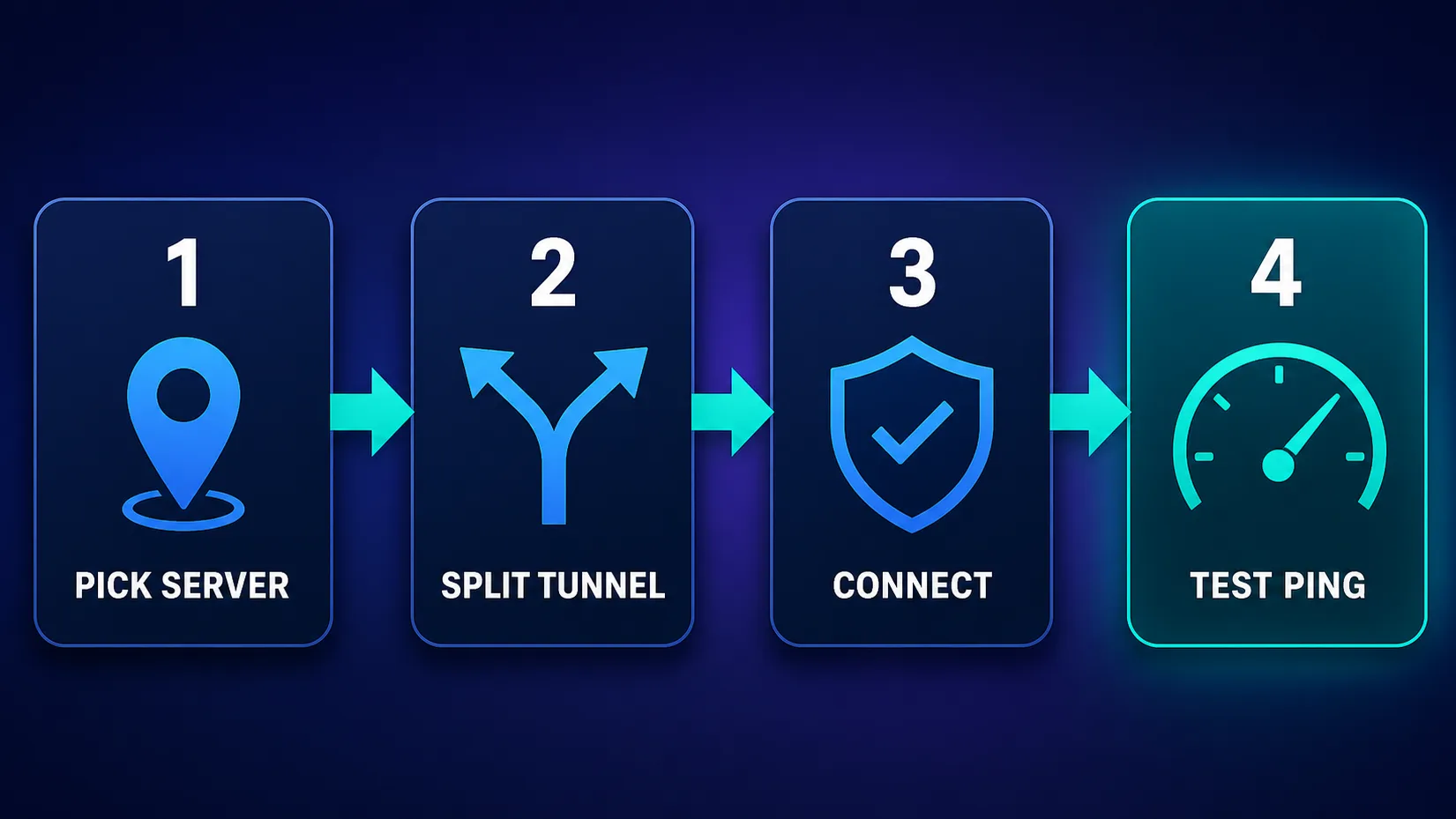
- Pick a server near the target region. For lowest latency, choose a VPN server close to the Riot data center of the region you want to play on.
- Split-tunnel the game. Route only Valorant (or your whole PC) through the VPN and leave other traffic direct, to keep overhead down.
- Connect and use a fast protocol like WireGuard/NordLynx/Lightway.
- Test your ping in-game before a ranked session — compare with and without the VPN and keep whichever is better and more stable.
Split tunneling is the gamer's best friend
Routing only Valorant through the VPN — and leaving downloads, streams and everything else on your normal connection — minimises the latency cost while still protecting your game traffic. If your VPN supports it, turn it on.
Will a VPN lower your ping in Valorant?
Usually not — and any VPN that promises "lower ping, guaranteed" is overselling. Physically, your traffic now takes a detour through the VPN server before reaching Riot, which typically adds a few milliseconds. The exception is when your ISP was already routing you inefficiently or throttling gaming traffic; then a VPN with a better path can genuinely reduce ping and packet loss. So the honest rule is: a VPN can improve a bad connection, but it won't beat an already-good direct route. Test both and keep whichever wins. Our broader best VPNs for gaming guide digs into this further.
Is using a VPN for Valorant safe and allowed?
Using a VPN to play Valorant is generally fine, but there are real caveats worth understanding:
- Vanguard, Riot's anti-cheat, is kernel-level but a VPN doesn't trip it by itself — a VPN changes your network path, not your game files, so simply using one isn't cheating.
- Ban evasion is against the rules. Using a VPN to dodge an existing ban violates Riot's terms and can lead to further action. A VPN is not a get-out-of-jail card.
- Sudden region hops can trigger security checks. Logging into your account from a wildly different country can prompt verification, so be sensible about it.
- Region price arbitrage risks your account. Buying VP or the game cheaper via another region's store can violate terms and get purchases reversed — not worth it.
A VPN won't rescue a banned account
VPNs are for protection and access, not for evading bans or gaming regional pricing. Using one for those purposes breaches Riot's terms and can cost you your account. Keep your VPN use to DDoS protection, region access with friends, and network security.
How a VPN actually stops DDoS attacks
This is the strongest reason to use a VPN for Valorant, so it's worth understanding the mechanism. A DDoS attack works by flooding a target IP address with traffic until its connection buckles — and in competitive games, attackers grab your real IP (sometimes via third-party tools or leaks) and aim the flood at your home router, knocking you offline mid-match. A VPN defeats this because every server and opponent only ever sees the VPN's IP, never your real one. There's nothing for an attacker to target: hit the VPN's IP and the provider's infrastructure absorbs or mitigates it, while your home connection stays untouched. For ranked players who've been booted by a DDoS before, this alone justifies a VPN.
Choosing the right server for your region
Valorant runs regional data centers — North America, Europe, Korea, Asia-Pacific, Brazil and LATAM among them — and the server you pick should map to the region you want to play on. To keep latency low, choose a VPN server geographically close to that region's data center, not just anywhere in the country. If you're playing your home region, pick the nearest VPN server to your own city for the shortest detour. If you're connecting to play with friends abroad, choose a VPN location near their region's data center. The golden rule: the closer the VPN server is to both you and the game server, the smaller the latency cost.
Can you use a VPN for Valorant on console?
Valorant is now on console as well as PC, and consoles can't run VPN apps directly. The workaround is to install the VPN on your router, which routes your console's traffic through it automatically — the same approach used for smart TVs. This protects the console's connection and gives you DDoS protection and region options, at the cost of a more involved setup and speeds shared across the network. Some players instead share a VPN connection from a PC. Either way, a router-level VPN is the practical route for console Valorant, so prioritise a provider with clear router support.
How to test whether a VPN helps your connection
Don't guess — measure. The honest way to know if a VPN helps your setup:
- Record your baseline. Play a few unrated games without the VPN and note your in-game ping and any packet loss.
- Connect to a nearby VPN server using a fast protocol and split tunneling.
- Play the same way and compare. Check ping, stability and packet loss over a few games, not a single match.
- Keep whichever wins. If the VPN is equal or better and adds DDoS protection, keep it; if it clearly worsens ping and you're not being attacked, you may not need it.
This five-minute test settles the "does a VPN help me?" question far better than any generic claim.
Common mistakes to avoid
- Expecting lower ping automatically — test it; a distant server will make ping worse.
- Picking a far-away server when you don't need another region — stay close for the least latency.
- Not using split tunneling, so every app pays the VPN overhead.
- Using a sketchy free VPN — slow, unstable, and often unsafe (see free vs paid VPNs).
- Region-hopping recklessly and triggering account security flags.
How to choose your Valorant VPN
- Best all-round gaming pick? NordVPN.
- Want the least added latency? ExpressVPN's Lightway.
- Covering many devices cheaply? Surfshark.
- Privacy-first or want to try free? Proton VPN.
- Want maximum server/region choice? Private Internet Access.
New to VPNs? Start with our guide on how to use a VPN, or browse the full VPN directory to compare live pricing.
How much should you pay?
Prices change and depend on plan length, so check the live figures on the cards above rather than any number quoted here. The pattern is consistent: monthly plans cost the most per month, while one- or two-year plans drop the effective price substantially. For a latency-sensitive game like Valorant, the smart move is to use a provider's 30-day money-back guarantee to actually test the VPN on your connection first — measure your ping and stability over a few sessions, and refund it if it doesn't help. If you'd rather not pay to experiment, Proton VPN's free tier lets you try a VPN for Valorant at no cost, though a paid plan's speed and server choice serve competitive play better. Either way, don't overspend before you've confirmed a VPN actually improves your setup.
The bottom line
A VPN is a genuinely useful tool for Valorant — just for the right reasons. It shields your IP from DDoS attacks, opens up other regions, and can stabilise a throttled connection, but it won't reliably cut your ping, so set expectations accordingly. Of the picks here, NordVPN is the best all-rounder, ExpressVPN adds the least overhead, Surfshark is the best value, Proton VPN leads on privacy with a free tier, and Private Internet Access offers the most server choice. Pick a nearby server, split-tunnel the game, test your ping, and keep your VPN use to protection and access rather than ban evasion — do that, and it's a smart addition to your setup.
Frequently asked questions
Usually not — routing through a VPN server normally adds a few milliseconds. It only lowers ping when your ISP was throttling gaming traffic or using an inefficient route, in which case a better VPN path can help. Test with and without the VPN and keep whichever is faster and more stable; don't expect a guaranteed improvement.
Simply using a VPN to play isn't against Riot's rules and doesn't trip the Vanguard anti-cheat by itself, since a VPN changes your network path, not your game files. However, using a VPN to evade an existing ban or to exploit regional pricing does violate the terms and can get your account actioned. Use it for protection and access, not evasion.
Yes, generally. Vanguard is a kernel-level anti-cheat that inspects for cheating software, not for VPNs, so a reputable VPN running alongside it is fine for most players. Stick to trustworthy providers, and be aware that connecting from a very different region than usual can occasionally prompt an account security check.
NordVPN is the best all-round choice thanks to its fast NordLynx protocol, wide server coverage and DDoS protection. ExpressVPN adds the least latency with Lightway, Surfshark is the best value with unlimited devices, Proton VPN is the most privacy-focused with a free tier, and Private Internet Access offers the most server locations for region choice.
Yes — this is one of the main reasons competitive players use one. Because opponents only ever see the VPN's IP address instead of your real one, they can't target your home connection to knock you offline. A VPN with strong, stable servers effectively removes the DDoS threat for ranked and competitive play.
Yes. By connecting to a VPN server near another region's Riot data center, you can access that region's servers to play with friends abroad or on a different ladder. Expect higher ping to distant regions, and avoid hopping regions constantly, as sudden location changes can trigger account security checks.
It can, but only in specific cases. If your ISP has a poor or congested route to Riot's servers, a VPN with a cleaner path can reduce packet loss and stabilise your connection. If your direct route is already good, a VPN is more likely to add a little latency than remove it. As always, test both.
Proton VPN offers a genuinely trustworthy free tier that works for gaming, though free plans generally have fewer servers and can be slower, which matters for latency-sensitive play. Most unknown free VPNs are too slow and unstable (and sometimes unsafe) for competitive Valorant, so a reputable paid plan is usually the better choice.