Table of contents
Most households now have more internet-connected devices than people: phones, laptops, tablets, a smart TV, a games console, maybe a work computer. Put a VPN on all of them and you quickly run into the one limit most people never check before buying — how many devices a single subscription can protect at once. This guide explains what those device limits actually count, how many connections you really need, the honest catch behind "unlimited," and the best VPNs for covering every device you own in 2026.
What "simultaneous connections" actually means
VPN plans advertise a number of simultaneous connections, and the wording matters. The limit usually counts devices connected at the same moment, not devices you've installed the app on. You can typically install a VPN on every device you own; the cap only bites when too many of them are switched on and connected together. When you hit it, the provider will refuse the newest connection or ask you to disconnect another session.
That distinction changes the maths. A family with fifteen devices rarely has all fifteen tunnelled at once — phones sleep, laptops close, the console is off most of the day. The number you need to plan for is your realistic peak: the most devices that will want protection at the same time, such as an evening when everyone is streaming, gaming and scrolling together.
How many connections do you actually need?
Count the devices that will realistically be online together, then add headroom:
- A single person usually needs 3–4: a phone, a laptop, a tablet and perhaps a TV stick.
- A couple commonly reaches 6–8 once both phones, laptops and a shared TV are counted.
- A family of four can easily need 10 or more at peak, especially with consoles and kids' tablets.
- Remote workers should add work laptops — and check whether their employer already runs its own VPN on those.
If your realistic peak is close to a plan's cap, choose a higher limit or unlimited. Being forced to disconnect one device to protect another is exactly the friction that leads people to switch the VPN off entirely.
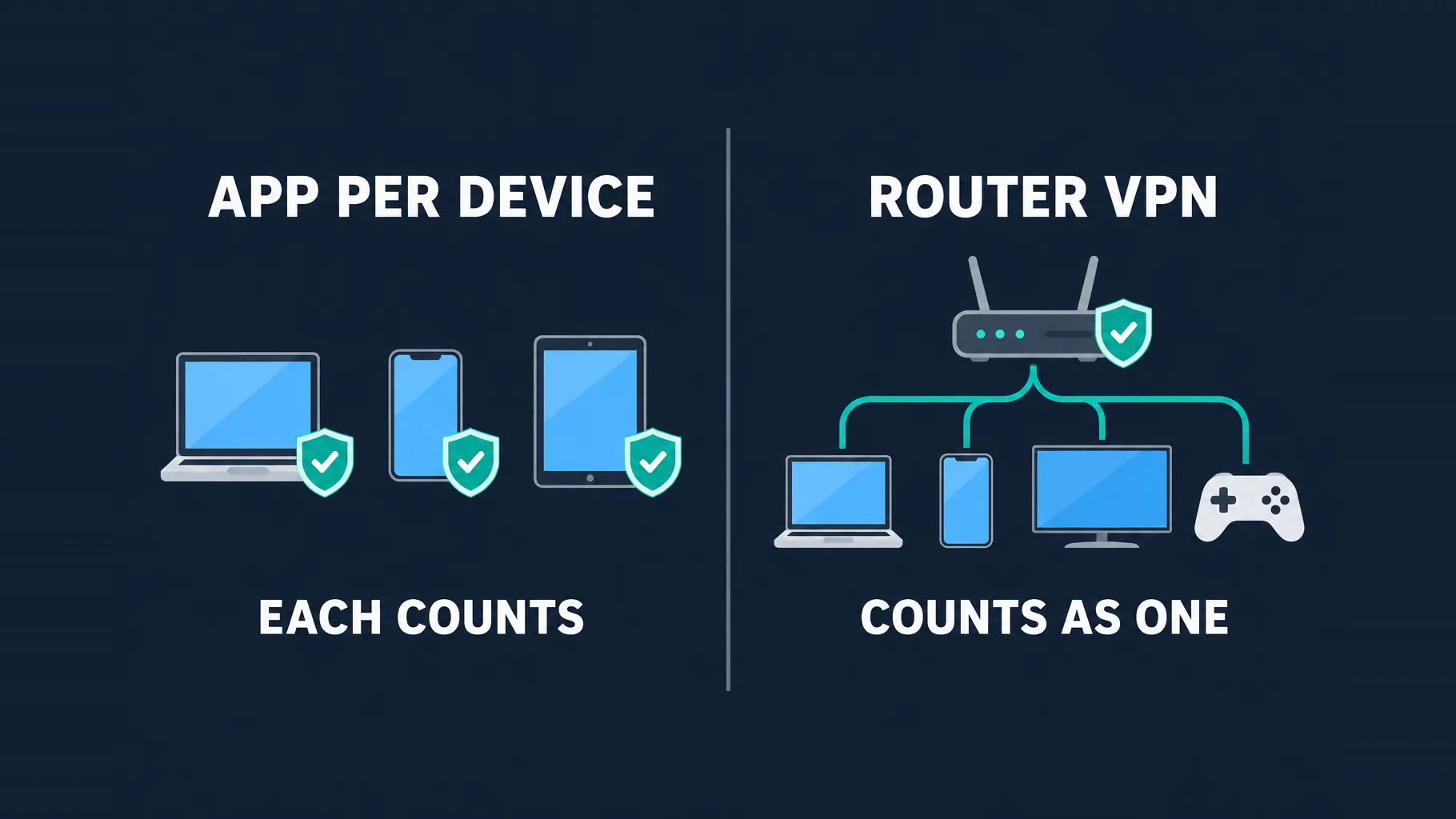
Apps on each device vs a VPN on your router
There are two ways to cover a household, and the best setups often combine them.
Install the app on each device
This is the simplest route and gives every device the full feature set: a kill switch, split tunneling, and the ability to pick a different server location per device. It also protects phones and laptops when they leave home. The trade-off is that each connected device uses one slot, and it only works on devices that can run a VPN app.
Install the VPN on your router
Configure the VPN on a compatible router and every device on your home network is routed through the tunnel automatically — including smart TVs, games consoles and smart-home gadgets that can't run a VPN app. Crucially, the router uses just one connection on your plan no matter how many devices sit behind it, which is how capped plans can cover a large household. The downsides: setup is more technical, every device shares one server location, per-device features like split tunneling disappear, and protection stops the moment a device leaves your Wi-Fi.
The hybrid setup most households end up with
Put the VPN on your router for the TVs, consoles and smart devices that stay at home, and install the app on phones and laptops so they stay protected on public Wi-Fi. The router counts as one connection, leaving the rest of your allowance for the devices that travel.
Unlimited vs capped plans: what's the catch?
An "unlimited devices" plan is genuinely useful, but it's worth knowing what it doesn't mean:
- It isn't unlimited speed. Every device still shares your home internet connection. A VPN can't make your broadband faster, so twenty devices streaming at once will feel it regardless of the plan.
- Fair-use rules still apply. Providers typically intend the plan for a household. Terms of service commonly prohibit reselling or sharing an account widely, and abuse can lead to suspension.
- Capped plans aren't necessarily worse. A 10-device plan combined with a router VPN can cover more real-world devices than most homes own. The cap only matters if you rely on per-device apps for everything.
What to look for in a multi-device VPN
- A device limit that fits your peak — unlimited if you have a big household or don't want to think about it.
- Apps for everything you own, including Fire TV, Apple TV or Android TV if you stream on the big screen.
- Router support with clear setup guides, for consoles and smart TVs that can't run apps.
- Fast, efficient protocols like WireGuard, so many devices don't pile up overhead.
- Split tunneling, to exclude devices or apps that shouldn't use the VPN.
- An audited no-logs policy — the more of your household's traffic goes through one provider, the more its trustworthiness matters.
The best VPNs for multiple devices in 2026
Surfshark — best overall for households
Unlimited simultaneous connections on every plan, polished apps across phones, computers and TV platforms, and fast WireGuard speeds make it the easiest way to protect an entire household on one subscription without counting devices.

Surfshark
The value king. Unlimited connections, strong speeds, and a feature set close to NordVPN at roughly half the intro price. The 14-eyes Netherlands jurisdiction is the main caveat for hardliners.
Private Internet Access — unlimited and highly configurable
Also unlimited, with a very large server network, open-source apps, and Android TV, Fire TV and Apple TV support. Its detailed settings suit technical users who want to tune protocols and router setups for every device.

Private Internet Access
The tinkerer's VPN: open-source apps, court-proven no-logs, unlimited devices, bargain long-term price. US jurisdiction and middling long-distance speeds keep it just behind the leaders.
IPVanish — unlimited with strong streaming-device support
Unlimited connections plus apps for Fire TV, Apple TV and Chrome OS, which makes it a comfortable fit for homes where the TV and streaming sticks matter as much as phones and laptops.

IPVanish
Owning the whole server network counts for something, and speeds are consistently good. Streaming unblocking is hit-and-miss versus the leaders, and the US jurisdiction will deter privacy maximalists.
Windscribe — unlimited devices, plus a free tier
The paid plan allows unlimited connections, and a genuine free tier lets you test it on a device or two first. Extras like its stealth protocols help devices connect on restrictive networks such as school or office Wi-Fi.

Windscribe
The most flexible pricing in the industry and a genuinely useful free tier. Apps are quirky and speeds vary by location, but for casual or budget users Windscribe punches well above its weight.
NordVPN — a capped plan that stretches with a router
NordVPN allows 10 simultaneous connections, which covers most homes on apps alone — and with router setup, a single connection protects every device on the network. Fast NordLynx speeds and apps for Android TV, Apple TV and Fire TV round it out.

NordVPN
Still the benchmark. NordVPN combines top-tier speeds, a repeatedly audited no-logs policy, and the broadest feature set in the industry at a mid-range price. The default recommendation for most people.
Quick comparison
| VPN | Simultaneous connections | TV-platform apps | Router setup | Free plan |
|---|---|---|---|---|
| Surfshark | Unlimited | Fire TV, Apple TV | Yes | No |
| Private Internet Access | Unlimited | Android TV, Fire TV, Apple TV | Yes | No |
| IPVanish | Unlimited | Fire TV, Apple TV | Yes | No |
| Windscribe | Unlimited (paid) | Fire TV, Apple TV | Yes | Yes |
| NordVPN | 10 | Android TV, Apple TV, Fire TV | Yes | No |
Other strong options have lower caps — Proton VPN allows 10 devices and has a trustworthy free tier, while ExpressVPN allows 8 and sells its own Aircove router. Browse the full VPN directory to compare current plans.
Protecting devices that can't run a VPN app
Smart TVs, games consoles, smart speakers and many streaming boxes have no VPN app store. You have three realistic options. A router VPN is the most complete: it encrypts everything those devices send. Sharing a connection from a computer (running the VPN on a laptop and creating a hotspot) works in a pinch but is clunky for daily use. Some providers also offer a smart DNS feature for streaming devices — useful for reaching region-locked content, but be clear that smart DNS does not encrypt your traffic or hide your IP, so it isn't a privacy tool.
Smart DNS is not a VPN
Smart DNS only changes how certain requests are routed so streaming services see a different region. It adds no encryption and doesn't protect your privacy. If the goal is security for a console or TV, use a router VPN instead.
How to protect every device in your home
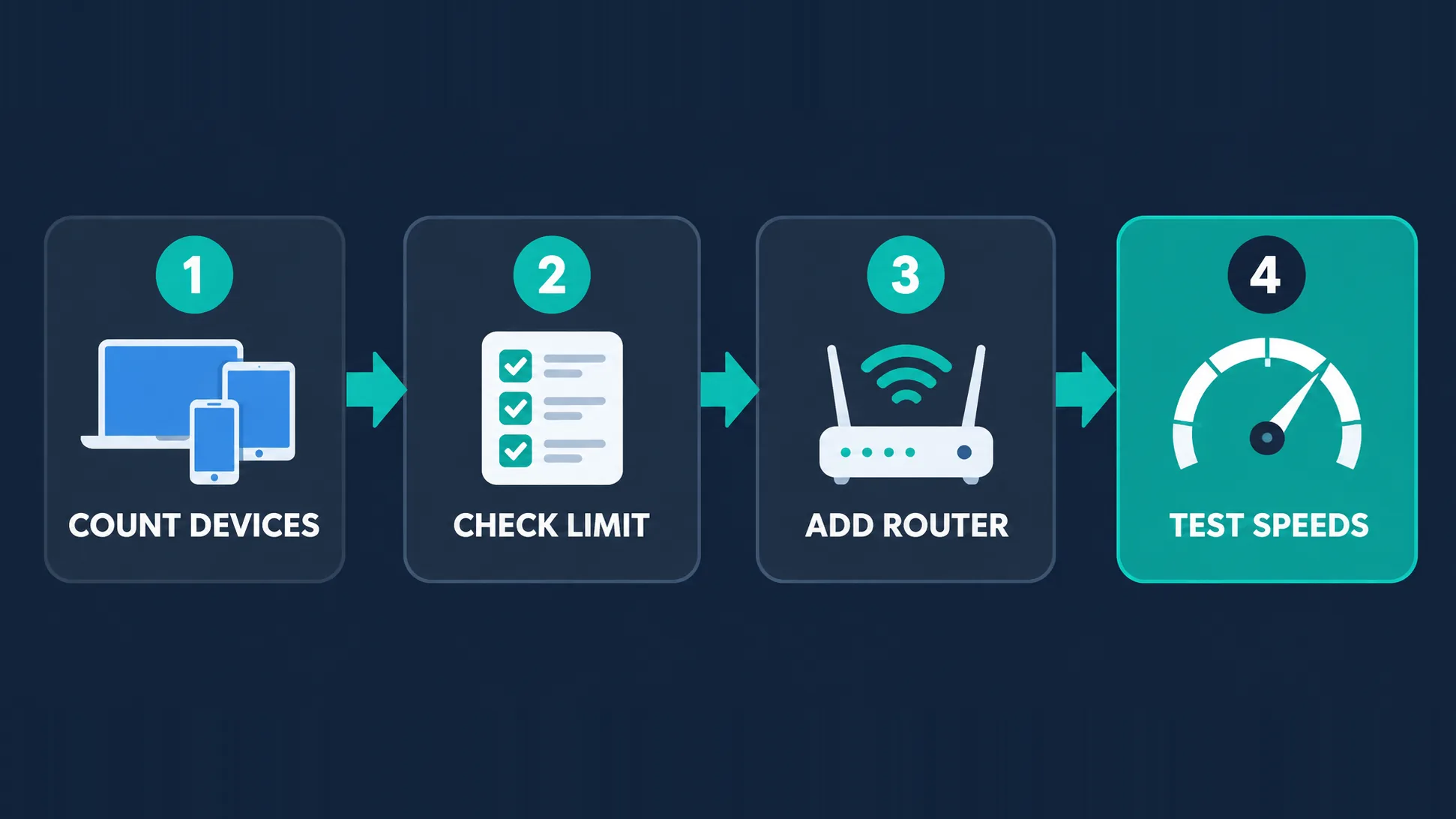
- Count your devices and estimate how many will be online at your busiest time.
- Check the plan's limit against that peak — go unlimited if you're close to a cap.
- Put the VPN on your router for the devices that stay home and can't run apps.
- Test speeds on your busiest devices, and switch to WireGuard or a closer server if anything feels slow.
New to VPNs? Our step-by-step guide on how to use a VPN covers installing and configuring the apps, and our Android and iOS and macOS guides go deeper on phones and Macs.
Will running many devices slow your VPN down?
Usually the bottleneck isn't the VPN — it's your home connection. Every device, protected or not, shares the same broadband line, so heavy simultaneous streaming will slow things down regardless. The VPN adds a small amount of overhead per device for encryption, which modern protocols like WireGuard keep low. Where a VPN can make a difference is server choice: many devices on one distant or crowded server will feel slower than devices spread across nearby servers. A router VPN also depends on the router's processor, and older routers can struggle to encrypt a whole household's traffic, so a capable router matters if you go that route.
Is it okay to share a VPN account?
Within your own household, yes — that's what multi-device and unlimited plans are designed for. Sharing an account with friends or people outside your home is a different matter. Most providers' terms limit use to the account holder and their household, and widely shared accounts can be flagged or suspended. There's also a privacy angle: everyone on a shared account depends on the same credentials, and anyone with those credentials can see and manage the account. If people outside your home need a VPN, a separate subscription is cleaner for everyone.
Working out the real cost per device
Headline prices change constantly, so check the live figures on the cards above rather than a number quoted in an article. What's more useful is how you compare them. Divide a plan's monthly cost by the number of devices you'll realistically protect: an unlimited plan that costs slightly more can work out far cheaper per device for a busy household, while a single person with three devices gains nothing from "unlimited" and may be better served by a capped plan with features they value more. Longer billing terms usually lower the monthly price but lock you in, so use a money-back guarantee window to confirm the apps work on your TV, console setup and router before committing.
Keeping devices protected away from home
A router VPN only protects devices while they're on your home network. The moment a phone switches to mobile data or a laptop joins café, hotel or airport Wi-Fi, it's outside that tunnel. That's why the devices that travel should always have the app installed with auto-connect on untrusted networks and a kill switch enabled. It's also worth checking the device limit with travel in mind: family members away from home each use their own connection slot, so a household that's all out at once can reach a cap faster than one sitting on the same home network.
Common mistakes to avoid
- Buying on the device cap alone and ignoring whether the provider has apps for your TV or console.
- Assuming unlimited means faster — your home connection is still the limit.
- Relying only on a router VPN and leaving phones unprotected when they leave home.
- Mistaking smart DNS for privacy on streaming devices.
- Choosing a free VPN for a whole household — free tiers usually have data caps and very few devices; see free vs paid VPNs.
The bottom line
The best VPN for multiple devices is the one whose limit comfortably covers your household's busiest moment and that has apps for the devices you actually use. Surfshark is the easiest all-round pick with unlimited connections, Private Internet Access suits people who like to fine-tune, IPVanish is strong for streaming devices, Windscribe adds a free tier to try first, and NordVPN shows that a 10-device plan goes a long way once you add router setup. Whatever you choose, combine a router VPN for the devices that stay home with apps on the phones and laptops that leave, and you'll have every device covered without juggling connections.
Frequently asked questions
It depends on the provider. Surfshark, Private Internet Access, IPVanish and Windscribe's paid plan allow unlimited simultaneous connections, while NordVPN and Proton VPN allow 10 and ExpressVPN allows 8. Installing the VPN on your router lets even a capped plan protect every device on your home network, because the router uses only one connection.
Usually not. Most providers count simultaneous connections — devices actively connected at the same moment — rather than devices where the app is installed. You can typically install the app on every device you own and only hit the cap when too many are connected at once.
Not because of the device limit itself. Every device shares your home internet connection, so many devices streaming at once will slow down whether or not they use a VPN. The VPN adds a small encryption overhead per device, which modern protocols like WireGuard keep low, and spreading devices across nearby servers helps.
Yes. A router configured with a VPN uses a single connection on your plan, but every device connected to that router is routed through the tunnel. That makes it the most efficient way to cover smart TVs, consoles and smart-home devices, though those devices lose per-device features like split tunneling and share one server location.
If the device has a VPN app — such as on Android TV, Fire TV or Apple TV — install it directly. For consoles and smart TVs without VPN apps, the most complete option is setting the VPN up on your router, which protects them automatically. Sharing a VPN connection from a laptop hotspot also works but is less convenient for daily use.
Within your household, yes — multi-device and unlimited plans are designed for that. Sharing an account with people outside your home usually breaks the provider's terms of service and can get the account flagged or suspended. Anyone with your login can also see and manage the account, so separate subscriptions are cleaner for people outside your home.
No. Smart DNS only reroutes certain requests so streaming services think you're in a different region; it doesn't encrypt your traffic or hide your IP address. It can help with region-locked content on devices that can't run a VPN app, but it provides no privacy or security protection.
A plan with unlimited simultaneous connections is the simplest choice, so you never have to count devices — Surfshark is the easiest all-round option, with Private Internet Access and IPVanish also strong. Combine app installs on phones and laptops with a router VPN for TVs and consoles to cover everything efficiently.