Table of contents
Your Android phone goes everywhere with you — hopping between home Wi-Fi, mobile data, and untrusted public networks all day — which makes it one of the most exposed devices you own. A good VPN encrypts all of that traffic and hides your IP, and Android happens to be one of the best platforms for VPNs thanks to features like system-wide "always-on" protection. This guide covers what makes a VPN good on Android specifically, the best options in 2026, how to set one up properly, and the Android-only settings most people never turn on.
What makes a good Android VPN
A great desktop VPN isn't automatically great on Android. The things that matter most on a phone:
- A polished, lightweight app that's easy to use and doesn't drain your battery.
- WireGuard support — the modern protocol is fast and, importantly, battery-efficient on mobile, reconnecting quickly as you switch networks.
- A kill switch that works on Android, so nothing leaks if the VPN drops.
- Always-on compatibility — playing nicely with Android's built-in "always-on VPN" and "block connections without VPN" settings.
- Split tunneling — choosing which apps use the VPN, handy for banking apps or local services.
- Audited no-logs privacy, wide servers, and fair pricing — the same fundamentals as any good VPN.
The best VPNs for Android
These five stand out for their Android apps specifically — fast, reliable, and full-featured on mobile:
NordVPN — best overall for Android
A fast, polished Android app built on its own WireGuard-based protocol, with a reliable kill switch, split tunneling, an Android TV app, and strong streaming support — the most well-rounded pick for most people.

NordVPN
Still the benchmark. NordVPN combines top-tier speeds, a repeatedly audited no-logs policy, and the broadest feature set in the industry at a mid-range price. The default recommendation for most people.
Surfshark — best value, unlimited devices
Allows unlimited simultaneous connections, so it covers your phone, tablet, and everything else on one plan. The Android app is clean and capable, making it excellent value for families.

Surfshark
The value king. Unlimited connections, strong speeds, and a feature set close to NordVPN at roughly half the intro price. The 14-eyes Netherlands jurisdiction is the main caveat for hardliners.
ExpressVPN — simplest, most reliable app
Known for a no-fuss, dependable Android app that just works, with fast servers and a solid Android TV app — a great pick if you want simplicity above all.

ExpressVPN
The most reliable VPN we have tested — connections just work, on every platform including routers. You pay a premium for that polish, and power users may miss the configurability rivals offer.
Proton VPN — best for privacy (and a free tier)
From a strong privacy background, with open-source, audited Android apps and the rare genuinely-trustworthy free tier (no data cap) — ideal if privacy is your priority or you want to try before paying.

Proton VPN
The privacy purist's choice that no longer compromises on speed or streaming. The free tier is genuinely free and safe — unique in this industry. Paid plans are competitive with the very best.
Private Internet Access — most configurable
Its open-source Android app is unusually customisable, letting power users tune protocols, encryption and settings in detail, with a huge server network and a proven no-logs record.

Private Internet Access
The tinkerer's VPN: open-source apps, court-proven no-logs, unlimited devices, bargain long-term price. US jurisdiction and middling long-distance speeds keep it just behind the leaders.
Quick comparison
| VPN | Best for | WireGuard | Android TV app | Free tier |
|---|---|---|---|---|
| NordVPN | Overall | Yes | Yes | No |
| Surfshark | Value / unlimited devices | Yes | Yes | No |
| ExpressVPN | Simplicity | Yes (Lightway) | Yes | No |
| Proton VPN | Privacy + free tier | Yes | Yes | Yes |
| Private Internet Access | Customisation | Yes | Yes | No |
How to set up a VPN on Android
Getting started takes a few minutes:
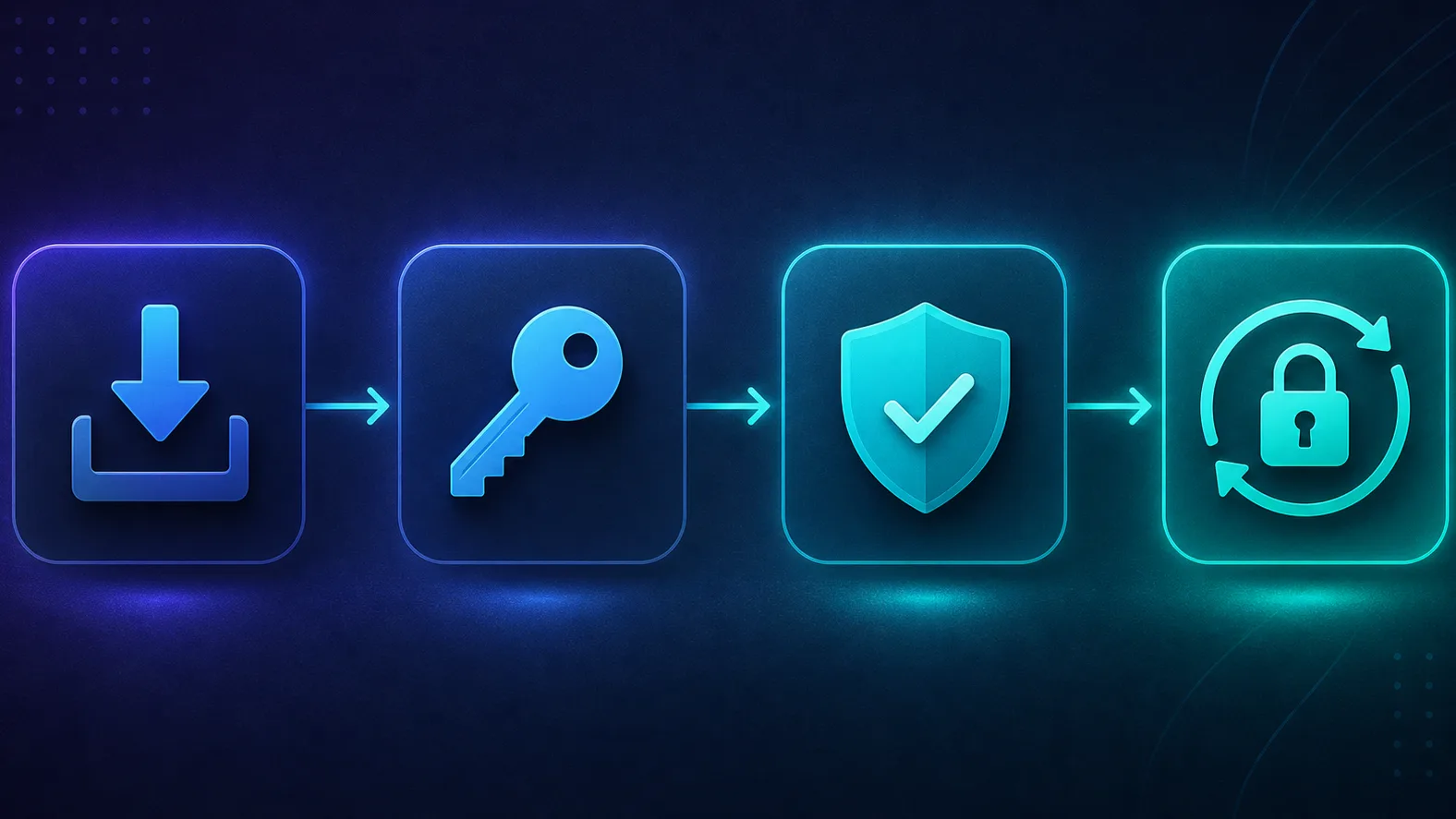
- Install the official app from the Google Play Store — always the provider's real app, not a random free clone.
- Sign in with your account.
- Allow the VPN configuration when Android prompts you (this permission lets the app route your traffic).
- Tap Connect — pick a nearby server for speed, or a specific country when you need it.
- Turn on the kill switch and auto-connect in the app's settings.
New to VPNs in general? Our full walkthrough on how to use a VPN covers every step and setting.
Android-only features worth enabling
Android gives you protection options that iPhones don't, and they're worth turning on:
- Always-on VPN. In Settings → Network & internet → VPN, Android can keep your chosen VPN connected at all times, reconnecting automatically after reboots or network changes.
- Block connections without VPN. Paired with always-on, this system-level setting stops all traffic if the VPN isn't connected — a rock-solid kill switch enforced by Android itself, not just the app.
- Split tunneling. Most good VPN apps let you exclude specific apps (like banking apps that dislike VPNs) while everything else stays protected.
Turn on Android's built-in "block connections without VPN"
This is the single most valuable Android VPN setting. Combined with always-on VPN, it guarantees your phone never sends traffic outside the tunnel — even for a split second during a reconnect. It's enforced by the operating system, so it's stronger than an app-only kill switch.
Are free Android VPNs safe?
The Google Play Store is full of free VPN apps, and this is exactly where caution matters most. Many free Android VPNs monetise by logging and selling data, injecting ads and trackers, or requesting excessive permissions — and because a VPN sees all your traffic, that's a serious risk. A few reputable providers (like Proton VPN) offer genuinely safe free tiers, but unknown free apps should be avoided for anything sensitive. We cover the full trade-off in free vs paid VPNs.
Be wary of no-name free VPN apps
An app being on the Play Store is not a guarantee it's safe. Free VPN apps have repeatedly been found leaking data or bundling trackers. Stick to reputable providers — on their free tier if you're not paying — rather than whichever app has the most downloads and a generic name.
Why use a VPN on Android at all?
Phones are uniquely exposed, which makes a VPN more useful on Android than on a desktop that rarely leaves your home:
- Public Wi-Fi safety. Cafés, airports, hotels and transit Wi-Fi are untrusted; encryption stops anyone on the same network from snooping on your phone.
- Privacy from your carrier. Your mobile provider can see and log the sites you visit; a VPN hides that traffic from them.
- Region-locked content. Connect to another country to access services and libraries while travelling or at home.
- Less app tracking by IP. Masking your IP reduces one of the signals apps and advertisers use to profile you.
Because your phone roams across networks all day, an always-on VPN quietly protects every one of those connections without you thinking about it.
How Android VPNs differ from iPhone VPNs
The same providers serve both platforms, but Android is the more flexible of the two. Android exposes a true system-level always-on VPN with "block connections without VPN," giving you an OS-enforced kill switch that iOS doesn't offer in the same way. Android also allows more configurable apps (Private Internet Access being a good example), sideloading, and manual VPN setup. iOS is more locked down, which is arguably more foolproof but less tweakable. If you like control, Android is the better VPN platform — see our best VPNs for iOS & macOS guide for the Apple side.
Using a VPN on Android TV
Android TV and Google TV boxes run the same ecosystem, so most top providers offer a dedicated Android TV app you install straight from the Play Store on the device. That's far better than sideloading the phone app, which often has a layout that doesn't work with a remote. All five picks here have native Android TV apps. If you're using a VPN on a TV mainly for streaming, prioritise providers with strong, well-maintained streaming support and a proper big-screen interface — and connect to a nearby server in the content's region for the smoothest playback.
How to check your Android VPN is working
Don't assume — verify after connecting:
- Check your IP. Open an IP-lookup page in your browser and confirm it shows the VPN server's IP and country, not your real one.
- Test for DNS leaks. Use a DNS-leak-test page to confirm your lookups go through the VPN, not your carrier.
- Confirm no WebRTC leak. A good app blocks this, but it's worth checking your real IP isn't exposed.
- Re-check on a new network. Switch between Wi-Fi and mobile data and confirm the VPN reconnects and holds.
Two minutes here catches the most common failure: thinking you're protected when a silent disconnect has dropped you onto your real IP.
Battery and speed: keeping it light
A VPN does use some extra battery and can slow your connection, but on a modern phone the impact is usually small — and you can minimise it. Use WireGuard (or the provider's WireGuard-based protocol) rather than older, heavier ones; it's faster and gentler on the battery. Connect to a nearby server for everyday use, since distance is the biggest cause of slowdown. And keep the app updated, as providers regularly optimise their mobile clients. For most people the security benefit far outweighs a few percent of battery.
Manual VPN setup (advanced)
Android also supports adding a VPN manually under Settings → Network & internet → VPN, without any app, if your provider or workplace gives you configuration details (server, protocol, credentials). This is mainly useful for corporate VPNs or self-hosted setups; for consumer VPNs, the provider's app is easier and unlocks features like the kill switch and server switching that manual profiles lack. Unless you have a specific reason, install the app rather than configuring by hand.
Common mistakes to avoid
- Installing an unknown free VPN instead of a reputable provider's app.
- Not enabling always-on and block-without-VPN — leaving gaps whenever the app disconnects.
- Forgetting the kill switch, so a dropped connection silently exposes your real IP.
- Using a far-away server for everyday use and blaming the VPN for slow speeds — pick a nearby one.
- Routing banking apps through the VPN when they flag it — use split tunneling to exclude them.
How to choose your Android VPN
- Want the best all-rounder? NordVPN.
- Covering the whole family on one plan? Surfshark's unlimited devices.
- Want it to just work with zero fuss? ExpressVPN.
- Privacy-first, or want a free tier? Proton VPN.
- Love tweaking settings? Private Internet Access.
Also on Apple devices? See our guide to the best VPNs for iOS & macOS, or browse the full VPN directory to compare current pricing.
Are VPNs legal to use on Android?
In the vast majority of countries, yes — using a VPN on your Android phone is completely legal and a normal privacy practice. A small number of countries restrict or ban VPNs, so if you travel it's worth checking local rules before you go. As always, a VPN being legal doesn't make otherwise-illegal activity legal — it's a privacy and security tool, not a loophole. For everyday users protecting their browsing on public Wi-Fi and their carrier connection, there's nothing to worry about.
How much does an Android VPN cost?
Prices change and depend on the plan length, so check the live figures on the cards above rather than any number quoted here. The consistent pattern is that monthly plans cost the most per month, while one- or two-year plans drop the effective price substantially — which is why providers push longer commitments. Most reputable paid VPNs also offer a 30-day money-back guarantee, so you can install the app, test it properly on your phone, and refund if it doesn't fit. If you'd rather not pay at all, Proton VPN's free tier is the safest way to get protected on Android for nothing, with the option to upgrade later.
The bottom line
Android is a great platform for VPNs, and any of these five will protect your phone well — the difference is emphasis. NordVPN is the best all-rounder, Surfshark the best value, ExpressVPN the simplest, Proton VPN the most privacy-focused (with a real free tier), and Private Internet Access the most configurable. Whichever you pick, install the official app, connect to a nearby server, and — this is the Android-specific bit — turn on always-on VPN with "block connections without VPN" for protection the operating system enforces. Do that, and your phone stays private and secure on every network it touches. Not sure a paid plan is right yet? Weigh the trade-offs in our free vs paid VPNs guide first.
Frequently asked questions
NordVPN is the best all-round choice for most Android users, with a fast, polished app, a reliable kill switch, and an Android TV app. Surfshark is the best value (unlimited devices), ExpressVPN the simplest, Proton VPN the most privacy-focused with a genuine free tier, and Private Internet Access the most customisable. The right one depends on your priorities.
Proton VPN's free tier is the standout because it has no data cap, no ads, and comes from a trusted, audited provider. Most other free Android VPNs are risky — they often log and sell data or bundle trackers. Only use a free VPN from a reputable provider, and avoid unknown free apps for anything sensitive.
Install the provider's official app from the Google Play Store, sign in, and allow the VPN configuration when Android prompts you. Tap Connect to join a server, then enable the kill switch and auto-connect in settings. For the strongest protection, also turn on Android's built-in always-on VPN.
Android has built-in VPN settings — including 'always-on VPN' and 'block connections without VPN' — but not its own VPN service; you still need a VPN provider's app. Those built-in settings work alongside the app to keep the connection always active and block any traffic that would bypass the tunnel.
Not automatically. Being on the Play Store doesn't guarantee an app is trustworthy — free VPN apps have repeatedly been found leaking data or containing trackers. Stick to well-known, audited providers rather than no-name free apps, and check the app's permissions and privacy policy before installing.
It's genuinely useful because phones constantly connect to untrusted networks like cafe and airport Wi-Fi, where a VPN's encryption protects you from local snooping. It also hides your IP and browsing from your mobile carrier and lets you access region-locked content. It's not mandatory, but it's a strong, always-on privacy layer.
There's a small battery cost because traffic is encrypted and routed, but with the modern WireGuard protocol it's minimal on most phones. Choosing a nearby server and a lightweight, well-optimised app keeps the impact low. The privacy and security benefits usually far outweigh the modest battery use.
NordVPN, Surfshark, ExpressVPN, Proton VPN, and Private Internet Access all offer dedicated Android TV apps, so any of them works well on a TV or streaming box. Look for a native Android TV app (rather than sideloading the phone app) and strong streaming support if you'll use it for region-locked content.