Table of contents
Netflix shows a different catalogue in every country, and it actively tries to block VPNs — so most VPNs simply fail to stream it. A handful, though, reliably unblock Netflix libraries in crisp 4K without buffering. This guide explains how a VPN unlocks Netflix, what separates one that works from one that doesn't, and the best VPNs for Netflix in 2026.
Why use a VPN with Netflix?
Netflix licenses shows and films region by region, so the catalogue you see depends on where you are. A VPN changes the country Netflix thinks you're in, which lets you:
- Unlock other libraries: the US, Japanese and UK catalogues each carry titles the others don't.
- Keep your home library while travelling: connect back to your own country to watch what you normally would.
- Avoid throttling: some ISPs slow down streaming traffic; a VPN hides what you're doing, so they can't.
How a VPN unblocks Netflix
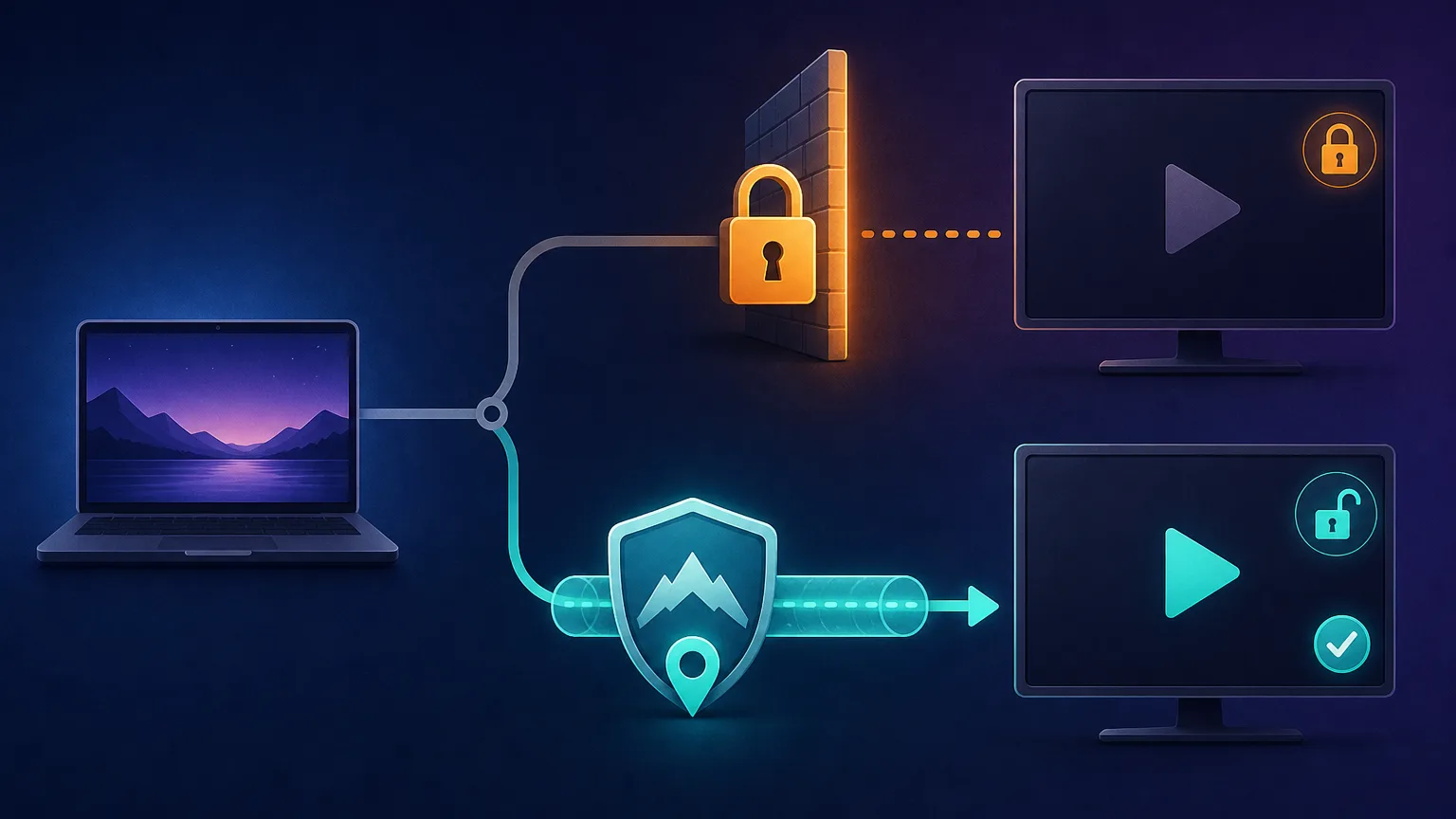
A VPN routes your connection through a server in another country. Netflix sees that server's IP address instead of your real one and serves the catalogue for that location. Connect to a server in Tokyo and you get Japanese Netflix; connect to one in New York and you get the US library.
The catch is that Netflix maintains a blocklist of known VPN server IPs. When it spots one, you get the dreaded proxy error instead of your show. The VPNs that "work with Netflix" are the ones that constantly refresh their IP pool and run servers Netflix hasn't flagged — which is exactly what separates the picks below from the rest.
What makes a good Netflix VPN?
Unblocking is only half the job — it has to stream smoothly too:
- Reliable unblocking: works with Netflix consistently, not just for a week until the servers get flagged.
- Speed for 4K: fast enough to stream Ultra HD without buffering, even on distant servers.
- Server countries: the more locations, the more libraries you can reach.
- Apps on your screens: native apps for phones, computers, and smart TVs / Fire Stick — plus router support for devices that can't run a VPN. All-Apple household? Our best VPNs for iOS and macOS guide goes deeper.
- Simultaneous connections: enough devices to cover the whole household at once.

Privacy-first ≠ streaming-first
A great privacy VPN isn't automatically a great Netflix VPN. Mullvad, for example, is excellent for anonymity but doesn't focus on streaming and is often blocked — so it's not on this list. For Netflix, pick a VPN that actively maintains streaming servers.
The best VPNs for Netflix in 2026
We weighted reliable Netflix unblocking, 4K streaming speed, the number of server countries, app coverage on TVs and streaming devices, and value. Each card links to our full review with live pricing and any current deal.
ExpressVPN — best overall for Netflix
The most consistent Netflix performer: it unblocks a wide range of libraries, streams 4K without fuss, and has the slickest apps on phones, computers, smart TVs and Fire Stick — plus router support. Pricier, but the one that "just works."

ExpressVPN
The most reliable VPN we have tested — connections just work, on every platform including routers. You pay a premium for that polish, and power users may miss the configurability rivals offer.
NordVPN — fastest reliable unblocking
A huge server network and the speedy NordLynx protocol make Nord superb for buffer-free 4K, and it unblocks the major libraries dependably. The best all-rounder if you want speed and reliability together.

NordVPN
Still the benchmark. NordVPN combines top-tier speeds, a repeatedly audited no-logs policy, and the broadest feature set in the industry at a mid-range price. The default recommendation for most people.
The two top streaming picks, head to head:
ExpressVPN
VPN
NordVPN
VPN
Editor score
User rating
Starting price
Founded
Surfshark — best value
Unblocks Netflix reliably, streams in 4K, and allows unlimited simultaneous connections — so the whole household streams on one cheap subscription. The best pick if budget matters.

Surfshark
The value king. Unlimited connections, strong speeds, and a feature set close to NordVPN at roughly half the intro price. The 14-eyes Netherlands jurisdiction is the main caveat for hardliners.
CyberGhost — best for beginners
Offers streaming-optimised servers labelled for specific platforms and countries, so you just pick "Netflix US" and connect. Easy apps and a long money-back window make it very beginner-friendly.

CyberGhost
Ideal for users who want labeled, purpose-built servers instead of settings to tweak. Long-term plans are very cheap. Speeds are good rather than great, and monthly pricing is poor value.
Proton VPN — best for privacy with streaming
The Plus plan unblocks Netflix with solid speeds while bringing Proton's strong Swiss no-logs privacy pedigree. The pick if you want streaming and serious privacy from one provider.

Proton VPN
The privacy purist's choice that no longer compromises on speed or streaming. The free tier is genuinely free and safe — unique in this industry. Paid plans are competitive with the very best.
How to watch Netflix with a VPN
- Subscribe to one of the VPNs above and install its app on your device.
- Sign in and connect to a server in the country whose Netflix library you want.
- Open Netflix (in a browser or the app) — it now shows that country's catalogue.
- Hit a proxy error? Switch to another server in the same country, clear your browser cookies, and reconnect. On the picks above this is rare.
Free VPNs don't work for Netflix
Free VPNs are almost always blocked by Netflix, throttle your speed, cap your data after an hour of SD video, and some monetise by logging or selling your activity. For reliable streaming, a reputable paid VPN is worth it.
The bottom line
For the most reliable Netflix experience, ExpressVPN and NordVPN are the safest bets, Surfshark is the best value for a whole household, and Proton VPN is the pick if privacy matters as much as streaming. Any of them will unblock far more than a free VPN ever could — choose your server's country, hit play, and skip the buffering.
Frequently asked questions
Yes, with the right VPN. Netflix blocks many VPN server IPs, but top providers constantly refresh their servers so they keep working. When connected, you see the Netflix catalogue of the server's country.
Using a VPN is legal in most countries. It does go against Netflix's terms of service, but the realistic worst case is a temporary proxy error that blocks the connection - not an account ban. Always follow your local laws.
Netflix has probably flagged that server's IP. Switch to a different server in the same country, clear your browser cookies, use a streaming-optimised server if your VPN offers one, or ask the VPN's support which servers currently work.
Yes. Connect to a VPN server in the country whose library you want and Netflix serves that catalogue, subject to what titles are licensed there. Switching servers switches libraries.
Rarely. Free VPNs are usually blocked, too slow for HD, capped on data, and some log or sell your activity. A reputable paid VPN is far more reliable for streaming.